Best AI Tools for Marketing: Top Picks (best ai tools for marketing)

best ai tools for marketing
Welcome offer — 56% OFF



Discover the top 12 AI tools for social media in 2026. Our guide covers content creation, video, scheduling, and analytics to boost your strategy.
Let's be honest, your social media to-do list is a monster. You're expected to be a writer, a video editor, a graphic designer, a data scientist, and a community manager, all before your first coffee. The constant pressure to create engaging content, schedule posts perfectly, and analyze performance can feel like a digital hamster wheel. You're drowning in tabs, battling creative blocks, and wondering if anyone even sees your brilliant work.
This is where the robots come in, and trust us, they’re friendly. We’re not talking about clunky, soulless automation. We're talking about a new generation of smart assistants designed to supercharge your creativity and reclaim your time. These powerful AI tools for social media are built to handle the heavy lifting, from generating viral-worthy video scripts to pinpointing the absolute best time to post for maximum engagement.
This guide is your ultimate cheat sheet. We've gone deep, testing and vetting the absolute best platforms to transform your social media strategy. Forget generic marketing fluff. For each tool, you'll get:
Real-world use cases for creators, marketers, and businesses. An honest look at pros and cons. Clear pricing breakdowns. Step-by-step workflows, including how to integrate unique platforms like SendFame for hyper-personalized content.
We're cutting through the hype to give you a practical, no-nonsense look at the top AI tools that will genuinely level up your game. It's not just about industry-specific solutions either; to see how AI tools are transforming other specialized sectors, delve into the best AI tools for real estate agents, showcasing their broad applicability for business growth. Let's build your new, smarter tech stack.
SendFame stands out as a formidable all-in-one AI creative studio, making it one of the most versatile AI tools for social media available today. It consolidates the power of multiple specialized generators into a single, intuitive platform, eliminating the need to jump between different apps for video, music, and image creation. Its one-click workflow is designed for speed and accessibility, empowering anyone from seasoned marketers to casual creators to produce high-quality, bespoke content in mere seconds.
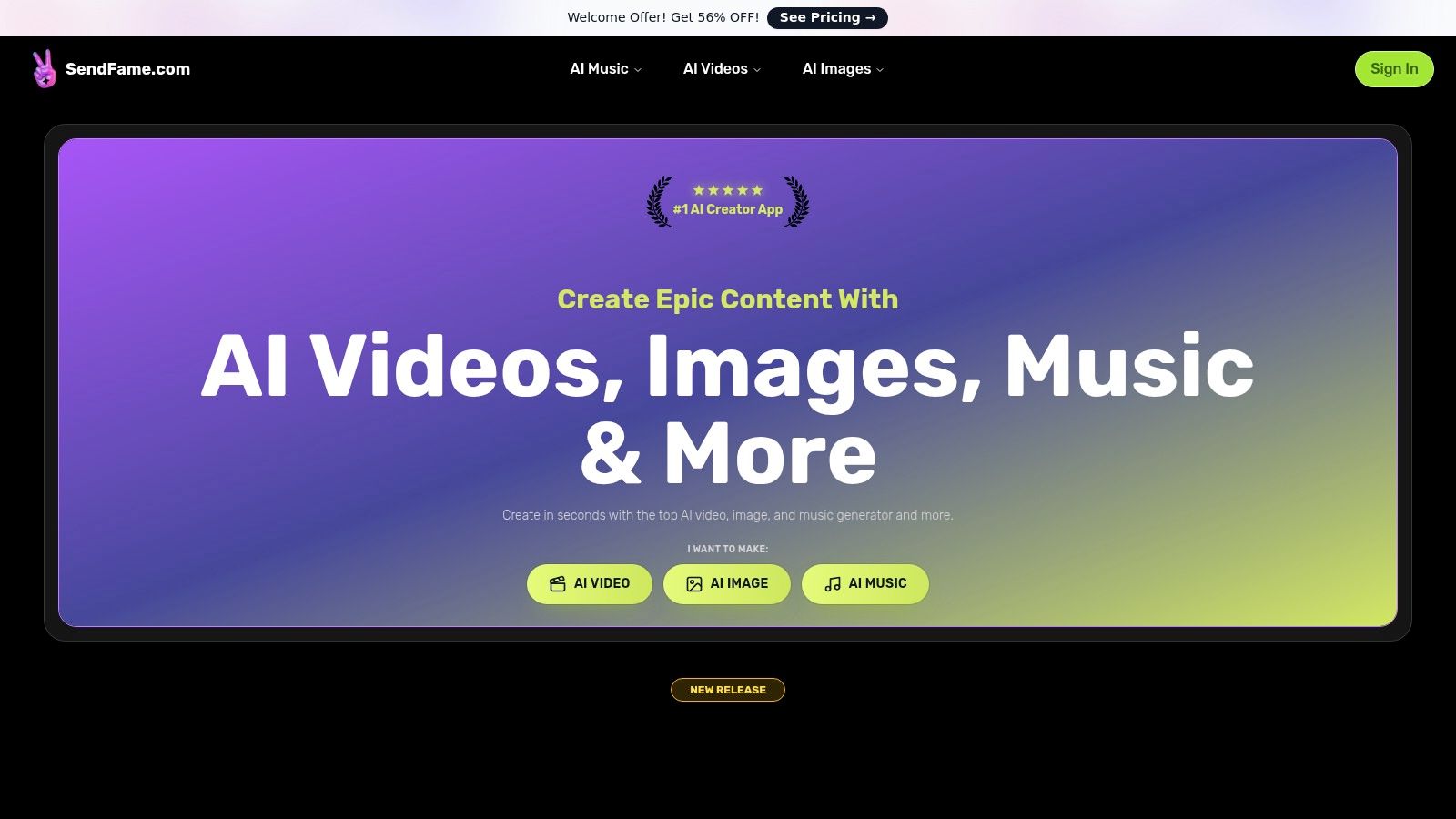
What truly sets SendFame apart is its suite of unique, high-impact features. The full AI Music Generator doesn't just create background loops; it produces complete songs with vocals and even generates a music video to match. Its AI Celebrity Video Generator allows for hyper-realistic personalized messages, perfect for creating unforgettable birthday shout-outs or viral marketing moments. The new Image-to-Video tool adds another layer of dynamic content creation, transforming static pictures into engaging short videos ideal for Reels and TikTok.
AI Music & Video Generator: Create a full, original song with lyrics and vocals from a simple prompt. Use this to produce a unique brand jingle for your podcast intro or a custom birthday song for a follower shout-out. AI Celebrity Video Generator: Pick a persona, input a script, and generate a personalized video message. This is perfect for event invitations, quirky brand announcements, or just sending a hilariously unique greeting to a friend. Image-to-Video Converter: Animate static images to create eye-catching video content. Turn a product photo into a short, looping video ad for Instagram Stories or bring a cartoon avatar to life. Comprehensive Creative Suite: Beyond the headliners, you get AI tools for lyrics, album covers, and cartoon avatars, making it a complete content production hub.
The platform is backed by strong social proof, with over 750,000 users and a library of community-generated content that provides endless inspiration. While pricing details and advanced features require exploring their plans (a welcome discount is often promoted), its sheer creative power and user-friendly design make it an indispensable asset for modern social media. Just be sure to review the terms for commercial use, especially when leveraging likeness-based features.
Website:https://sendfame.com
Hootsuite is the seasoned veteran of social media management, now supercharged with some serious AI firepower. It's less of a single-task tool and more of a command center for your entire social strategy. Instead of just generating copy, its OwlyWriter AI and OwlyGPT are baked directly into the platform, helping you brainstorm ideas based on real-time trends, whip up captions in seconds, and even repurpose your greatest hits for a second round of glory. It's one of the best integrated AI tools for social media for teams that want everything under one roof.
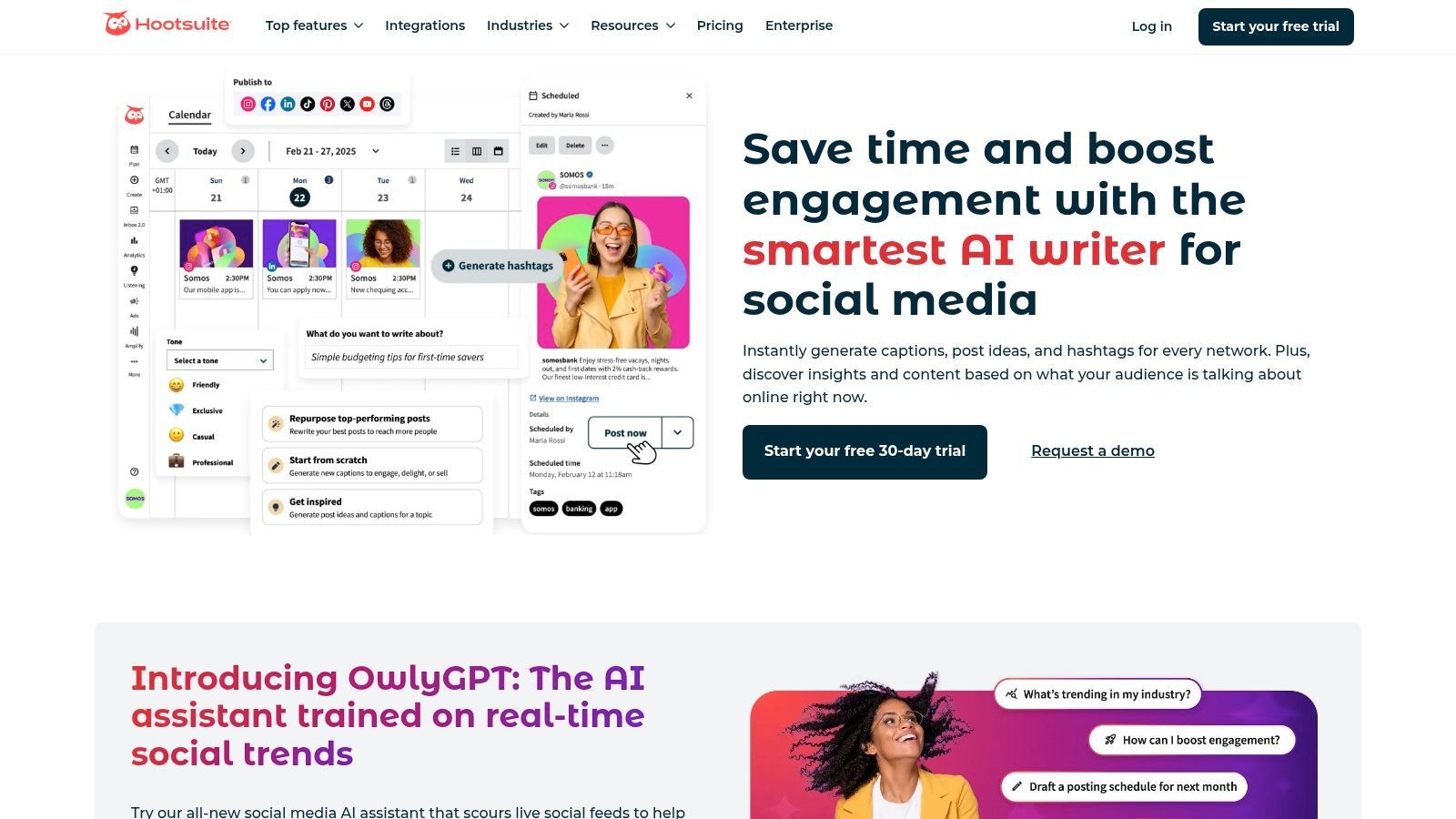
What makes it stand out is how the AI extends beyond content creation. It helps you schedule posts at the optimal time, generates hashtag suggestions, and even provides AI-powered summaries of social listening trends, so you can quickly understand what people are saying about your brand without drowning in data.
OwlyWriter AI & OwlyGPT: Instantly generate post ideas, write captions from a URL, or repurpose top-performing content. It's like having a social media intern who never sleeps.AI-Powered Scheduling: The "Best Time to Post" feature analyzes your audience's activity to maximize reach automatically.Listening & Inbox Summaries: Get AI-driven summaries of brand mentions and automate inbox responses to common questions, saving your community managers valuable time.Practical Tip: Use OwlyWriter to create five different caption variations for a new product announcement. Pair these with a custom video from SendFame featuring a relevant influencer. Schedule the best-performing post variant across all channels using Hootsuite's AI scheduler to ensure maximum impact. This workflow combines personalized media with data-driven distribution, a powerful duo you can learn more about as you explore other AI tools for social media marketing.
| Pros | Cons |
|---|---|
| Deeply integrated AI across a full SMM suite | Advanced add-ons can increase the final cost |
| Strong team collaboration and approval workflows | Can have a learning curve for newcomers |
| Excellent integrations with tools like Canva & Adobe | Pricing isn't always transparent on the website |
Website:https://www.hootsuite.com/platform/owly-writer-ai
Sprout Social is the enterprise-grade choice for social media management, bringing a sophisticated layer of AI to an already powerful platform. While it offers familiar AI-assisted content creation, its real ace is Trellis, an AI agent designed to turn vast social data into conversational insights. It moves beyond simple post generation, positioning itself as one of the most advanced AI tools for social media for teams focused on deep analytics, market research, and robust governance.
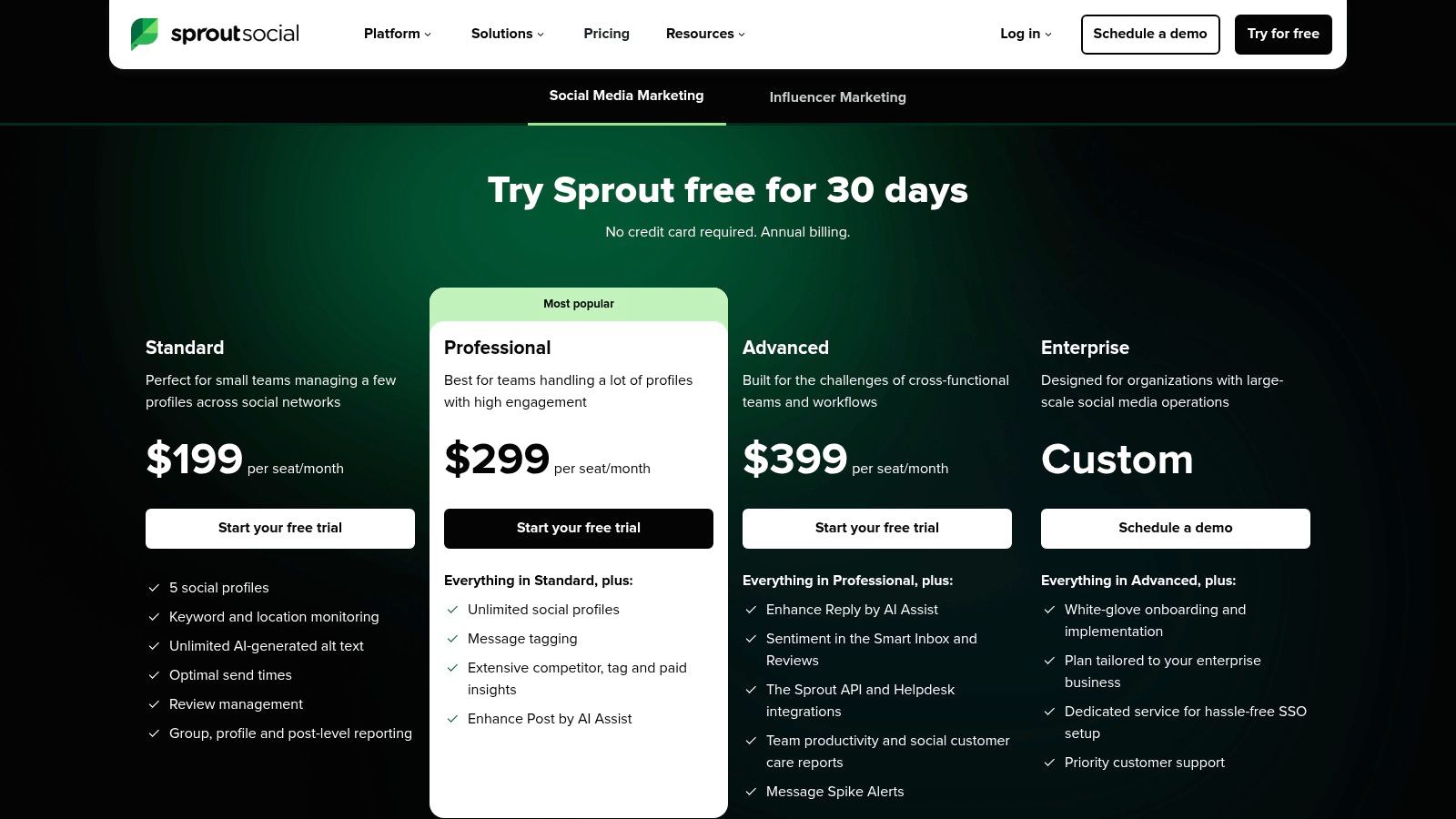
What makes Sprout Social a heavyweight contender is its focus on intelligence. Instead of just helping you post, its AI helps you understand the why behind performance. Trellis can answer complex questions about brand sentiment, competitive positioning, and customer voice, transforming your social channels from a megaphone into a strategic listening device for your entire organization. It's built for teams that demand more than just scheduling and content.
AI Assist & Trellis: Use AI Assist for refining copy, optimizing send times, and generating smart replies. Then, leverage Trellis to ask conversational questions about your social data, like "What are the top complaints about our competitor's new product?" Robust Analytics & Reporting: Dive into best-in-class reporting that provides granular insights into every aspect of your social performance. Governance & Care Integrations: Manage complex team workflows with approval queues and integrate social customer service directly into platforms like Zendesk or HubSpot. Practical Tip: After a major campaign launch, use Trellis to analyze the voice-of-customer by asking, "Summarize the key themes from mentions of our #NewCampaign hashtag." Identify the most positive sentiment, then commission a personalized SendFame video from a creator who embodies that theme to use in a follow-up "Thank You" post, strengthening community connection.
| Pros | Cons |
|---|---|
| Best-in-class analytics and reporting depth | Per-seat pricing can add up for larger teams |
| Scales well for multi-team, multi-profile environments | Overkill for solo creators or small businesses |
| Trellis AI offers unique market intelligence capabilities | Some advanced features are locked behind higher tiers |
Website:https://sproutsocial.com/pricing/
Buffer is the friendly neighborhood social media scheduler that has embraced AI with open arms. Known for its clean interface and straightforward approach, it's a fantastic choice for solo creators, startups, and small teams that need powerful tools without the enterprise-level complexity. Its built-in AI Assistant is designed to break through creative blocks, helping you brainstorm ideas, rewrite copy in different tones, and generate posts from scratch, all within its famously intuitive workflow. It's one of the most accessible AI tools for social media for users who value simplicity and efficiency.
What makes Buffer stand out is its commitment to a clean, uncluttered user experience. The AI features aren't bolted on; they feel like a natural extension of the content creation process. You can generate ideas, write the copy, and schedule it to your visual calendar in a few clicks. This seamless integration removes friction and keeps you focused on what matters: creating and publishing great content without getting lost in menus.
AI Assistant: Brainstorms content ideas, generates captions for any social network, and repurposes existing content with different angles or tones. Visual Calendar & Scheduling: Plan your content visually and use features like first-comment scheduling for Instagram to keep captions clean. Start Page: Create a beautiful, link-in-bio landing page for your brand directly within Buffer, consolidating your online presence. Practical Tip: Use the AI Assistant to generate three distinct post ideas for a holiday promotion. Choose the best one and have the AI write a caption for Instagram. Then, use the "Rewrite" function to create shorter, punchier versions for X and a more detailed one for LinkedIn. This entire process takes minutes inside one unified dashboard.
| Pros | Cons |
|---|---|
| Clear, affordable pricing with a functional free tier | Lighter on analytics compared to enterprise-grade platforms |
| Incredibly easy onboarding and user experience | Fewer advanced workflow controls for large, complex teams |
| AI features are seamlessly integrated into the workflow | Social listening features are not as robust as competitors |
Website:https://buffer.com/ai-assistant
Later is the visually-driven scheduler that grew up on Instagram and is now using AI to make planning content for visual platforms like TikTok and Pinterest a breeze. Where other tools focus on broad-stroke management, Later hones in on the visual planning experience. Its AI features are designed to conquer creative block, helping you generate content ideas, captions, and the best hashtags without ever leaving its iconic content calendar. It’s one of the best AI tools for social media for brands and creators who think visually first.
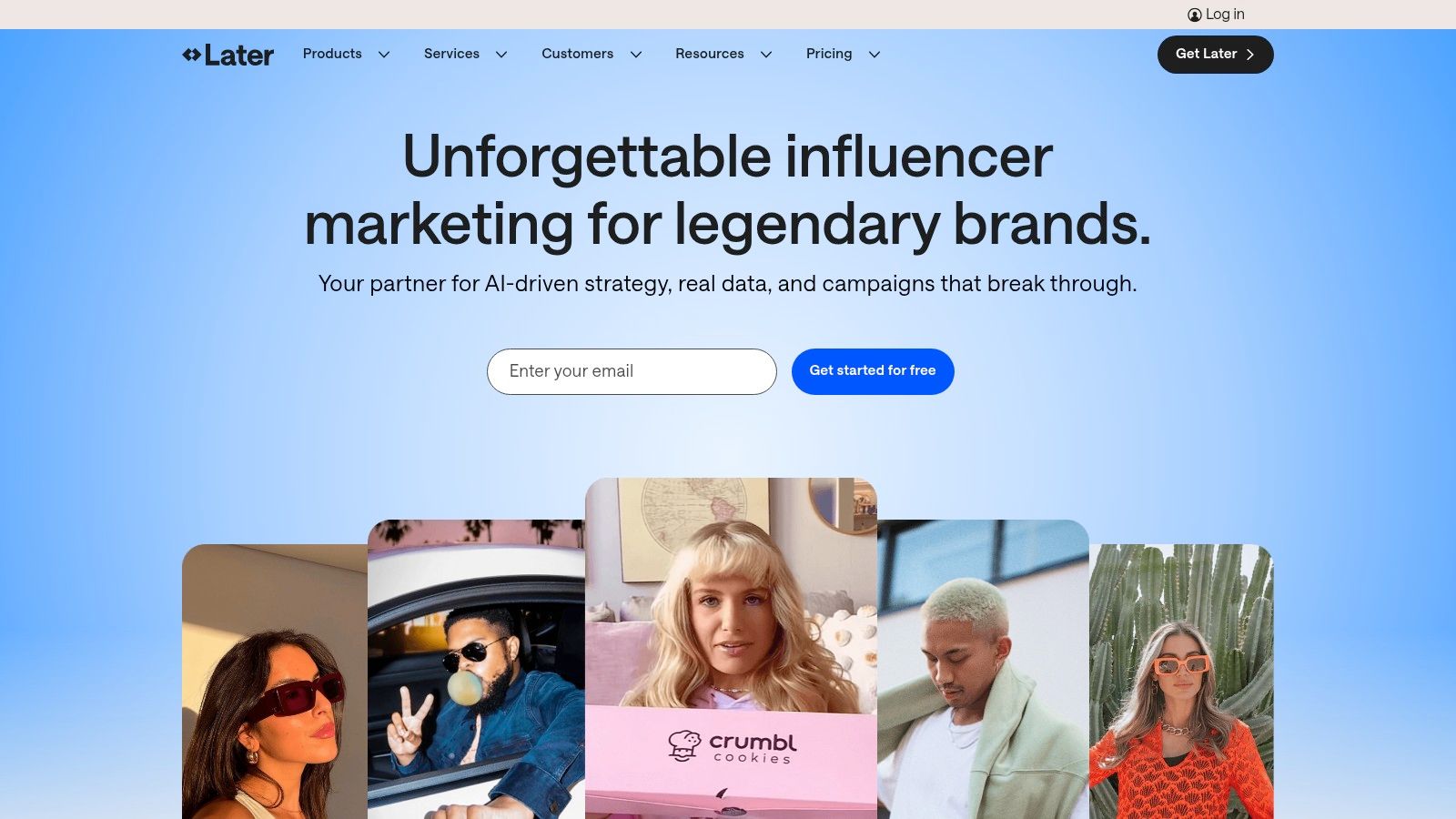
What makes it unique is the integration of its influencer marketing arm, Later EdgeAI. This platform uses a first-party creator dataset to provide predictive performance insights, helping you find the right collaborators for your campaigns. This combination of a top-tier visual scheduler with data-backed influencer discovery makes it a powerful ecosystem for brands that rely heavily on creator partnerships and a polished aesthetic.
AI Caption Writer: Generates multiple caption options tailored to your post’s context and desired tone, helping you find the perfect words in seconds. Content Idea Generation: Stuck for what to post? The AI suggests ideas based on your industry and content pillars, keeping your feed fresh and relevant. AI Hashtag & Timing Suggestions: Analyzes your content and audience to recommend optimal hashtags and posting times, taking the guesswork out of maximizing reach. Later EdgeAI: A dedicated platform that uses AI to analyze creator data, predict campaign performance, and identify the most impactful influencers for your brand.
| Pros | Cons |
|---|---|
| Strong creator/influencer ecosystem and educational tools | Some AI features rely on credits which can limit usage on lower plans |
| Modern visual scheduler and an intuitive planning UI | Historically Instagram-centric; feature support for other networks varies |
| Excellent for planning visually cohesive feeds | Advanced influencer analytics are part of a separate, higher-tier plan |
Website:https://later.com/
Canva is the design-for-everyone darling that has embraced AI to become a complete social media content factory. Its Magic Studio suite transforms the platform from a simple template editor into a powerful creation engine. It's built for speed, allowing individuals and teams to go from a simple text prompt to a fully designed, on-brand, and scheduled social media post in minutes. This makes it one of the most accessible AI tools for social media for users who need stunning visuals without a steep learning curve.
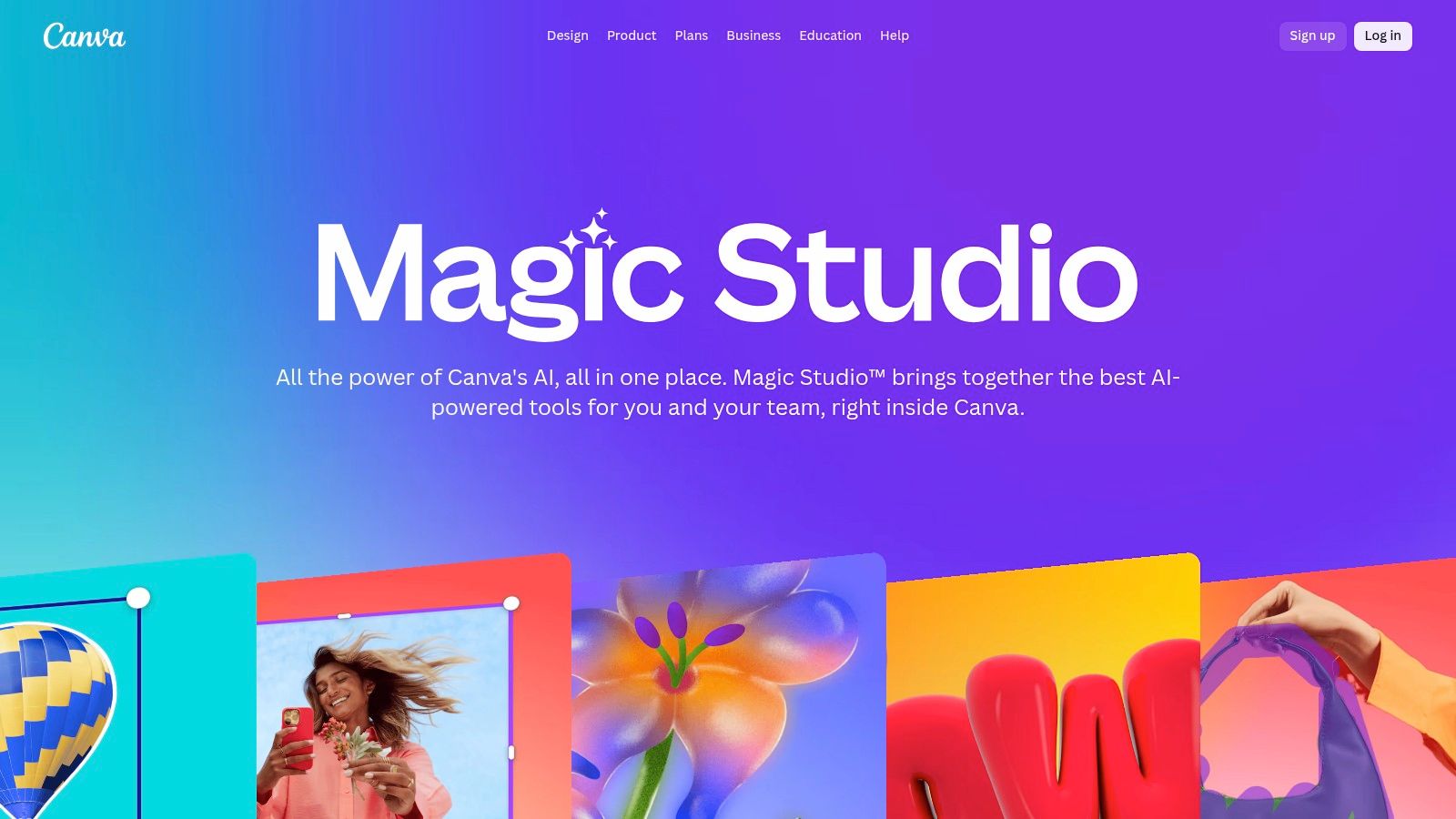
What makes it stand out is the seamless integration of AI into every part of the design process. You can use Magic Write to generate captions, then ask Magic Design to create a set of custom-branded templates to match. Need a specific image? The text-to-image generator can whip one up on the spot. This end-to-end workflow eliminates the need to jump between multiple applications for copy, visuals, and scheduling.
Magic Studio Suite: An all-in-one AI toolkit that includes Magic Write for copy, Magic Design for templates, and text-to-image/video generation.Brand Kits & Templates: AI tools work within your established Brand Kit, ensuring every creation from templates to AI-generated images stays consistent with your fonts, colors, and logos.One-Click Resize & Scheduling: Instantly adapt any design for different social media formats (e.g., post to story) and schedule it directly to your channels.Practical Tip: Use Magic Design to generate a set of Instagram Stories templates for a Q&A session. Ask your audience to submit questions, then create a personalized video response for the most engaging question using SendFame. Embed this video into one of the Canva templates for a high-impact Story. This workflow combines AI-powered design with authentic, personalized video content, a strategy that deeply resonates with audiences. For more on visual creation, you can explore the best AI art generator tools available.
| Pros | Cons |
|---|---|
| Fast path from idea to on-brand visuals and captions | Heavier AI usage may require paid tiers or credits |
| Enormous template ecosystem and simple collaboration | Advanced video generation is still evolving compared to specialist tools |
| All-in-one platform for design, copy, and scheduling | AI-generated content can sometimes lack creative nuance |
Website:https://www.canva.com/magic/
Adobe Express is the creative powerhouse that brings Adobe's legendary design tools to the masses, now infused with the magic of its Firefly AI. It's an all-in-one content creation hub designed for speed and brand consistency, making it a go-to for teams that want professional-looking social assets without the steep learning curve of Photoshop or Premiere Pro. The platform seamlessly blends template-based design with powerful generative AI, allowing you to go from a simple text prompt to a fully realized, on-brand graphic or video in minutes.
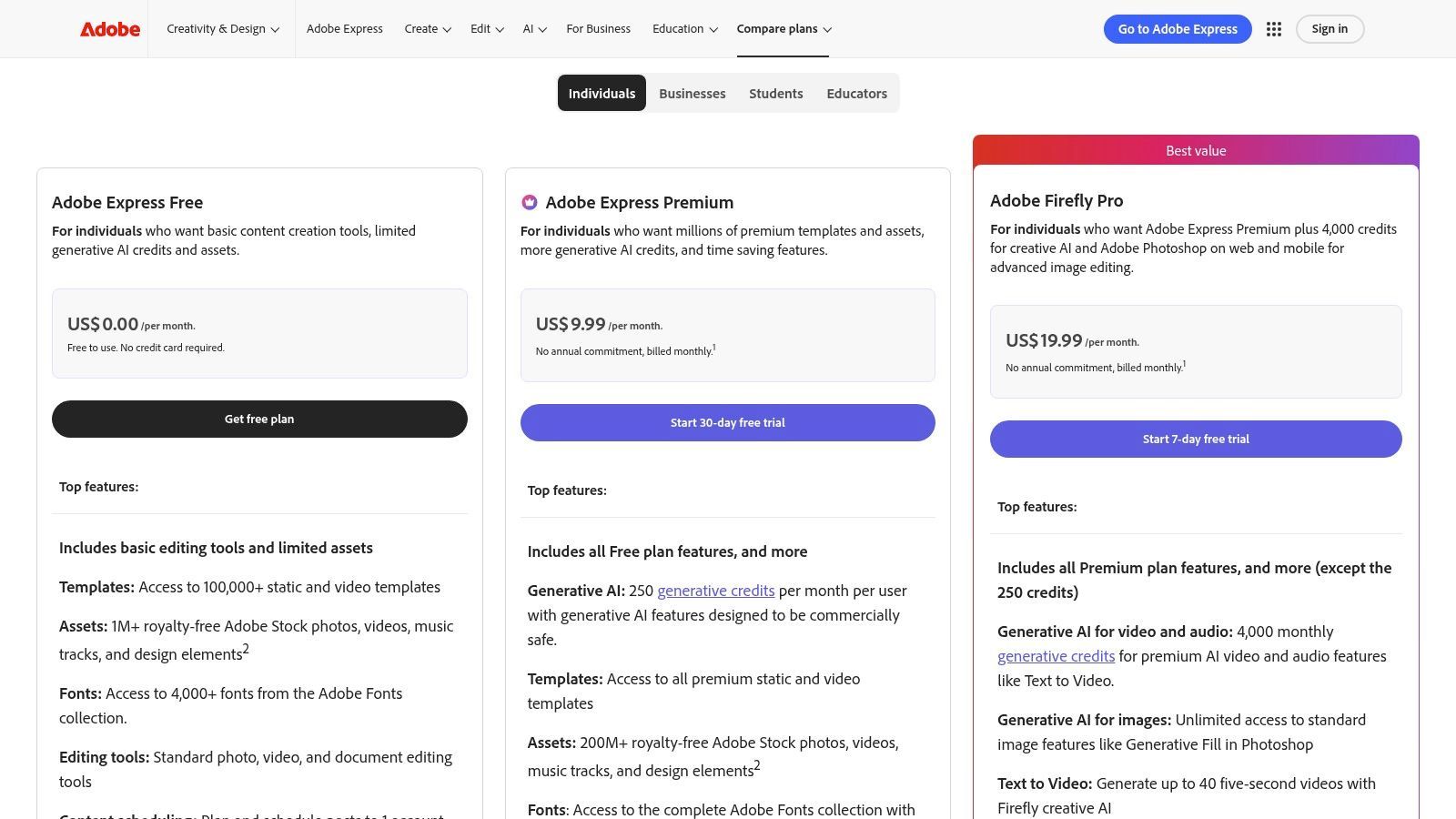
What truly sets Adobe Express apart is its focus on creating commercially safe AI content. Because Firefly is trained on Adobe Stock's licensed library, the images you generate are designed to be free of intellectual property headaches, a huge plus for businesses. This integration with the broader Adobe ecosystem means your assets can easily move between Express and other Creative Cloud apps, making it one of the most versatile AI tools for social media for established creative teams.
Firefly AI Generation: Use text-to-image, generative fill, and text effects to create unique visuals and video elements directly within your designs. Auto-Captioning & Translation: Automatically add and translate captions for your social videos, making your content more accessible to a global audience with a single click. Brand Kits & Templates: Upload your brand's fonts, colors, and logos to generate on-brand templates instantly, ensuring every post looks consistent. Practical Tip: Use the Firefly text-to-image feature to generate a custom background for a new product promotion. Then, use the built-in content scheduler to plan a week of posts showcasing this new asset. For an even bigger launch, pair the AI-generated visuals with a personalized shoutout video from a niche influencer, created using SendFame, to add an authentic human touch.
| Pros | Cons |
|---|---|
| Commercially safe AI with clear crediting (Firefly) | Some advanced AI features are gated behind higher-credit plans |
| Strong mobile app and integration with Adobe workflows | Heavier exports or stock use may require a Premium plan |
| All-in-one design, video, and scheduling platform | Can feel less specialized than dedicated single-purpose tools |
Website:https://www.adobe.com/express/pricing
Jasper is the AI copilot for marketing teams who are obsessed with brand consistency. While many AI writers are a creative free-for-all, Jasper focuses on creating a governed, on-brand content ecosystem. It learns your unique brand voice, style guide, and product knowledge, ensuring that every social post, snippet, or campaign idea it generates sounds like it came directly from your team, not a generic robot. This makes it one of the most powerful AI tools for social media for scaling content without sacrificing your brand’s personality.
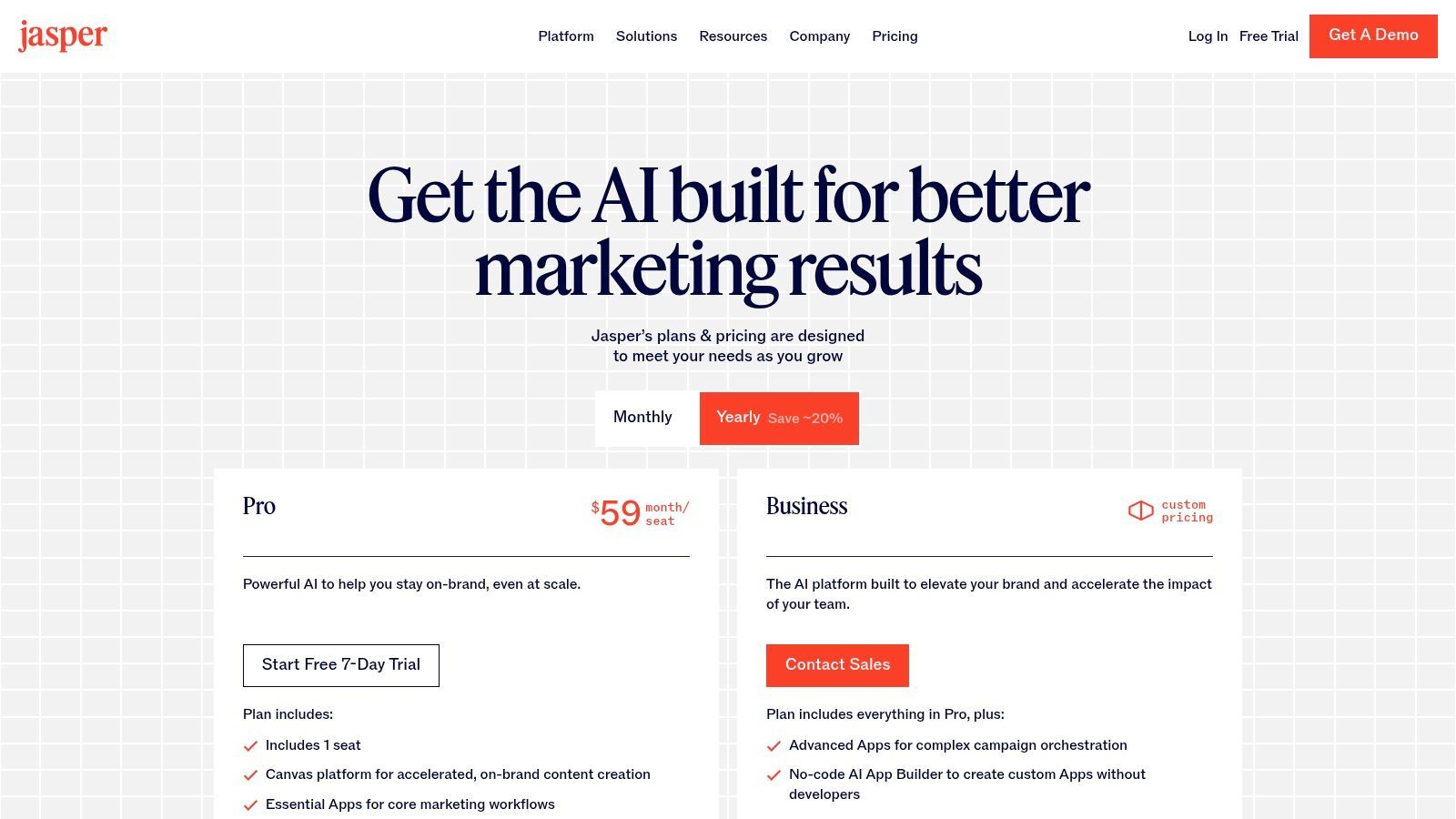
What sets Jasper apart is its structured approach. Instead of just a blank prompt box, it offers specific "Apps" for social media tasks and a collaborative Canvas workspace where your entire team can orchestrate campaigns. It’s less about one-off posts and more about building a repeatable, brand-aligned content engine that works at scale, all while staying grounded in your company's core information.
Brand Voice & Knowledge Grounding: Teach Jasper your brand’s tone, style, and product details to ensure all generated content is perfectly aligned and accurate.Social Media Apps: Use dedicated templates for creating posts, snippets, and entire campaigns, streamlining the creative process for specific social tasks.Content Calendar & Collaboration: Plan, create, and review social content within a shared workspace, making it ideal for marketing teams needing oversight and seamless workflows.Practical Tip: Use Jasper’s Brand Voice feature to define your quirky, upbeat brand personality. Then, ask it to generate ten engaging Instagram post ideas for an upcoming product launch. To bring these ideas to life, commission a personalized SendFame video from a creator who matches your brand's energy, using Jasper's copy for the video script. You can explore more strategies for using AI for content creation to make your campaigns even more effective.
| Pros | Cons |
|---|---|
| Strong brand consistency controls across channels | Pricing is per seat, which can increase costs for teams |
| Useful app catalog for specific social tasks | Still requires human QA for nuance and compliance |
| Excellent for team collaboration and content governance | Can be more complex than simpler, single-purpose AI writers |
Website:https://www.jasper.ai/pricing
Copy.ai is a powerhouse for generating social media copy at scale, functioning more like a content factory than a simple writer. It moves beyond basic text generation with pre-built workflows and templates specifically designed for platforms like LinkedIn, Facebook, and Twitter. This focus on process automation makes it one of the most practical AI tools for social media for teams looking to streamline their entire content creation pipeline from brainstorming to final draft.
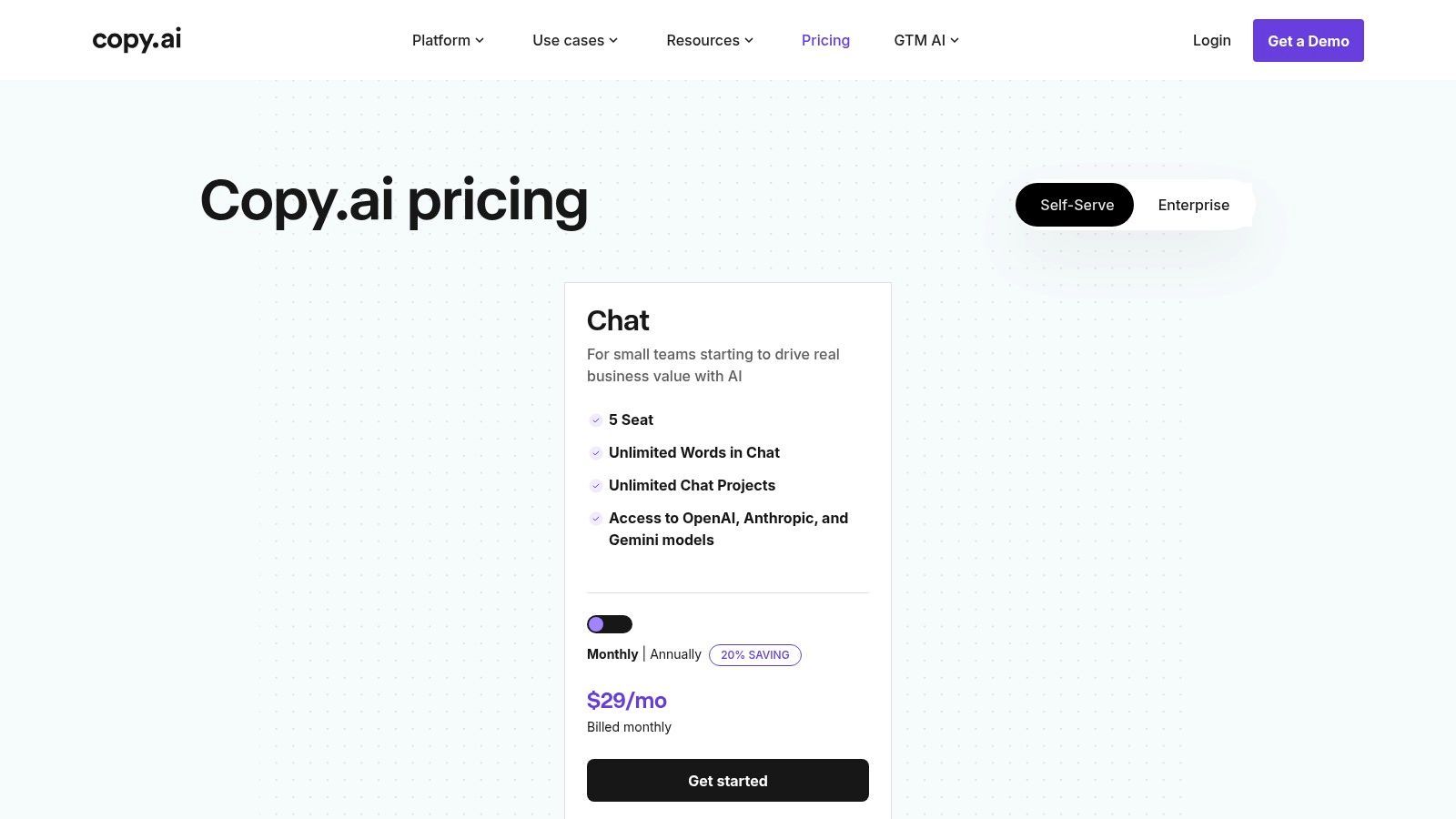
What makes it stand out is its model-agnostic approach, allowing you to switch between different large language models like those from OpenAI, Anthropic, and Google. This flexibility ensures you're always using the best tool for the job. Instead of just writing a single post, you can build an entire workflow that generates multiple ad variations, repurposes a blog post into a week's worth of tweets, and maintains a consistent brand voice across all outputs.
Prebuilt Social Workflows: Get started instantly with templates for creating LinkedIn thought leadership posts, Facebook ad copy, tweet threads, and more. Model-Agnostic Access: Choose from the latest AI models (like GPT-4o, Claude 3, and Gemini) to find the perfect tone and style for your audience. Automated Workflows: Build custom "agents" that automate repetitive social media copy tasks, such as summarizing articles for social sharing or creating post variations. Practical Tip: Use the "Repurpose Content" workflow to turn a recent blog post into a 5-part LinkedIn series. For the final post, commission a custom video from SendFame where an industry expert summarizes the key takeaways, and embed that video link to drive massive engagement.
| Pros | Cons |
|---|---|
| Competitive entry price for multi-seat Chat plans | Agents and workflows consume credits; heavy use can raise costs |
| Broad workflow template library to speed setup | Less native scheduling and analytics, pairs best with an SMM tool |
| Flexibility to choose the best AI model for any task | Interface can feel more complex than single-purpose generators |
Website:https://www.copy.ai/prices
Lately.ai is the ultimate content-repurposing machine, designed for teams swimming in long-form content like webinars, podcasts, and blog posts. Its AI doesn't just generate generic posts; it studies your brand’s historical performance and learns your unique voice to transform existing assets into dozens of channel-ready social media updates. This makes it one of the most efficient AI tools for social media for teams that prioritize content atomization and consistent messaging at scale.
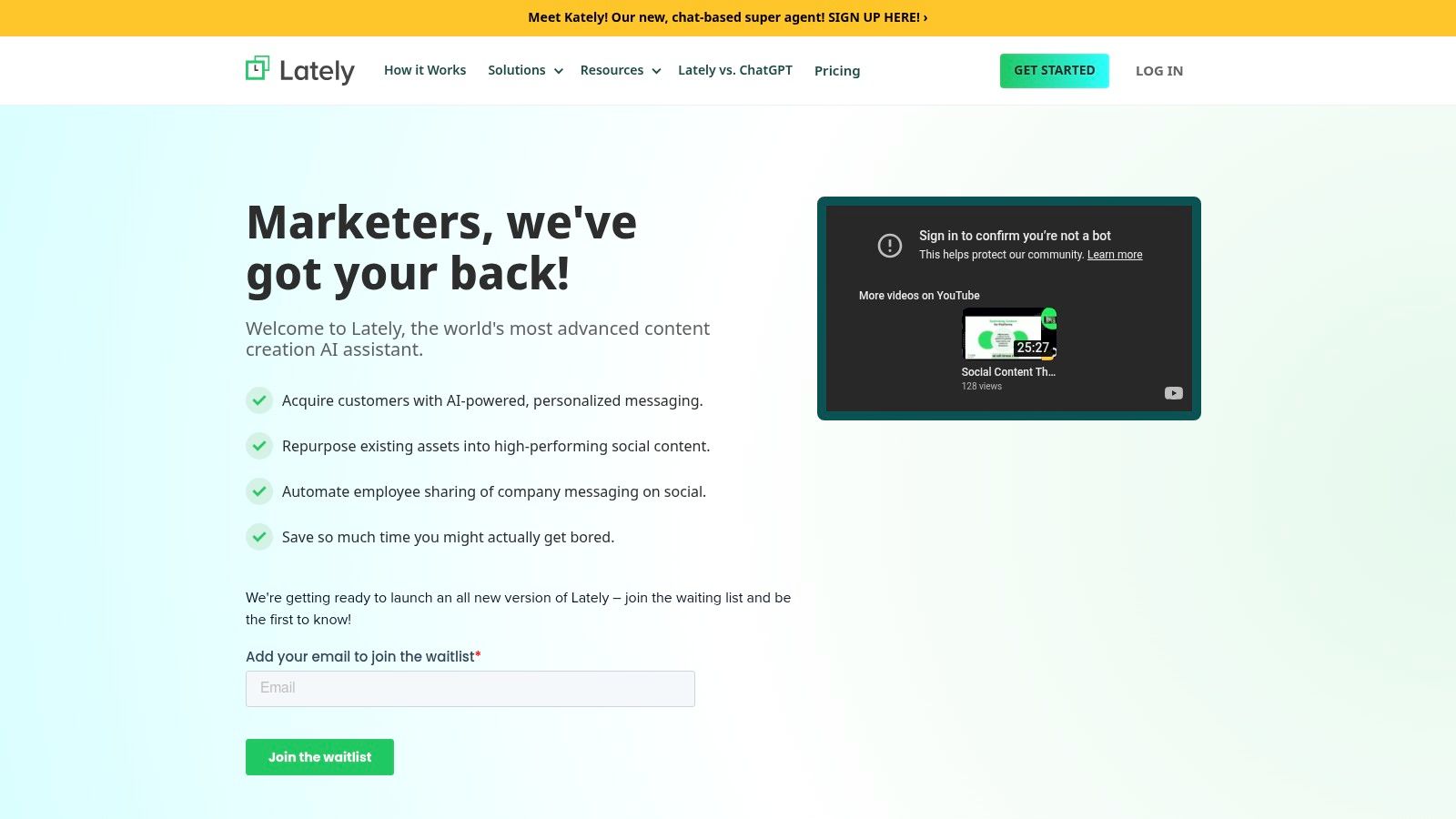
What makes Lately.ai unique is its focus on leveraging what you've already created. It analyzes text, audio, and video to pinpoint the most compelling quotes and soundbites, turning an hour-long webinar into a month's worth of social content. It also includes powerful employee advocacy features, making it simple to amplify your message through your team's own networks.
AI Content Repurposing: Automatically mines long-form text, audio, and video to generate high-performing social media posts that match your brand voice. Brand Voice AI Model: Learns from your past engagement data to understand what resonates with your audience, ensuring all generated content is on-brand. Employee Advocacy & Governance: Provides tools for teams to easily share approved content, turning employees into brand ambassadors while maintaining control. Practical Tip: Upload the transcript from a recent webinar or customer interview into Lately.ai. Let the platform generate 20-30 social posts from it. Then, order a custom video from SendFame featuring the webinar host summarizing the key takeaway. Use the best AI-generated posts to promote the new video and drive traffic back to the full recording.
| Pros | Cons |
|---|---|
| Efficiently mines blogs, podcasts, and webinars | Public pricing is limited, often requiring a demo or sales call |
| Advocacy features amplify content reach via employees | Initial setup and brand voice calibration can take time |
| Learns and adapts to your specific brand voice | Best for teams with a steady stream of long-form content |
Website:https://www.lately.ai/
Kapwing is the Swiss Army knife of browser-based video editing, tailor-made for the lightning-fast world of social media content. It ditches the complexity of traditional editors for a suite of powerful, one-click AI tools that solve the most common social video headaches. It excels at making your content more accessible and engaging, whether that’s by adding auto-generated subtitles to a TikTok clip or dubbing a video into another language for a global audience. For creators who need to pump out high-quality clips daily, it's one of the essential AI tools for social media.
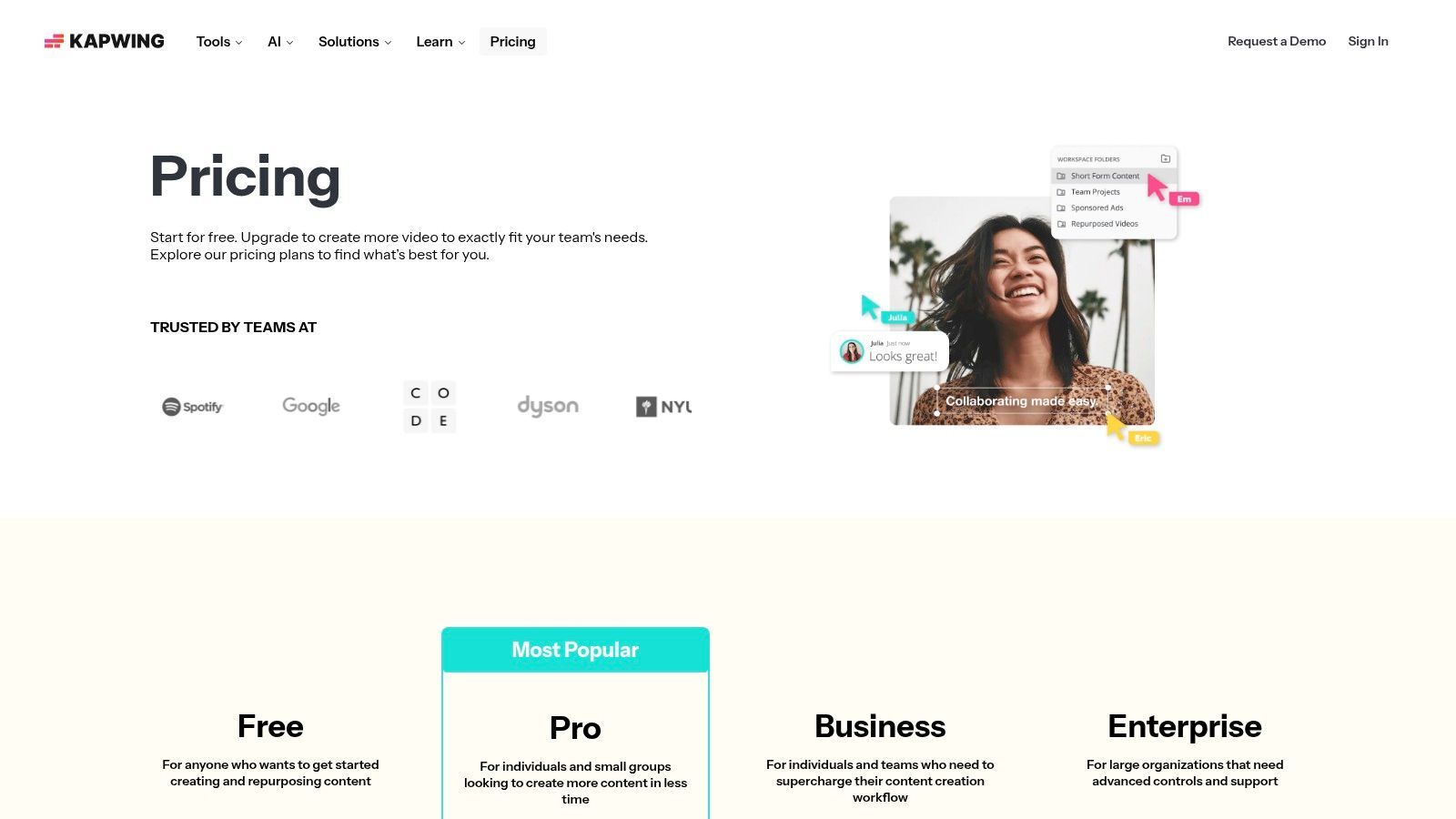
What makes Kapwing stand out is its focus on practical, AI-driven solutions that get the job done quickly. Instead of just offering generative features, it provides tools like automatic subtitling, voice enhancement, and a "Repurpose Studio" that reformats your video for different platforms in seconds. The credit-based system for AI features also gives teams granular control over their spending, which is a smart touch for managing budgets.
Auto-Subtitling & Translation: Instantly generate accurate captions for your videos in multiple languages, a non-negotiable for modern social engagement. AI Dubbing & Text-to-Speech: Clone your voice or use a synthetic one to dub content into new languages or create quick voiceovers without a microphone. Repurpose Studio: Turn one long-form video into multiple social-ready clips (Reels, Shorts, TikToks) with AI-powered smart cutting and reformatting. Practical Tip: After receiving a personalized video message from an expert via SendFame, upload it to Kapwing. Use the auto-subtitling feature to add captions, then use the Repurpose Studio to create a 9:16 vertical version for your Instagram Stories and a square version for your LinkedIn feed. This entire workflow takes minutes and maximizes the asset's reach, a process you can refine by exploring other top-tier AI video tools.
| Pros | Cons |
|---|---|
| Extremely fast for social-first edits and captions | Some advanced AI actions are credit-metered, which can add up |
| Credit model lets teams control usage costs per feature | Free plan adds a watermark and has very strict limits |
| Simple, intuitive browser-based interface | Not a replacement for a full-featured professional video editor |
Website:https://www.kapwing.com/pricing
Descript is the video and podcast editor that thinks like a document, and it's a game-changer for anyone turning long-form content into bite-sized social media gold. Instead of fumbling with timelines, you edit the AI-generated transcript, and the video cuts follow suit. It's packed with powerful AI that can fix your gaze, clone your voice for corrections, and automatically create dynamic, perfectly timed captions, making it one of the most efficient AI tools for social media for content repurposing.
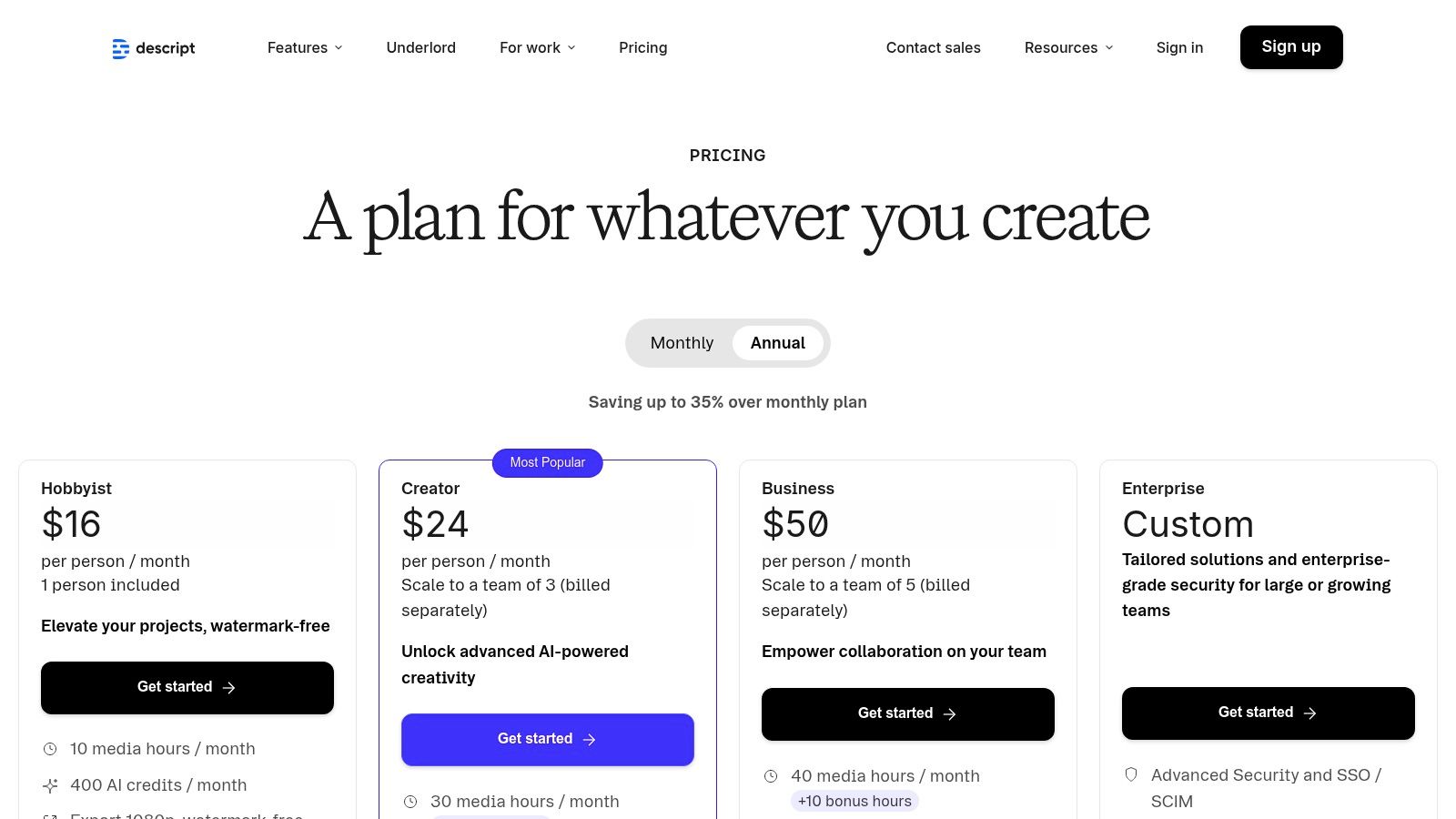
What makes Descript so special is its "record once, publish everywhere" philosophy. The platform's AI features, like Studio Sound and Eye Contact, clean up your raw footage to a professional standard with a single click. From there, you can highlight key moments in the transcript to instantly generate social clips, complete with animated captions, ready for TikTok, Reels, or Shorts.
Text-Based Video Editing: Edit your video by simply editing the auto-generated text transcript. Deleting a word or sentence in the text removes it from the video timeline. AI Voice & Studio Sound: Use "Overdub" to clone your voice and correct audio mistakes, or apply "Studio Sound" to remove background noise and echo for crystal-clear audio. Dynamic Captions & Clip Generation: Automatically generate and animate captions. Highlight powerful quotes in your transcript to create shareable social media clips in seconds. Practical Tip: After a webinar, upload the recording to Descript. Use its AI to generate a transcript and remove filler words like "um" and "uh" instantly. Then, identify three key takeaways, highlight them in the text, and use the clip generator to create three separate, captioned videos optimized for Instagram Reels.
| Pros | Cons |
|---|---|
| Streamlined workflow from raw recording to subtitled clip | Advanced AI generations consume monthly credits |
| Powerful AI audio and video enhancement features | Heavier teams may need pricier plans for brand controls |
| Incredibly intuitive for non-video editors | The app can be resource-intensive on some computers |
Website:https://www.descript.com/pricing
| Product | Core features | UX & Quality | Price / Value | Target audience | Unique selling points |
|---|---|---|---|---|---|
| 🏆 SendFame | AI Music Generator, AI Video, Image-to-Video, Celebrity-style messages | ★★★★★ fast, polished outputs | 💰 Freemium + paid plans/credits (promo available) | 👥 Marketers, creators, event planners, fans | ✨ All-in-one song/video/image studio + hyper-realistic celeb messages |
| Hootsuite | Publishing, OwlyWriter AI, scheduling, listening | ★★★★ Mature, team-focused UX | 💰 Tiered plans; add-ons can add cost | 👥 Social teams & agencies | ✨ Deep integrations & end-to-end SMM workflows |
| Sprout Social | AI Assist, Trellis agent, analytics, listening | ★★★★★ Best-in-class analytics & governance | 💰 Premium per-seat pricing | 👥 Enterprises & insights teams | ✨ Conversational AI agent (Trellis) for market intelligence |
| Buffer | AI Assistant, visual calendar, basic analytics | ★★★★ Simple, easy onboarding | 💰 Clear affordable pricing + free tier | 👥 Solo creators & small teams | ✨ Transparent pricing and easy UX |
| Later | Visual scheduler, AI captions, EdgeAI influencer tools | ★★★★ Visual planning for IG/TikTok | 💰 Freemium + credited AI features | 👥 Brands & influencers focused on IG/TikTok | ✨ Creator ecosystem + predictive influencer insights |
| Canva | Magic Studio (text→image/video), templates, brand kits | ★★★★ Fast design-to-post workflow | 💰 Freemium; paid for heavy AI/stock use | 👥 Teams, marketers & designers | ✨ Huge template library + one-click resize & brand kits |
| Adobe Express | Firefly image/video, auto-captions, brand kits | ★★★★ Brand-safe, Adobe-integrated | 💰 Paid tiers for premium assets/credits | 👥 Teams needing commercial-safe assets | ✨ Firefly-powered, enterprise-safe generation |
| Jasper | Social Apps, brand voice, content calendar | ★★★★ Consistent on-brand outputs | 💰 Per-seat pricing (team-focused) | 👥 Marketing teams & brand managers | ✨ Governed brand controls and social Apps |
| Copy.ai | Templates, model-agnostic models, agent workflows | ★★★★ Fast copy & repurposing | 💰 Competitive entry price; credits for agents | 👥 Teams automating social copy | ✨ Choice of LLMs + workflow templates |
| Lately.ai | Voice-learning, repurposing long-form to posts, advocacy | ★★★★ Strong repurposing UX | 💰 Pricing via demo/sales (variable) | 👥 Content-rich teams & enterprises | ✨ Learns brand voice + employee advocacy tools |
| Kapwing | Auto-subtitles, dubbing, TTS, repurpose studio | ★★★★ Very fast for social clips | 💰 Freemium + credits; watermark on free | 👥 Creators making short social videos | ✨ Rapid captioning, dubbing & multi-format exports |
| Descript | Transcription, Overdub voice cloning, dubbing, captions | ★★★★ Streamlined text-based editing | 💰 Tiered plans; media minutes & AI credits | 👥 Podcasters, video editors & creators | ✨ Text-first editing + realistic voice cloning |
And there you have it, a whirlwind tour of the AI-powered circus that is modern social media management. We've navigated the vast landscape of ai tools for social media, from the all-in-one command centers like Hootsuite and Sprout Social to the creative powerhouses like Canva and Adobe Express. We’ve seen how wordsmiths like Jasper and Copy.ai can banish writer's block forever, and how video wizards like Kapwing and Descript can turn raw footage into polished gold.
But if you’ve been paying attention, you've noticed a theme. The best strategy isn't about finding one mythical, all-powerful tool that does everything. It’s about building your own custom-tailored "AI Avengers" team. Think of it as assembling a tech stack where each tool plays a specific, vital role in your content production line. Your mission, should you choose to accept it, is to become the Nick Fury of your social media empire, bringing together the right heroes for the job.
Feeling a bit overwhelmed? That’s perfectly normal. The sheer number of options can feel like trying to drink from a firehose. The key is to start small and focus on your biggest bottlenecks.
Ask yourself these questions:
What’s my biggest time-sink? If scheduling posts across multiple platforms is eating your entire morning, a tool like Buffer or Later is your hero. Where does my creativity stall? If you stare at a blank screen struggling for ideas or visuals, a content generator like Jasper or a creative suite like Canva is your muse. How can I create truly unique, scroll-stopping content? This is where specialized tools shine. If you want to create personalized video shoutouts or unique, AI-generated music tracks that nobody else has, a platform like SendFame is your secret weapon. You can't get that level of novelty from a template. What's my budget? Many of these tools offer robust free tiers or trials. Don't be afraid to date them before you marry them. Test drive a few options to see which interface clicks with your brain.
Your ideal workflow might look something like this: Use Jasper to brainstorm a week's worth of content pillars. Then, hop into SendFame to generate a hilarious, personalized video message from a celebrity impersonator for a special campaign. Next, use Canva to whip up some slick supporting graphics. Finally, load it all into Hootsuite to schedule it out and track the analytics. Each tool handles its part, creating a seamless and powerful process.
The takeaway here is not just a list of cool software. It’s a fundamental shift in how we approach social media. The age of manual, repetitive tasks is fading. The era of the AI-augmented creator, marketer, and strategist is here, and it's moving at lightning speed. These ai tools for social media are no longer a luxury for big agencies; they are accessible, powerful force multipliers for everyone from solo influencers to small business owners.
Don't view this as adding more work to your plate. See it as buying back your most valuable asset: time. Time to be more creative, more strategic, and more connected with your audience. The AI can handle the grunt work. Your job is to provide the vision, the personality, and the human touch that no algorithm can ever replicate. So, pick a tool, start experimenting, and get ready to revolutionize your social media game. The digital stage is set, and your AI-powered performance is about to begin.
Ready to create video and audio content that truly breaks through the noise? Stop using generic stock assets and start generating one-of-a-kind, personalized media with SendFame. From custom songs to celebrity video messages, see how our AI-powered platform can become the most creative tool in your social media toolkit at SendFame.
Create Epic

SendFame

Create Epic with SendFame!
Questions: info@sendfame.com