Create AI Music Video Content Like a Pro

create ai music video
Welcome offer — 56% OFF


Discover the top AI tools for video creation to automate your workflow. Our list covers features, pricing, and pros/cons to help you choose the best fit.
Ready to stop wrestling with clunky video editors and start creating mind-blowing content with just a few clicks? You've landed in the right spot. The world of video creation has been turned on its head, and the secret sauce is artificial intelligence. Gone are the days of needing a film degree and a Hollywood budget to produce professional-quality videos. Now, all you need is an idea and the right tool.
This isn't just another list. It's your ultimate guide to the best AI tools for video creation, designed to help you find the perfect match for your project, whether you're a marketer trying to go viral, a musician crafting a music video, or just someone who wants to send an unforgettable birthday message from a "celebrity." We're diving deep into the top platforms, from text-to-video wizards like Pika to specialized avatar generators like Synthesia, and even unique tools like SendFame that let you create personalized videos with celebrity personas.
We'll break down what makes each tool tick, who it's for, and what it costs. You'll see real-world examples, screenshots, and direct links to get you started immediately. We'll also give you the unvarnished truth with clear pros and cons, so you can choose with confidence. If you're looking for an even wider net of options, including those focused heavily on post-production, for a broader list of cutting-edge platforms, including those tailored for specific applications, check out this guide on the 12 best AI video editing software tools. Let’s find the AI magic that will bring your vision to life.
SendFame positions itself as a powerhouse among ai tools for video creation, functioning less like a single utility and more like a complete creative studio. It's an all-in-one platform engineered for speed and simplicity, enabling users to transform basic ideas into polished videos, images, and even entire songs in mere seconds. The core strength of SendFame lies in its incredible breadth, consolidating multiple AI generators into a single, intuitive workflow.
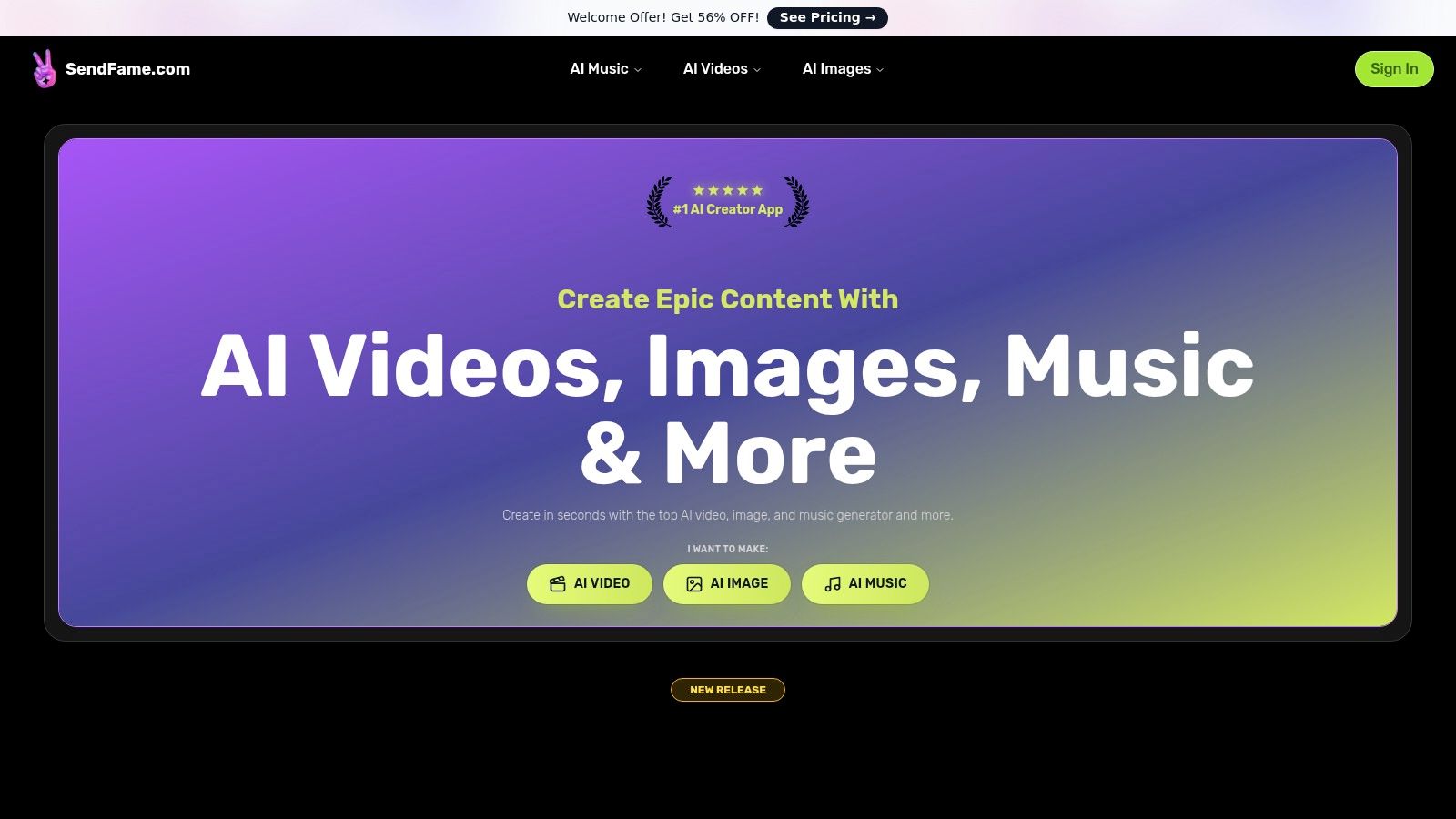
This isn't just about stringing clips together; it's about end-to-end production. You can generate hyper-realistic celebrity-persona messages for a birthday shout-out, animate a static image to create a dynamic social media post, or produce a full-length, royalty-free song complete with a music video. The process is designed for maximum ease, requiring no technical expertise. Just select a style or persona, input your script or prompt, and let the AI handle the complex production. This one-click philosophy makes it a standout choice for creators who value efficiency and impact.
AI Celebrity Video Generator: Creates stunningly realistic personalized videos using celebrity personas. Ideal for personalized birthday greetings, unforgettable event invitations, or viral marketing campaigns that need a touch of star power. AI Music & Video Generator: This is a game-changer. It doesn’t just make background tracks; it generates complete songs from a prompt and can produce a full music video to accompany it. Aspiring artists and marketers can create original soundtracks and visuals without a studio. Image-to-Video Tool: Breathe life into still photos by animating them. This is perfect for creating engaging Instagram stories, dynamic ad creatives, or bringing old family photos to life in a modern, shareable format. Creative Suite: Beyond video, the platform includes generators for lyrics, album covers, and avatars, providing all the assets needed for a complete creative project.
| Pros | Cons |
|---|---|
| Massive All-in-One Toolset: A rare combination of video, music, and image generators in one unified platform. | Ethical & Legal Gray Areas: Use of celebrity likeness requires careful review of terms to avoid copyright issues. |
| Extremely User-Friendly: The one-click workflow makes sophisticated video creation accessible to total beginners. | Vague Pricing: Specific costs and commercial usage limits are behind a pricing page, requiring investigation. |
| Strong Community Proof: A large user base (750,000+) and abundant user-generated content provide endless inspiration. | |
| Versatile Applications: Equally powerful for professional marketing campaigns and fun, personal projects. |
SendFame earns its top spot by offering an unparalleled combination of power, speed, and creative variety. While users must be mindful of the ethical implications of AI-generated likenesses, the platform’s ability to deliver high-impact, multi-format content from a single prompt is revolutionary. It's the ultimate tool for anyone looking to make a memorable splash without a steep learning curve or a Hollywood budget.
Website:https://sendfame.com
Runway is less of a simple tool and more of a creative powerhouse, positioning itself as a full-fledged AI magic studio for creators who want to push the boundaries of video. It's the go-to platform when you need to generate visually stunning, cinematic short clips from simple text or image prompts. Think of it as the professional-grade option for serious artists, marketers, and filmmakers dipping their toes into generative video.

What sets Runway apart is its focus on high-fidelity motion and its integrated workflow. You don't just generate a clip and export it; you can use their suite of 30+ AI Magic Tools to edit, add effects, and refine your creation all within the same workspace. This makes it one of the more versatile AI tools for video creation available. Its state-of-the-art models like Gen-3 Alpha produce unbelievably realistic and coherent movement, making it ideal for creating mesmerizing B-roll, abstract motion graphics, or surreal visual sequences for music videos. If you're looking for a wider overview, you can discover more about the best AI video generators to see how they stack up.
Best For: Creating high-quality, artistic short video clips, motion graphics, and cinematic B-roll. Standout Feature: Gen-3 Alpha model delivers exceptional motion and visual quality. The integrated suite of AI editing tools allows for a seamless creative process. Pricing: Starts with a free plan offering 125 credits. Paid plans begin at $12/user/month (Standard) and go up to $28/user/month (Pro) for more credits and advanced features. Pros: Top-tier video generation quality; combines generation with a traditional editing timeline. Cons: The credit system can become expensive for longer videos, and the interface may be complex for beginners.
Website: https://runwayml.com
Synthesia is the polished, enterprise-grade solution for creating professional AI avatar-led videos at scale. Instead of generating cinematic clips, its focus is on transforming scripts into high-quality training modules, corporate communications, and marketing presentations. It’s the platform you turn to when you need a consistent, professional-looking human presenter to deliver a clear message, without the hassle and cost of a film crew.

What makes Synthesia a powerhouse is its laser focus on corporate and educational workflows. With a massive library of over 200 stock AI avatars and support for 140+ languages, it's built for global teams that need to localize content quickly. The platform is less about artistic generation and more about practical, scalable communication. This makes it one of the most mature AI tools for video creation for any business that relies on instructional content. For those exploring different generation styles, you can find a variety of other text-to-video AI tools to compare.
Best For: Creating corporate training videos, HR announcements, how-to guides, and localized marketing presentations. Standout Feature: An extensive library of realistic AI avatars and incredible language support (140+ languages) with one-click dubbing. Its SCORM export feature is perfect for learning management systems. Pricing: A "Creator" plan starts at $22/month. Business plans are custom-priced and offer more advanced features like custom avatars and API access. Pros: Excellent for scalable, consistent corporate video production; robust localization and compliance features. Cons: Avatar-centric, so it's not suited for creative or cinematic clips; pricing is based on video minutes, which can be limiting.
Website: https://www.synthesia.io
Pika has carved out its niche as the go-to platform for creating vibrant, highly stylized short videos, making it a favorite among social media creators and digital artists. It excels at turning simple text prompts or static images into dynamic, eye-catching clips that are perfect for TikTok, Instagram Reels, or other short-form content. Think of it as a rapid-fire idea machine for visual experiments and trendy social media edits.
What makes Pika stand out is its speed and its suite of creative modification tools. It’s not just about generating a video; it's about remixing and enhancing it. With features like Pikaswaps for changing elements within a scene and a variety of community-driven styles, the platform encourages a playful, iterative creation process. This makes it one of the most accessible AI tools for video creation for those who want to jump in and start making things immediately. You can discover more about the process to turn an image into a video with AI and see how different tools approach it.
Best For: Creating short, artistic, and trendy video clips for social media, and quick creative experiments. Standout Feature: A broad toolset for remixing and enhancing outputs with different styles and effects, plus fast generation speeds ideal for short-form content. Pricing: Offers a free plan with credits. Paid plans are available for commercial use rights and more credits, though specific tier details often require signing up to view. Pros: Excellent for generating trendy, stylized visuals; active community and rapid feature updates. Cons: Videos are limited to a very short duration, and official pricing details can be sparse without creating an account.
Website: https://pika.art
Luma AI’s Dream Machine enters the generative video space with a laser focus on realism and physical accuracy. While other tools lean into artistic or surreal styles, Dream Machine aims to create clips where characters, objects, and environments interact with believable motion and physics. It's the ideal choice for generating cinematic short clips, dynamic product shots, or concept scenes where realistic movement is non-negotiable.

What makes Dream Machine stand out is its commitment to high-fidelity output and transparent resource management. The platform features a unique, transparent credit calculator, allowing you to see exactly how much a generation will cost based on its length and resolution before you commit. This, combined with options for 4K up-resolution and HDR/EXR output on paid tiers, positions it as one of the more professional-grade AI tools for video creation for users who need polished, high-quality results without guesswork. It's a powerful engine for those who prioritize photorealism over abstract creativity.
Best For: Creating photorealistic short clips, cinematic concept scenes, and high-quality product animations. Standout Feature: A strong focus on generating video with realistic physics and believable motion. The transparent credit system and options for 4K up-res make it excellent for professional workflows. Pricing: A free plan is available offering 30 generations per month. Paid plans start at $29.99/month (Standard) for 120 generations and go up to $499.99/month (Pro) for 2,000 generations. Pros: Exceptionally detailed and realistic motion; transparent credit usage helps plan projects; 4K and HDR options provide a high-quality finish. Cons: The maximum duration per generation is currently short, and rendering high-quality clips can consume credits very quickly.
Website: https://lumalabs.ai
HeyGen is the master of digital impersonation, offering a powerful platform for creating polished, talking-head videos without ever stepping in front of a camera. It excels at generating realistic AI presenters and avatars, making it the perfect solution for creating training materials, sales outreach videos, or multilingual marketing content at scale. Instead of generating cinematic scenes, HeyGen focuses on turning scripts into professional presentations with just a few clicks.

What makes HeyGen a standout among AI tools for video creation is its robust localization and personalization features. With voice cloning and AI-powered translation into over 175 languages, you can take a single video and adapt it for a global audience effortlessly. The platform offers hundreds of stock avatars, but its real power shines when you create a custom avatar of yourself. This allows you to generate new video content simply by typing, saving countless hours of recording and editing, and ensuring consistent, high-quality output for all your corporate or promotional needs.
Best For: Creating training videos, sales pitches, and localized marketing content with AI avatars. Standout Feature: Voice cloning and extensive AI dubbing and translation capabilities make it ideal for global teams and multilingual campaigns. Pricing: Offers a free plan with 1 credit. Paid plans start at $24/month (Creator) for more credits and go up to custom Business plans with API access. Pros: Incredibly fast way to produce polished talking-head videos; excellent language and translation support. Cons: Primarily focused on avatar-based content, not suitable for generating creative or cinematic scenes.
Website: https://www.heygen.com
D-ID's Creative Reality Studio is the master of a very specific, yet incredibly useful, AI video niche: bringing still images to life as talking avatars. If you've ever wanted to turn a photo of a historical figure, a company mascot, or even yourself into an animated talking head without complex animation software, this is your platform. It’s designed for creating engaging explainer videos, personalized corporate training, and unique multilingual messages with just a script and a portrait.

What makes D-ID a standout choice among AI tools for video creation is its dual approach. It offers both a user-friendly web studio for quick projects and a powerful API for developers to integrate this technology directly into their own applications and workflows. This flexibility means it can serve everyone from a marketing manager needing a quick social media post to a large company automating its HR onboarding videos. With plugins for Canva and PowerPoint, it seamlessly fits into existing creative processes.
Best For: Creating talking-head avatar videos for training, explainers, and corporate communications. Standout Feature: The ability to animate any single portrait image with text-to-speech or a voice upload. Its robust API and integrations make it highly versatile for developers. Pricing: A free trial is available for 14 days. Paid plans start at $4.70/month (Lite) for 10 minutes of video and go up to an Enterprise plan for custom needs. Pros: Extremely fast creation of talking avatars; offers both a simple studio UI and a developer-friendly API; great for multilingual content. Cons: Primarily focused on talking heads, not full-scene generation; the credit system can be a bit confusing across the different pricing tiers.
Website: https://www.d-id.com
Descript flips the script on video editing by treating your video like a document. Instead of wrestling with a traditional timeline, you edit the auto-generated transcript, and the video cuts follow suit. It's a game-changer for anyone working with spoken-word content like podcasts, interviews, or tutorials, making the editing process as simple as editing a Word doc. It’s an all-in-one powerhouse for creators who want to rapidly produce and repurpose content without a steep learning curve.
What makes Descript unique is its transcript-first approach, combined with a suite of powerful AI features. You can remove filler words ("um," "uh") with a single click, clone your own voice to fix audio mistakes, and even get AI-powered suggestions for social media clips and summaries from its "Underlord" co-editor. This seamless integration of AI into a text-based workflow makes it one of the most intuitive AI tools for video creation for content repurposing. If your focus is primarily on editing existing footage, you can find other powerful options in our guide to the best AI video editing software.
Best For: Editing podcasts and interviews, repurposing long-form content into social clips, and teams needing a collaborative workflow. Standout Feature: Transcript-based editing lets you edit video by simply editing text. The AI-powered "Underlord" can generate scripts, summaries, and social posts from your content. Pricing: Offers a free plan with limited features. Paid plans start at $12/editor/month (Creator) and go up to $24/editor/month (Pro) for more transcription hours and advanced tools. Pros: Exceptionally fast workflow for talking-head videos; gentle learning curve for non-editors. Cons: Not a generative video tool for creating new visuals; limits on transcription hours and AI features in lower-tier plans.
Website: https://www.descript.com
Kapwing is the Swiss Army knife for social media teams and solo creators who need to move fast without sacrificing quality. It’s a browser-based, collaborative video editing workspace that has brilliantly integrated a suite of powerful AI features. Rather than focusing solely on generative video, Kapwing enhances the entire editing workflow, making it an indispensable tool for everything from creating clips from scratch to adding the final, polished touches.

What makes Kapwing a standout is its pragmatic approach to AI. It smartly surfaces different generative models (like Pika) directly within its interface, letting you access cutting-edge tech without leaving your project. From its AI Video Generator that can create B-roll to its incredible auto-subtitling and one-click translation, Kapwing is designed for speed and efficiency. This makes it one of the most practical AI tools for video creation, especially for teams that need to manage brand assets and collaborate on projects in real-time.
Best For: Social media teams, content marketers, and creators needing a fast, collaborative, all-in-one editing solution. Standout Feature: The integrated AI toolkit within a traditional editor is a major win. Its features for auto-subtitling, dubbing, and accessing multiple video models from one place are exceptionally useful for rapid content production. Pricing: Offers a free plan with limitations. The Pro plan is $16/user/month (billed annually) and unlocks 4K exports and more AI credits. A Business plan is available for larger teams. Pros: Excellent for fast subtitling and localization; powerful team collaboration and brand management features; broad AI toolkit in a single browser-based workspace. Cons: AI features are governed by a credit system which can be limiting; heavy renders and long video exports may require upgrading to higher-priced tiers.
Website: https://www.kapwing.com
Adobe Express is the creative giant’s all-in-one content creation tool, bringing the power of its Firefly AI to the masses. It’s designed for speed and simplicity, making it the perfect platform for marketers, small businesses, and social media managers who need to churn out professional-looking marketing content without a steep learning curve. Think of it as the friendly, accessible gateway to Adobe's powerful creative ecosystem.
What makes Adobe Express a standout is its seamless integration of design, stock assets, and now, generative AI. You can go from a simple text prompt to a polished social media video in minutes, complete with animated text, branded elements, and royalty-free music from the Adobe Stock library. This makes it one of the most practical AI tools for video creation for anyone focused on brand consistency and marketing campaigns. It's less about cinematic art and more about getting effective, on-brand video assets out the door quickly.
Best For: Creating social media content, marketing videos, and promotional materials quickly and efficiently. Standout Feature: The Firefly-powered "Text to Template" and video background removal features, combined with direct access to the vast Adobe Stock library. The unified workflow is a massive time-saver. Pricing: Starts with a robust free plan. The Premium plan is $9.99/month, which includes more generative credits, premium templates, and brand kit features. Pros: Trusted brand with a huge library of templates and stock assets; very intuitive for beginners; offers a clear upgrade path to professional tools like Premiere Pro. Cons: Generative video capabilities are limited to shorter, simpler clips and are constrained by a credit system; it’s more suited for marketing than artistic or long-form video.
Website: https://www.adobe.com/express
InVideo is the ultimate time-saver for anyone who needs to quickly churn out polished videos for social media, marketing campaigns, or product demos. Instead of starting from scratch, it streamlines the process by turning your script into a video storyboard, complete with scenes, stock footage, and voiceovers. Think of it as an assembly line for video production, where you provide the core idea and its AI helps you build the rest with pre-made assets and templates.

What makes InVideo stand out is its workflow-first approach. It's designed for users who aren't necessarily video editors but need professional-looking results fast. The platform's AI scriptwriter and scene builder can generate a full video draft in minutes, pulling from a massive library of stock assets to match your text. For those looking to add a human touch without being on camera, it offers AI avatars and high-quality voice dubbing. This combination makes it one of the most practical AI tools for video creation when speed and efficiency are top priorities.
Best For: Creating template-based social media content, product explainer videos, and marketing ads quickly. Standout Feature: The script-to-video workflow that automatically generates scenes with stock media, voiceovers, and text, drastically cutting down production time. Pricing: A free plan is available with a watermark. Paid plans start at $20/month (Plus) for more exports and features, and $48/month (Max) for more AI generation credits and team access. Pros: Extremely fast video assembly; huge library of templates and stock assets; great for non-editors who need a guided process. Cons: The free version is quite limited and watermarked; the credit and minute system for AI features can be confusing at first.
Website: https://invideo.io
Canva has transformed from a simple graphic design tool into an all-in-one visual communication platform, and its venture into video is no different. It's the ultimate creative sandbox for individuals and teams who need to produce polished, branded video content without a steep learning curve. Think of Canva as the friendly neighbor of the AI video world; it makes sophisticated features accessible to everyone, from social media managers to small business owners.

What makes Canva a standout choice is its seamless integration of AI into a familiar, drag-and-drop editing environment. Tools like Magic Video and the ability to generate short clips with integrated models (like Google's Veo) are baked directly into the workflow. You can go from a blank canvas to a fully animated social media post using AI suggestions, stock assets, and your brand kit in minutes. This makes it one of the most practical AI tools for video creation for day-to-day marketing tasks where speed and brand consistency are key.
Best For: Creating short social media videos, marketing content, and branded presentations quickly and collaboratively. Standout Feature: The massive template library combined with user-friendly AI tools like Magic Video. The platform’s strength is its ecosystem where you can design, animate, and schedule content all in one place. Pricing: Offers a robust free plan. Paid plans like Canva Pro start at $14.99/month for one person, with Canva for Teams priced at $29.99/month for the first five people. AI features may consume credits. Pros: Extremely approachable for non-designers; fantastic for creating consistent branded content and collaborating with a team. Cons: AI video generation is limited to short clips and is credit-based; pricing can get complex for larger teams managing credit allocations.
Website: https://www.canva.com
| Platform | Key offering | UX / Quality ★ | Unique selling points ✨ | Target audience 👥 | Price / Value 💰 |
|---|---|---|---|---|---|
| SendFame 🏆 | All-in-one AI creator: videos, images, full songs, celeb-style messages | ★★★★ — one-click, very fast | ✨ Celebrity video generator, AI Music (full songs), Image→Video, large community | 👥 Marketers, influencers, event planners, gift-givers | 💰 Tiered/credits; welcome 56% OFF (expect mid) |
| Runway | Generative video + timeline editor & workspace | ★★★★★ — high-fidelity motion | ✨ Gen-4/4.5 models, timeline editing, studio tools | 👥 Creators, studios, motion designers | 💰 Credits-based; can be expensive for long clips |
| Synthesia | Enterprise AI avatar videos with localization & exports | ★★★★ — polished for corporate use | ✨ Large avatar library, SCORM/API, 140+ languages | 👥 Enterprise, L&D, corporate comms | 💰 Enterprise pricing; minutes/seats model |
| Pika | Short, stylized text→video and remix-focused clips | ★★★★ — fast short-form output | ✨ Pikascenes/Pikaswaps, community styles, remix tools | 👥 Social creators, experimenters | 💰 Credits/tiers; creator-focused |
| Luma AI – Dream Machine | Cinematic, physics-aware short clips with high detail | ★★★★ — cinematic realism | ✨ 4K up-res, HDR/EXR, realistic motion | 👥 Filmmakers, product viz, VFX artists | 💰 Credit-heavy for high-quality renders |
| HeyGen | AI presenters, voice cloning & broad language support | ★★★★ — quick polished talking-heads | ✨ Voice cloning, 175+ languages, unlimited-avatar options on some plans | 👥 Sales, localization teams, creators | 💰 Competitive creator tiers; pro/API for scale |
| D-ID – Creative Reality Studio | Talking-head videos from a single image + API/plugins | ★★★★ — very fast avatar creation | ✨ API, Canva/PPT plugins, ~5 min videos | 👥 Educators, communicators, developers | 💰 Credits/minutes; studio + API plans |
| Descript | Transcript-first editor with AI co‑tools & voice cloning | ★★★★ — superb for talking content | ✨ Text-based editing, AI co-editor, voice cloning | 👥 Podcasters, creators, teams | 💰 Tiered; media-hour & AI-credit limits |
| Kapwing | Browser AI editor & collaboration with multi-model access | ★★★ — fast social workflows | ✨ Multi-model AI, team brand kits, collaboration | 👥 Social teams, marketers | 💰 Transparent credit buckets; team plans |
| Adobe Express | Design + Firefly-powered generative video & templates | ★★★ — marketing-focused ease | ✨ Firefly Text-to-Video, stock & brand kits, publish tools | 👥 Marketers, SMBs | 💰 Monthly credits; upgrade path to Creative Cloud |
| InVideo | Script-to-video with templates, stock & avatar dubbing | ★★★ — quick assembly for social ads | ✨ Script writer + scene builder, express voice clones | 👥 Social marketers, small teams | 💰 Free tier (watermark); paid tiers remove limits |
| Canva | All-in-one design + approachable AI video tools & templates | ★★★★ — very approachable for non-designers | ✨ Magic Video, huge template/stock library, collaboration | 👥 Non-designers, marketers, teams | 💰 Freemium; team pricing & credit allocations |
And there you have it, a whirlwind tour through the wild, wonderful, and sometimes weird world of AI tools for video creation. We've journeyed from text-to-video wizards like Pika and Runway to the corporate polish of Synthesia, and all the way to the uniquely personal touch of SendFame. The airdrop of AI into the creative landscape isn't just a trend; it's a full-blown revolution, and you're officially on the front lines.
The biggest takeaway? The barrier to entry for high-quality video production has been utterly demolished. What once required a studio, a crew, and a budget that could choke a donkey can now be accomplished from your couch with a clever prompt and a few clicks. The age of the "video creator" is no longer exclusive to those with technical skills; it's open to anyone with an idea.
Choosing the right tool from this expansive list can feel like trying to pick a single snack at a global food festival. To avoid analysis paralysis, let's distill it down to a simple, actionable framework. Your mission, should you choose to accept it, is to find the AI that fits your specific creative mission.
Consider these key questions before you commit:
What's the Primary Goal? Are you creating explainer videos for a corporate audience (Synthesia, HeyGen)? Are you trying to generate mind-bending artistic visuals for a music video (Runway, Pika)? Or are you aiming for highly personalized, entertaining content that builds a direct connection (SendFame)? Your end product dictates the best starting point.What's Your Skill Level? Some tools are incredibly intuitive, designed for absolute beginners (Canva, Kapwing). Others, while powerful, have a steeper learning curve to unlock their full potential (Runway, Luma AI). Be honest about how much time you're willing to invest in learning the ropes.What’s the Vibe? The tone of your content matters immensely. For polished, professional presentations, tools with realistic avatars are your best bet. If you’re chasing viral social media trends or just want to make your friends laugh, your needs are different. The fun doesn't stop at professional videos; artificial intelligence is also powering more casual forms of content, like those from an AI meme generator that can turn a funny thought into a shareable image in seconds.What's the Budget? Free tiers are fantastic for experimentation, but they often come with limitations like watermarks, lower resolution, or credit caps. As you move toward more consistent or professional use, be prepared to invest in a subscription that aligns with your output needs.
The true magic of these AI tools for video creation isn't just about automation; it's about augmentation. They are creative partners that can take the seed of your idea and help it grow into something you might not have been able to create on your own. They handle the tedious parts of editing, generate visuals from thin air, and even give you a celebrity's voice to deliver your message. This frees you up to focus on what truly matters: the story, the message, and the connection with your audience.
So go ahead, experiment. Play. Break things. The future of video isn't just being watched; it's being co-created by humans and their new AI collaborators. Embrace the chaos, find your perfect tool, and start making something amazing.
Ready to create videos that don't just inform, but entertain and connect on a personal level? Dive into the unique world of SendFame and see how easy it is to generate personalized celebrity-persona messages, AI music videos, and unforgettable greetings. Start crafting your first viral-worthy video today with SendFame
Create Epic

SendFame

Create Epic with SendFame!
Questions: info@sendfame.com
