How to Create Songs With AI in Minutes
create songs with ai
Welcome offer — 56% OFF


Ready to create AI music video content that stands out? This guide breaks down the full process, from generating unique songs to editing viral-ready visuals.
So, you want to make a music video but don't have a film crew, a massive budget, or a recording studio? Good news: you don't need any of it.
You can actually create an AI music video from scratch by cooking up an original song with an AI tool, generating stunning visuals with a few text prompts, and then stitching it all together in a simple editor. This entire process turns your wildest ideas into slick, shareable videos without the usual headaches.
We're living in a pretty wild time for creators. The biggest roadblock isn't your budget anymore—it's the scope of your imagination. This guide is your roadmap for the whole shebang, from that first spark of an idea to a finished video ready to dominate TikTok, YouTube, or your Instagram feed.
We'll walk through generating the music, crafting the visuals, and getting everything perfectly in sync for that pro-level feel.
It’s way less complicated than it sounds. At its core, the whole process breaks down into three simple phases.
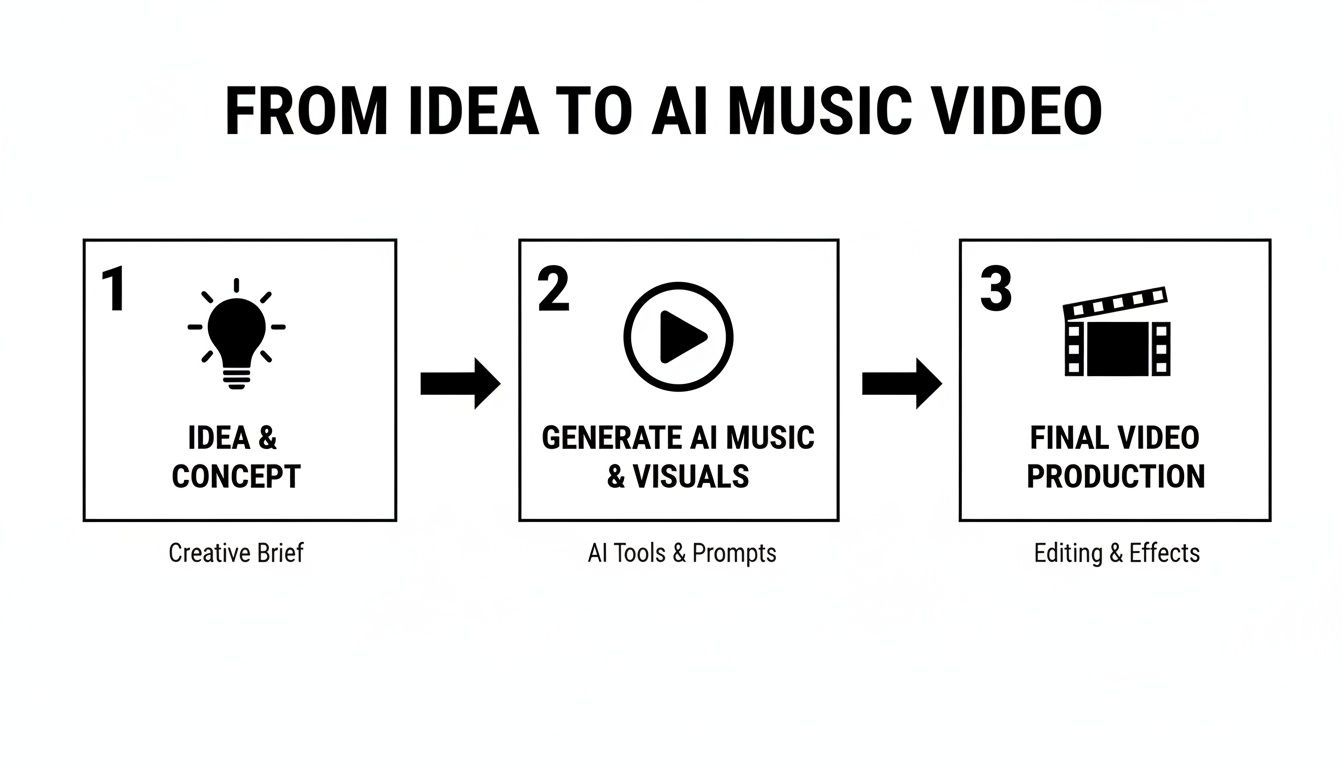
This "Idea, Generate, Final Video" loop is the secret sauce. It lets you stay focused on the creative vision instead of getting bogged down by technical stuff.
This isn't just some passing fad; it’s a complete game-changer for how creative work gets done. The global AI in Music market is on track to explode, projected to hit an insane USD 60.44 billion by 2034. Countless musicians and producers are already weaving these tools into their daily work.
This growth is fueled by people just like you, finding completely new ways to tell stories. If you really want to get a feel for how deep this rabbit hole goes, it helps to understand the basics of Artificial Intelligence.
The real magic here is how fast and accessible everything has become. A project that would have taken a whole team of specialists weeks to pull off can now be dreamed up and finished by one person in a single afternoon.
Platforms like SendFame are helping over 200,000 creators step into the director's chair practically overnight. We'll get into the nitty-gritty of specific tools soon, but if you're eager to jump ahead, take a peek at our guide on the best AI music video generator.
First, let's look at the big picture before we dive into the step-by-step.
Every great music video needs a banger of a track. But what if you’re not a producer or musician? Don't sweat it. We're going to use AI music generators to cook up a completely original song from scratch. This gives us a unique audio backbone that will inspire the entire video.
The real secret to getting a great result from these tools isn't knowing music theory—it's knowing how to ask for what you want. You’re the producer in the director's chair, telling the AI exactly what to lay down. Specificity is your best friend here.
Don't just ask for a "happy song." The difference between "an upbeat, retro 80s synth-pop track for a travel montage" and "a lo-fi chillhop beat with a melancholic piano for a relaxing study video" is night and day. One gives you neon-soaked synth leads and a punchy drum machine; the other delivers mellow vibes for a totally different visual mood.
Think of your prompt as the song's DNA. A well-written one guides the AI to create something that sounds like it was made with real intention, not just randomly spat out by an algorithm. The trick is to layer different musical ideas to paint a complete sonic picture for the AI.
A solid music prompt usually weaves together a few key ingredients:
Genre: Get specific. Don't just say "rock." Is it synthwave, acoustic folk, boombap hip-hop, or cinematic orchestral? Mood & Vibe: Use evocative words. Are you going for energetic, melancholic, mysterious, uplifting, dreamy, or aggressive? Instrumentation: Call out the star players. Do you want a driving bassline, distorted electric guitar, soulful female vocals, or classic 808 drums? Tempo: Simple descriptions like slow, mid-tempo, or even a specific fast-paced (160 BPM) do wonders.
This level of detail is the difference between fumbling in the dark and truly directing a virtual band.
If you really want to go down the rabbit hole on this, we've got a whole guide on how to make AI-generated music that dives even deeper.
Okay, let's make this real. Imagine you're creating a music video for a new energy drink that's all about gaming. The track needs to be buzzing with energy.
A lazy prompt would be something like: "fast electronic song." Yawn.
Now, here’s a prompt that actually works:
An intense, high-energy drum and bass track with a futuristic feel. Feature a heavy, distorted synth bassline, glitchy electronic effects, and a driving, fast-paced drum beat around 174 BPM. The mood is aggressive and exciting, perfect for fast-paced gaming highlights.
See the difference? This prompt gives the AI a clear roadmap: the genre (drum and bass), the mood (aggressive, exciting), the key instruments (distorted synth bass), and even the exact tempo. An approach like this massively boosts your odds of getting a track that just works on the first or second try. Play around with it, mix and match ideas, and keep tweaking until you land on a sound that feels perfect for your project.
Alright, you've got your AI-generated banger, and it sounds incredible. Now for the fun part: giving it a face. This is where you trade your producer hat for a director's beret and start building the visual world your music will live in.
We're moving from pure audio to a full-on sensory ride.
Think of yourself as a director who paints with words. Your primary tool isn't a camera—it's the text prompt. Just like you guided the AI to create the right musical vibe, you’ll now use prompts to conjure up every single frame of your video. You’re not just asking for "a person walking"; you're setting a scene, lighting it, and calling "Action!"
The secret to stunning AI visuals is layering. A truly great prompt is a cocktail of descriptive details that all work together to create something unique and cohesive. Forget basic commands; we’re getting specific.
Here are the ingredients I always mix in:
Subject & Action: What’s the focus, and what is it doing? Instead of "a person in space," try "A lone astronaut drifts silently through a cosmic dust cloud, reaching for a shimmering star." See the difference? Art Style: This is your aesthetic anchor. Are we going for photorealistic 8K, a classic cinematic anime style, the hazy nostalgia of vintage 1970s film grain, a vibrant vaporwave aesthetic, or even something as specific as an oil painting by Van Gogh? Name it. Camera & Lighting: You're the cinematographer. Call the shots! Use terms like wide-angle shot, dynamic low-angle, dramatic cinematic lighting, pulsing neon glow, or the soft warmth of golden hour. Setting & Mood: Where are we, and how should it feel? Paint the picture: "A rain-slicked cyberpunk city at night, reflecting the neon signs of towering megastructures, moody and mysterious."
A perfect real-world example is what electronic artist Don Diablo did for his "BLACKOUT" video. He blended images he generated on his own machine with cloud-based AI animation. This hybrid approach gave him total creative control over the style while still delivering that big-budget cinematic polish. It’s a brilliant reminder that getting specific leads to incredible, high-quality results.
Don’t be afraid to get weird. Seriously. The more unusual and specific your details are, the less your video will look like generic AI slop. Your mission is to build a visual universe that feels intentional and deeply connected to your sound.
Here’s a technique that has been an absolute game-changer for me: image-to-video generation.
This method is your best friend for keeping everything looking consistent. Instead of trying to describe the same character or scene over and over again from scratch, you start with one perfect image. It could be your AI-generated album art or a key character design. You then use that single image as the launchpad for your video clips.
This workflow is fantastic because it anchors your entire video to one core visual identity. The AI uses your source image to understand the style, color palette, and character details, ensuring every subsequent clip feels like it belongs in the same world. For a deep dive, we have a complete guide on how to use an AI image to video generator that walks you through it.
So, how should you actually create your clips? You've got two main paths, and the right one really depends on what you’re trying to achieve. Are you telling a linear story with a consistent character, or are you creating a trippy, hypnotic visualizer where anything goes?
Let's break down your options.
| Choosing Your AI Visual Generation Method | | :--- | :--- | :--- | :--- | | Method | Best For | Pros | Cons | | Text-to-Video | Quick concept exploration and generating a wide variety of imaginative, distinct scenes from pure description. | You have total creative freedom. If you can dream it and describe it, you can create it. It’s perfect for brainstorming. | It's notoriously difficult to keep the style, character, or environment consistent from one clip to the next. | | Image-to-Video | Animating a specific character, bringing album art to life, or ensuring a consistent aesthetic across the entire music video. | The visual cohesion is unmatched. It creates a unified look and feel that makes the project feel polished and professional. | You're a bit more constrained by your source image. It’s not ideal for generating wildly different scenes on the fly. |
What's the verdict? Honestly, most of the best projects I’ve seen use a bit of both. You might use text-to-video to generate a few killer establishing shots to set the scene. Then, you can grab keyframes from those clips and use them as source images for an image-to-video workflow to build out the rest of your scenes with perfect consistency. It’s the best of both worlds.
Alright, you've got the two main ingredients: a banger of an AI track and a hard drive full of stunning AI visuals. Now for the fun part—making them actually work together. This is where you graduate from a content collector to a storyteller, transforming a pile of cool clips into a genuine, emotionally charged experience.
Here's a secret: it’s not about having the most expensive editing suite. Seriously. Free tools like CapCut or the powerhouse DaVinci Resolve have more than enough juice for what we're doing. The real magic isn’t in the software; it's in your timing. It's time to put on your director’s hat.
Your song is your map. Before you even touch a single clip, just listen to the track a few times. Close your eyes. Where does the energy swell? Where does it get quiet and introspective? These are the signposts that will dictate every single cut you make.
Want to know the quickest way to make your video look polished and professional? Cut on the beat. It’s a simple trick, but it forges a powerful, subconscious link between the sound and the visuals, making the whole thing feel incredibly satisfying to watch.
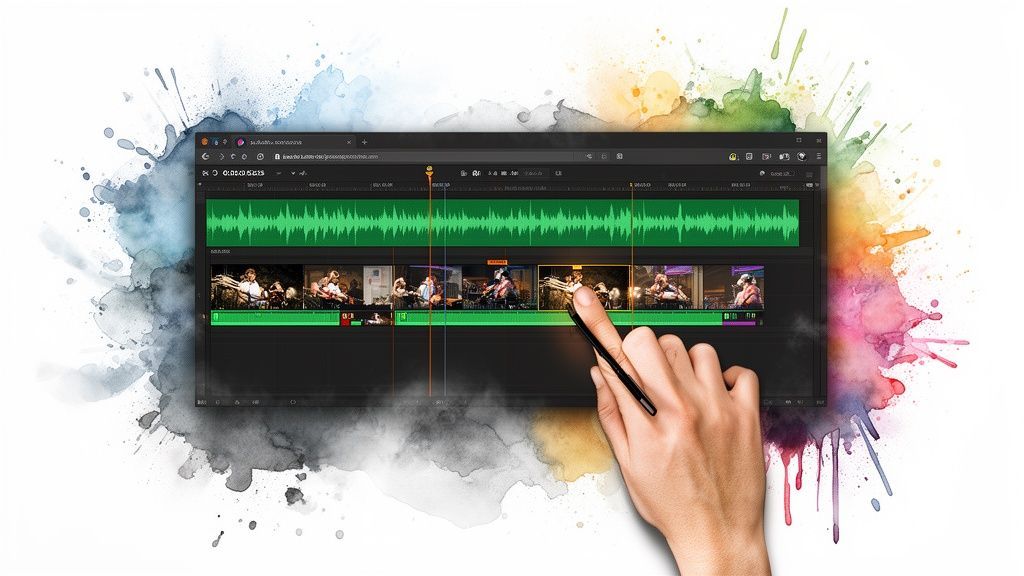
First things first, drag your song onto the timeline in your editor. You’ll see the audio waveform pop up—that spiky visual representation of your track. Those peaks are your new best friends. They usually line up with the kick drum or a snare hit, giving you a perfect visual cue for where to make your cuts.
Here's a basic game plan:
During the Verses: The energy is usually a bit lower here, so let your shots linger. Think longer clips, slow pans, or visuals with subtle, hypnotic motion. When the Chorus Hits: This is your moment to crank up the energy. Go for quick, punchy cuts that land squarely on the beat. Bang. Bang. Bang. For the Beat Drop: This is the big one. The moment everyone’s waiting for. You absolutely have to sync a major visual shift—a new scene, a dramatic reveal, something big—right on that drop. The payoff is huge.
This rhythmic approach is the bedrock of a good music video. It's not about fancy transitions; it's about tapping into the song's heartbeat and showing it on screen.
A rookie mistake I see all the time is trying to cut on every single beat. It feels mechanical and exhausting. Use the main beats as your guideposts, but don't be afraid to let a beautiful shot breathe for a few extra beats to build tension or just let the viewer soak it in.
Cutting to the beat is one thing, but the feeling of your visuals needs to follow the music’s lead, too. If your song goes from a quiet, mournful piano intro to a screaming guitar solo, your visuals better follow that journey.
Let's say your track has a soft, hazy verse that explodes into a chaotic chorus. For the verse, you could use a slow-motion shot of someone wandering through a misty forest. Then, when that chorus kicks in, BAM—you cut to a high-speed, glitchy montage of neon city lights. The contrast is what creates the emotional impact.
When you create an AI music video, this is the stuff that elevates your work. It shows your audience that every single frame was chosen with purpose.
Alright, your video is pieced together, the timing is on point, and it’s already looking epic. But this final stretch is where the magic really happens. We're talking about adding that professional gloss that makes a video feel truly finished. It’s that last 10% of effort that genuinely makes 90% of the difference.
Don't worry, this doesn't have to be complicated. A little bit of color correction can do wonders, especially if your AI-generated clips have slightly different vibes. Most video editors have simple "auto-color" buttons or basic sliders for brightness and contrast that can unify everything beautifully.
You could also think about adding some clean, readable text overlays for lyrics or just your artist name. And don't underestimate the power of sound design! Sprinkling in a few subtle effects—a quick whoosh on a fast transition or a low ambient drone under a quiet scene—can make your video feel so much more immersive.
You’ve just poured your soul into this project; the last thing you want is for it to look like a blurry, pixelated mess after you upload it. Getting your export settings right is non-negotiable for ensuring your video looks sharp and crisp, whether it’s on a 65-inch TV or a phone screen.
The game is all about finding that perfect balance between a high-quality picture and a manageable file size. While every platform has its own quirks, a few solid guidelines will get you most of the way there.
Here’s a quick-and-dirty cheat sheet for the main players:
YouTube: This is where quality reigns supreme. You'll want to export at the highest resolution possible, ideally 1080p (1920x1080) or even 4K (3840x2160) if you can. The H.264 codec is your best friend here—it's the universal standard. Instagram Reels & TikTok: These are all about the vertical life. The magic numbers are 1080x1920, which is a 9:16 aspect ratio. To keep file sizes down, you can dial back the bitrate a bit in your editor's export panel. Facebook: Facebook can handle standard 1080p widescreen videos just fine. Just know that it compresses files like crazy, so starting with a high-quality export is your best defense against the dreaded compression artifacts.
Pro Tip: Before you commit to a potentially long render, export just a 10-second test clip with your chosen settings. Upload it privately to YouTube or Instagram and see how it looks. This one little step can save you hours of frustration.
Before you hit that big, beautiful "Publish" button, take a breath and run through one final check. It’s amazing what you miss when you’ve been staring at the same timeline for hours on end.
Give It One Last Watch: Seriously. Play the whole thing, start to finish, on the biggest screen you have with the volume cranked up. Hunt for any weird visual glitches or audio pops. Check Your Title & Thumbnail: Is the title catchy? Is the thumbnail something you'd actually click on? This is your video's first impression—make it count. Write a Killer Description: Weave in some keywords naturally. Maybe share a cool behind-the-scenes tidbit about how you managed to create an AI music video. This is also prime real estate for linking to your Spotify or other social accounts.
Once your AI music video is out in the wild, the real fun begins: getting people to see it. For a deep dive into getting your work noticed, check out our complete guide on how to promote music online. And if you're serious about gaining traction, using a targeted service for powerful YouTube Ads can give your video the rocket fuel it needs.
Diving headfirst into AI content creation is a trip, but let's be real—it brings up a ton of questions. I get it. This is your crash course on the big stuff people ask when they decide to create an AI music video. Let's get these cleared up so you can get back to the fun part.
The elephant in the room is always ownership. If a robot helps you make something, who gets to call it theirs?
Honestly, it's still the wild west out there, and the laws are playing catch-up. Most of the time, it all boils down to the terms of service for whatever AI tool you’re using. Some give you a full commercial license, which means you’re good to go, even on monetized channels. Others... not so much.
Here's the bottom line: You probably can't copyright the raw AI output like a song you wrote in your bedroom. Always, and I mean always, read the fine print before you sink hours into a project.
This is the million-dollar question, and the answer is a very lawyerly "it depends." Thankfully, most of the good AI platforms don't leave you guessing.
Here’s what to look out for:
Commercial Use: The golden ticket. You need to see a clause that explicitly grants you a license for commercial use. This is non-negotiable if you want to make money on YouTube or use the video to promote your band. Platform Rights: Be aware that some services might hang on to certain rights to the art made on their platform. It’s usually not a big deal, but you should know. Public Domain: There's a legal argument that if something is purely AI-generated with minimal human tweaking, it might not be copyrightable at all and could just fall into the public domain.
Your safest bet? Stick with services that are crystal clear about their usage rights. It saves you a massive headache down the line and ensures you can actually do what you want with your creation.
Consistency. That's the secret sauce that makes a video look polished and professional instead of just a random slideshow of cool-looking clips. The trick is to lock in your aesthetic before you start generating.
Decide on your visual vibe and then hammer it into every single prompt. For instance, you could add a phrase like "cinematic anime style," "hyperrealistic 8K photo," or "vintage 1970s film grain" to every prompt. This phrase becomes your visual anchor, telling the AI to stick to the script.
Want to take it to the next level? Use an image-to-video workflow. Spend time creating one perfect "style frame"—an image that absolutely nails the look you're after. Then, use that image as the reference for all your video clips. It’s the closest thing to a guarantee you’ll get for a consistent color palette, mood, and overall feel.
When you first learn how to create an AI music video, it's super easy to make a few classic blunders. Sidestep these, and your work will immediately look 10x better.
The number one mistake I see is diving in with zero plan. Don't just start mashing the "generate" button and praying the clips will magically form a story. Have a concept. A simple storyboard—even just stick figures on a napkin—will guide you toward a video that actually makes sense.
Another huge one is bad pacing. If your visuals aren't cutting and moving with the energy of the song, the whole thing feels awkward and disconnected. And for the love of all that is holy, don't settle for low-res junk. Always generate and export at the highest quality possible. Nothing screams "amateur" louder than a blurry, pixelated video.
Ready to stop wondering and start creating? With SendFame, you can generate original music, create stunning visuals, and bring your entire video concept to life in minutes. Start creating your masterpiece today!
Create Epic

SendFame

Create Epic with SendFame!
Questions: info@sendfame.com
