Your Guide to Creating Viral Hits with an AI Singing Voice

ai singing voice
Welcome offer — 56% OFF


Ready to create songs with AI? This guide walks you through turning simple ideas into full tracks with vocals, visuals, and more using AI music generators.
You know that feeling? A killer song idea pops into your head—the melody, the vibe, the perfect line—but then reality hits. You don't play an instrument, you've never used a DAW, and a recording studio might as well be on Mars.
That barrier? It's officially history. We're living in a time where you can create songs with AI using nothing but your imagination. You can literally turn a simple text idea into a full, studio-quality production in just a few minutes.
Forget spending years buried in music theory textbooks or dropping thousands on studio time. The power to make original music is no longer gatekept by trained musicians and audio engineers. AI is breaking down the walls, letting anyone—and I mean anyone—turn a fleeting thought into a complete song ready for the world to hear.
Think of this guide as your all-access pass to this creative playground. We’re going to walk you through, step-by-step, how to go from a simple concept to a finished track with custom lyrics, vocals, and a full instrumental backing.
Whether you're trying to make a hilarious, personalized birthday song for your best friend or a slick, professional soundtrack for your next marketing video, the process is surprisingly straightforward and, frankly, a ton of fun.
This isn't some passing fad; it's a creative tidal wave. The generative AI music market pulled in a massive $569.7 million in 2024 and is on track to rocket to $2,794.7 million by 2030. This explosion is powered by tools like SendFame's AI Music Generator, which gives you the power to create bespoke tracks without ever setting foot in a studio.
So, what are we actually making here? Modern AI tools hand you a complete virtual studio. Instead of juggling different software for writing, composing, and recording, you can generate everything from a single starting point. If you're brand new to this, you can get the full rundown in our guide to creating music with AI.
Here's a quick look at the core elements you can create instantly with an AI song generator.
| Creative Element | What AI Can Generate | Perfect For |
|---|---|---|
| Lyrics | Full song structures—verses, choruses, bridges—all from a simple theme. | Aspiring songwriters, social media content, and personalized messages. |
| Instrumentation | Complete instrumental tracks in any genre, mood, or tempo you can dream up. | Video creators, podcasters, and producers needing background music. |
| Vocals | AI-generated singers who perform your custom lyrics with genuine emotion. | Song demos, unique social media posts, and voiceovers. |
| Visuals | Custom album art and even entire music videos that perfectly match your song's vibe. | Independent artists, marketers, and digital creators building a brand. |
This isn't just about handing off the work to a machine; it's a partnership. You bring the vision, and the AI provides the tools to make it a reality, faster and easier than ever before.
The most important thing to understand is that the process of creating art makes art of you. The goal isn't just the final song; it's about unlocking your own creative potential and learning to express your ideas in a powerful new way.
This guide will break down every step, showing you how to mix and match these elements to produce something that sounds polished, professional, and uniquely you. Let's jump in.
Let’s be honest, the real magic behind a killer AI-generated song isn't some secret code or complex algorithm. It’s a powerful idea. Before you even think about typing a prompt, you need to put on the producer's hat. What’s the story you're trying to tell?
Just diving in without a plan is like handing a world-class chef a random pile of ingredients and saying, "Make me something good." You might get lucky, but you’ll probably end up with a mess. When you want to create songs with ai, the quality of what you put in directly shapes what you get out. Garbage in, garbage out—it’s the oldest rule in the tech playbook for a reason.
First things first, let's figure out the DNA of your track. This isn't about getting bogged down in music theory; it's about nailing the vibe. Are you making a high-octane electronic banger for a workout playlist? Or is it more of a gentle, acoustic folk tune perfect for a rainy afternoon?
Drilling down into these three elements will give the AI a crystal-clear roadmap to follow:
Genre: Get specific. Don't just say "rock." Try "gritty 70s garage rock" or "anthemic 2000s pop-punk." The more detail, the better. Mood: How do you want people to feel? Words like "melancholic," "euphoric," "rebellious," or "serene" are incredibly powerful fuel for the AI. Tempo: Are we talking a slow, smoldering ballad or an upbeat dance track that gets people moving? You can use simple descriptions like "slow and steady" or get precise with a beats per minute (BPM) value, like 128 BPM.
Putting it all together, a vague idea like "happy pop song" suddenly transforms into a laser-focused brief: "Upbeat 90s bubblegum pop, joyful and energetic, 130 BPM, with a catchy synth melody and female vocalist." Now that's a prompt the AI can sink its teeth into.
With the musical direction locked in, it’s time for the story—your lyrics. A generic concept like "a song about a breakup" is a start, but it’s missing the emotional gut-punch that makes a song truly unforgettable. The best lyrics are born from specific details and genuine feelings.
This is where an AI lyric assistant can become your new best friend and co-writer. Instead of feeding it a basic theme, give it more context. What if that breakup song was really about leaving your hometown for the first time? Or about the awkward moment you see your ex with someone new at your favorite coffee shop? Those details are everything.
The most crucial part of creating art is always the human element. AI is an incredible tool for execution, but it's your personal story—your unique perspective—that breathes life into the final song and makes it resonate with listeners.
Let's say you want to write a funny song about your cat who has a personal vendetta against every object on your desk. You can feed that simple, quirky idea into an AI lyrics generator and watch it spin up verses, a pre-chorus, and a hook. Play around with it!
Once the AI gives you a first draft, your job is to make it yours. Tweak a word here, rewrite a line there—infuse it with your personality until it sounds like you. This back-and-forth is what makes AI-powered songwriting so much fun. The machine handles the heavy lifting of structure and rhyme, freeing you up to focus on the heart and soul.
By doing this foundational work, you ensure that when you finally hit "generate," you're not just crossing your fingers and hoping for the best. You're directing a creative vision.
This is where the fun really starts. You've done the prep work—you know the genre, the mood, and the story you want to tell with your lyrics. Now it’s time to hand those plans over to the AI and let it work its magic. Think of your prompt as the ultimate creative brief. When you're using an AI music generator like SendFame, the quality of your input directly dictates the quality of your output.
Seriously, a lazy prompt gets you a lazy song. You can't just toss "make a rock song" into the void and expect a masterpiece. That’s like telling a Michelin-star chef to "make some food." You’ll get something, but the AI will have to guess at everything from the tempo to the instrumentation, and it probably won't be the banger you had in your head.
The whole point of the planning stage was to gather the core ingredients for a killer prompt.
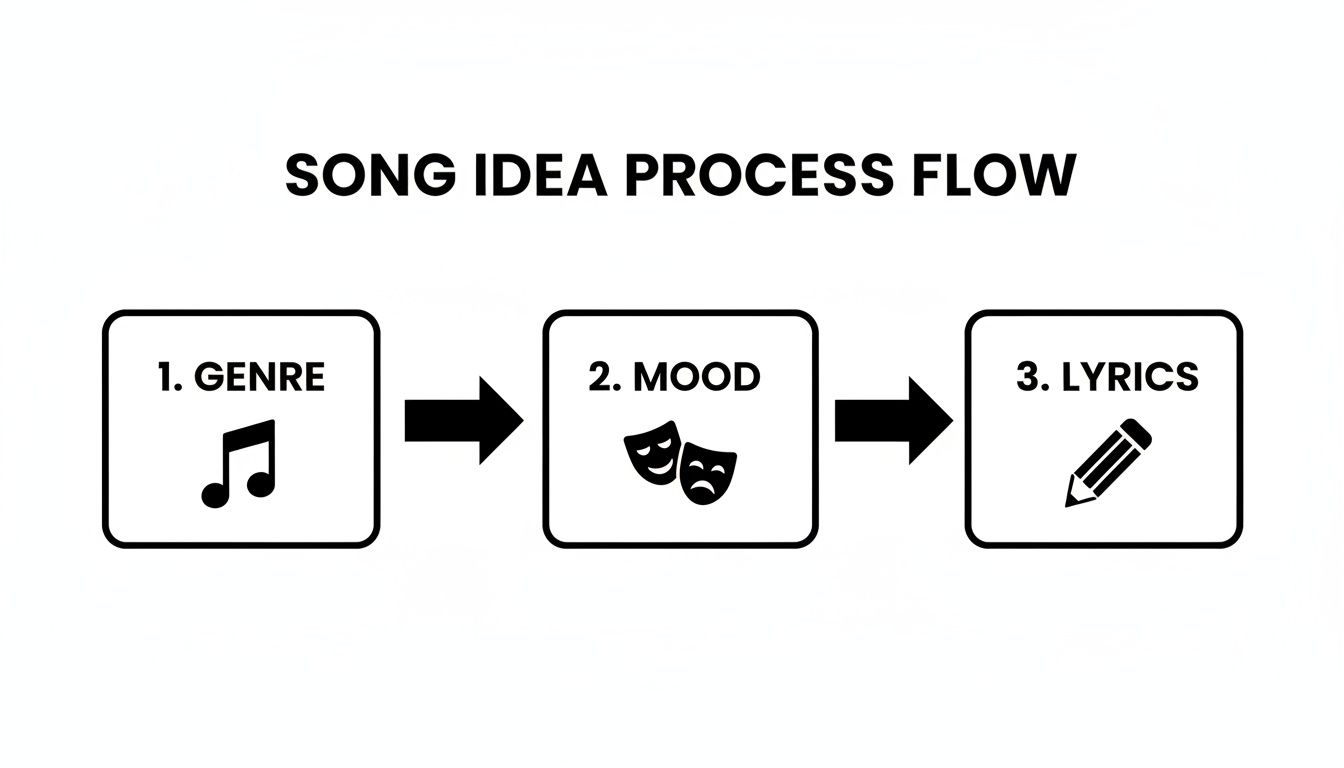
With these elements defined, you’re not just asking for a song; you’re commissioning a piece of art with a clear, undeniable vision.
A great prompt is your secret weapon. It doesn't leave anything up to interpretation; it paints a vivid picture for the AI. Let’s look at a real-world example to see what I mean.
The Vague Prompt: "Create a rock song about graduating." The Killer Prompt: "Create an anthemic 2000s-style pop-punk song about graduating and the bittersweet feeling of leaving friends behind. It should have driving, distorted electric guitars, a fast-paced drum beat around 170 BPM, and a powerful, slightly raspy male vocalist. The chorus needs to be big and catchy, perfect for shouting along to."
Night and day, right? The second prompt is dripping with detail. It gives the AI everything it needs: a specific sub-genre ("2000s pop-punk"), a core emotion ("bittersweet"), instrumentation details ("distorted electric guitars"), a target tempo ("170 BPM"), and even a vocal style ("raspy male vocalist"). This level of specificity is what separates the amateurs from the pros and dramatically boosts your chances of getting a track you love on the first try.
Even with a perfectly crafted prompt, your first result might be, say, 90% perfect. Don’t panic! This is a completely normal part of the creative process. The next move is to iterate.
Don't be afraid to generate a few different versions. Listen back and pick out what works. Maybe one version has the perfect vocal take, but another has an incredible guitar riff that you can’t live without. This is where your ear as a producer comes into play.
Most good AI music tools give you the power to fine-tune your track. Here are a few things I often tweak:
Vocal Delivery: Is the singer too intense? Too mellow? Try prompting for a "softer vocal take" or a "more energetic delivery." The Mix: If the drums are completely burying the melody, ask the AI to "reduce the volume of the drums" or "make the bassline more prominent." Song Structure: Maybe you just want to regenerate the chorus or toss in a new instrumental bridge. Small, targeted prompts can save you from having to start from scratch.
This back-and-forth is especially relevant if you're making music for a younger crowd. They're already all-in on AI music. A Morgan Stanley survey found that a whopping 60% of people aged 18-29 listen to AI-generated tunes, averaging about three hours a week. So when you create songs with ai for things like TikTok videos or personalized gifts, you're plugging directly into a massive, engaged audience.
Want to get your hands dirty and have absolute control over the final product? Then you need to know about stems. Instead of getting a single, baked-in audio file, you can have the AI export each instrument as its own separate track.
Stems are the individual audio files that make up a song—one for the vocals, one for the drums, one for the bass, one for the guitars, you get the idea.
This is a total game-changer. It takes you from being a director to being the hands-on producer. With isolated tracks, you can:
Tweak the volume of every single instrument. Slap some reverb only on the vocals. Chop up and rearrange the song's structure with surgical precision.
This is how you transform a great AI track into your track. Let's say you're making a jingle for a fictional coffee shop, "The Daily Grind." You could generate a cozy acoustic song, then use the stems to dip the guitar volume just enough for a voiceover to sit perfectly on top.
If you're looking for more ideas on what's possible, check out our guide on how to generate music with AI.
Alright, so your AI just spat out an absolute banger. The structure’s there, the hook is catchy, and the vocals are surprisingly solid. But let's be real—right now, it's a fantastic draft. To turn this impressive generation into a song people can't stop playing, you need to put on your producer hat.
This is where the magic really happens. It’s all about polish. Your human intuition and creative taste are what will elevate this track from a cool AI experiment to a song that feels authentically yours.
Before you touch a single button, grab a good pair of headphones and just listen. I mean, really listen. What parts give you goosebumps? Where does the energy sag a little? Maybe that eight-bar intro drags on, or the chorus just doesn't hit with the explosive punch you were hoping for.
Jot down some notes. Get specific. Don't just write "the verse is boring." Instead, try something like, "the synth melody in the second verse feels a bit repetitive after four bars." Pinpointing these little opportunities is the first step toward a track that sounds professionally finished. This is what separates someone just messing around from a real producer.
Now it’s time to bring those AI-generated stems into a Digital Audio Workstation (DAW) for some hands-on surgery. If that term sounds like something from a sci-fi movie, don't sweat it. You don't need a degree in audio engineering to make some seriously impactful edits.
We're going to stick to simple, accessible, and often free tools that are more than powerful enough for the job.
GarageBand: If you're on a Mac or iPad, this is a no-brainer. It’s incredibly intuitive and comes pre-installed on your device. Audacity: The old reliable. It's a free, open-source workhorse that runs on anything. It might not be the prettiest, but it has everything you need for basic editing and mixing. BandLab: A killer browser-based option. You can work from anywhere without installing a single thing, and it's built for collaboration.
Getting your stems into the DAW is usually as simple as dragging and dropping the audio files. You'll see each part of your song—vocals, drums, bass, synths—laid out on its own track. This gives you total control over every single sound.
With your stems loaded, you can start making those changes you noted earlier. You'll be amazed at how a few small tweaks can completely reshape the vibe of your song.
The arrangement is a great place to start. Does the chorus feel a little flat? Try cutting the drums out for the last two beats of the pre-chorus. That little moment of silence will build tension and make the chorus hit like a ton of bricks when it all comes crashing back in. Maybe you can slice up the verse instrumental to create a brand-new intro. Copy, paste, and experiment.
Next, do a little cleanup. Trim any dead air from the beginning or end of your tracks for a tighter, more polished sound. You can also inject some personality with simple effects. A bit of subtle vinyl crackle on the intro or a reverse cymbal crash swooshing into the chorus can make a world of difference.
The most important thing to understand is that the process of creating art makes art of you. Refining an AI track isn't cheating; it's a creative act that builds your skills and personalizes the final product, making you the artist, not just the prompter.
Last but not least, let's talk mixing. At its heart, mixing is just about adjusting volume levels so every instrument has its own space to shine. The goal is to create a balanced soundscape where nothing gets lost in the mud.
For most pop, rock, or hip-hop tracks, the vocals are king. Start by making sure the vocal track is sitting nicely on top of everything else—not buried, but not so loud that it's shouting at you. A pro tip is to check your mix on different speakers—your laptop, your car, your earbuds—to make sure it sounds good everywhere.
Don't be afraid to play around. Nudge the bass up a tiny bit to give the track more weight. Pan a cool guitar lick slightly to the left speaker to create a wider, more immersive feel. When you create songs with ai, this final 10% of human effort is what breathes life and personality into the music, making it a piece of art that’s truly your own.
Alright, you've done it. The track is finished—that idea swirling around in your head is now a fully formed song. But in today’s world, a great track is only half the battle. To really make a dent, your music needs a face. This is where you package your creation for the world, complete with killer visuals and a game plan to get it into people's ears.
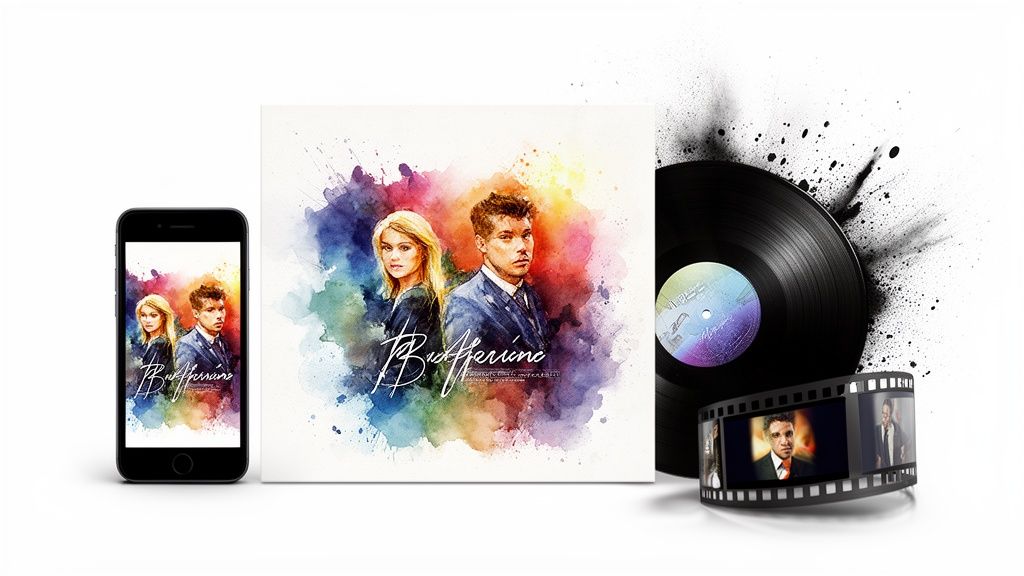
The good news? The same AI that was your co-producer can now be your graphic designer and video director. You don’t need to be a Photoshop whiz or a video editing guru. It’s all about extending that creative spark from the audio to the visual, making sure your song hits hard from the very first glance.
Let's be real: people judge a song by its cover. Before they press play, they see the art. It’s your handshake, your movie poster. It needs to tell them what they’re in for.
With a tool like SendFame, you can spin up a high-resolution cover that feels like it was born from the same DNA as your song. Remember those descriptive words you used in your music prompts? "Melancholic indie-folk," "energetic 80s synthwave," "gritty garage rock"—toss those same phrases into the AI image generator. Boom. You now have a cohesive vibe where the sound and the visuals are singing the same tune.
Ready to go from a song to a statement? A music video is how you do it. It used to be a monumental task, demanding cameras, locations, and a budget that could make you cry. Not anymore.
You can now animate your album art, generate mind-bending abstract visuals, or even build a whole narrative video without ever touching a camera.
In today's market, a song without a visual is like a movie without a trailer. An AI music video isn't just a gimmick; it's a powerful marketing tool that makes your music sticky and sharable on YouTube, Instagram, and TikTok.
Platforms like SendFame were built for this. Their AI music video generator is designed to help you bring your song’s story to life. You can generate scenes, layer on effects, and sync everything to the beat, ending up with a pro-level video for a tiny fraction of the old-school cost and effort.
With your track polished and your visuals locked in, it’s time to unleash your music on the world. Getting on Spotify, Apple Music, and all the other major platforms is way easier than you think. You’ll just need a digital music distributor—they’re the middleman between you and the digital storefronts.
Here are a few popular choices:
DistroKid: Famous for its simple, flat-fee model and for letting you keep 100% of your royalties. TuneCore: One of the original players in the game, offering a ton of services for serious artists. CD Baby: Great for digital distribution, but they also offer physical CD and vinyl production if you want to hold your music in your hands.
The process is pretty simple: you upload your audio file, your album art, and fill out some basic info (song title, artist name, etc.). They take care of the rest. To really own your online presence, it's also a smart move to create a central hub for your music with a specialized website builder for musicians.
Now for the million-dollar question: can you actually make money from AI music? The answer is a huge yes—as long as you use the right tools. When you create a song with a platform like SendFame, you’re getting a royalty-safe track. This means you own the rights to use it commercially.
Want to use it in a social media ad? Go for it. Monetize it on your YouTube channel? All yours. Background music for your podcast? No problem. You won’t have to lose sleep over copyright claims or legal letters.
This is a massive deal, especially now. By late 2025, Deezer was reportedly seeing over 50,000 fully AI-generated tracks uploaded every single day. While services like Spotify are starting to filter out the low-quality spam, this explosion shows the incredible opportunity for creators who are using professional tools to make great music.
You're jumping into a generative AI music market that's projected to skyrocket from $3 billion in 2026 to an unbelievable $68 billion by 2028. By creating high-quality, royalty-safe music, you’re not just making art—you’re building a monetizable, legally sound creative business from the ground up.
Diving into AI music feels a bit like being a mad scientist, and let's be real, you're bound to have questions. This stuff is new, it's weirdly powerful, and the rulebook is still being written. So, let's get into some of the biggest head-scratchers we hear from creators ready to create songs with ai.
This is your backstage pass, your all-access FAQ. We’re cutting right through the jargon to give you the straight scoop, so you can start making tunes with confidence.
This is the million-dollar question, isn't it? The answer is a huge yes, but—and this is a big but—it completely depends on the tool you’re using.
Platforms like SendFame were built for this exact purpose. When you create a track, they hand you a royalty-free license. That’s your golden ticket to use the music anywhere you want, whether it’s for a client’s ad campaign or as the soundtrack for your next viral YouTube video. For independent creators, that’s everything.
But you have to be careful. Not every AI music generator is so generous. Some will try to keep the rights to the music or hit you with nasty restrictions on commercial use. Do yourself a favor and always, always read the terms of service. Before you get excited and upload your banger everywhere, make dead certain you have the license to actually publish and profit from it.
Nope. Not a single thing. And that’s the magic of it all. These tools weren't made for music professors or guitar gods; they were made for you—the YouTuber, the marketer, the podcaster, the person with a killer idea and no way to make it a reality.
Honestly, your ability to describe a mood or a scene is way more important than knowing the difference between a major and minor scale. If you can type out a descriptive prompt, you’ve got everything you need. The AI is your session musician, your producer, and your audio engineer all rolled into one. You just get to be the creative director, which is the best job anyway.
The most important thing to understand is that the process of creating art makes art of you. The AI handles the technical execution, but your creative vision is what breathes life into the song. You are the artist, not just the prompter.
Making your track stand out comes down to two things: getting specific and being willing to tinker.
First, stop thinking in broad strokes. "Sad song" is boring. "A melancholic indie-folk song about saying goodbye at a rainy train station, with a lonely acoustic guitar and a soft, breathy female vocal"—now that's a prompt that will give you something special. The more detail you feed the machine, the more unique the output.
Second, don't just take the first thing it spits out. That's a rookie move. Generate a handful of versions. Listen for the gems. Maybe one version has an unforgettable chorus, but another has a drum beat that just slaps. Mix and match.
Finally, drag those stems into any basic audio editor. You don’t need to be a pro. Just moving the chorus to the beginning or turning up the bass a little can completely transform the track and give it a signature touch. As AI content becomes more common, knowing how to spot the nuances is a real skill; diving into resources like these media literacy lesson plans for AI-generated content can give you a serious edge in this new creative world.
Ready to stop wondering and start creating? With SendFame, you can turn your wildest ideas into radio-quality songs, stunning album art, and even full music videos in minutes. Jump in and see what you can make at https://sendfame.com.
Create Epic

SendFame

Create Epic with SendFame!
Questions: info@sendfame.com