Mastering create ai song: How to Build an AI-Generated Track

create ai song
Welcome offer — 56% OFF


Discover 7 standout digital art portfolio examples that master design and strategy. Get actionable insights to build a portfolio that gets you noticed.
Tired of staring at a blank screen, wondering how to transform your incredible digital art into a portfolio that actually gets you noticed? You’re not alone. The struggle to create a space that’s both a stunning gallery and a powerful career tool is real. It’s one thing to create amazing art; it’s another thing entirely to present it in a way that makes recruiters, clients, and collaborators stop scrolling and start dialing your number.
This isn’t just another generic list. We’re tearing down the curtain on what makes a portfolio truly exceptional. Forget guesswork and endless tweaking. We've curated a definitive collection of the best digital art portfolio examples from across the web, featuring platforms like ArtStation, Behance, and Cargo, plus custom builds on Squarespace and Wix. Each entry is more than just a picture; it’s a deep-dive analysis into the strategy behind the pixels.
We'll break down exactly why these portfolios work, showing you the specific design choices, user experience tactics, and content strategies that set them apart. You’ll get actionable takeaways you can apply to your own site immediately, complete with screenshots and direct links for a firsthand look. To truly understand what makes an impactful presentation, it's beneficial to look at existing work. Explore these inspiring web design portfolio examples that effectively showcase creativity and professionalism.
This is your blueprint. Let’s stop wondering what a great portfolio looks like and start building one.
If the digital art world had a capital city, it would be ArtStation. This platform is less a simple portfolio site and more a sprawling, bustling metropolis for artists in the game, film, and entertainment industries. It's the industry standard, the place where studios like Blizzard and Riot Games go window shopping for their next concept artist or 3D modeler. Think of it as LinkedIn, but if everyone was infinitely more talented and drew dragons for a living.
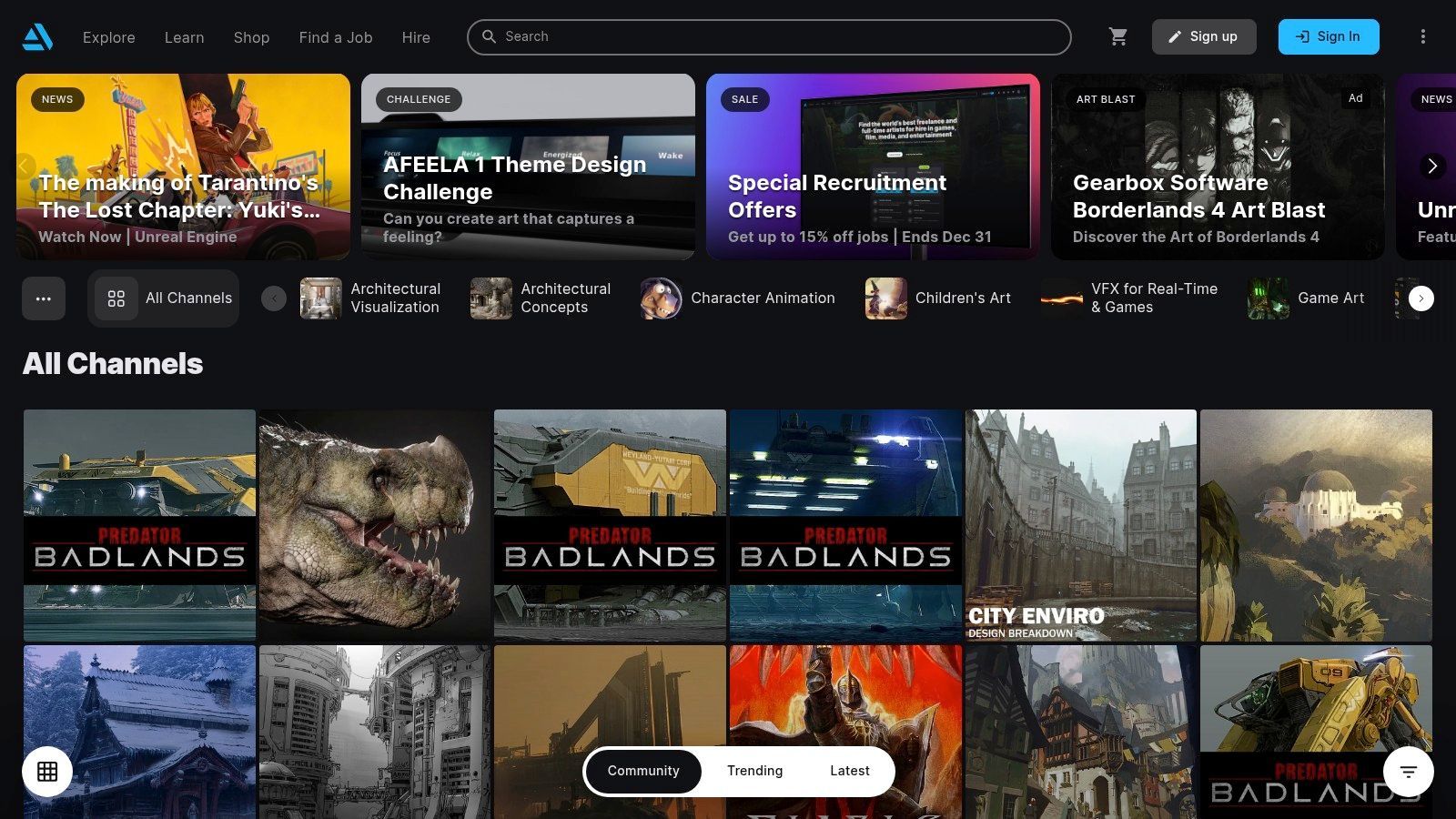
The platform’s core is a massive, high-quality gallery where you can lose hours scrolling through jaw-dropping character designs and epic environments. But the real magic is how it transforms from a gallery into a powerful, all-in-one career tool. This dual-purpose design makes it one of the best digital art portfolio examples available, as it serves both as an inspiration hub and a practical hosting solution.
ArtStation’s strategy is simple yet brilliant: attract top talent, and the recruiters will follow. By creating an ecosystem where professionals can showcase work, sell assets, and learn new skills, it has become an indispensable resource. The free tier lets you post your work and get discovered, but the Pro plans are where things get serious.
Key Insight: ArtStation isn't just a place to show your work; it's a place to monetize and grow your career. The integrated marketplace, print shop, and learning platform create a self-sustaining professional loop.
To get the most out of ArtStation, you need to treat it like the professional hub it is. It's not just a gallery; it's your digital storefront and resume rolled into one.
Curate Ruthlessly: Only post your absolute best work. Recruiters are browsing, so make every piece count. Quality over quantity is the rule here. Engage with the Community: Follow artists you admire, comment on their work, and participate in challenges. Visibility within the community leads to visibility with employers. Leverage the Marketplace: If you create brushes, 3D models, or tutorials, sell them on the ArtStation Marketplace. It adds a revenue stream and demonstrates your expertise. Some artists are even using it to sell prompts for AI-generated images, which is a rapidly growing field. For those curious about the technology, you can find a guide about how to make AI-generated images here.
| Feature Comparison | ArtStation (Free) | ArtStation Pro ($9.95/mo) |
|---|---|---|
| Portfolio Hosting | Standard Profile Page | Custom Website Builder + Domain |
| Marketplace Sales | 70% Payout Rate | 88%-95% Payout Rate |
| Analytics | Basic Views & Likes | Advanced Visitor Analytics |
| ArtStation Learning | Limited Access | Full, Unlimited Access |
Ultimately, ArtStation stands out by being the central nervous system of the entertainment art industry. While its premium features require a subscription, the sheer networking and career-building potential it offers is unmatched, making it a mandatory stop for any serious digital artist.
Check it out here:https://www.artstation.com
If ArtStation is the specialized capital for entertainment art, Behance is the sprawling, multicultural global bazaar of the entire creative industry. Powered by Adobe, this platform is a vibrant, chaotic, and endlessly inspiring space where you can find everything from slick corporate branding and architectural visualizations to avant-garde digital paintings and experimental illustrations. It’s less of a niche industry hub and more of a massive, public gallery for every creative discipline imaginable.
Behance’s strength lies in its sheer scale and diversity. It's the place you go when you want to see what’s trending in graphic design in Brazil or discover a new digital collage artist from Japan. Its project-based format encourages artists to not just show the final piece, but to document their creative process, including sketches, mood boards, and detailed explanations. This makes it an incredible resource for those looking for digital art portfolio examples that reveal the story behind the art.
Behance’s strategy is maximum inclusivity powered by the Adobe ecosystem. By making it completely free to post unlimited, high-resolution projects, Adobe has created a massive, self-populating content engine that keeps creatives locked into its universe. The platform serves as a lead magnet for Adobe’s Creative Cloud suite, while simultaneously acting as a recruitment ground for companies like Google, Apple, and, of course, Adobe itself.
Key Insight: Behance thrives on process, not just polish. Showcasing your work-in-progress, explaining your tool choices, and detailing your creative journey is just as valuable as the finished product and attracts a different kind of engagement.
To succeed on Behance, you need to think like a storyteller. Your portfolio isn't just a collection of images; it’s a series of case studies that demonstrate your skill, thought process, and professional value.
Build Comprehensive Projects: Don't just upload a final JPG. Create a "Project" that includes sketches, different versions, close-up details, and a brief narrative about the brief and your execution. This gives viewers a reason to spend time with your work.Tag Smartly and Specifically: Use relevant tags for tools (e.g., Photoshop, Illustrator, Procreate), creative fields (Illustration, Digital Art, Character Design), and concepts. The platform’s discovery algorithm relies heavily on this data.Curate with Moodboards: Use the "Moodboard" feature to collect inspiration and show your taste. This helps define your artistic identity and connects you with other creatives who share your aesthetic. It's a great way to stay on top of trends, from traditional styles to emerging ones like those seen in some of the best AI art generators on sendfame.com.
| Feature Comparison | Behance (Free) | Adobe Portfolio (with Creative Cloud) |
|---|---|---|
| Project Hosting | Unlimited Projects & Images | Unlimited Pages & Projects |
| Customization | Standard Project Layouts | Full Website Builder, Custom Layouts |
| Domain | behance.net/username | Use Your Own Custom Domain |
| Discovery | Massive Community Feed & Galleries | Standalone Site (Less Community Focus) |
Ultimately, Behance is the ideal platform for artists who want to reach a broad, diverse audience and showcase their creative process in rich detail. Its complete lack of a paywall for portfolio hosting makes it one of the most accessible and powerful tools for getting your work seen by peers, potential clients, and creative directors across the globe.
Check it out here:https://www.behance.net
If ArtStation is the capital city for entertainment artists, Dribbble is the trendy, fast-paced design district for illustrators, UI/UX designers, and branding experts. It's a vibrant social network built around "shots," which are small, bite-sized previews of design work. This focus on quick, visual snippets makes it the Instagram of the design world, perfect for showcasing slick animations, crisp logos, and beautiful app interfaces.
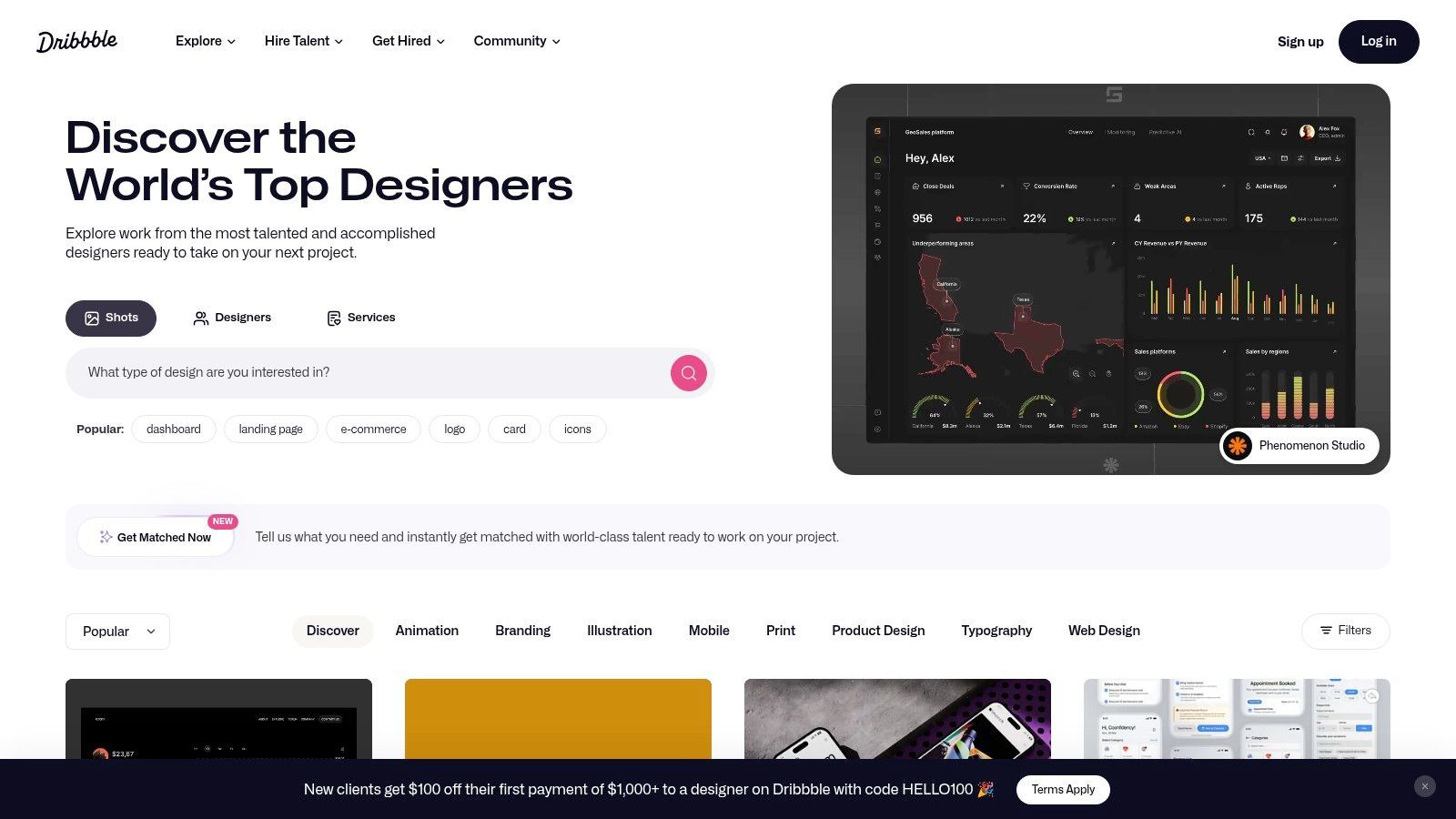
The platform thrives on instant visual appeal, creating a feed that is both a source of endless inspiration and a highly competitive arena. Dribbble’s strength lies in its community and its laser focus on the commercial and digital design sectors. This makes it an essential space for any designer looking to build a name for themselves in the tech and branding industries, and one of the most dynamic digital art portfolio examples for a modern creative.
Dribbble's strategy is built on discoverability and direct-to-client connections. The platform gamifies exposure through its popular feed and ranking system, encouraging designers to post high-quality work frequently. For paying users, it transforms from a simple gallery into a powerful lead-generation machine, offering a direct pipeline to clients actively looking to hire top-tier design talent.
Key Insight: Dribbble prioritizes quick visual impact. It’s not about deep, multi-page case studies; it's about proving your skill and style in a single, compelling "shot" that makes a potential client stop scrolling.
To succeed on Dribbble, you need to master the art of the snapshot. It's about grabbing attention quickly and then having the substance to back it up when a client clicks through to your profile.
Master the "Shot": Your posts should be visually stunning and concise. Use high-resolution images, GIFs, or short videos to showcase your best work in a single frame. Play the Tagging Game: Use relevant tags like #UI, #illustration, or #logodesign to get your work in front of the right audience and potential employers. Upgrade for Business: If you're serious about freelancing, the Pro plan is a must. It unlocks the job board, improves your visibility in search, and allows clients to contact you directly. The platform's ecosystem is also adapting to new trends; for those experimenting with AI, you can get insights on how to create AI-generated images that stand out.
| Feature Comparison | Dribbble (Free) | Dribbble Pro ($12/mo) |
|---|---|---|
| Portfolio Hosting | Standard Profile with "Shots" | Advanced Profile Customization |
| Client Access | Limited Visibility | Priority Placement for Hirers |
| Job Board | View Only | Apply to Exclusive Job Listings |
| Video Shots | Not Available | Multi-Shot & Video Uploads |
In essence, Dribbble is the go-to platform for designers who specialize in digital products, branding, and illustration. While its best features are behind a paywall, its value as a tool for attracting high-quality freelance work and building a reputation in the design industry is undeniable.
Check it out here:https://dribbble.com
If ArtStation is the polished, professional capital city, DeviantArt is the sprawling, eclectic, and wonderfully chaotic creative continent. It's one of the internet's oldest and largest art communities, a place where hobbyists, aspiring artists, and seasoned pros have mingled for over two decades. Think of it as a massive art school campus, complete with endless galleries, specialized clubs, and a vibrant, sometimes wild, student body.
The platform’s strength lies in its sheer scale and diversity. You can find everything here, from hyper-realistic fan art of your favorite video game character to abstract digital paintings and anime-style commissions. This massive, unfiltered collection makes it a fascinating place to find niche digital art portfolio examples and connect with a broad audience that appreciates every conceivable style.
DeviantArt’s strategy is built on community and accessibility. It lowers the barrier to entry, welcoming artists of all skill levels to share their work, build a following, and even start earning. While less curated than its competitors, this open-door policy has created an unparalleled ecosystem for discovery and interaction.
Key Insight: DeviantArt thrives by being a social network first and a portfolio site second. The emphasis is on interaction, group participation, and community building, which can be a powerful way to grow an audience from the ground up.
To succeed on DeviantArt, you have to embrace its social nature. It's less about a sterile, professional showcase and more about becoming an active member of the creative community.
Find Your Niche: Join groups dedicated to your specific art style or fandom. This is the fastest way to get your work in front of people who are guaranteed to be interested. Monetize Your Craft: Use the built-in tools to offer commissions, sell premium gallery access, or sell prints. DeviantArt makes it easy to turn your passion into a side hustle without needing a separate website. Engage Authentically: Don’t just post and ghost. Comment on other artists' work, provide constructive feedback, and participate in discussions. Building relationships is key to visibility on the platform.
| Feature Comparison | DeviantArt (Free) | DeviantArt Core ($3.95-$14.95/mo) |
|---|---|---|
| Portfolio Hosting | Standard Profile, 20GB Storage | Profile Customization, 30-50GB Storage |
| Marketplace Sales | 80% Payout Rate (Prints/Downloads) | 85%-100% Payout Rate (Prints/Downloads) |
| Analytics | Basic Stats | Advanced Visitor Analytics |
| Community Features | Full Access | Reduced Platform Fees, Username Changes |
Ultimately, DeviantArt’s value lies in its massive, engaged community. While the overall quality can be a mixed bag, its accessible monetization tools and social features make it an excellent starting point for artists looking to build a following and begin their professional journey.
Check it out here:https://www.deviantart.com
If ArtStation is the bustling capital city, Squarespace is the serene, minimalist art gallery where your work hangs under perfect lighting. It’s the go-to platform for artists who want a portfolio that feels less like a social media profile and more like a bespoke, professional website. Think of it as trading a crowded convention hall for a private exhibition where your art is the undisputed star of the show.
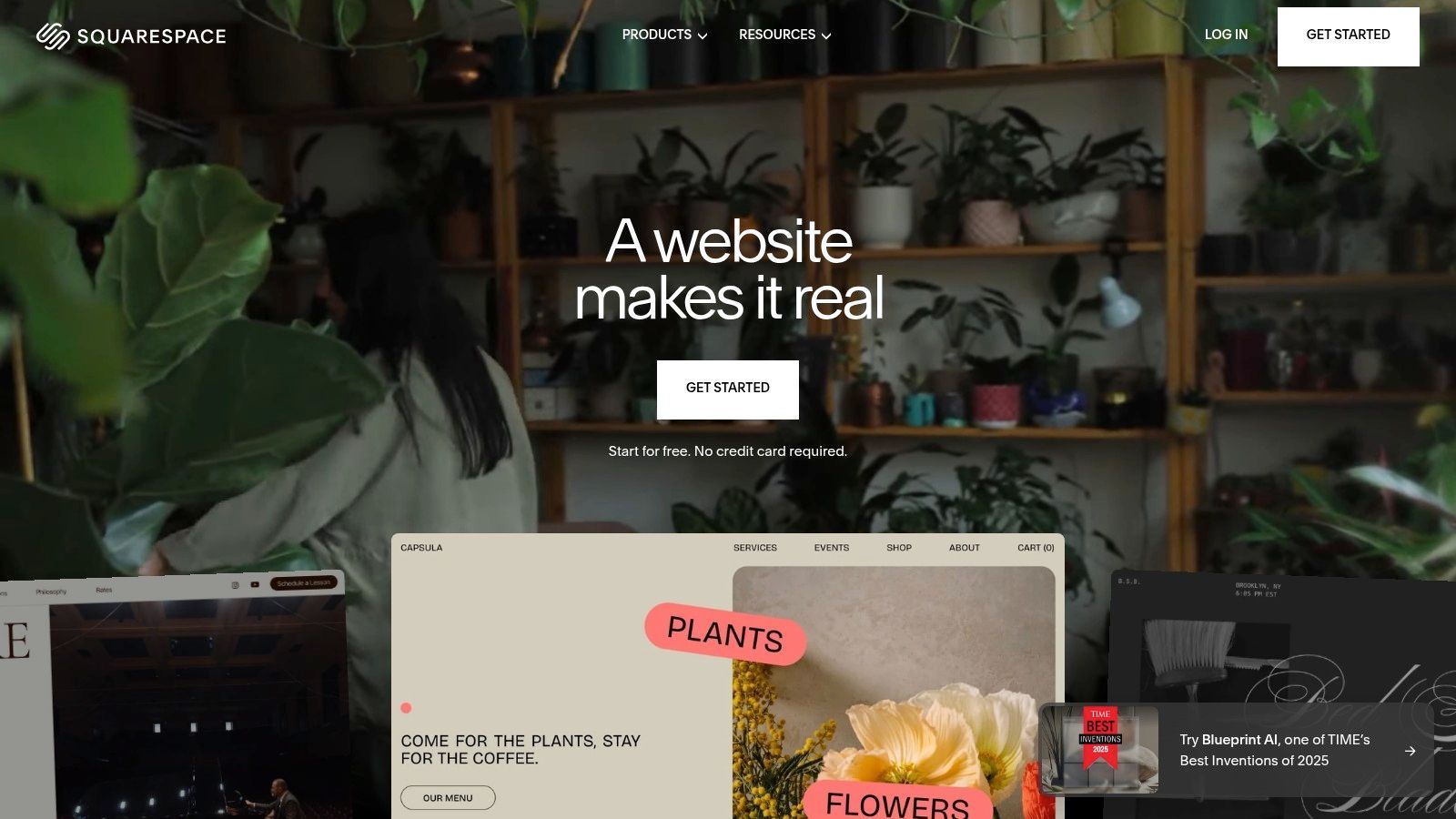
Squarespace excels at providing clean, image-forward templates that let your digital paintings, 3D renders, or character designs speak for themselves. The platform's all-in-one nature means you can build a stunning portfolio, sell prints, and manage client appointments without ever touching a line of code. This integrated approach makes it one of the most powerful digital art portfolio examples for artists seeking a polished, independent online presence.
Squarespace’s strategy is built on empowering creative professionals with sophisticated, easy-to-use tools. It removes the technical barriers to building a beautiful website, allowing artists to focus on what they do best: creating. By bundling hosting, design, and commerce into a single subscription, it offers a streamlined path to a professional online identity.
Key Insight: Squarespace bets that artists value brand control and aesthetic polish above all else. Its platform is designed to create a premium, curated experience for both the artist and their audience, turning a portfolio into a personal brand headquarters.
To make Squarespace work for you, think like a gallery curator. Your website is your dedicated space, so every element should be intentional and reflect your artistic brand.
Choose a Minimalist Template: Let your art be the loudest thing on the page. Select a template with ample white space, clean typography, and a grid-based layout that prioritizes your images.Create a "Process" or "Case Study" Page: Go beyond just showing the final piece. Dedicate pages to high-profile projects, detailing your creative process from sketch to final render. This adds immense value for potential clients.Integrate E-commerce: Don't just show your art; sell it. Use Squarespace's built-in commerce tools to sell digital downloads, prints, or even exclusive content through a members-only area. This can also be a space to offer services like creating AI art for clients; you can discover more about the process of how to create AI art on sendfame.com.
| Feature Comparison | Squarespace (Personal) | Squarespace (Business) |
|---|---|---|
| Portfolio Hosting | Custom Website + Domain | All Personal Plan Features |
| E-commerce | Not Included | Full E-commerce (3% Fee) |
| Analytics | Basic Site Analytics | Advanced Website Analytics |
| Integrations | Limited | Premium Integrations & Blocks |
Ultimately, Squarespace is the ideal choice for the artist who wants total control over their presentation. While it requires a paid subscription and lacks the built-in community of platforms like ArtStation, it provides an unmatched level of polish and professionalism for building a standalone brand.
Check it out here:https://www.squarespace.com
If you want total, uncompromising control over your digital art portfolio without learning a single line of code, Wix is your creative sandbox. It's less of a rigid platform and more of a digital Lego set, giving you a blank canvas and a massive box of bricks to build whatever you can imagine. For artists who want a website that's as unique as their art style, Wix offers a level of drag-and-drop freedom that few competitors can match.
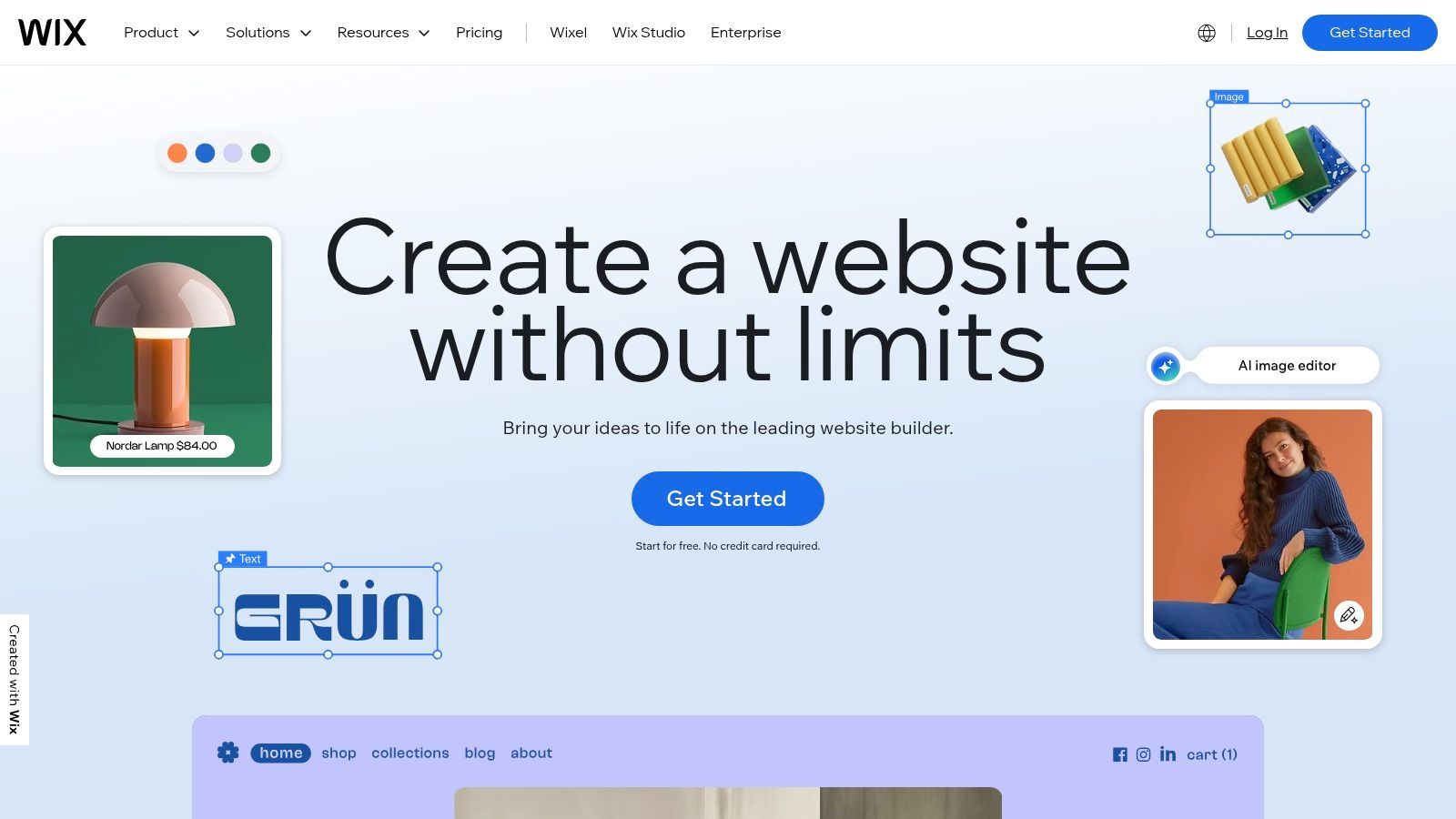
Wix operates on a "what you see is what you get" philosophy, allowing you to place text, images, and videos anywhere on the page with pixel-perfect precision. This makes it an excellent choice for artists who have a very specific vision for their brand and want their portfolio to be more than just a gallery; they want it to be an experience. The platform's vast template library and integrated business tools transform it from a simple site builder into a powerful hub for your entire creative business.
Wix's strategy is to empower absolute beginners and design-savvy professionals alike with maximum creative flexibility. It removes the technical barriers to web design, betting that if you give artists intuitive tools, they will build stunning and effective online presences. The free plan is a fantastic entry point, but the real power is unlocked with a Premium subscription, which lets you connect a custom domain and remove Wix branding for a fully professional look.
Key Insight: Wix isn't just a portfolio builder; it's a full business ecosystem. You can build your gallery, add an e-commerce store to sell prints, and integrate a booking system for commissions all under one roof.
To truly succeed with Wix, you need to embrace its flexibility while maintaining a strong sense of design discipline. The freedom can be overwhelming, so having a clear plan is key.
Start with a Strong Template: Browse the portfolio-specific templates and choose one that aligns with your aesthetic. This gives you a solid foundation to customize, rather than starting from scratch. Optimize for Mobile: Wix has a separate mobile editor. Use it. A huge portion of your traffic will come from phones, so ensure your portfolio looks just as impressive on a small screen. Integrate Your Business: Don't just show your art; sell it. Use the Wix Stores app to sell prints or digital downloads, and the Wix Bookings app to manage commission requests and client schedules.
| Feature Comparison | Wix (Free) | Wix Premium (Light Plan) |
|---|---|---|
| Custom Domain | No (Uses wixsite.com URL) | Yes (e.g., yourname.com) |
| Wix Branding | Prominently Displayed | Removed |
| Storage | 500 MB | 2 GB |
| E-commerce | Not Available | Not Available (Requires Business Plan) |
Ultimately, Wix is the top choice for artists who prioritize custom design and want an all-in-one solution for their online presence. While the pricing can be a bit confusing, the frequent sales and sheer power of the editor make it one of the most compelling digital art portfolio examples for building a truly bespoke website.
Check it out here:https://www.wix.com
If ArtStation is the bustling capital city, Cargo is the chic, minimalist art gallery in a quiet, high-fashion district. This platform is a portfolio-first website builder beloved by artists and designers who crave creative control without the coding headache. It’s where you go when you want your website to feel less like a profile page and more like a bespoke digital exhibition.
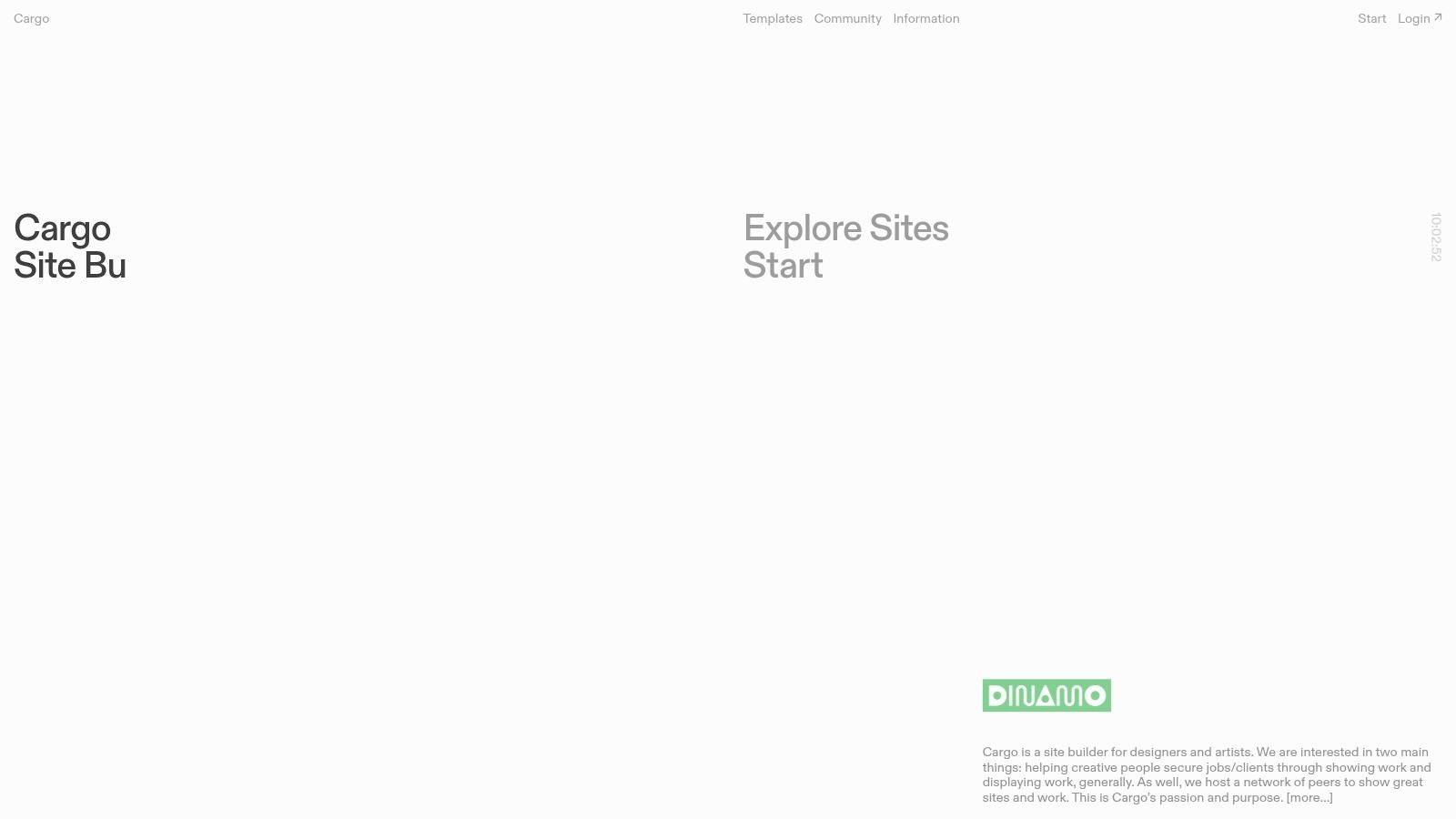
Cargo provides a curated selection of highly flexible, visually driven templates that prioritize typography and image handling. The result is a platform that feels purpose-built for creatives, allowing your work to take center stage. Its "Sites in Use" section acts as a living gallery, showcasing how other artists have bent the templates to their will, providing a powerful source of inspiration that makes it one of the most flexible digital art portfolio examples available.
Cargo's strategy is to empower artists with maximum design flexibility through curated simplicity. Instead of overwhelming users with a thousand generic templates and a sprawling app store like Squarespace, Cargo offers a refined toolset that encourages experimentation. The platform operates on the belief that a great portfolio is an extension of the art itself, not just a container for it.
Key Insight: Cargo’s value isn't in adding more features; it’s in perfecting the essential ones. By focusing on refined templates, elegant image handling, and intuitive editing, it allows artists to build a unique online presence quickly and affordably.
To get the most out of Cargo, you should lean into its minimalist ethos and treat the builder as a creative tool in its own right. Think of your portfolio layout as your first piece of art.
Explore "Sites in Use": Before you even start, spend time browsing the "Sites in Use" gallery. It's the best way to understand the platform's potential and find a template that sparks an idea. Embrace Asymmetry: Many Cargo templates excel with non-traditional layouts. Don't be afraid to break the grid, overlap images and text, and create a dynamic visual flow that guides the viewer's eye. Focus on Typography: Cargo gives you excellent control over fonts. Choose a typeface that complements your artistic style. A great font can elevate your entire portfolio from good to unforgettable.
| Feature Comparison | Cargo | Standard Website Builders (e.g., Wix) |
|---|---|---|
| Pricing Model | Simple Tier: $168/year ($14/mo) | Complex Tiers with Feature Gates |
| Templates | Highly flexible, art-focused | Hundreds of generic, less flexible templates |
| User Experience | Streamlined for visual portfolios | All-purpose, can be bloated |
| Commerce | Optional Add-on ($66/year) | Integrated but often with transaction fees |
Ultimately, Cargo is for the digital artist who is also a designer at heart. It sacrifices the sprawling ecosystem of larger builders for a more focused, refined, and aesthetically pleasing experience. If you want a portfolio that looks and feels like a custom-designed site without the custom-designed price tag, Cargo is your best bet.
Check it out here:https://cargo.site
| Platform | Implementation Complexity 🔄 | Resource / Speed ⚡ | Expected Results 📊 | Ideal Use Cases 💡 | Key Advantages ⭐ |
|---|---|---|---|---|---|
| ArtStation | Medium — quick portfolio; Pro features require setup 🔄 | Moderate — free browsing; Pro subscription for hosting/store ⚡ | ⭐⭐⭐⭐ — high industry visibility, recruiter reach 📊 | Game, film, concept art portfolios; selling assets 💡 | Strong studio/recruiter presence; integrated store & Pro hosting ⭐ |
| Behance | Low — publish projects easily 🔄 | Low — free to post and browse; minimal setup ⚡ | ⭐⭐⭐ — broad discovery and inspiration; variable engagement 📊 | Cross‑discipline creative discovery, moodboards, tool showcases 💡 | Huge variety; Adobe ecosystem integration; powerful search ⭐ |
| Dribbble | Low–Medium — fast “shot” posting; Pro for client tools 🔄 | Fast — bite‑sized uploads; Pro for hiring features ⚡ | ⭐⭐⭐ — strong visibility for UI/illustration; leads with Pro 📊 | UI, illustration, branding, quick inspiration and freelance leads 💡 | Clean bite‑sized showcase; client marketplace & freelancer tools ⭐ |
| DeviantArt | Low — easy to join/post; optional Core membership 🔄 | Low — large, active community; minimal barriers ⚡ | ⭐⭐ — massive reach but mixed quality and curation 📊 | Hobbyist to pro artists, fan art communities, commissions 💡 | Massive community; built‑in commission/print sales options ⭐ |
| Squarespace | Medium — template setup; paid plan required 🔄 | Moderate — polished templates; built‑in commerce/analytics ⚡ | ⭐⭐⭐⭐ — professional, polished standalone sites with commerce 📊 | Artists wanting a premium standalone portfolio + ecommerce 💡 | High‑quality templates, reliable hosting, integrated commerce/analytics ⭐ |
| Wix | Low–Medium — drag‑and‑drop; many templates 🔄 | Fast — free tier available (branded); upgrades for custom domain ⚡ | ⭐⭐⭐ — flexible, quick portfolio; better with Premium 📊 | Fast portfolio builds, small studios, flexible business sites 💡 | Very flexible design control; many integrations and promos ⭐ |
| Cargo | Low — portfolio‑first, minimal setup; artist‑centric 🔄 | Fast — lean templates optimized for visuals; simple pricing ⚡ | ⭐⭐⭐ — refined aesthetic presentation; boutique appeal 📊 | Designers/artists seeking minimal, design‑forward portfolios 💡 | Clean, typographic templates; transparent pricing; no platform transaction fees ⭐ |
And there you have it, a whirlwind tour through the digital art multiverse of portfolios. We've dissected the industrial might of ArtStation, explored the creative ecosystem of Behance, and admired the sleek, minimalist designs found on Cargo. We’ve seen how platforms like Squarespace and Wix empower artists with drag-and-drop simplicity, while communities like Dribbble and DeviantArt offer vibrant spaces for feedback and connection. This journey wasn't just about admiring stunning digital art portfolio examples; it was a masterclass in strategy, presentation, and personal branding.
The biggest takeaway? Your portfolio is more than a gallery. It's your digital handshake, your professional story, and your business headquarters all rolled into one. The most effective portfolios we examined weren't just a random assortment of beautiful images; they were meticulously crafted experiences designed to guide a visitor's eye and tell a compelling narrative about the artist's skills and vision.
Let's boil it down. If you remember nothing else from this deep dive, hold on to these core principles that unite the best portfolios, regardless of the platform they're built on:
Curation is King: Less is almost always more. The strongest portfolios showcased a curated selection of an artist's best, most relevant work. They resisted the urge to include everything, focusing instead on pieces that aligned with their professional goals and target audience. Narrative Drives Engagement: From a killer "About Me" page to project case studies that reveal the why behind the art, storytelling is crucial. It transforms a passive viewer into an engaged potential client or collaborator who understands your creative process and problem-solving abilities. User Experience (UX) Matters: A portfolio that is difficult to navigate is a portfolio that gets closed. Clear navigation, fast load times, and a mobile-friendly design are non-negotiable. Every example we praised made it effortless for visitors to find what they were looking for.
Feeling the analysis paralysis? It’s normal. The "best" platform is entirely subjective and depends on your unique goals. Let's simplify the decision:
For Industry Domination (Games, Film, VFX): Go with ArtStation. Its job boards, community challenges, and industry focus make it the clear winner for professionals in these fields. For Creative Exploration & Networking: Behance is your playground. Its integration with Adobe Creative Cloud and diverse community make it ideal for graphic designers, illustrators, and multidisciplinary artists. For Sleek Simplicity & High-End Clients: Squarespace or Cargo offer the polished, minimalist aesthetic that appeals to premium brands and art directors. For Total Creative Control & E-commerce: Wix provides a powerful, flexible builder that can grow with you, from a simple gallery to a full-fledged online store. For Community & UI/UX Focus: If you're a product designer or UI/UX artist, Dribbble is the place to share your bite-sized shots and connect with tech companies.
Once your digital art is perfected, you might wonder how and where to print pictures in NZ to create high-quality physical versions for your portfolio or for sale. Having a tangible version of your work can be a powerful tool in meetings and a fantastic product for your fans.
The examples we've explored are your roadmap. Don't just copy them; deconstruct them. Ask yourself why a particular layout works, how an artist's bio builds trust, and what makes their call to action so effective. The digital canvas is yours to command. Take these insights, fire up your chosen tool, and start building the portfolio that will unlock your next great opportunity. Your masterpiece is waiting to be seen.
Ready to get your incredible new portfolio in front of the right people? SendFame can help you connect with influencers and brand ambassadors who can share your art with a massive, targeted audience. Stop waiting for clients to find you and start building powerful connections today at SendFame.
Create Epic

SendFame

Create Epic with SendFame!
Questions: info@sendfame.com