A Practical Guide to Using AI to Create Videos
using ai to create videos
Welcome offer — 56% OFF


Discover how to make videos with AI. This guide breaks down AI video creation from scripting and generation to final polish for stunning, pro-level results.
Forget everything you think you know about video production. You don't need a massive budget, a film crew, or years of editing experience anymore. Making videos with AI is as simple as turning your text scripts into polished visuals with a tool like SendFame. The whole process, from generating a custom avatar to a realistic voiceover, takes minutes, not weeks. It's a total game-changer.
Welcome to the new age of video. You’re the director, and AI is your entire production crew, ready to roll at a moment's notice. This isn't just some tech fad; it's a genuine shift in how we make things. Solo creators, scrappy startups, and swamped marketing teams are now pumping out high-quality content at an insane pace, bringing their ideas to life without any of the old-school headaches.
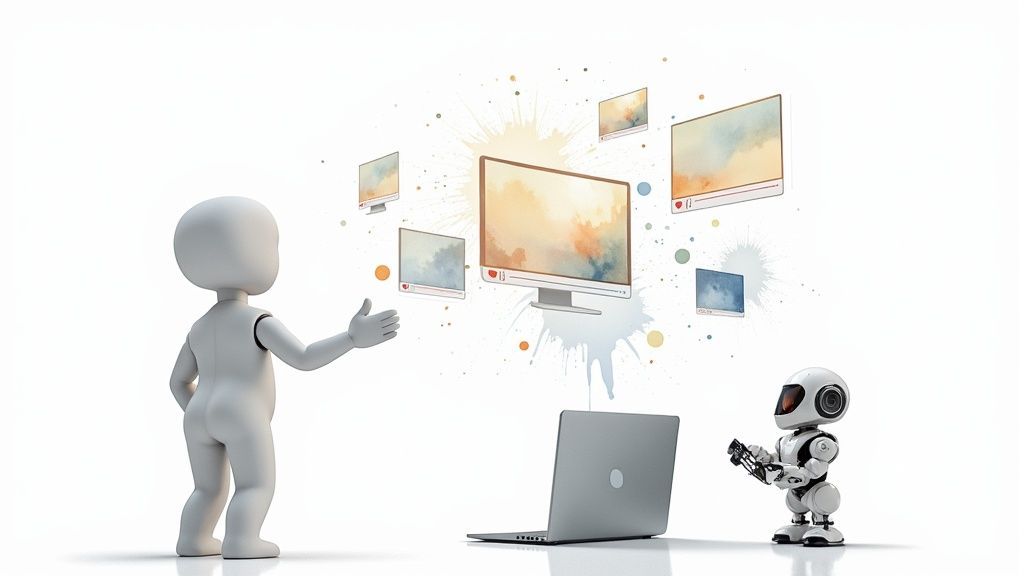
That picture pretty much sums it up, right? It's all about human creativity getting a massive boost from artificial intelligence. It’s not here to replace your ideas—it’s here to help you execute them, like, yesterday.
So, what's fueling this whole revolution? One word: efficiency. AI is breaking down the barriers to video production, making it something anyone can do, regardless of their wallet size or tech skills.
The market numbers tell the story. The AI video generator market was valued at $614.8 million in 2024, and it's expected to rocket past $2.5 billion by 2032. That’s not just growth; that’s an explosion. It's all because this tech lets you slash production times and crank out content like never before. And this is just the tip of the iceberg; you can explore tons of other powerful ways people are using generative AI.
Think of AI video generation as the ultimate creative force multiplier. It lets you test more ideas, reach more people, and tell more stories without being boxed in by time or money.
If you want to dive deeper into how this fits into the bigger picture, checking out guides on mastering AI content creation can give you some great perspective. At the end of the day, this technology frees you up to focus on what actually matters: your message.
Every great AI video begins with two crucial ingredients: a killer idea and a script that knows how to talk to the machine. You can forget about that scary blank page. The real secret to making incredible videos with AI isn't just about what you want to say, but how you instruct the AI to bring it to life.
Think of your AI tool less like a clunky video editor and more like your very own creative partner. This partner never gets tired, doesn't need a single coffee break, and is ready to brainstorm with you around the clock. Your job is simply to steer its powerful imagination with a few crystal-clear instructions.
Before you even think about writing, nail down your goal. Are you creating a short, snappy ad for TikTok? Or maybe a deep-dive educational video for YouTube? The vibe, the speed, and the visual flair for these are worlds apart, and your AI needs to know the playbook from the get-go.
Alright, let's get down to business. Instead of just staring at that blinking cursor, use an AI assistant like ChatGPT or the tools built right into a platform like SendFame to get the ball rolling. The trick here is to ditch the vague requests.
Don't just ask, "Give me a video idea for my coffee shop." That's a recipe for generic mush.
Instead, get specific. Try a prompt like this:
"I need five short video concepts for our new cold brew. Our target audience is college students pulling all-nighters during finals week. The tone should be funny and super relatable, highlighting the desperate need for energy. For each concept, give me a visual hook and a clear call to action."
See the difference? This kind of detail gives the AI solid guardrails, spitting out ideas that are already 80% of the way there. This can save you hours of banging your head against the wall. From there, you just need to pick your favorite, maybe mix and match a few, and polish it up.
Once you've landed on a winning concept, it's time to write the script. This is where you put on your screenwriter hat. You're not just telling the AI what to say, but also what to show. A truly effective AI script has three main parts.
Dialogue/Voiceover: This is the spoken part. Keep it clean, clear, and conversational. Visual Cues: This is where you paint the picture. Describe the setting, what the character looks like, and exactly what they're doing. Director's Notes: This is your secret sauce. Add notes on camera angles, the character's emotions, and the overall pacing of the shot.
Let's imagine you're making a demo for a new app. Here’s a simple formula for a script prompt that works like a charm:
"Write a 30-second video script for a new productivity app called 'FocusFlow.' The AI avatar is a friendly, high-energy woman in a cool, modern co-working space. Visual: Start with a shot of her looking totally stressed out at a messy desk.Dialogue: 'Feeling buried under your to-do list?'Director's Note: Zoom right in on her face to really show that frustration. Visual: Cut to a clean, animated shot of the app's interface on a phone screen.Dialogue: 'FocusFlow organizes your entire life in just one click.'Director's Note: The avatar should now be smiling, looking confident and in control."
This method transforms a boring text script into a full-blown storyboard. You're not just feeding the AI lines; you're directing the entire performance.
Getting this level of detail right is the single biggest factor in getting an amazing result on your first try.
When you master this kind of prompting, you make the whole process of creating videos with AI feel less like a chore and more like magic. You're not just a user anymore—you're the director.
Alright, let’s get this done. You've got your brilliant idea and a killer script ready to go. Now for the fun part: bringing it all to life. This is where you step into the director's chair and watch the AI turn your words into a real, watchable video. Honestly, it’s a blast, especially with tools designed to make it quick and painless.
We’ll use a platform like SendFame as our guide here, but the game plan is pretty much the same across most of the good AI generators out there. The first thing you need to figure out is who's going to be the face and voice of your video.
Think of your AI avatar as the star of your show. Who’s the right person to deliver your message? Are you picturing a friendly, knowledgeable expert for a how-to video? Or maybe you need a super charismatic, high-energy personality for a TikTok ad. The good news is, most platforms have a massive library of photorealistic avatars to pick from.
Once you’ve found the right face, you need a voice to match. The voice is everything—it sets the entire mood. A deep, steady voice can give a corporate announcement some serious gravity, while a warm, conversational tone makes an explainer video feel like a chat with a friend. Don't just click the first one you see. Test a few voices with a line from your script to hear what feels right for your brand.
This whole process starts way before you hit "generate," of course. You're bridging the gap between a raw idea and a script the AI can actually work with.
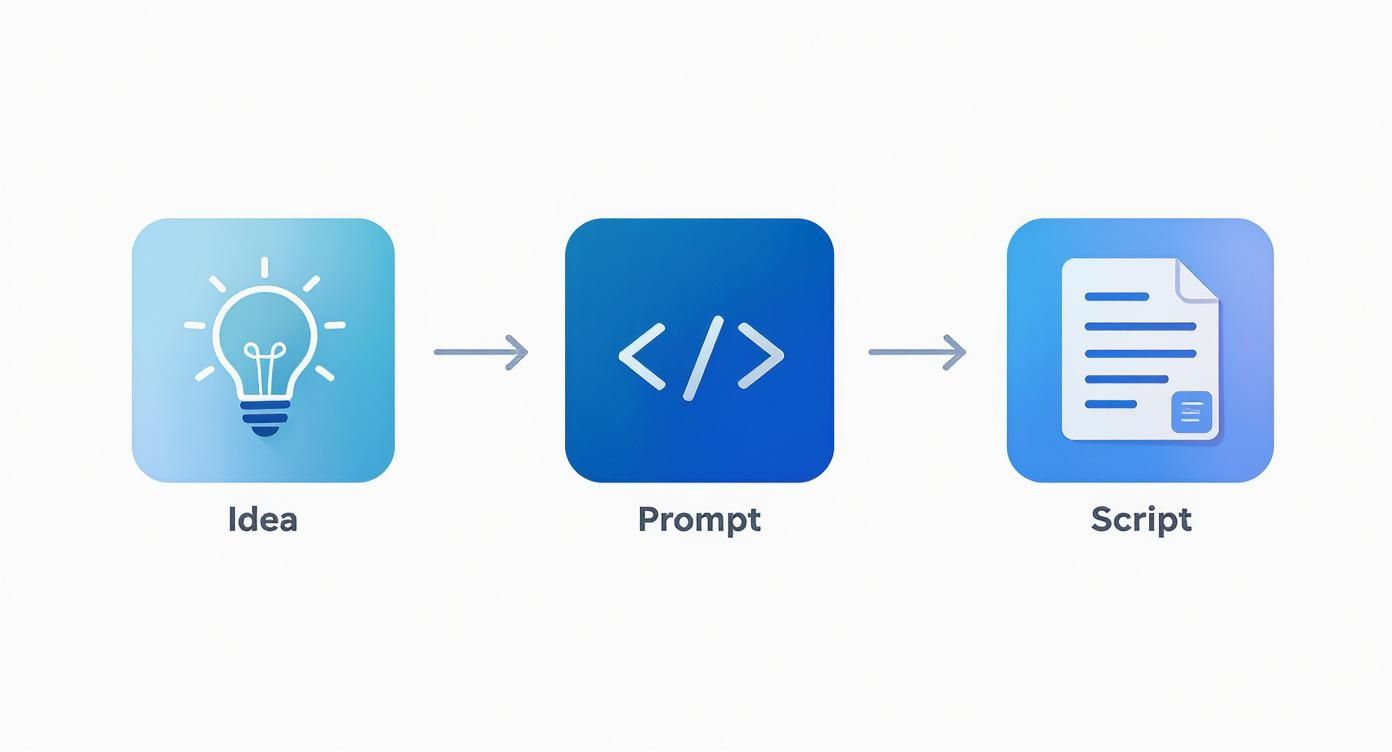
As you can see, a solid prompt is what transforms a simple thought into a detailed script that's ready for its close-up.
Pasting your script into the generator is just the first step. If you want to make videos with AI that don't look like they were made by a robot, you have to actually direct the performance. You do this by dropping little commands right into your script. It's how you tell the AI not just what to say, but how to show it.
Here are a few of the most useful cues you can toss in:
Camera Angles: Get specific! Use (medium close-up) to get a good look at your avatar's expression or (wide shot) to show off the whole scene. Emotions and Gestures: Bring your avatar to life with commands like (a confident smile), (nodding in agreement), or (raises eyebrows in surprise). Background Details: Paint a picture of the setting. Something like (in a modern, bright office) or (in front of a minimalist gray background) works wonders.
These little text-based commands are surprisingly powerful. They turn what could be a boring talking head into something dynamic and way more interesting to watch. To see all the tricks you can pull off, it's worth exploring a dedicated AI video generator to see what's possible.
Let's whip up a quick ad for a fake coffee brand I just invented: "RocketFuel Brew." The mission is a punchy, 30-second spot for professionals who look like they need a caffeine IV drip.
Here’s the script I’d feed the AI, commands and all:
Avatar: A sharp-looking guy in his early 30s, wearing a business-casual shirt.Setting: (A clean, modern kitchen with stainless steel appliances) (medium close-up) He stares right into the camera, looking totally drained, and lets out a big sigh. (a tired expression)VOICEOVER: "Another morning, another mountain of emails." (He grabs a bag of RocketFuel Brew) The camera follows his hand. He makes the coffee and takes a sip.(wide shot) Instantly, his posture straightens up, and he breaks into a massive, energetic grin. (a look of pure energy)VOICEOVER: "Time to launch your day. RocketFuel Brew."
See how that works? The script mixes dialogue with clear directions for the camera, the avatar's emotions, and the setting. The AI has everything it needs to create a slick, professional-looking ad in just a few minutes.
The secret to great AI video is all in the details. The more specific you are with your prompts for camera angles, emotions, and scenery, the closer the final video will be to what you imagined.
This is exactly why the AI video market is absolutely exploding. It was valued at USD 11.2 billion in 2024 and is on track to hit a mind-boggling USD 246.03 billion by 2034. Businesses are all over this—the B2B sector makes up 70.1% of the market, which tells you just how valuable these tools have become.
When you're trying to pick a platform, it's easy to get lost in a sea of features. This table breaks down what really matters and why you should care.
| Feature | What It Does | Why It Matters for Your Video |
|---|---|---|
| Photorealistic Avatars | Offers a library of diverse, human-like digital actors. | Makes your video feel authentic and relatable. The right avatar connects with your audience on a personal level. |
| Voice Cloning | Lets you create a digital replica of a real person's voice. | Perfect for brand consistency. You can have your CEO or a specific brand voice narrate videos without scheduling recording sessions. |
| Multi-Language Support | Generates speech and translates scripts into dozens of different languages. | Allows you to scale your content globally with a single click, reaching new markets without hiring multiple voice actors. |
| Custom Branding | Allows you to add your own logos, color palettes, and custom backgrounds. | Ensures your videos look professional and stay on-brand, reinforcing your company's identity in every frame. |
| API Access | Provides a way for your own software to connect with the video generator. | Unlocks the ability to create personalized videos at scale, like sending thousands of unique video messages to customers. |
Choosing a tool with the right mix of these features can make all the difference between a video that looks like a cheap gimmick and one that truly works for your business.
Alright, the AI has done its thing and churned out a pretty solid video draft. It’s done the heavy lifting, getting you about 90% of the way there. But that last 10%? That’s all you. This is where the magic happens—where your human intuition and creative flair turn a good AI video into an unforgettable one.
Think of what the AI gave you as the rough cut. All the core pieces are on the table. Now, it's time to step into the director's chair to fine-tune the timing, inject some real emotion, and make sure every single frame is pulling its weight.
First up, let's talk about pacing. AI can sometimes be a little...clunky. You might find some weird pauses or scenes that hang around just a moment too long. Your mission is to become a ruthless, but fair, editor.
Trim the Fat: Get that video into a simple editor and start snipping. Shaving off a fraction of a second from the start and end of each clip can instantly make your video feel sharper and more professional. It’s a tiny change with a huge impact. Master Your Transitions: Nothing screams "amateur" like a jarring jump cut. A simple crossfade or a smooth wipe is often all you need to guide the viewer's eye from one scene to the next without giving them whiplash. Check the Rhythm: Mute the audio and just watch. Does the visual story still flow? The rhythm of your edits should feel completely natural, almost invisible, not like a robot assembled it.
Your goal is to make the edits disappear. The viewer shouldn't even notice the cuts; they should just be captivated by the smooth, seamless story you're telling.
Let's be real: sound is 50% of the video experience. You can have the most stunning visuals in the world, but if the audio is bad, people will click away. Conversely, amazing sound design can make even a simple scene feel incredibly powerful.
The AI-generated voiceover is a fantastic starting point. But if you notice the timing is just a hair off, don't be afraid to detach the audio track and nudge it a few frames to get that perfect sync with the action on screen.
For total control, you can even create text-to-speech audio separately. This lets you import the voiceover as its own file, giving you pinpoint precision over its placement.
Now for the fun part: adding the emotional gut punch. Background music is the quickest way to tell your audience how to feel.
Choose the Right Track: Launching a new product? Go for something upbeat and hopeful. A thoughtful explainer video? A soft, ambient score will work wonders. Balance Your Levels: This is a classic rookie mistake. The music is there to support the voiceover, not fight it for attention. Make sure it’s tucked nicely in the background so the narrator is always clear and easy to understand. Use Sound Effects (SFX): Don't overlook the power of subtle SFX! A little "swoosh" as text appears on screen or a soft "click" when a button is pressed makes your video feel more tangible and alive. It's that final layer of polish.
Once you’ve got the basics down, you can dive even deeper with advanced techniques for AI integration in post-production, which opens up a whole new world of creative options.
Last but not least, it's time to stamp your brand on this thing and make it unmistakably yours.
Pop your logo in a corner as a subtle watermark—it keeps your brand front-and-center without being obnoxious. Use text overlays to highlight key takeaways or introduce speakers, but make sure you’re using your brand's official fonts and colors. Consistency is key.
And for the grand finale, end with a crystal-clear call-to-action (CTA). Don't leave your viewers hanging! A simple screen that says "Visit Our Website" or "Subscribe for More" tells them exactly what to do next, turning them from a passive viewer into someone who actually takes action.
Making videos with AI feels like a superpower, but even superheroes have their kryptonite. You’re going to hit some weird, frustrating, and sometimes hilarious roadblocks. The trick isn't just knowing how to fix them, but learning to spot them coming from a mile away.
Let's talk about the most common offender: the robotic voiceover. You've poured your heart into a killer script, only to have the AI narrate it with the emotional range of a GPS giving directions. It’s flat, lifeless, and a total vibe-killer.
The fix is surprisingly simple. Dive back into your script and give the AI some stage direction. Try adding little parenthetical notes like (with a sarcastic tone) or (speaking warmly). This tiny bit of guidance can completely transform the delivery, giving it that much-needed human touch.
Next up is the dreaded uncanny valley, where AI avatars look almost human, but something is just… off. The eyes don't quite track right, or the smile never seems genuine. This is where a lot of AI videos lose their audience before the first sentence even lands.
Character consistency is notoriously difficult. The prevailing advice is to use the exact same detailed descriptions in each prompt, but even that only gets you so far. Sometimes, the real key is just generating a shot multiple times until you get one that feels right.
This problem often goes hand-in-hand with stiff, awkward animations. Maybe your avatar gestures a bit too rigidly or turns their head in a way no actual person ever would. When this happens, simplify your prompt. Instead of asking for a complex, sweeping motion, try breaking it down or rephrasing it. Honestly, learning how to make deepfake videos with better prompting can teach you a lot about directing more natural-looking AI avatar movements.
We've all been there. You prompted for "a bustling coffee shop," and the AI gave you three lonely souls in a sterile, empty room. Misinterpretations happen. This is a clear sign your prompt is starving for sensory detail.
Instead of just tossing out a basic idea, you have to paint a picture for the AI.
Good Prompt: A bustling, modern coffee shop. Great Prompt: A vibrant, sunlit coffee shop filled with the chatter of patrons, baristas working a gleaming espresso machine, and the warm glow of hanging Edison bulbs.
See the difference? This level of detail gives the AI more concrete elements to grab onto, dramatically cutting down the odds of a bizarre misfire. By getting ahead of these common stumbles, you’ll spend less time re-rendering and more time creating videos that actually connect with people.
Jumping into AI video can feel like learning a new language. It's exciting, a little strange, and you're bound to have questions. Let's clear up some of the most common ones so you can get back to creating.
Forget everything you know about traditional video timelines. The speed is almost laughably fast. For a snappy 1-2 minute video perfect for social media, you can literally go from a simple idea to a finished file in under an hour.
Now, if you're building something more elaborate with custom avatars and multiple scenes, you might spend a few hours fine-tuning everything. But compare that to days or weeks of shooting and editing? It's not even in the same league.
Yes, and this is where it gets really interesting. The best platforms out there, including SendFame, have sophisticated voice cloning and custom avatar features baked right in.
All it takes is a short audio sample or a quick video of you talking. The AI then creates a digital double that you can use on-demand. It’s a massive advantage for anyone building a personal brand, letting you show up consistently without having to be "on" for every single recording.
Think about it: you can have your digital twin handle the filming while you're working on other parts of your business. It's the ultimate hack for scaling your content and your presence without burning out.
This is the big, important question, and for good reason. Thankfully, the reputable AI video tools are built on legally sound foundations—they're trained on licensed, proprietary data. This means the videos you create are typically safe for commercial use.
That said, always give the terms of service a quick read for any platform you use. And here's a pro tip: don't ask the AI to mimic famous characters, brand logos, or the specific style of a well-known artist. That's just asking for trouble. Stick to your own original ideas, and you'll be in the clear.
AI video is incredible, but it's not magic... yet. The technology is sprinting forward, but it still has its quirks. You'll notice its limitations most when you're trying to nail very subtle human emotions or choreograph complex, fast-paced action scenes.
Sometimes, the AI fumbles the small things—a weird hand gesture or an interaction between characters that just feels a bit off. This is precisely why the final human touch is so important. That last 10% of polish is where you step in to smooth out the AI’s rough spots, ensuring the final video doesn't just look good, but actually feels right to your audience.
Ready to stop wondering and start creating? SendFame has everything you need to bring your ideas to life with AI video. Give it a try. https://sendFame.com
Create Epic

SendFame

Create Epic with SendFame!
Questions: info@sendfame.com