How to Make AI Art Your Fun Guide to Creating Stunning Visuals
how to make ai art
Welcome offer — 56% OFF


Ready to go viral? Learn how to create a hit AI cover song with our guide on song choice, vocal prep, AI tools, and smart promotion strategies.
So, what exactly is an AI cover song?
Think of it as a vocal swap meet, powered by some seriously clever tech. You take a song you know and love, and using artificial intelligence, you replace the original singer's voice with someone else's—usually a famous artist. This is how you get those wild, can't-believe-it's-real musical mashups that blow up on TikTok and YouTube, like a classic rock god singing a modern pop anthem.
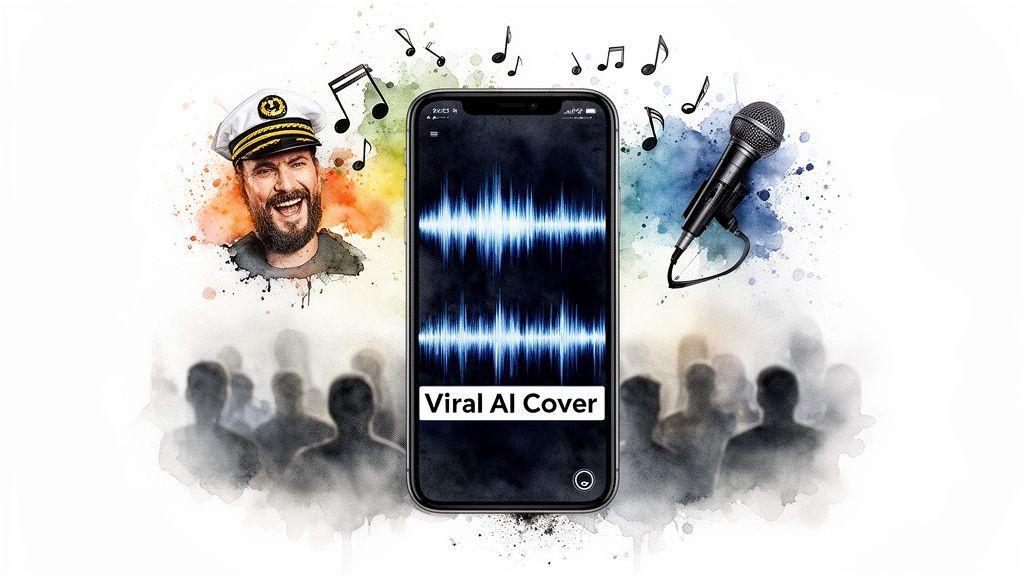
Welcome to the weird and wonderful new frontier of music. If you've been anywhere online lately, you've heard them: a pop diva's voice belting out a sea shanty, or a '90s grunge icon covering a country classic. That uncanny magic is the handiwork of AI, and it’s captivating millions.
These tracks are way more than a passing fad. They tap into a perfect storm of nostalgia, novelty, and the kind of creative chaos that social media algorithms feast on. The "what if" factor is a massive part of the charm—what if Frank Sinatra sang a BTS hit? The results can be hilarious, sometimes surprisingly beautiful, and almost always shareable.
The secret sauce behind their viral success is the element of surprise. Our brains are hardwired to jolt to attention when patterns are broken, and hearing a familiar song in a completely unexpected voice is the ultimate pattern-breaker. It’s that initial moment of "Wait, what am I hearing?" that gets people to stop scrolling, listen, and hit the share button.
And this isn't just some niche internet trend; it's crashing into the mainstream. In early January 2025, a track suspected to be an AI cover, 'Papaoutai - Afro Soul,' stormed Spotify's Daily Top Songs Global chart. It peaked at position 168, racking up 1.29 million streams just weeks after popping up.
The core reason AI covers resonate so deeply is that they keep the human soul of the song intact. The melodies, hooks, and emotional structure were all crafted by real musicians. The AI is just changing the vocal wrapping paper.
Tools like SendFame are throwing the doors wide open, making this tech accessible to anyone who wants to jump on the trend. You don't need a million-dollar studio or a degree in audio engineering anymore. Think of this guide as your backstage pass to the AI music revolution.
So, how do you make one that actually takes off? To get a feel for what the public wants, it’s a smart move to start by understanding what social listening is and how it unlocks customer insights. This helps you spot which artist and song combinations are already buzzing online. From there, you can focus on a few key ingredients that make an AI cover truly shareable.
This table breaks down the core components that contribute to an AI cover's potential for going viral, helping you strategize before you begin.
| Element | Why It Matters | Pro Tip for Success |
|---|---|---|
| Unexpected Pairing | The clash of styles creates immediate intrigue and humor. It's the "wow" factor. | Go for opposites. Think a gravelly rock voice on a bubblegum pop track, or an old-school crooner on a modern rap beat. |
| High-Quality Audio | A clean, crisp sound makes the illusion believable. Bad audio shatters it. | Start with the best quality instrumental and acapella you can find. Garbage in, garbage out. |
| Cultural Relevance | Tapping into current memes, trending artists, or beloved classics gives you a head start. | Look at what’s currently trending on TikTok or in pop culture. Tie your cover to something people are already talking about. |
By keeping these elements in mind, you're not just making a novelty track; you're engineering a piece of content primed for virality. To dive deeper into this, check out our guide on how to create viral content.
Before we get our hands dirty in the creation process, just remember that the best AI covers are born from genuine creativity and a healthy dose of playful experimentation. Now, let's get you ready to make your own chart-topper.
Every viral hit starts with a killer concept. For an AI cover song, that means smashing together the right track with an iconic voice to create something people can't ignore. This is where the real fun begins—the creative brainstorming that stops the scroll.
The secret sauce is often in the surprise. Think about it: a classic rock anthem belted out by a modern pop diva, or a soulful ballad croaked by a gruff rapper. These kinds of wild juxtapositions are an instant hook. You’re playing with the "what if" factor, and that's what makes people curious enough to listen. The goal is to land on a combination so strange yet so compelling that it feels like a genuine discovery.
Start by thinking about artists with voices you could recognize from a single note. The more character a voice has, the better the AI can sink its teeth into the nuances. A unique rasp, a specific accent, or a signature vibrato gives the AI model a ton of rich data to work with, which ultimately leads to a much more believable and impressive result.
To get the gears turning, try thinking along these lines:
Genre-Bending: Take a song from one world and drop it into a totally different one. Can you imagine a delicate indie-folk song getting a full-blown 80s hair metal makeover? Era-Clashing: Pit a classic voice against a modern banger. How would a 1950s crooner handle a chart-topping trap song? The contrast alone is pure, shareable gold. Character Voices: Don't just stick to singers! Dropping in the voice of a famous actor or cartoon character can add a whole new layer of comedy and personality that takes your cover way beyond a simple vocal swap.
Remember, the best AI covers don't erase the human element of the original song. The melody, the structure, the emotion—that was all crafted by real musicians. You're just using AI to change the delivery of the vocals, creating a fresh and fascinating new way to experience it.
This whole process isn't just about chasing novelty; it's about digging into what makes a performance truly iconic. If you want to dive deeper into this, you can check out the world of professional AI voice actors to see how those specific vocal traits get captured and cloned.
So, what makes a voice a great candidate for an AI cover? It boils down to a few key things an AI can really grab onto. If a voice is too generic or "clean," the end result might not be instantly identifiable, which kind of defeats the whole purpose.
You're hunting for a voice with a strong sonic fingerprint. This could be anything from a unique tonal quality to the specific way they pronounce certain words. The more of these little identifiers you can find, the more convincing your final AI cover will be.
Here are the technical traits to look for in a great source voice:
Distinct Timbre: Does the voice have a noticeable texture? Think raspy, breathy, or nasal. Signature Inflections: Pay attention to how the artist ends their phrases or throws in ad-libs. Those are their vocal signatures. Consistent Delivery: Is the artist's style pretty consistent across their catalog? This gives the AI a bigger and better dataset to learn from.
Let me give you a real-world example. A creator I saw online took a super melancholy pop song and used the AI voice of a famously over-the-top, theatrical rock frontman. The clash was instant and hilarious. The AI perfectly nailed the singer's bombastic delivery and slapped it onto these somber, heartfelt lyrics. The result was a piece of content that was both musically interesting and genuinely funny. It blew up online because it was the perfect storm of nostalgia, technical skill, and pure creative absurdity. That's the sweet spot you're aiming for.
Okay, let's get our hands dirty. This is where the magic really starts, and honestly, it's simpler than it sounds. If you want a killer AI cover song, you need clean "ingredients," just like a chef needs fresh veggies. We're talking about getting your "stems"—the separate tracks for vocals and instruments—prepped and ready to go.
The entire game rests on the quality of your source files. It’s the classic "garbage in, garbage out" scenario. If you feed the AI a muddy vocal track, you're going to get a glitchy, robotic mess back. To nail this, we need to find or create a clean vocal track (the acapella) and pair it with a high-quality instrumental.
First things first, you’re on a treasure hunt for two key files: the original song's acapella and its instrumental. I’ll be honest, finding a studio-quality acapella can be tough since they aren't always officially released. But thankfully, there’s a massive online community of producers and DJs who often share these gems.
Official instrumentals are always your best bet for the same reason—they’re clean and crisp. If you strike out, don't despair. A well-made fan remake or even a high-quality karaoke track can work just fine. The end goal is to have two separate audio files that, when you play them together, sound exactly like the original song.
Pro Tip: When you're searching, get specific. Try terms like "[Song Title] official acapella" or "[Song Title] studio instrumental." The more precise you are, the better your chances of finding gold.
So what happens if you just can't find a clean acapella? This is where a little tech wizardry saves the day. Modern stem-splitter tools, many of which are powered by AI themselves, are ridiculously good at tearing a song apart into its core pieces.
You can just upload a regular MP3 or WAV file, and these tools will spit out separate tracks for vocals, drums, bass, you name it. The quality of these AI separations has gotten so good, it's a completely legitimate way to create your own acapella from scratch.
Free Options: Sites like Lalal.ai or Vocal Remover have free versions that are surprisingly powerful. They’re perfect for just messing around and getting a feel for the process without spending a dime.Paid Powerhouses: If you're getting serious, tools like iZotope RX or a premium stem-splitter subscription will get you results that are damn near studio quality. It’s a worthy investment if you plan on doing this a lot.
This is the basic flow: you pick a song, you pick a voice, and the AI smashes them together to create something new.
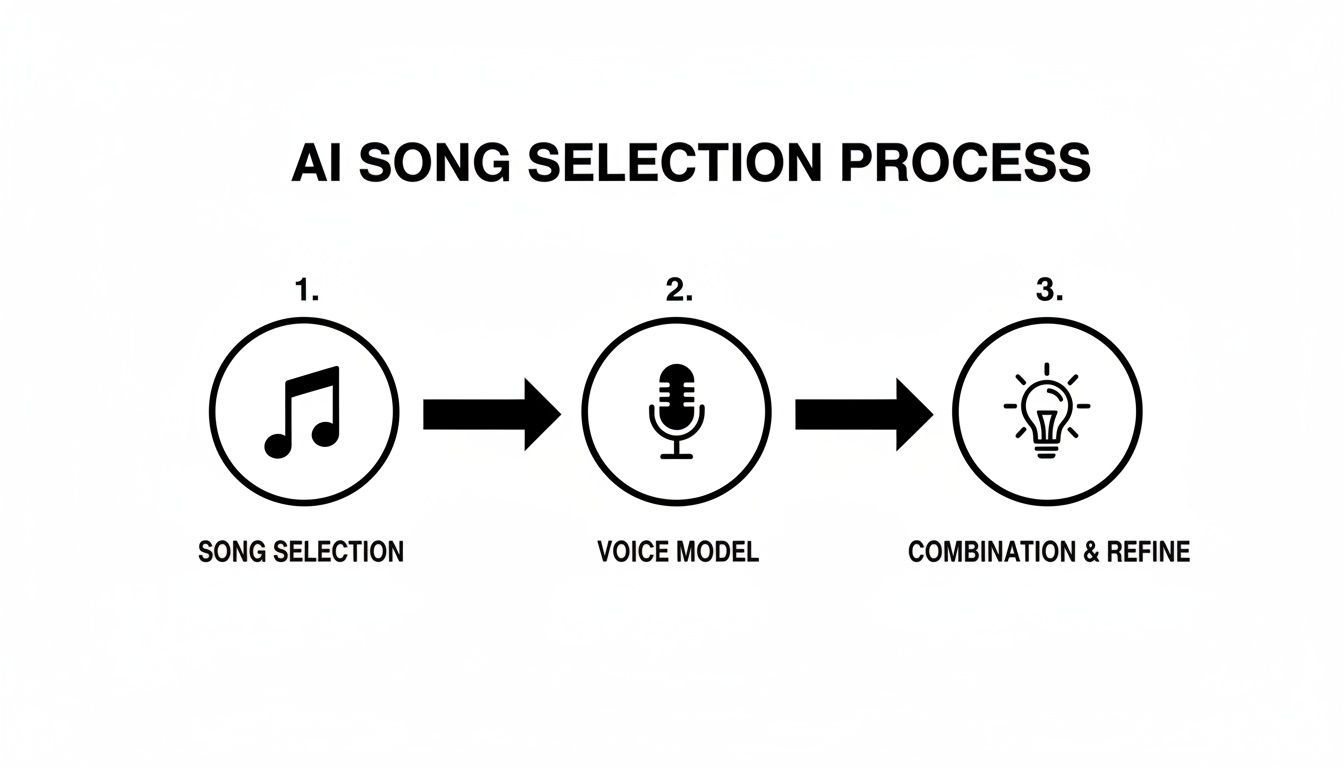
As you can see, it's really just a three-step journey from an idea to a finished track. And it all begins with having clean, separated audio.
Before you even think about uploading anything to an AI voice generator, run through this quick checklist. A few minutes of prep here will save you hours of frustration with bad results later. Trust me, it makes a world of difference.
And if you want to get a better sense of the big picture, we have a whole guide on how to create a song from the ground up that covers the entire creative process.
Here’s what to look out for:
File Format: Go with a lossless format like WAV or FLAC if you can. A high-bitrate MP3 (320 kbps) will do in a pinch, but lossless files give the AI more data to work with. No Clipping or Distortion: Put on some headphones and listen closely to your tracks. Hear any nasty, crackling sounds on the loud parts? That’s "clipping," and it will totally throw the AI for a loop. Clean Separation: Play the acapella by itself. Can you still hear a ghost of the drums or a faint synth in the background? That's called "artifacting," and it'll muddy up the final vocal. A good acapella should sound like it was recorded in a padded room. Perfect Sync: Finally, play your acapella and instrumental together. They need to line up perfectly. No weird delays or timing issues.
Nailing these four points is your ticket to giving the AI the best possible material to work with. Get this right, and you're already halfway to an incredible-sounding cover.
Okay, this is where the magic happens. All that tedious prep work—isolating vocals and cleaning up audio—is about to pay off. We're stepping into the digital recording booth to bring your wild idea to life, whether it's Frank Sinatra singing a trap anthem or Taylor Swift going full-on death metal. This is the step that turns a clean audio file into a mind-bending vocal performance.
The actual generation process is far less intimidating than it sounds, especially with platforms designed for creators. Using a tool like SendFame as an example, the whole workflow is built to be fast. You just upload that pristine acapella file you worked so hard on.
Then comes the best part: casting your singer. You get to browse through a library of AI voice models, each one meticulously trained on hours of audio to capture the unique tone, style, and vocal quirks of an artist.
Let's be clear: not all AI voice models are built the same. Some are incredible at capturing the breathy, emotional nuances of a ballad singer. Others absolutely nail the specific cadence and ad-libs of a rapper, which is everything if you’re trying to replicate a distinct flow.
The viral potential of an ai cover song almost always comes down to how well the model nails those tiny, signature details. It's why a simple "Drake covering Taylor Swift's Anti-Hero" can blow up on TikTok, grabbing over 400,000 views in two days. The novelty isn't just that it sounds like him; it’s that the AI hits 95-98% voice accuracy. It perfectly mimics his Toronto accent, melodic delivery, and even his classic 'yeah' ad-libs—all in a clip that's less than 15 seconds long.
Here's a quick mental checklist:
For high-energy rock or pop: You'll want a model known for its power, clarity, and ability to hit high notes without sounding strained. For soulful R&B or ballads: Prioritize models that excel at capturing vibrato, dynamics, and emotional texture. For rap or hip-hop: The key is finding models that replicate specific cadences, accents, and signature ad-libs with precision.
This stage is more art than science. Don't be afraid to experiment. Sometimes the model you least expect provides the most interesting and compelling result.
To help set your expectations, it's good to know that AI performance can vary quite a bit depending on the genre. Some vocal styles are just trickier for an algorithm to replicate convincingly. This table gives you a general idea of what to expect.
| Music Genre | Typical Vocal Fidelity | Key Challenges for AI |
|---|---|---|
| Pop / Electronic | High | Can sound overly polished or robotic without careful tweaking. |
| Rock / Metal | Medium-High | Screaming and vocal fry are extremely difficult to replicate authentically. |
| Rap / Hip-Hop | High | Capturing the unique flow, cadence, and ad-libs of an artist. |
| R&B / Soul | Medium | Recreating complex vocal runs, vibrato, and emotional nuances. |
| Folk / Acoustic | High | The simplicity of the genre means any small imperfection stands out. |
Ultimately, the goal is to find a model that doesn’t just mimic the voice but also captures the spirit of the artist's performance style within that genre.
Once you’ve picked your voice, you're not just stuck with whatever the AI spits out first. Most good AI music tools give you a control panel to act as a virtual producer, fine-tuning the performance to get it just right. The most common tool in your new arsenal is pitch correction.
This is a powerful feature. By adjusting it, you can control how strictly the AI vocal adheres to the original melody. Cranking up the pitch correction gives you that tight, polished, and almost hyper-perfect pop sound. Dialing it back allows for more natural, human-like variations and imperfections, which can make the performance feel far more authentic.
Higher Pitch Correction: Perfect for that modern, auto-tuned pop or electronic sound. Lower Pitch Correction: Better for genres like blues, folk, or classic rock, where the little "flaws" are what give the vocal character.
Beyond pitch, some platforms let you tweak vocal tone or even add basic effects like reverb during the generation phase. My advice? Start with minimal changes. Generate a baseline version, listen with a critical ear, and then go back and adjust one thing at a time. This methodical approach helps you understand exactly how each dial affects the final sound. If you want to expand your creative toolkit, exploring the best AI tools for content creators can open up even more possibilities for your projects.
Your goal here is to create a vocal so convincing it makes people do a double-take. You're hunting for that sweet spot between technical perfection and human soul. With the right combination of a clean source vocal, a well-matched voice model, and a few smart tweaks, you can create an ai cover song that isn't just "good for an AI"—it's just plain good. That's the "wow" factor that separates a fun little experiment from a viral hit.
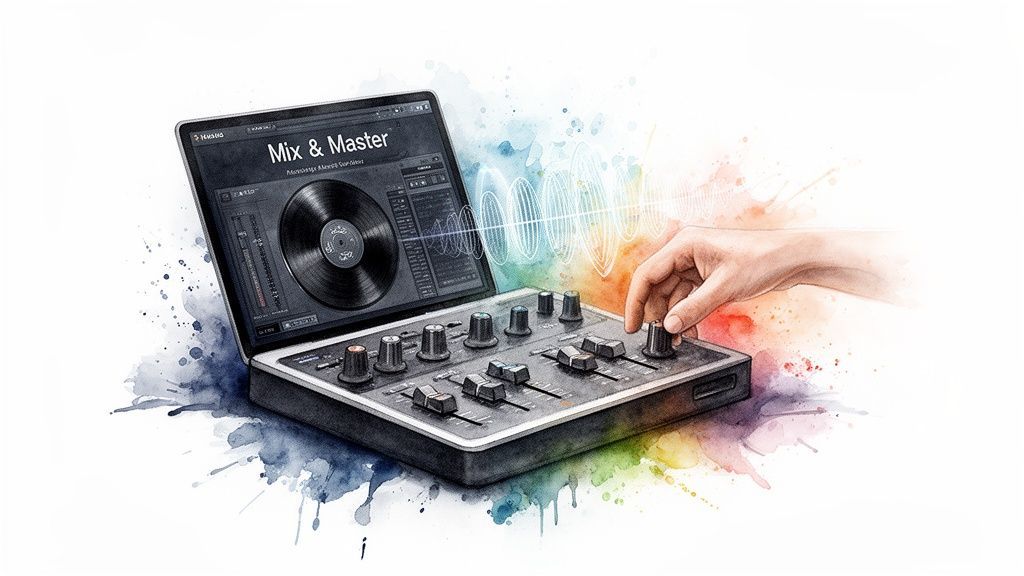
So, you've got your AI vocal, and it's sounding spookily good. But don't just slap it on the instrumental and call it a day. That's the audio equivalent of a bad photoshop job—everyone can tell it doesn't belong.
This is where the magic of mixing comes in. It’s all about making that AI vocal and the instrumental sound like they were meant for each other, recorded in the same room, on the same day. This final polish is what makes your track sound like a legit release, not just a cool experiment.
First things first: volume. This is the single most important part of the blend. You want the vocal to ride the beat, not get swallowed by it or scream over the top. There's no secret formula here; you have to use your ears.
I always start by looping the loudest part of the song, usually the chorus. Nudge that vocal fader up or down until it has energy but doesn't feel like it’s fighting the music. Once you think you’ve got it, jump to a quiet verse. Is the vocal still clear and easy to understand? You’ll probably have to go back and forth a few times to find that perfect pocket.
Pro Tip: Turn your speakers down until the music is barely a whisper. If you can still clearly hear the lyrics and the main melody, your vocal balance is probably spot-on.
Okay, levels are set. Now, let's make it sound real. A raw vocal track—whether from a human or an AI—sounds totally "dry" and out of place. It’s missing the natural echo and resonance of a real physical space. Effects are how we fix that.
Reverb: This is your "room simulator." A little bit of reverb can convince the listener that the vocal was recorded in a cozy studio, a massive cathedral, or anywhere in between. The trick is to listen to the instrumental—does it sound like it’s in a big hall or a tight space? Try to match that vibe with the vocal reverb. Delay: Think of this as a controlled echo. A quick, subtle delay can add a ton of thickness and presence to the vocal, making it sound more expensive and polished.
Treat these effects like salt and pepper. You just want enough to bring out the best in the vocal, not to drown it in a soupy mess. For a deeper dive into the whole process, from picking a voice to the final export, check out our full guide on how to make AI-generated music.
Once you're happy with the mix, there's one last step: mastering. This is the final coat of varnish that makes your track loud, punchy, and ready for the world. It involves tweaks to the overall EQ and compression to make sure your song sounds great on everything from AirPods to a club system.
While professional mastering engineers are artists in their own right, you can get great results with online mastering services or even simple plugins inside your recording software. The goal is to make your ai cover song stand up against other tracks on Spotify or Apple Music.
And you'll need to stand out. Streaming services are dealing with an absolute flood of AI music right now. Some reports, like one from Elevarmagazine.com, claim that a staggering 10,000 AI-generated tracks are being uploaded every single day. A polished, well-mastered track is your best bet to rise above the noise and get noticed for all the right reasons.
You've got the workflow down, but let's be real—the world of AI cover songs can feel like the Wild West. It's totally normal to have questions buzzing around, especially when you get into the messy stuff like laws, quality control, and just... how to do this right.
So, let's pull back the curtain and tackle the big questions head-on. Consider this your personal FAQ for navigating this wild new frontier with a bit more confidence.
Okay, this is the big one. The honest-to-goodness answer? It's… murky. We're in a legal gray zone right now.
Making an AI cover song just for fun to show your friends? You're probably in the clear. Think of it like fan fiction or parody—it's transformative and not for profit. But the second you try to make money from it, like uploading it to Spotify or using it in an ad, you're wading into dangerous waters. You'd need a green light from the original songwriter's publisher and permission from the artist whose voice you're mimicking. Good luck with that.
To keep yourself safe, be radically transparent. Always, always label your tracks as AI-generated. Never try to pass them off as official releases.
The law is still playing catch-up with the tech. Your best move is to be completely upfront. Slap an "AI-Generated" label on it and treat it as a creative experiment, not a commercial product.
Getting that human touch comes down to two things: the quality of the ingredients you put in and the smarts of the AI tool you're using.
First off, you absolutely have to start with a squeaky-clean, bone-dry acapella. I'm talking a completely isolated vocal track. Any lingering reverb, background chatter, or cymbal bleed will completely throw the AI for a loop, and you'll end up with a glitchy, robotic mess. Garbage in, garbage out.
Second, not all AI voice generators are built the same. The best ones have been trained on mountains of data, so they understand the little things that make a voice feel alive—the subtle breaths, the tiny pitch imperfections, the natural vibrato. That’s the secret sauce that turns a simple vocal line into a genuine performance.
Yes! And honestly, this is one of the coolest and most ethical ways to jump into AI music. Most solid AI tools let you clone your own voice, which neatly sidesteps all the tricky copyright headaches that come with impersonating a famous singer.
The process is usually pretty straightforward:
Sing Your Heart Out: Record yourself singing the song you want to cover. Don't worry about perfection, just focus on a clean take. Give the AI a Sample: Upload a clean recording of your voice—singing or just talking—so the AI can learn its unique character. Let It Cook: The AI takes your performance and gives it a glossy, studio-grade polish using your own vocal DNA.
This is a game-changer for musicians who want to create pro-level demos without dropping a ton of cash on studio time. It’s your voice, just supercharged.
Where you share your creation is just as important as how you made it. You need to find the platforms where weird, wonderful, and viral content thrives.
For the best shot at getting eyes and ears on your track, these are your best bets:
TikTok: Still the undisputed champion of viral audio clips. YouTube Shorts: It has a massive built-in audience actively looking for the next big thing. Instagram Reels: Perfect for pairing your audio with a killer visual.
SoundCloud is also a fantastic spot, especially if you're looking for feedback from a community of fellow artists and producers. But a word of warning: stay away from major streaming platforms like Spotify or Apple Music unless you've gone through the herculean task of clearing all the licenses. That's a one-way ticket to a takedown notice or even getting your account banned.
Ready to dive in and create a mind-blowing AI cover song in minutes? With SendFame, you get access to an insane library of AI voices, or you can clone your own, and start producing amazing music without the technical headaches. Kick off your first project today at https://sendfame.com.
Create Epic

SendFame

Create Epic with SendFame!
Questions: info@sendfame.com