How to Make an AI Cover Song That Goes Viral
ai cover song
Welcome offer — 56% OFF


Learn how to make professional looking videos with our complete guide. Master pre-production, shooting, audio, editing, and AI tools for stunning results.
Ever notice how some videos just look professional, while others… don't? It’s rarely about having a blockbuster budget or the fanciest camera on the market. The real secret is a solid, repeatable process.
If you’re ready to create videos that genuinely stop people from scrolling, you're in the right place. We're pulling back the curtain on the entire creative cycle, from that first flicker of an idea to the final, polished video you can't wait to share.
Think of it as a three-act play: strategic pre-production, focused production, and creative post-production. Nail this flow, and you'll see a massive jump in quality. It's the difference between looking amateur and looking like a pro.
Each stage of the video creation process is built on the one before it. Skipping steps in the beginning almost always leads to headaches and a subpar product later. It’s a domino effect.
Pre-Production: This is all the brain work you do before the camera even comes out of the bag. We’re talking brainstorming, scripting, and storyboarding. A little planning here saves a ton of stress down the line. Production: Showtime! This is the actual filming, where you capture all your visuals and audio. Getting the lighting, sound, and camera work right is the name of the game. Post-Production: This is where you bring the story to life. You’ll weave together all your footage, fine-tune the color and audio, and add any graphics needed to make it pop.
This simple diagram shows how these three crucial stages fit together.
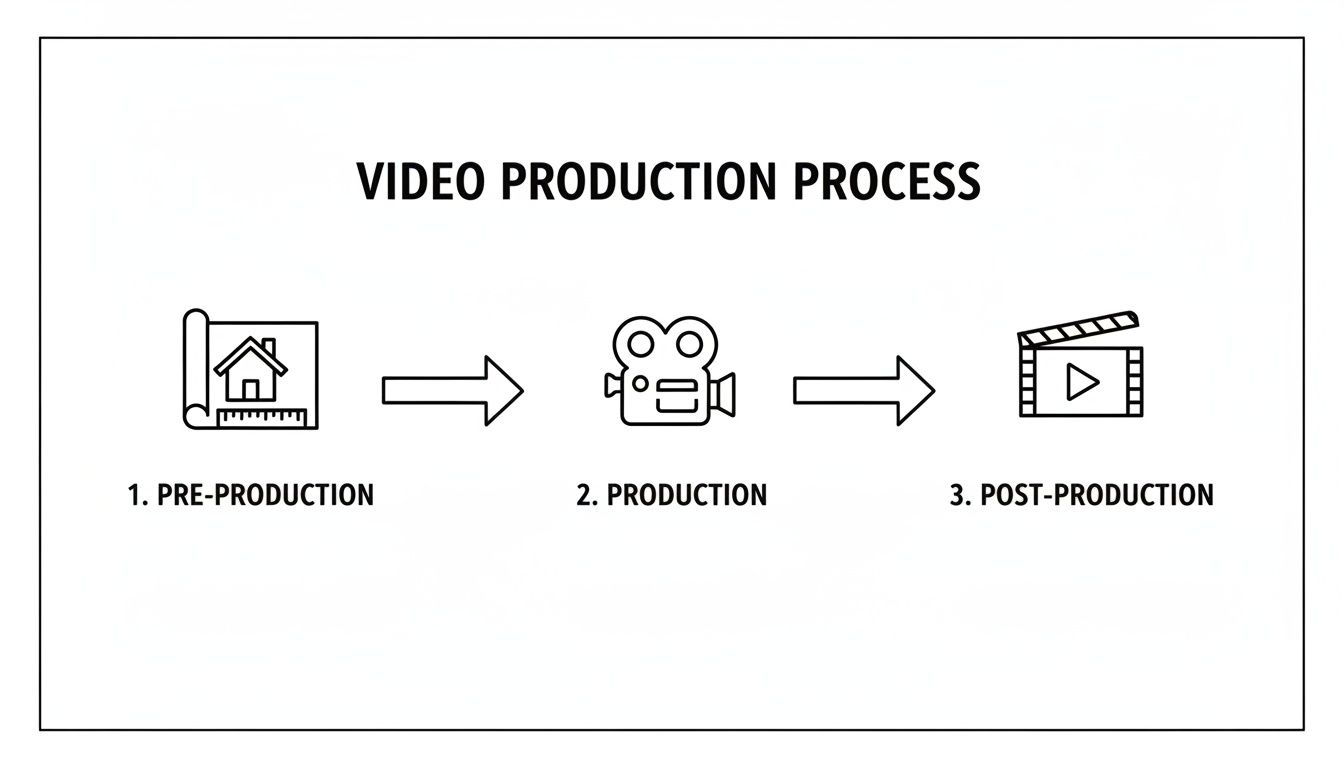
It’s a powerful reminder that professional video isn't just about what happens on set; the planning and editing are just as vital as the shoot itself.
To really get a handle on the process, this table breaks down what truly matters at each step. It's a quick cheat sheet for keeping your projects on track from start to finish.
| Phase | Core Focus | Key Goal |
|---|---|---|
| Pre-Production | Planning & Strategy | Create a detailed blueprint to ensure a smooth shoot. |
| Production | Filming & Execution | Capture high-quality video and audio assets. |
| Post-Production | Editing & Polishing | Assemble the story and add professional finishing touches. |
Internalizing this framework is the first step toward consistently creating videos that look and feel amazing.
Thankfully, we live in an age where incredible tools can help speed things up. Modern AI platforms, for example, can automate some of the most time-consuming tasks, freeing you up to focus on being creative. If you're a marketer, it’s also worth digging into proven techniques for making marketing videos that drive conversions to make sure your efforts are paying off.
The biggest upgrade to your video quality won't be a new camera—it'll be a new process. Once you start giving each of the three production phases the attention they deserve, your results will speak for themselves.
Throughout this guide, we'll even show you how to weave in some of the best AI tools for content creation, like those from SendFame, to work smarter, not harder. Ready to level up your video skills? Let’s dive in.
Let's be honest, the secret to a knockout video rarely has anything to do with the fancy camera you're using. The real magic, the stuff that makes a video feel polished and professional, happens long before anyone yells "action!" This is pre-production, and it's where you build the blueprint for your entire project.
Think of it this way: you wouldn't build a house without architectural plans, right? Winging it on set is the video equivalent of that—a surefire recipe for a chaotic filming day, a mountain of unusable footage, and a nightmare in the editing room. A solid plan ensures every shot has a purpose and every word matters.
Every great video starts as a tiny spark of an idea. But a "great" idea isn't just clever; it's an idea that finds its people. Before you write a single word of a script, you need to get brutally honest about a few things:
Who are you really talking to? Is it a seasoned pro who knows all the jargon, or a total beginner who needs their hand held? Get specific. What's in it for them? Your video has to solve a problem, answer a question, or provide a moment of escape. What value are you delivering? What’s the one-sentence takeaway? If they remember only one thing from your video, what should it be? Nail this down.
Answering these questions is your defense against creating content in a vacuum. A video about "advanced color grading theory" is a total dud if your audience just wants to know how to make their vacation photos pop. Your concept has to be a perfect match for their world.
The biggest mistake creators make is trying to talk to everyone. A video that’s for everybody is ultimately for nobody. Find your niche and serve them well.
Once you know who you're talking to and what you're saying, it's time to script it. And no, scripts aren't just for Hollywood. Even a 30-second TikTok benefits from a script. It's your roadmap, keeping you from rambling and ensuring your message lands with punch.
A great script is written for the ear, not the eye. That means ditching the corporate jargon and complex sentences. Think conversational. Think simple.
Here's a pro tip I swear by: Read your script out loud. If you stumble over a sentence or find yourself gasping for air, it's too complicated. Chop it up. Rewrite it until it flows as easily as a chat with a friend. If you want to get deeper into writing for specific platforms, check out our guide on how to create engaging social media content.
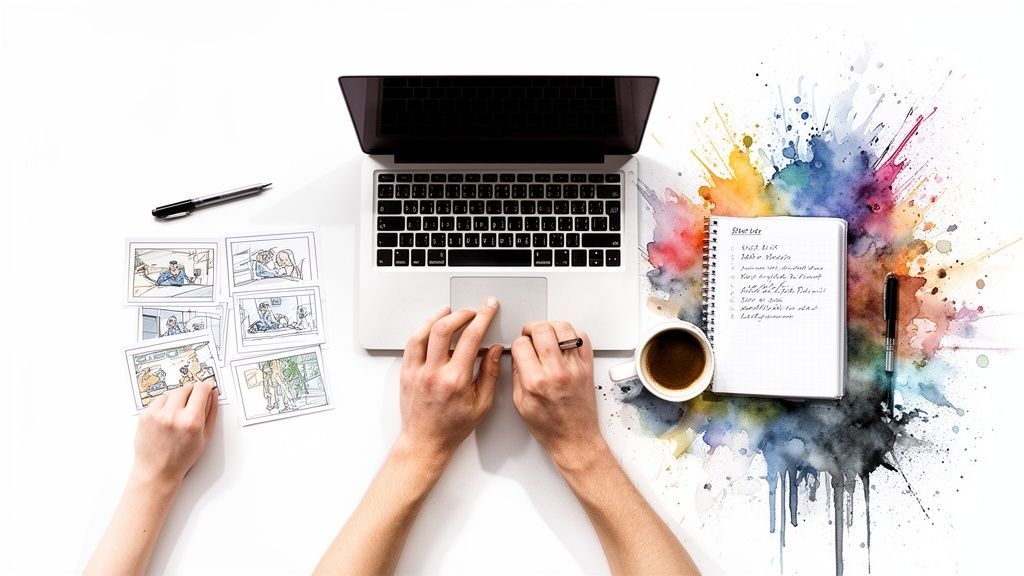
With your script locked, it's time to think visually. This is where storyboards and shot lists come in, and trust me, you don't need to be Picasso to pull this off.
A storyboard is just a comic-strip version of your video. We're talking stick figures here—they're totally fine! It's a quick and dirty way to map out what each scene will look like, helping you visualize the flow and figure out camera angles before you’re burning daylight on set.
From that storyboard, you'll build your shot list. This is your holy grail on filming day—a detailed checklist of every single shot you need to get. A killer shot list includes:
Shot Number: So you can track your progress (e.g., Shot 1, Shot 2). Scene Description: A quick note on what's happening (e.g., "Close-up of coffee pouring into mug"). Camera Angle: Get specific (e.g., Wide shot, over-the-shoulder, bird's-eye view). Location/Props: What do you need to have on hand for this shot?
This might feel like overkill, but when the pressure is on, this list is a lifesaver. It eliminates the guesswork, guarantees you don't forget that one crucial shot, and makes the whole production run like a well-oiled machine. Investing time here is the single most important step you can take in learning how to make professional looking videos.
Alright, the plans are locked in, the script feels right, and your shot list is ready to go. Now for the fun part: production. This is where all that prep work pays off and you start capturing the raw magic that will become your finished video.
It might feel like the most daunting stage, but don't sweat it. Think of it as mastering four key areas: lighting, audio, camera work, and your on-camera performance. Nail these, and I promise you’re 90% of the way to a video that looks and sounds phenomenal.
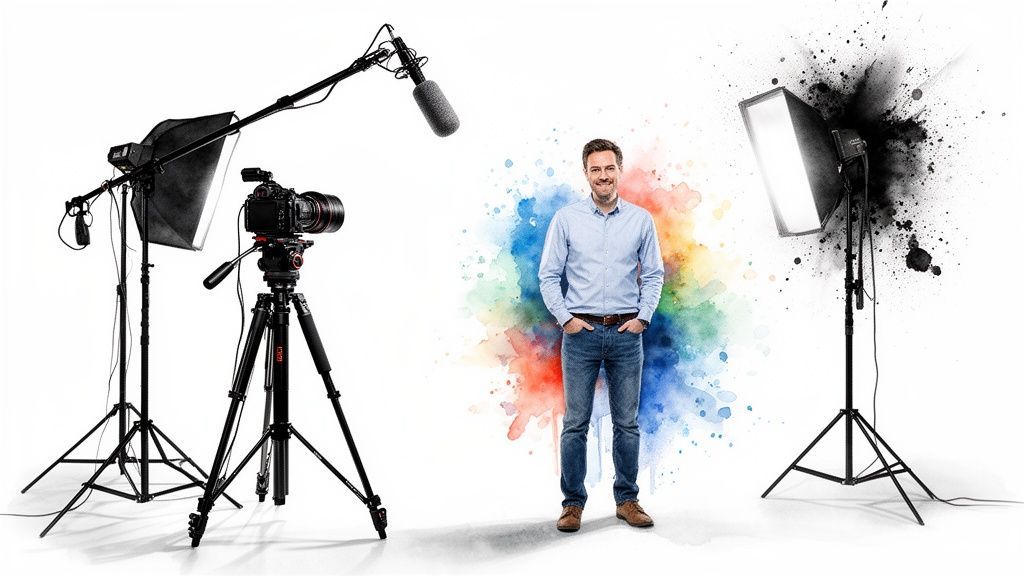
Lighting is so much more than just making sure people can see what’s going on. It’s the soul of your shot. Good lighting carves out depth, sets the mood, and is often the biggest difference between amateur and pro footage. The best part? You don't need a Hollywood budget. All you need is the classic three-point lighting setup.
It sounds fancy, but it's dead simple. Picture a triangle with you at one tip and two of your main lights at the others.
Key Light: This is your MVP, the brightest light you have. Place it about 45 degrees to one side of the camera to cast the main light on your subject. Fill Light: This one’s your supporting actor. It’s a softer light that sits on the opposite side of the camera from the key light. Its only job is to soften the shadows created by the key, keeping things from looking too dramatic or harsh. Backlight: This is the secret weapon. Placed behind you (and out of the shot!), it creates a subtle halo of light around your hair and shoulders. This little trick is what makes you "pop" right off the background, giving your shot that professional dimension.
Don’t have a pro lighting kit? No problem at all. A big, bright window makes an amazing key light. A simple table lamp with a white shade can act as your fill. Even a small desk lamp can be positioned as a backlight. Get creative!
Let me give it to you straight: your audience will tolerate a slightly shaky camera, but they will bounce the second they hear bad audio. A hissy, echo-filled, or muffled soundtrack is the fastest way to scream "amateur." This is why a decent external microphone isn't a luxury; it's a necessity.
The mic built into your camera or phone is designed to hear everything—your voice, the air conditioner, the neighbor's dog, the reverb bouncing off your walls. It’s a sonic mess.
An external mic, whether it’s a clip-on lavalier or a USB condenser mic for your desk, is built to do one thing well: capture your voice. This one piece of gear will do more for your video's perceived quality than a camera lens that costs ten times as much.
But it’s not just about the mic. Pay attention to your recording space. Rooms with lots of soft surfaces—carpets, curtains, couches, even blankets hung on the walls—are your best friends. They absorb sound and kill nasty echoes. Not sure if your room is too "live"? Just clap your hands. If you hear a sharp, ringing echo, you need to bring in more soft stuff.
You absolutely do not need the latest, most expensive camera to create gorgeous video. The real art is in composition—how you arrange everything within your frame. A few timeless principles will take your shots from flat and boring to dynamic and compelling.
The first rule everyone learns is the Rule of Thirds. Just imagine a tic-tac-toe grid over your screen. Instead of plunking your subject right in the center square, line them up with one of the vertical lines or at a point where the lines cross. It’s an instant fix that makes any shot feel more balanced and professional.
Once you’ve got that down, start looking for other compositional tricks:
Leading Lines: Use natural lines in the environment—a road, a fence, a hallway—to draw the viewer's eye right to your subject. Framing: Find things in the foreground to create a natural frame around your subject. Shooting through a doorway or under a tree branch adds an incredible sense of depth. Headroom: Give your subject some breathing room. Don't leave a giant, empty void above their head, but don't chop off the top of it, either. A little space feels just right.
Whether it’s you on camera or an actor you’ve hired, the goal is to create a genuine connection with the person on the other side of the screen. A stiff, robotic delivery where you’re obviously reading a script is a total vibe-killer.
The trick is to know your script so well you don't need it. Internalize the key talking points, but don't try to memorize it word-for-word. This gives you the freedom to sound like a real person having a conversation. And please, look directly into the camera lens. That’s how you make eye contact with your audience.
This whole world of high-quality video production isn't just for big studios anymore. The US Movie & Video Production industry now has a staggering 50,981 businesses as of 2025. That boom is fueled by creators and small companies just like you. With 62% of companies now handling video in-house, mastering these skills is more valuable than ever. It's clear that the video production industry is booming, and now you have the playbook to be a part of it.
Alright, the shoot is a wrap. You've got a hard drive brimming with raw footage, and now it's time to step into the editing suite. This is where the real alchemy happens—where you take all those individual clips and weave them into a story that flows, captivates, and leaves an impression.
Post-production is much more than just cutting clips together. It's an art. It’s where you dial in the pacing, punch up the emotion, and add that final coat of professional polish that makes your video truly shine.
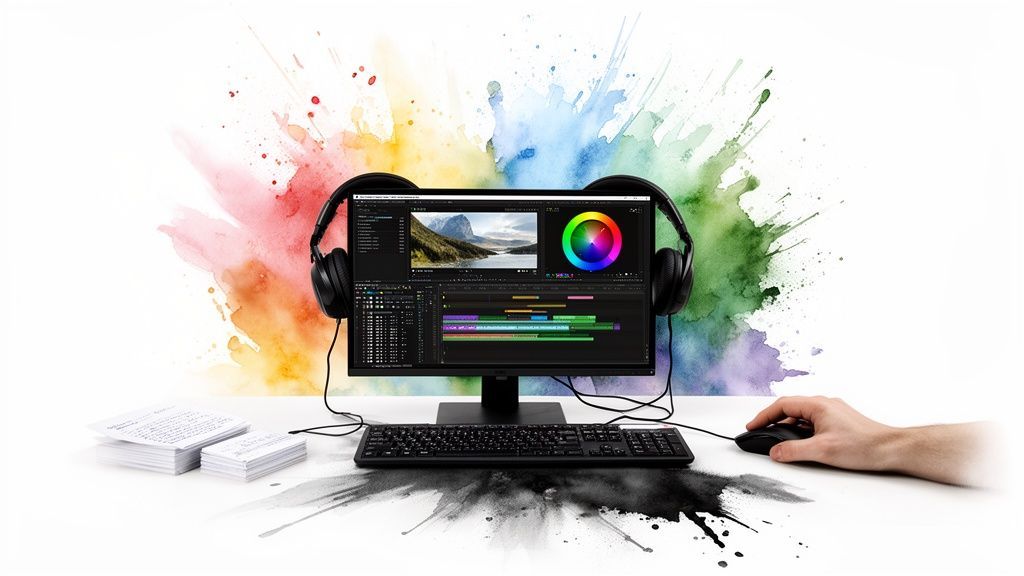
First things first, dump all your footage onto the timeline. Your initial goal isn't perfection; it's just to get a rough assembly down. Follow your script or storyboard and lay out the basic sequence of events. Think of it as building the skeleton of your video.
Once the bones are in place, you can start finessing the cuts. This is all about rhythm and pacing. A flurry of quick cuts can ramp up the energy, while letting a shot breathe for a few extra seconds can create a moment of quiet reflection.
A truly great edit is one you don't even notice. The viewer should be so caught up in the story that they completely forget they're watching a bunch of different shots stitched together.
So, how do you make your cuts invisible? Pros have a few tricks up their sleeves. A classic one is cutting on action. If someone is opening a door, you make the cut right in the middle of that motion. The movement carries the viewer's eye across the edit, making it feel completely seamless.
You can also create a much more sophisticated flow using J-cuts and L-cuts.
J-Cut: Ever hear someone start talking before you see them on screen? That's a J-cut. The audio from the upcoming clip leads the way, creating a smooth, natural transition. L-Cut: The opposite is an L-cut. You cut to a new shot (like someone's reaction), but the audio from the previous shot continues to play. It’s perfect for showing, not just telling.
These simple techniques are what give a video that slick, professional rhythm that keeps people hooked.
Color is pure emotion. Get it right, and you can completely transform the mood of your video. This process happens in two main stages: correction and grading.
Color correction is the science part. It’s about making your footage look clean and consistent. You’ll be fixing exposure issues (goodbye, blown-out highlights!), correcting the white balance so colors look true-to-life, and making sure skin tones look natural, not like something out of a sci-fi movie.
Once everything is balanced, the fun begins with color grading. This is the art. It’s where you apply a distinct "look" to your footage to tell a story.
Want that warm, golden-hour, nostalgic vibe? Push your colors into the yellows and oranges. Going for a cold, futuristic, high-tech feel? Lean into the cool blues and desaturated tones. Need to create a fun, high-energy marketing video? Crank up that saturation and make the colors pop right off the screen.
A consistent color grade ties the whole video together, giving it an intentional, high-end feel.
Don't ever underestimate audio. You can have the most beautiful footage in the world, but if the sound is bad, people will click away in a heartbeat. A great audio mix has three key ingredients: dialogue, music, and sound effects.
First, your dialogue needs to be king. It must be clean, clear, and easy to understand. Use your editing tools to clean up any background hiss or hum and make sure the volume levels are consistent throughout.
Next comes the music. A soundtrack is your emotional shortcut. The right track can make a scene feel epic, heartbreaking, or hilarious. If you're tired of cheesy stock music, you can even use a tool like SendFame's AI Music Generator to create a custom track that's perfectly suited to your video's vibe.
Finally, add a sprinkle of sound effects (SFX). The subtle clink of a glass, the rustle of clothing, or the low hum of city traffic—these tiny details make your video's world feel real and lived-in. The trick is to be subtle; these should be felt, not necessarily heard.
If you want to speed up this process, check out the best AI video editing software on the market. Many of these tools have features that can automate tedious audio tasks, saving you a ton of time.
Motion graphics are the cherry on top. They add that final layer of polish and help communicate information clearly and stylishly. Think about adding:
Animated Titles: A slick opening title or section header grabs attention immediately. Lower Thirds: These are the little text bars at the bottom that identify who is speaking. Calls-to-Action: Need viewers to subscribe or visit your website? An animated graphic at the end can give them that final nudge.
Just keep your graphics clean, on-brand, and legible. They're there to support your story, not steal the show. Mastering these final steps is absolutely essential in learning how to make professional looking videos that get noticed.
Alright, you've nailed down the fundamentals of shooting a great video. Now, let's talk about the game-changer that's going to save you a ton of time and headaches: Artificial Intelligence.
Don't think of AI as something that's here to replace your creative spark. Instead, picture it as the ultimate production assistant—one that never needs a coffee break and can handle all the grunt work. This lets you get back to what matters most: the story, the message, and the big-picture vision. It’s all about working smarter, and platforms like SendFame are packing a full suite of these tools right at your fingertips.
We’ve all been there. You spend hours scrolling through endless stock music libraries, searching for that one perfect track. Most of it is cheesy, the good stuff costs a fortune, and you’re always worried about getting a copyright strike. It’s a total drag.
This is where an AI Music Generator completely flips the script. Just tell it the vibe you're going for—maybe "an upbeat, inspiring corporate track with a gentle piano melody"—and within seconds, you get a totally unique, royalty-free song made just for you.
Perfect Vibe, Every Time: Generate music that actually matches the emotional journey of your video, from start to finish. Zero Copyright Headaches: Since every track is brand new, you can post on YouTube, Instagram, or anywhere else without a single worry. Unlimited Options: Don't like the first one? Generate another. And another. You can create dozens of variations until you find the one.
Imagine you're a travel vlogger. You could whip up a chill, lo-fi beat for a montage of café scenes in Paris, then instantly create an epic, orchestral score for that dramatic drone shot over the Alps. That's the kind of creative freedom we're talking about.
Static images are fine, but let’s be real: video dominates social media. But what if you don't have time for a full-blown video shoot? Enter the Image-to-Video feature. This slick little tool takes a single photo and breathes life into it with subtle, captivating motion.
Think about a small business owner with a fantastic product shot. Instead of just posting the photo, they can use this tool to create a short, looping video. The camera might slowly pan across the product, or a soft light could glint off the surface. It’s a tiny detail, but that little bit of movement is often all it takes to make someone stop scrolling and pay attention.
AI isn’t about making fake content; it’s about making real content creation easier. It automates the technical hurdles so you can get back to the art of storytelling faster.
This tool is an absolute lifesaver for whipping up quick, engaging content for Instagram Reels, TikToks, or video ads when you’re short on time and resources.
What if you could have a famous face deliver a key message in your next video? For most of us, that's a pipe dream involving massive budgets and a whole team of agents. Well, the AI Celebrity Video Generator is here to make the impossible, possible.
This tool lets you generate hyper-realistic, personalized video messages from a whole roster of famous personas. You just pick your "celebrity," type out your script, and the AI works its magic, creating a video of them delivering your lines. A marketer could have a "tech visionary" announce a new product, or an event planner could get a "famous actor" to send a personalized welcome to all the attendees.
The possibilities are hilarious, memorable, and endlessly creative. It’s a fantastic way to add a little star power and surprise to your content. If that sounds intriguing, you should definitely check out our deeper look at the best AI video creation tools on the market today.
The world of video marketing is moving at warp speed. In 2025, a massive 89% of businesses are already using video, and 95% of marketers swear by it as a crucial part of their strategy. It's not a side dish anymore; it's the main course. With 18% of marketers already using AI to get ahead, learning how to make professional looking videos means embracing these smart tools. It’s not just an option—it’s how you win. You can dig into more of these insights in these 2025 video marketing statistics that prove just how critical video has become.
You’ve done it. You’ve poured your heart and soul into creating a masterpiece of a video. But here’s the tough love: hitting "publish" is just the beginning. Now comes the real work—making sure people actually see it.
Let's be clear: blasting your video across every platform you can think of is a rookie mistake. It’s like shouting into the wind. Smart distribution is about precision—finding where your audience hangs out and speaking their language. A video that gets rave reviews on YouTube could be dead on arrival as an Instagram Reel. The vibe, the pacing, the expectations... they're all completely different. This final leg of the journey is what separates videos that vanish from those that go viral.
If you want your videos to look and feel professional, you have to play by the rules of each social media playground. Each one has its own culture, its own rhythm, and its own technical quirks.
Here’s a quick rundown of the big three:
YouTube: Think of it as the home for your deep cuts. This is where you can stretch your legs with in-depth tutorials, detailed product reviews, or long-form vlogs. People come here ready to invest a chunk of their time, as long as you're delivering serious value. Instagram & TikTok: Welcome to the lightning round. We're talking vertical, high-energy, and in-your-face from the very first second. You have about 3 seconds to hook someone. This is the spot for quick-fire tips, behind-the-scenes chaos, and jumping on whatever trend is blowing up that week. LinkedIn: Time to put on your business-casual hat. This is the corporate world of video. Your content needs to be polished, insightful, and offer real professional value. Think interviews with industry experts, major company news, or data-backed case studies.
Part of looking professional is simply getting the technical specs right. For a deep dive, check out this a complete guide to video size for Facebook ad placements to make sure your content is perfectly optimized.
Yep, SEO isn't just for blogs. On a platform like YouTube—which is the world's second-largest search engine—optimizing your video is non-negotiable. A little Video SEO wizardry can be the difference between getting buried and getting discovered.
It all starts with keyword research. Get inside your audience's head. What are they actually typing into that search bar? Use a tool to find those golden keywords and weave them naturally into your title, description, and tags.
Your title is your billboard. It has to grab 'em by the collar. "Our Italian Vacation" is a one-way ticket to obscurity. "10 Things You MUST Do in Rome (2025 Travel Guide)"? Now that's a title. It's specific, sparks curiosity, and is loaded with juicy keywords.
Getting eyes on your video is one thing, but keeping them there and getting them to act is what truly matters. Likes, comments, and shares are the currency of social media algorithms. They’re little signals that tell the platform, "Hey, this is good stuff! Show it to more people!"
Your job isn't just to broadcast; it's to start a conversation. End your video with a direct question. Pose a challenge in the description. Flat-out ask people to share it if they got any value from it. Give them a reason to engage.
The video world is exploding for a reason: 93% of marketers now call it an essential piece of their strategy, and the global audience is on track to hit a staggering 3.65 billion. To keep up, about 50% of companies are bringing video production in-house, hunting for tools that make the whole process faster and easier.
Okay, last step, and it's a big one: don't just post and walk away. Dive into your analytics. Every platform offers a goldmine of data that tells you the unfiltered truth about your video's performance.
Zero in on these two metrics:
Watch Time: Forget raw view counts. This is the total time people spent watching your video, and it's the algorithm's favorite metric for judging quality. Audience Retention: This is my favorite. It’s a graph that shows you, second by second, when people are clicking away. See a huge drop-off at the 45-second mark? Go re-watch that exact spot. Were you rambling? Was the audio bad? This is pure, actionable feedback.
By digging into this data, you close the loop. You take what you learned from your last video and pour it into making the next one even better. This is the secret sauce to not just looking professional, but performing like one, too.
Ready to create stunning, high-quality videos without the hassle? SendFame gives you the AI-powered tools you need to generate custom music, animate images, and even create celebrity messages in seconds. Start creating amazing content today at https://sendfame.com.
Create Epic

SendFame

Create Epic with SendFame!
Questions: info@sendfame.com