The 12 Best AI Music Video Generator Tools for 2026
best ai music video generator
Welcome offer — 56% OFF



Discover the best AI tools for content creation in 2026. Our in-depth guide covers 12 top platforms for video, image, music, and text generation.
Welcome to the new era of content creation, where your wildest ideas can become stunning videos, viral-worthy images, and chart-topping songs in minutes, not months. The secret? Artificial intelligence. But with a tsunami of new apps hitting the market daily, how do you separate the game-changers from the gimmicks? We’ve done the hard work for you. This guide dives deep into the 12 best AI tools for content creation that are actually worth your time and money.
Forget sifting through endless Reddit threads or watching biased YouTube reviews. We're cutting straight to the chase with an in-depth, hands-on breakdown of the platforms that will genuinely supercharge your creative process. Whether you're a social media influencer trying to go viral, a marketer crafting a new campaign, or a small business owner looking to create professional assets without a Hollywood budget, the perfect tool is in this list.
We’ll explore practical workflows, uncover hidden features, and give you the honest pros and cons you need to pick the perfect AI co-pilot. For each tool, you'll find direct links and screenshots to see them in action. Our goal is to help you find the right fit quickly so you can spend less time searching and more time creating amazing content.
This curated list covers the absolute essentials, from video and image generation to text and audio production. While we highlight these key players, there are many additional top AI tools for content creators worth exploring to further enhance your workflow as your needs evolve. Ready to meet your new creative team? Let’s dive in.
SendFame establishes itself as a powerful, all-in-one AI content studio, a standout choice for creators who value both speed and creative breadth. Instead of juggling multiple specialized tools, SendFame consolidates video, image, and music generation into a single, intuitive platform. It’s built for rapid creation, turning a simple text prompt or script into a share-ready asset in moments.
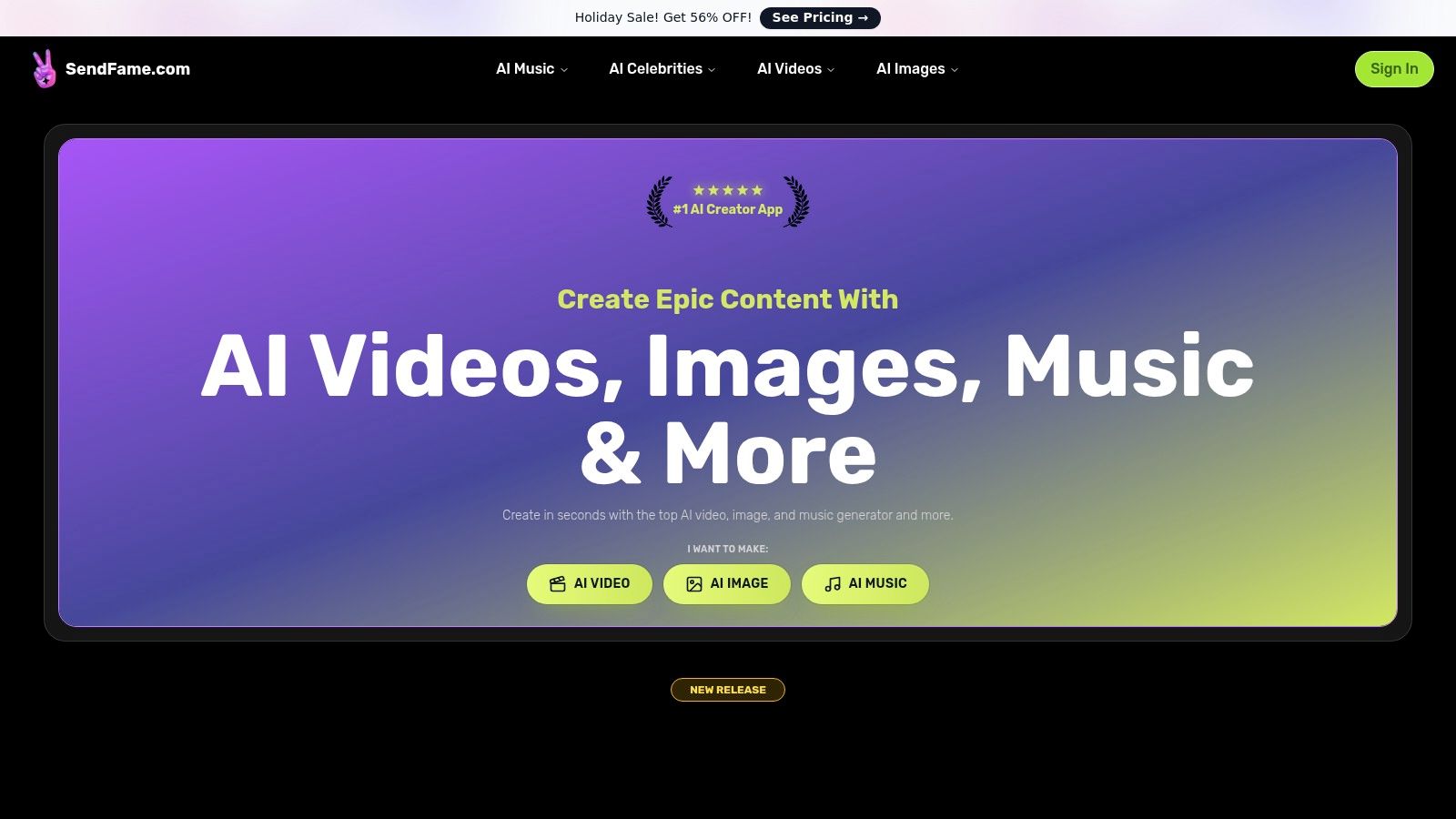
This platform truly shines with its unique, high-impact features. The AI Celebrity Video Generator is a game-changer for creating personalized messages, social media shout-outs, or event invitations with a touch of star power. For musicians and marketers, the full AI Music Generator is a complete production suite, capable of writing lyrics, composing entire songs, and even generating a music video to match.
SendFame is more than just a collection of tools; it’s an integrated creative ecosystem. The workflow is streamlined to perfection: pick a persona, input your text, and generate. This one-click process makes it one of the best AI tools for content creation available today, especially for those without technical editing skills. Its new Image-to-Video feature, which animates static photos into dynamic clips, adds another layer of versatility for social media storytelling. The platform’s active development, detailed tutorials, and strong social proof from over 500,000 users underscore its reliability and growing influence in the creative AI space. For a deeper dive into how it compares, you can explore more about SendFame's perspective on AI content tools.
Key Features:
AI Celebrity Video Generator: Create hyper-realistic videos featuring celebrity likenesses for personalized messages. Full AI Music Suite: Generate lyrics, full-length songs in various genres, and accompanying music videos from a single prompt. Image-to-Video Converter: Instantly animate still images into engaging, cinematic video clips. One-Click Workflow: A simplified process designed for speed and ease of use, delivering produced content in seconds.
Pricing:SendFame operates on a freemium model with paid tiers unlocking advanced features, higher quality outputs, and commercial use licenses. While the homepage often promotes significant discounts (like a 56% off Holiday Sale), specific pricing details are available on their dedicated pricing page.
Pros:
Extremely fast workflow produces content in seconds. Unique and viral-ready celebrity video generator. Comprehensive toolkit for end-to-end creative projects. Strong social proof and an active user community.
Cons:
Use of celebrity likenesses requires careful attention to legal and ethical guidelines. Full pricing and commercial licensing terms require navigating to the pricing page.
Ever wanted to get a birthday shout-out from a knock-off Keanu Reeves or have an AI-generated pop star sing a custom jingle for your new dog-walking business? Welcome to SendFame, the wonderfully weird and surprisingly powerful AI creative studio. This platform isn't just another text-to-image generator; it’s a full-blown content creation playground designed for speed and viral potential.
Its standout feature is the AI Celebrity Video Generator, which lets you create hyper-realistic, personalized messages from famous look-alikes. Imagine sending a wedding invitation "from" a faux Hollywood A-lister or having a pseudo-tech-billionaire announce your company’s next big product. This alone makes it one of the most unique and best AI tools for content creation currently available.
Beyond the celebrity schtick, SendFame offers an impressive AI Music Generator that produces complete songs with vocals and lyrics from a simple prompt. Need a custom theme song for your podcast or a unique backing track for a social media reel? It can whip one up in minutes. The platform also includes robust image-to-video tools, turning static pictures into dynamic, engaging animations perfect for short-form content.
The interface is built around template-style workflows, making the idea-to-asset process incredibly fast. You don't need a degree in video editing to get something that looks professionally produced.
SendFame operates on a credit-pack model, which you purchase after a free sign-up. While this offers flexibility, the pricing isn't visible until you create an account, which can be a minor hurdle.
Website:https://sendfame.com
Pros & Cons:
| Pros | Cons |
|---|---|
| Versatile Toolkit: Video, music, and images all in one place. | Pricing details are gated behind a sign-up. |
| Insanely Fast: Perfect for rapid social media content production. | The credit system requires you to estimate usage. |
| Unique Viral Potential: The AI celebrity feature is a game-changer. | Some outputs can still have that "AI uncanny" feel. |
If AI is the new creative frontier, Adobe is the established giant planting a very large, very professional flag. Adobe Firefly isn't just a standalone tool; it's a powerful generative AI engine woven directly into the Creative Cloud apps professionals already live in. This is less about novelty and more about integrating AI into serious, production-grade workflows for images, video, and design.
Its killer feature is the deep integration, most famously with Generative Fill in Photoshop. Need to extend a background, remove an unwanted object, or add a flock of dragons to a landscape photo? You can do it non-destructively, right inside the app you already use. This seamlessness makes it one of the best AI tools for content creation for anyone invested in the Adobe ecosystem.
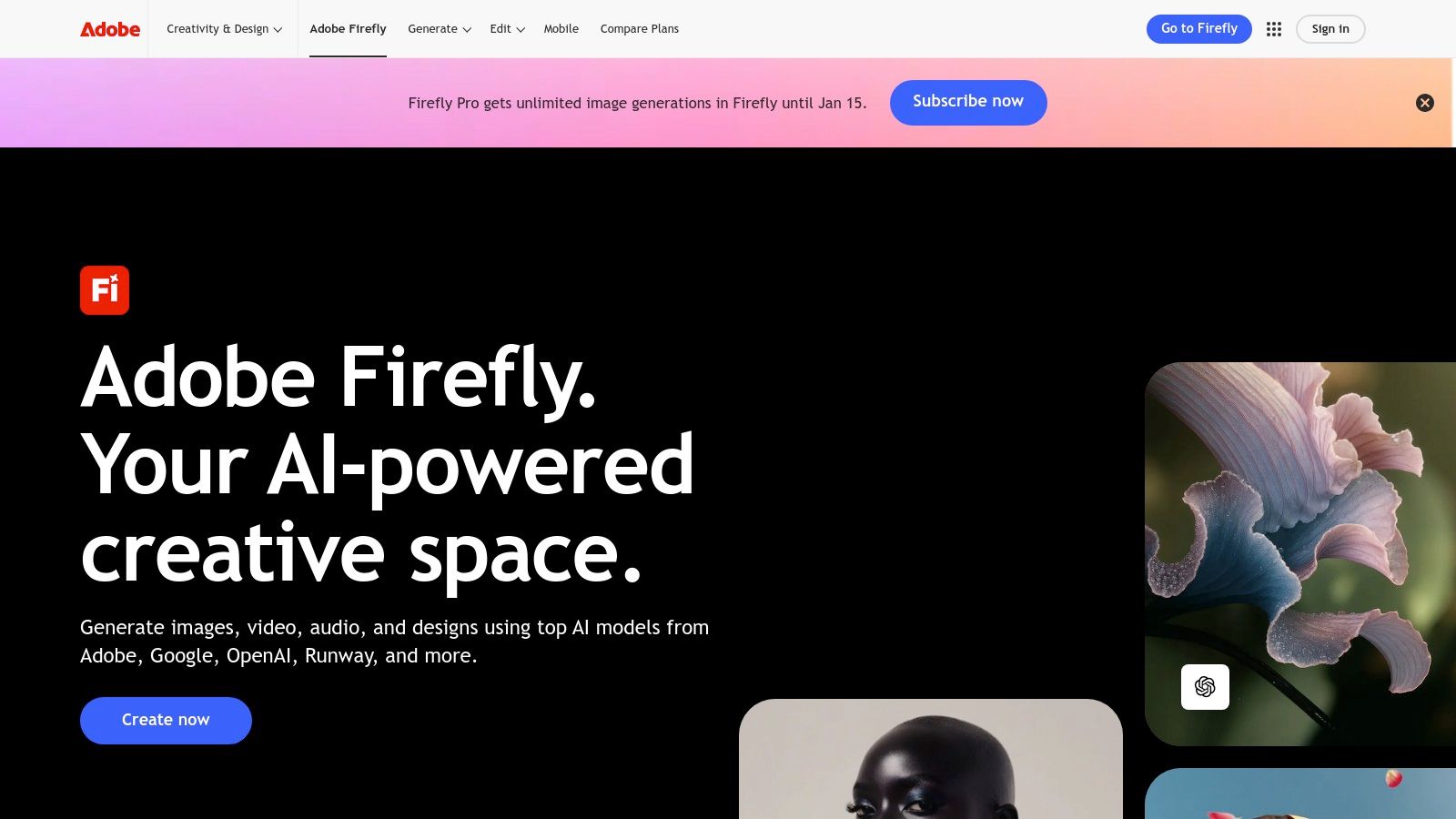
Beyond Photoshop's magic, Firefly powers text-to-image generation, text effects, and vector recoloring in Illustrator, with AI features expanding into Premiere Pro for video and audio. The entire model is trained on Adobe Stock and public domain content, making its outputs commercially safe-a huge advantage for businesses concerned with copyright.
The system is built for professional pipelines. You can generate an asset in the Firefly web app and bring it directly into an existing project, or simply use the generative tools within your favorite app to speed up tedious tasks and explore new creative directions without breaking your flow.
Firefly's capabilities are accessed through monthly "Generative Credits" included in Creative Cloud plans. The recent "Creative Cloud Pro" rebranding in North America increased the cost of the All Apps plan but provides more credits and enterprise governance. Pricing is transparent, with clear plan comparisons available on their site.
Website:https://www.adobe.com/products/firefly
Pros & Cons:
| Pros | Cons |
|---|---|
| Native integration with Adobe tools. | Cost increased with the Creative Cloud Pro rebranding. |
| Production-grade, commercially safe outputs. | Higher-tier pricing may be significant for casual users. |
| Clear plan comparisons and credit disclosures. | Learning curve is tied to the complexity of the host Adobe application. |
If you’ve ever designed anything for the internet, you likely know Canva. But with Magic Studio, the platform has transformed from a friendly design tool into an AI-powered content creation juggernaut. It’s the ultimate all-in-one workspace for anyone who needs to create beautiful assets without a graphic design degree, now supercharged with a suite of surprisingly intuitive AI features that are baked directly into the workflow you already know.
Its standout feature is the cohesive integration of AI across the entire design process. Magic Design can generate entire presentations or social media posts from a single prompt, while Magic Switch can convert a design into a completely different format (like turning a slide deck into a blog post) and even translate it into another language with one click. This makes it one of the best AI tools for content creation for teams needing to repurpose assets quickly.
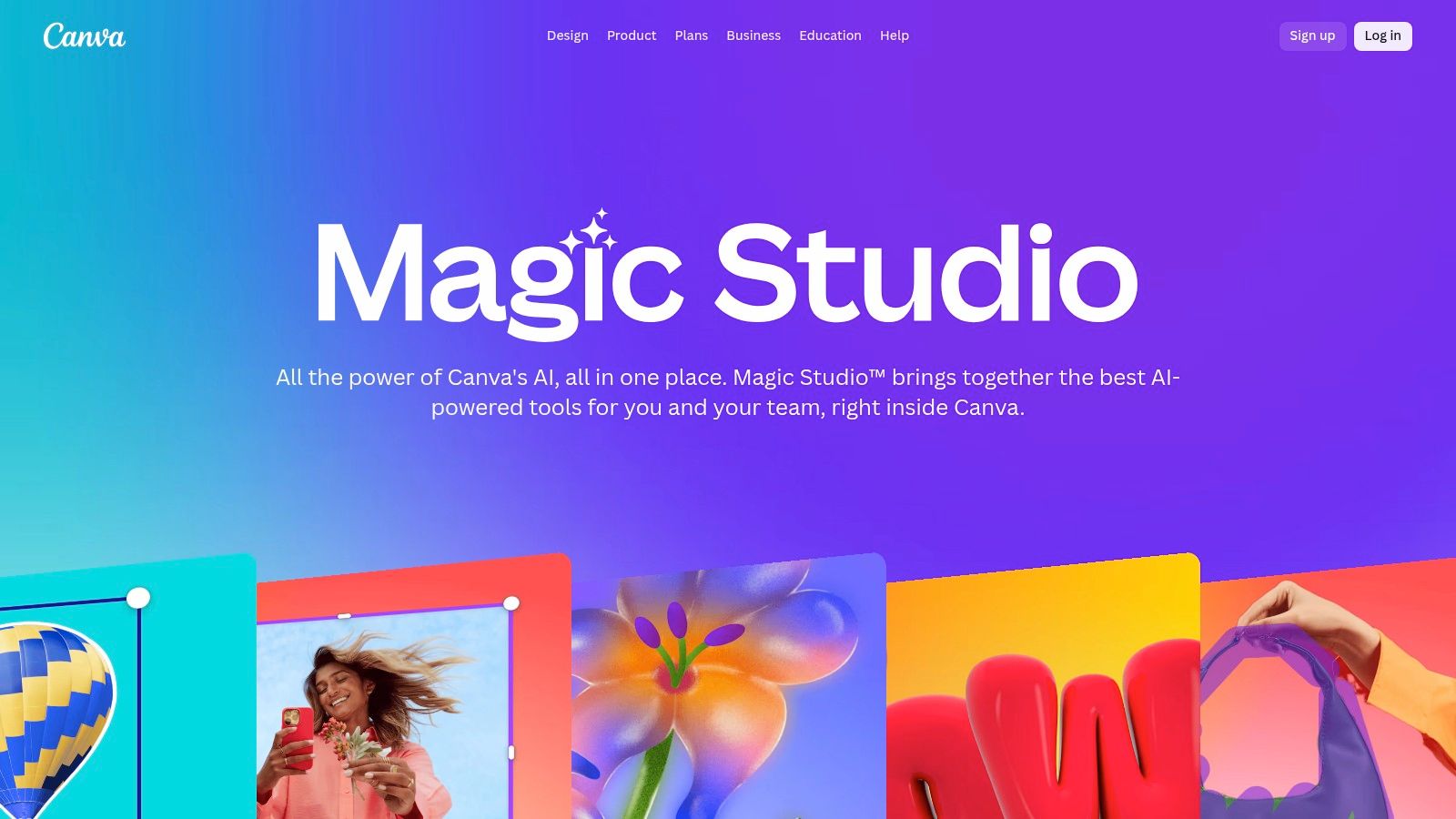
Beyond design conversion, Magic Studio offers Magic Media, a text-to-image and text-to-video generator that works right inside the editor. Need a custom graphic or a short video clip for your presentation? Just type what you need. Magic Write assists with copy, helping you draft everything from social captions to marketing emails. All of this is supported by Canva’s massive library of templates and assets, plus "Canva Shield" safety controls for brand governance.
The platform is purpose-built for speed, making it perfect for churning out social posts, presentations, and marketing materials without ever leaving the app.
Canva offers a free tier with limited Magic Studio features. Full access requires a Canva Pro or Canva for Teams subscription, with pricing that has increased and can vary based on the number of seats. It's wise to check the current plan limits, as some AI features are credit-based.
Website:https://www.canva.com/magic
Pros & Cons:
| Pros | Cons |
|---|---|
| Extremely approachable: Perfect for non-designers and beginners. | Some key AI features are gated behind paid plan levels. |
| Huge template/asset ecosystem: Accelerates content production. | Teams pricing has increased and may vary by the number of seats. |
| Strong all-in-one workflow: Great for social posts and presentations. | AI video generation is still more basic than dedicated tools. |
If you're ready to move beyond static images and dive headfirst into the cinematic future of AI, Runway is your new command center. This platform is less of a simple tool and more of an advanced AI video production suite, treating text and image prompts as the script for creating stunning, high-fidelity video clips. It’s where raw ideas are transformed into dynamic, moving art.
Its most powerful feature is the Gen-3 Alpha text-to-video model, which sets a new standard for coherence, character consistency, and overall visual quality. This isn't just about making a picture move; it's about directing an AI to generate scenes with specific styles, camera movements, and emotional tones, making it one of the best AI tools for content creation for serious video producers and artists.
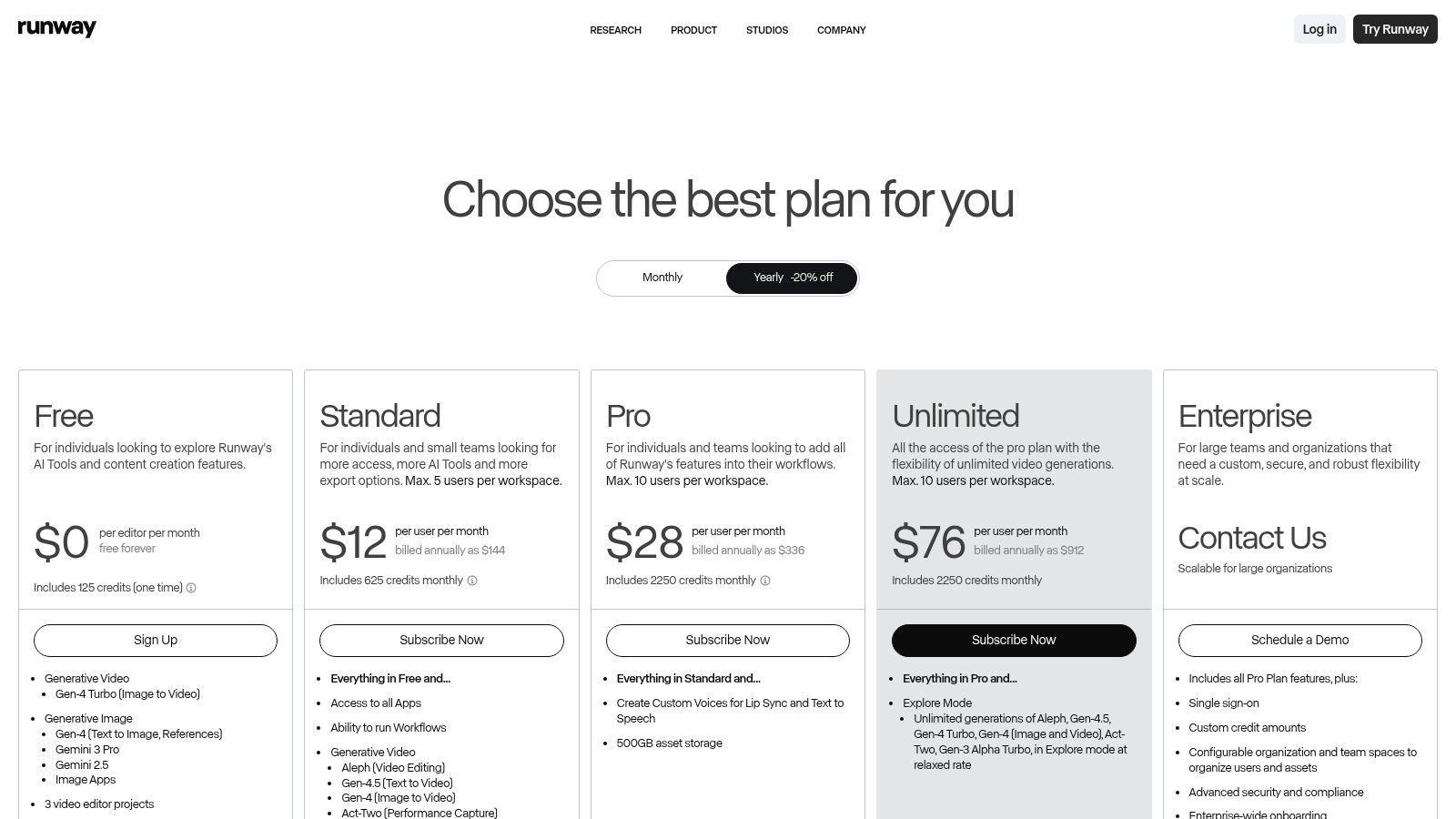
Runway is packed with an arsenal of video manipulation tools. Beyond text-to-video, it offers robust image-to-video generation, motion brush controls for animating specific parts of an image, and video upscaling to enhance resolution. This makes it ideal for creating everything from surreal B-roll for marketing campaigns to animated storyboards and experimental short films.
The platform's "Explore Mode" is a fantastic feature on certain plans, offering relaxed, unlimited generations for experimentation without burning through your primary credits. This encourages creative freedom, allowing you to fine-tune prompts and explore different visual styles before committing to a final, high-quality render.
Runway uses a clear, tiered subscription model supplemented by a credit system. Free users get a small taste, but paid plans (starting from $12/user/month) provide a monthly credit allowance for generating videos. The cost per second of video is well-documented, so you know exactly what you're spending your credits on.
Website:https://runwayml.com/pricing
Pros & Cons:
| Pros | Cons |
|---|---|
| State-of-the-Art Video: Among the most advanced AI video toolchains. | Credit accounting adds a learning curve for budgeting. |
| Practical Pricing Tiers: Plans scale from hobbyist to enterprise. | Complex projects can quickly burn through credits. |
| Excellent Documentation: Clear on credit usage and export options. | Highest quality models are behind higher-tier plans. |
If you think video editing means wrestling with confusing timelines and endless keyframes, Descript is here to change your mind. This brilliant tool turns video and audio editing into a process as simple as editing a Word document. Instead of slicing clips, you just edit the auto-generated transcript, and the corresponding video or audio cuts are made automatically. It’s an incredibly intuitive approach that removes the steepest learning curves of post-production.
The platform's standout feature is its powerful text-based editing workflow. Made a mistake? Just highlight the word in the transcript and delete it. Need to move a section? Cut and paste the text. This alone makes it one of the best AI tools for content creation for anyone who works with spoken-word content, like podcasters, course creators, and social media managers.
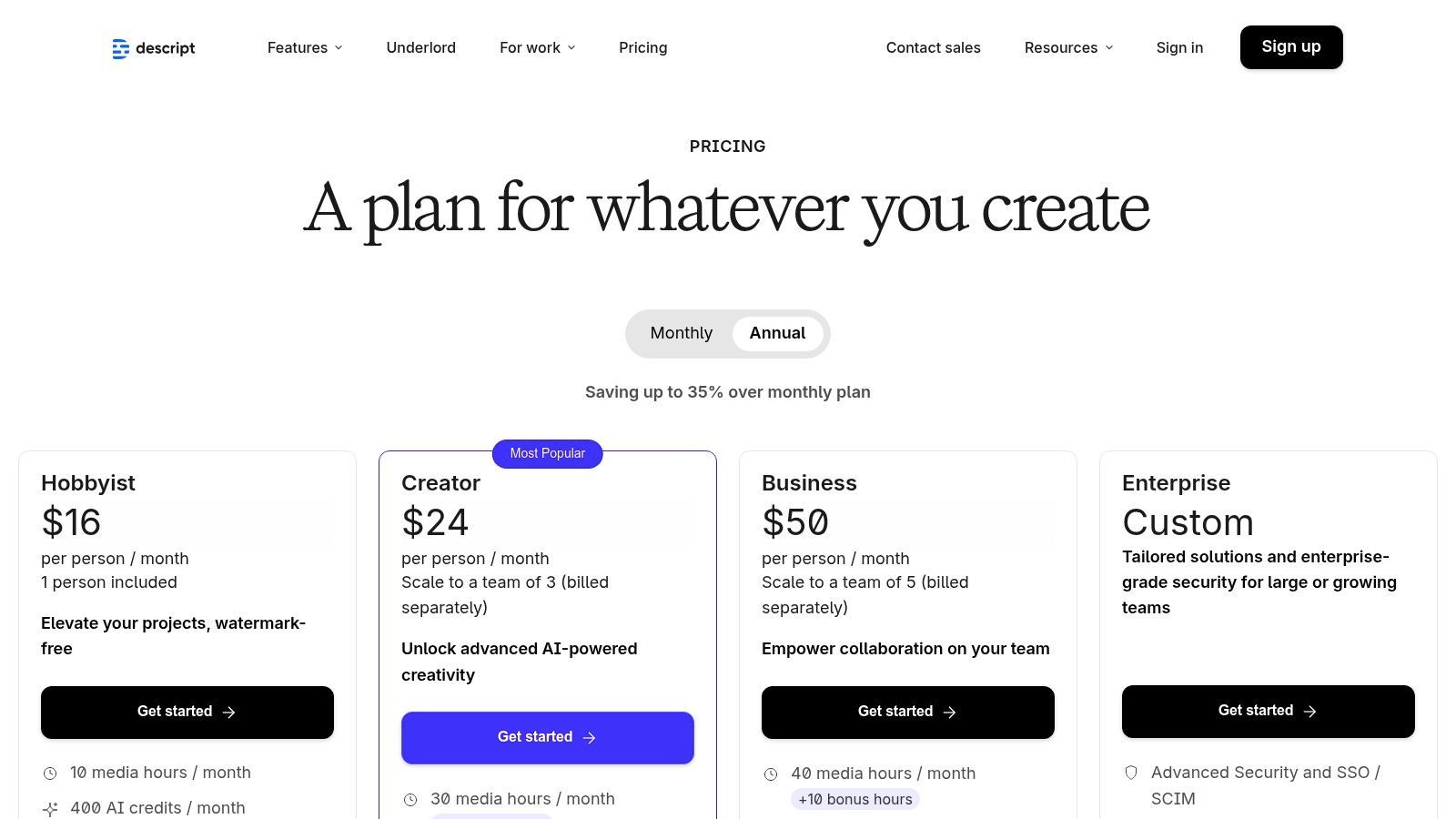
Descript is packed with AI magic. The Overdub feature lets you clone your voice to fix audio mistakes or add new words without re-recording. Its Studio Sound tool removes background noise and enhances voice quality with a single click, making amateur recordings sound professionally produced. It can also instantly remove filler words like "um" and "uh," saving hours of tedious manual editing.
These features make it perfect for polishing talking-head videos, creating tutorials, and refining user-generated content for marketing campaigns. Many creators use Descript as a key part of their workflow to create AI-generated videos. The platform even includes an AI co-editor named Underlord that can help structure your content.
Descript offers a free tier with limited features and transcription hours. Paid plans (Creator, Pro, and Business) unlock more transcription time, 4K exports, advanced AI features like filler word removal, and collaboration tools. The tiered system scales well, accommodating everyone from solo creators to large production teams.
Website:https://www.descript.com/pricing
Pros & Cons:
| Pros | Cons |
|---|---|
| Fast learning curve for social teams and podcasters. | Feature and hour/credit limits vary by plan. |
| Consolidates multiple post-production tasks into one app. | Heavy teams may need the Business tier to avoid limits. |
| Great for talking-head videos, tutorials, and UGC polishing. | The core workflow is less ideal for highly cinematic edits. |
Tired of setting up cameras, mics, and lighting just to record a simple training video? Synthesia is the enterprise-grade solution that replaces your on-screen talent with a hyper-realistic AI avatar. This platform is less about viral shenanigans and more about creating professional, scalable video content like corporate training, product explainers, and marketing messages without ever stepping in front of a lens.
Its standout feature is the ability to generate studio-quality videos with AI presenters speaking your script in over 140 languages. The platform’s ability to create custom, personal avatars of your own team members makes it one of the best AI tools for content creation for businesses looking to maintain a consistent, human-centric brand identity in their internal and external communications.
Synthesia is built for corporate workflows. It offers a library of over 160 stock avatars, but the real power lies in creating a digital twin of yourself or a key stakeholder. The platform excels at AI dubbing and one-click translation, automatically lip-syncing your avatar to new languages, making global content distribution incredibly efficient.
With templates, brand kits, and team collaboration tools, it’s designed for repeatable, brand-safe content production. Forget reshooting a video because of a single typo; just edit the script and re-render. This makes it perfect for HR onboarding, software tutorials, and sales pitches that need frequent updates.
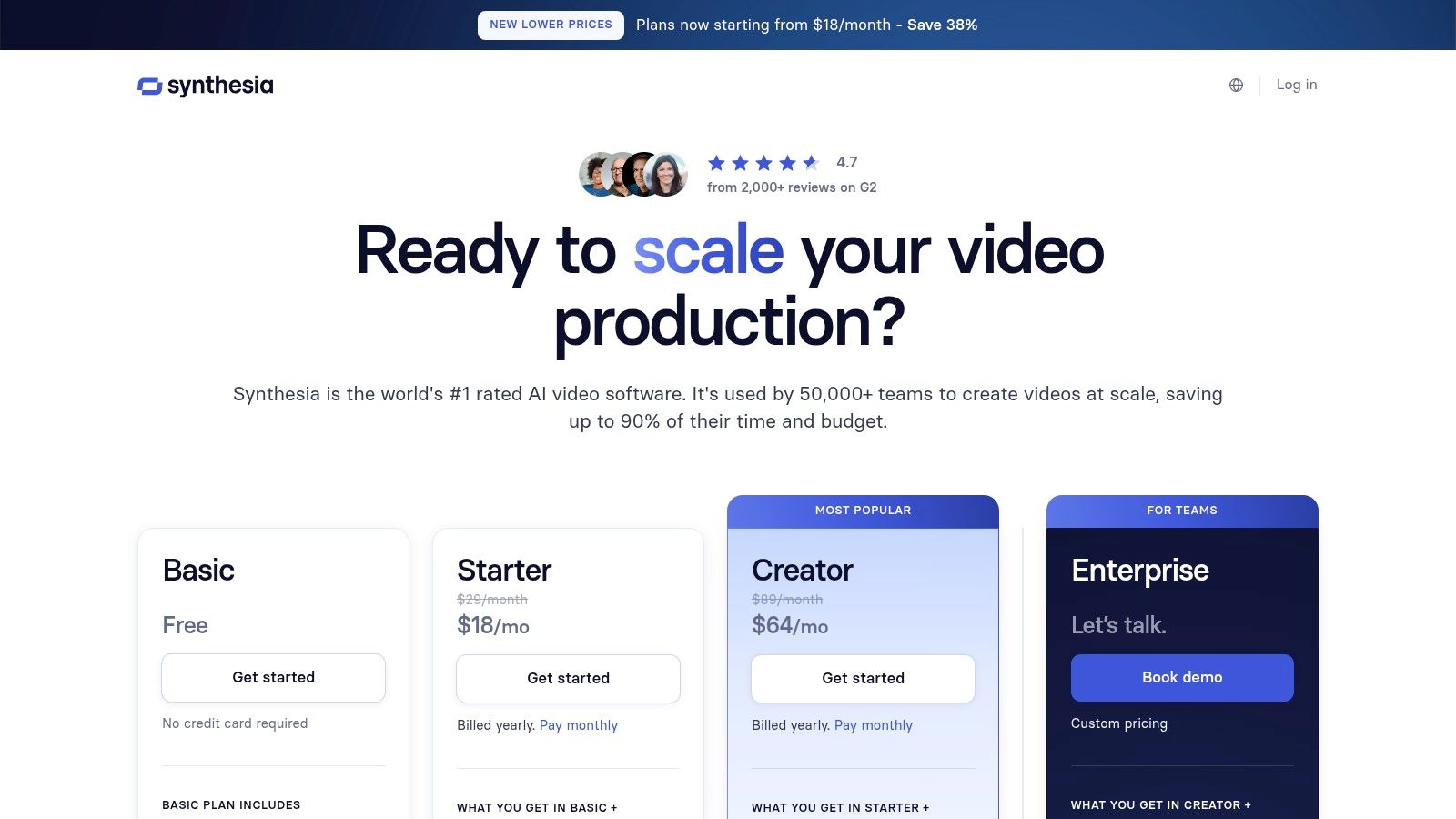
Synthesia’s pricing starts with a "Starter" plan for individuals and small teams, followed by a "Creator" plan that offers more minutes of video generation per year. For extensive needs, including custom avatars and advanced collaboration, their "Enterprise" plan is the way to go. The model is based on video minutes, so you pay for your output.
Website:https://www.synthesia.io/pricing
Pros & Cons:
| Pros | Cons |
|---|---|
| Corporate-friendly and highly scalable. | Costs scale directly with output minutes, which can be expensive. |
| Excellent for repeatable, brand-safe content. | High-volume projects may require a more costly Enterprise plan. |
| Saves immense time on video production and localization. | Avatars, while realistic, may not fit every type of creative video. |
If you've seen a breathtakingly surreal AI image online, chances are it was conjured up by Midjourney. This isn't just an image generator; it's the undisputed heavyweight champion of AI art, celebrated for its artistic flair, stylistic diversity, and jaw-dropping photorealism. Originally living exclusively on Discord, it has since expanded to a sleek web interface, making it more accessible than ever for creators needing high-end visuals.
Midjourney stands out for its ability to interpret nuanced, artistic prompts with incredible sophistication. Its standout feature is its raw image quality and stylistic range. Whether you need hyper-detailed concept art for a video game, a cinematic shot for a marketing campaign, or a whimsical illustration for a blog post, Midjourney delivers with an aesthetic polish that few competitors can match. This makes it one of the best AI tools for content creation when visual impact is non-negotiable.
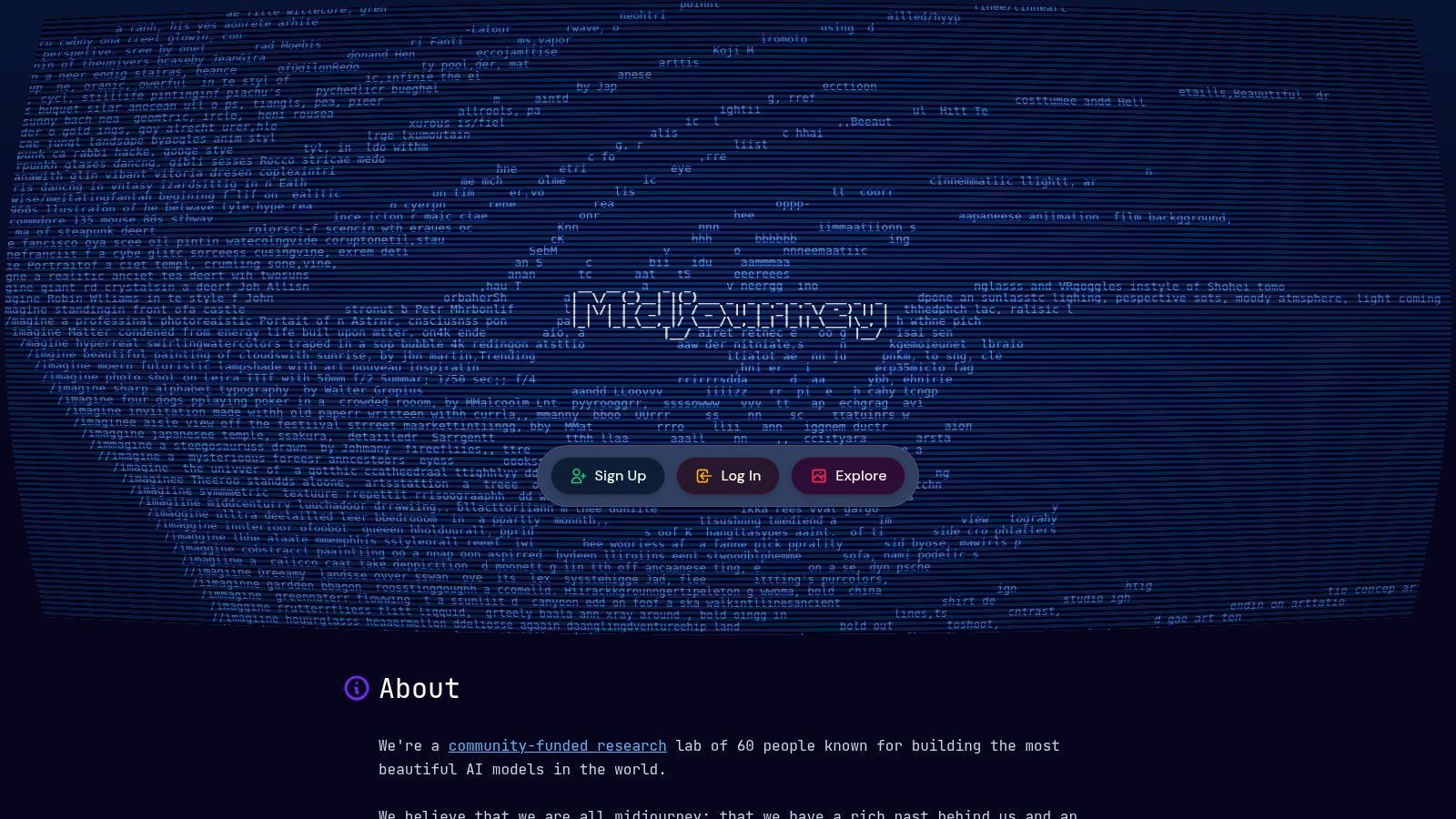
Midjourney’s core strength lies in generating stunning images from text prompts, but its subscription plans offer features tailored for serious creators. All tiers include access via the web and Discord, providing flexibility. Plans come with a set amount of Fast GPU time for instant results, and higher-volume users will love Relax Mode, which allows for unlimited, albeit slower, image generation without burning through credits.
For professionals and brands, the Stealth Mode available on Pro and Mega tiers is a crucial feature, keeping your creations private and out of the public gallery. The platform is also gradually rolling out video generation capabilities to its top-tier users, signaling its ambition beyond static images.
Midjourney operates on a subscription model with several tiers, starting from a basic plan up to a mega plan for power users. This tiered structure allows creators to choose a plan based on their required generation speed and volume, with annual subscriptions offering a discount.
Website:https://www.midjourney.com
Pros & Cons:
| Pros | Cons |
|---|---|
| Top-tier image quality and artistic style diversity. | No public API for direct app integration. |
| Predictable monthly allotments and cost-saving annual plans. | Advanced features like Stealth Mode require higher tiers. |
| Well-suited for art direction, mood boards, and social visuals. | The Discord-first legacy can have a slight learning curve. |
If you've ever heard an AI voice that made you do a double-take, chances are it came from ElevenLabs. This platform is the gold standard for realistic, high-fidelity AI voice generation, moving far beyond robotic text-to-speech into the realm of genuinely human-like narration. It’s an essential tool for creators who need professional-grade voiceovers for videos, podcasts, or ads without hiring a voice actor or spending hours in a recording booth.
The standout feature is its Voice Cloning technology. You can upload a short audio sample and create a digital replica of a voice, which can then read any script you provide. This makes it one of the best AI tools for content creation when consistency across a brand's audio content is critical. The quality is so convincing, it’s often indistinguishable from the real thing, perfect for localizing content or creating personalized audio at scale.
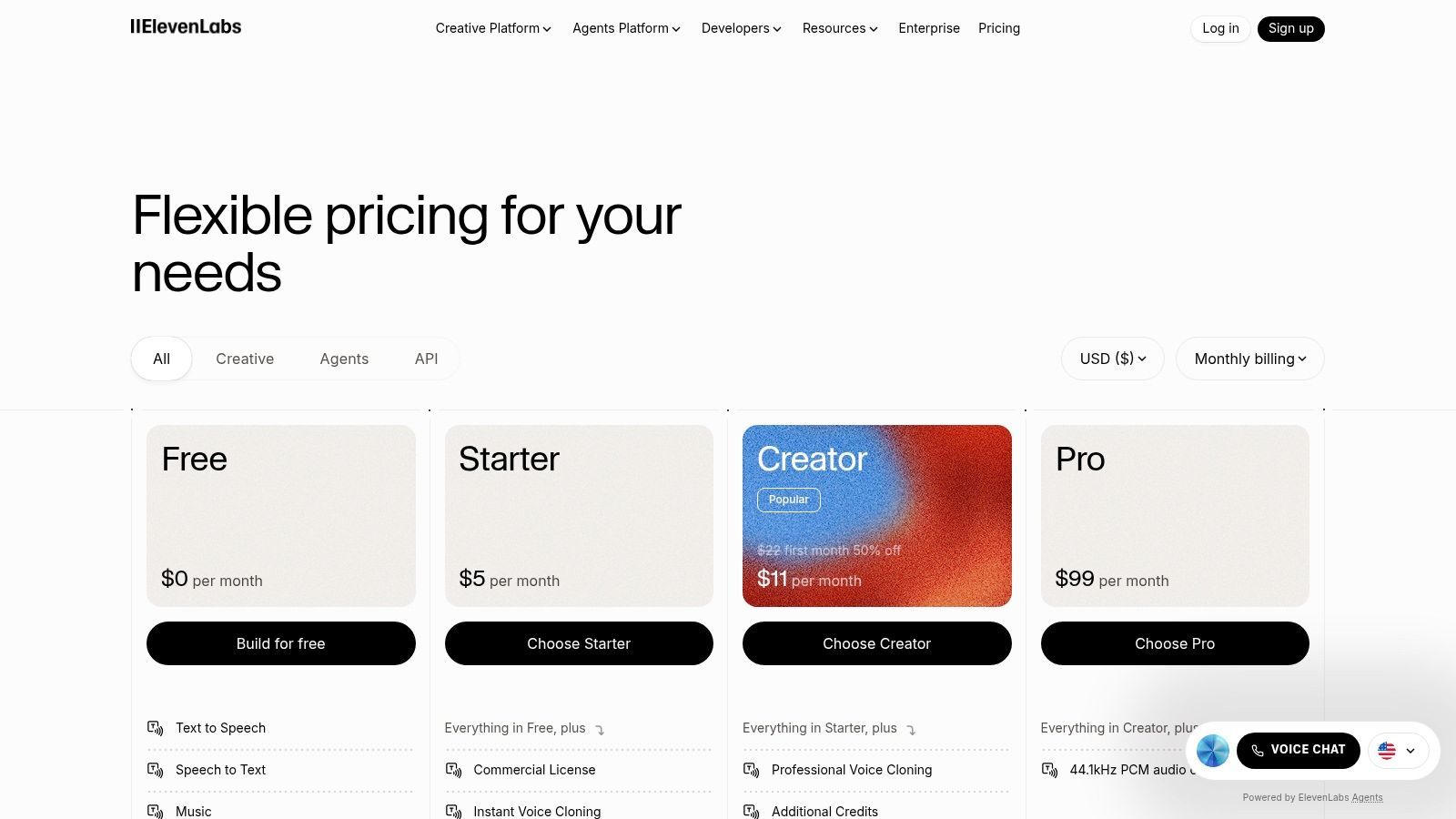
ElevenLabs offers a powerful Text-to-Speech (TTS) engine with a library of diverse, pre-made voices that can be fine-tuned for emotional delivery. It also provides multilingual AI dubbing, automatically translating and re-voicing video content while maintaining the original speaker's vocal style. For developers and businesses, the robust API allows for seamless integration into other applications, making it a scalable solution for everything from automated customer service to dynamic in-game dialogue. The platform is truly at the forefront of audio AI, and pairing its capabilities with visual tools can lead to incredible results; find out more about how to make AI-generated art to complement your new audio.
The platform uses a credit-based system with a generous free tier that's perfect for experimentation. Paid plans start at just a few dollars per month, scaling up to enterprise-level packages, offering flexibility for both hobbyists and large-scale commercial projects.
Website:https://elevenlabs.io/pricing
Pros & Cons:
| Pros | Cons |
|---|---|
| Unmatched Realism: TTS and cloning quality are top-tier. | Credit-based system requires planning for large projects. |
| Excellent Language Support: Ideal for global content localization. | High-volume usage can become expensive. |
| Flexible & Scalable: Great free tier, API access, and tiered plans. | Voice cloning raises ethical considerations to be mindful of. |
If you're a marketer tired of staring at a blank page, Jasper is the seasoned, enterprise-grade AI partner you’ve been waiting for. It’s less of a flashy new toy and more of a powerful, campaign-ready engine built to create on-brand content at scale. Jasper moves beyond simple text generation to become a central hub for all your marketing copy, from blog posts and ad creatives to complex multi-channel campaigns.
Its standout capability is its deep integration of Brand Voice and knowledge bases. You can teach Jasper your company's tone, style guides, product catalogs, and audience personas, ensuring every piece of content it generates is consistently on-brand and factually accurate. This focus on governance and brand safety makes it one of the best AI tools for content creation for teams that can't afford to go off-script.
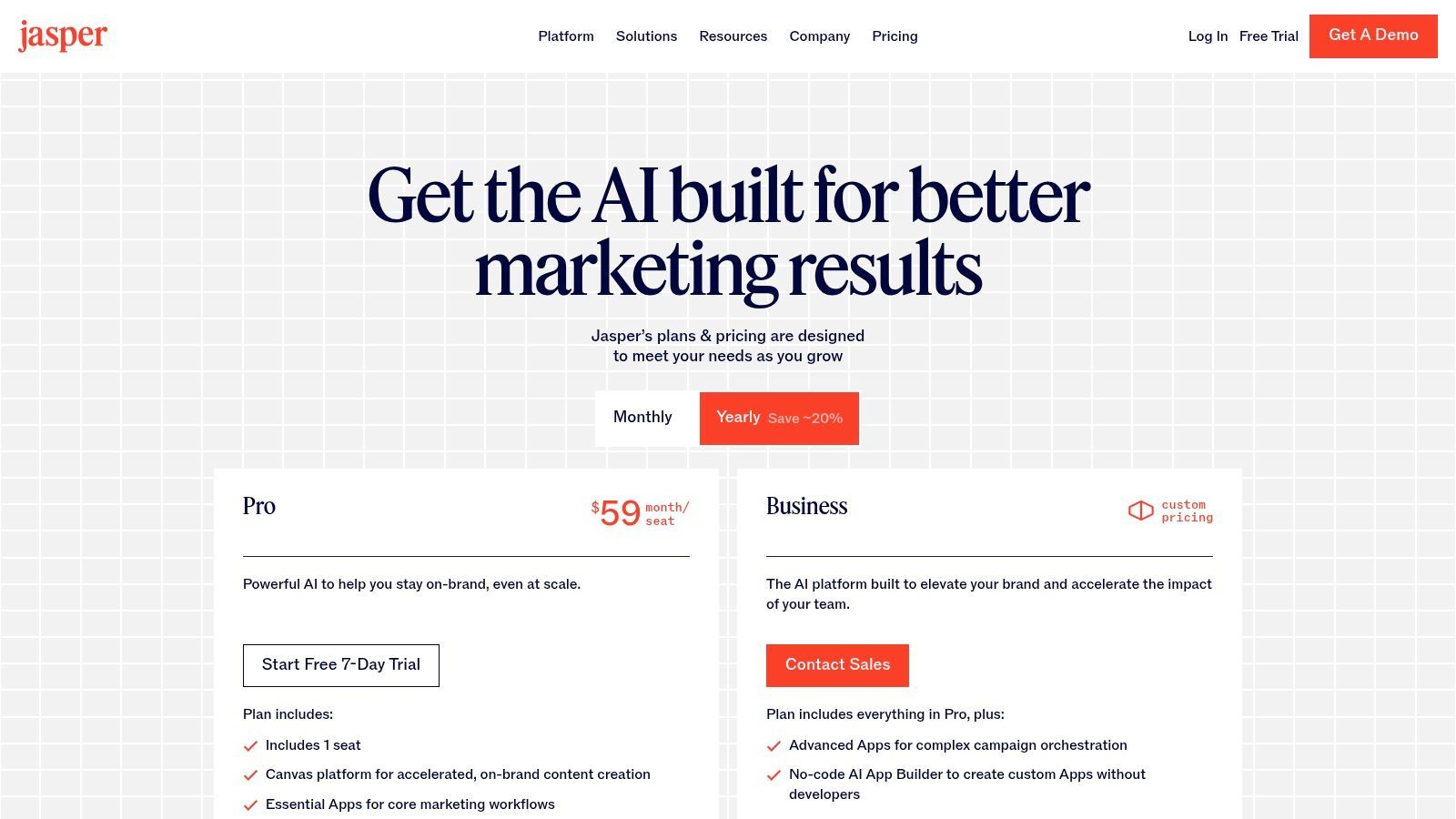
Jasper excels with its long-form Canvas, a collaborative document editor where you can command, edit, and refine entire articles alongside the AI. It also offers a massive library of templates for specific marketing tasks like writing Facebook ads, generating video scripts, or crafting compelling email subject lines. Like how new AI voice actors are changing audio production, Jasper is transforming written content workflows.
For teams on its Business plan, Jasper introduces Agents and a no-code AI App Builder, allowing you to create custom, multi-step workflows tailored to your specific marketing needs. This turns the platform from a simple writer into a powerful content automation system.
Jasper offers several paid tiers, typically starting with a Creator plan for individuals and scaling up to Pro and Business plans for teams. The pricing is per-seat, which is a key consideration for larger organizations looking to deploy the tool company-wide.
Website:https://www.jasper.ai/pricing
Pros & Cons:
| Pros | Cons |
|---|---|
| Built for marketing workflows: Excels at campaign-level content. | Per-seat pricing can become expensive for large teams. |
| Mature admin & controls: Great for scaling across an organization. | Advanced features are locked behind higher-tier plans. |
| Excellent on-brand consistency: Brand Voice feature is top-tier. | Can have a steeper learning curve than simpler tools. |
If you're tired of juggling separate tools for writing, research, and automation, Copy.ai is the all-in-one command center your workflow has been crying out for. This platform moves beyond simple text generation, positioning itself as a powerful AI writing and automation engine built for marketing and sales teams who need to produce content at scale. It’s a workhorse, not just a show pony.
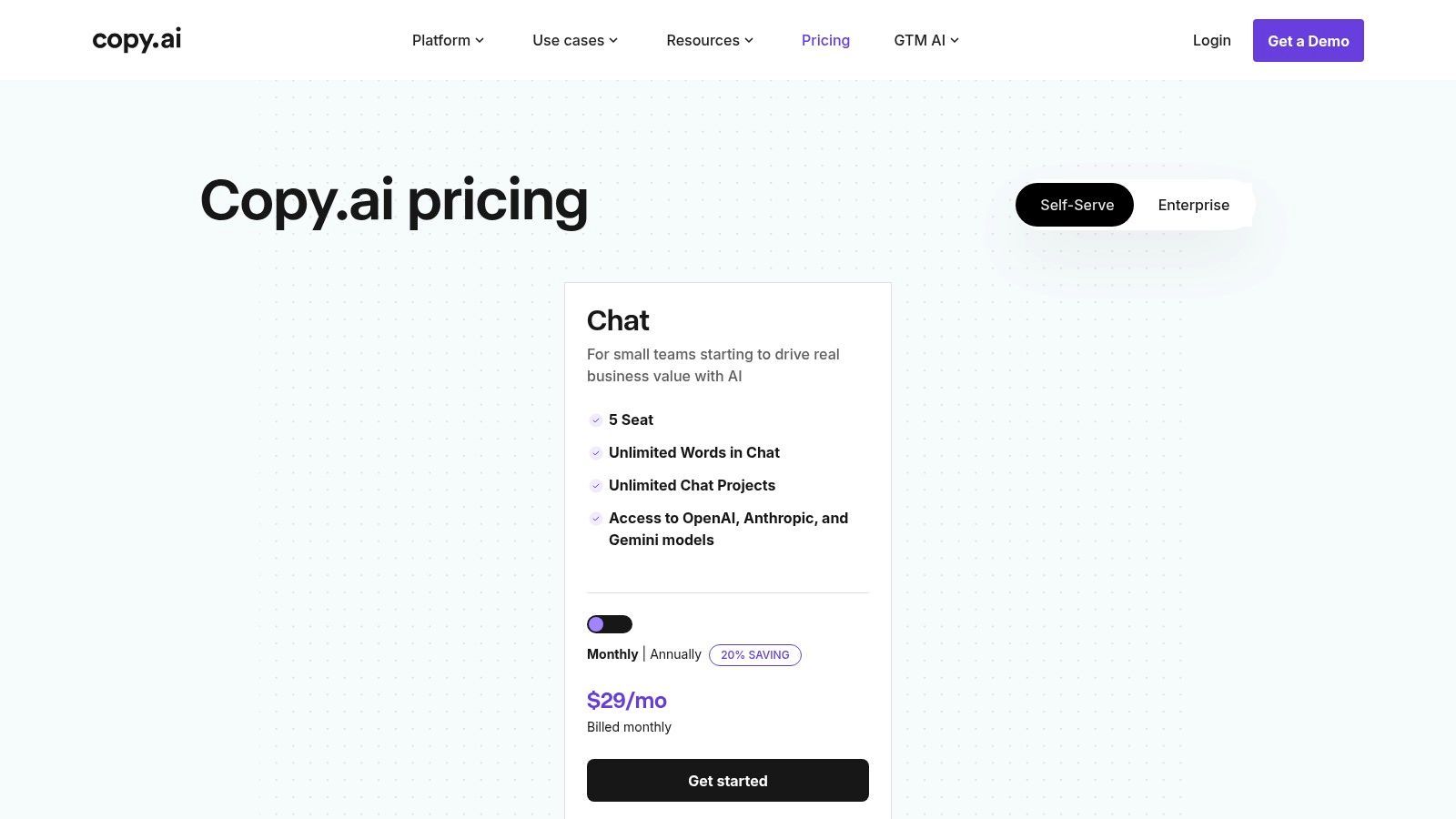
Its standout offering is the combination of an unlimited-word AI Chat with a sophisticated Content Agent Studio. This allows you to not only generate copy but also build custom, repeatable workflows that can handle complex content tasks automatically. This unique blend of creative assistance and process automation makes it one of the best AI tools for content creation for teams looking to streamline their entire pipeline.
The Content Agent Studio is the core differentiator here. You can build custom "agents" to perform tasks like researching competitors, summarizing articles, and drafting personalized outreach emails, all in a single, automated sequence. Copy.ai also provides multi-model access, letting you switch between engines from OpenAI, Anthropic, and Gemini to find the best fit for your task.
This makes it ideal for generating large volumes of high-quality blog posts, social media updates, and sales copy. The API access on higher tiers further extends its power, allowing deep integration into your existing tech stack for true end-to-end content automation.
Copy.ai offers straightforward packaging that's friendly to small teams, with a base plan that includes multiple seats and unlimited chat words. More advanced features, like API access and large-scale automation, are available on higher-tier plans that operate on a workflow credit system.
Website:https://www.copy.ai/prices
Pros & Cons:
| Pros | Cons |
|---|---|
| Combines AI writing and automation: A powerful duo. | Workflow credit model requires monitoring for heavy use. |
| Simple starter plan: Great for small teams to get going. | The cost can scale up with more advanced automation needs. |
| Agent-based workflows: Enables content creation at scale. | Might be overly complex for solo creators just needing text. |
Feeling overwhelmed by the sheer number of AI tools flooding the market? G2 is your secret weapon for cutting through the noise. Think of it as the ultimate research hub where you can compare, contrast, and read verified user reviews on virtually every piece of software imaginable. Instead of being another tool, G2 is the platform you use to find the right tool, making it an indispensable resource.
Its standout feature is the Grid Ranking system, which visually plots software based on user satisfaction and market presence. This allows you to see at a glance which platforms are genuine market leaders and which are just marketing hype. For anyone serious about finding the best AI tools for content creation, using G2 to shortlist vendors before committing to free trials is a non-negotiable first step.
G2 excels at side-by-side software comparisons, allowing you to place several tools head-to-head and evaluate them based on specific features, pricing, and user ratings. The platform’s category pages, like the one for AI Video Generators, are goldmines of information, packed with verified reviews that detail real-world pros and cons.
You can filter results by business size, supported languages, and specific functionalities, ensuring you find a solution tailored to your exact needs. It’s the perfect platform for building a shortlist, validating a potential purchase, and avoiding buyer’s remorse.
G2 is completely free to use for research and browsing reviews. You don’t need an account to access the vast majority of its data, making it an easily accessible starting point for your software search.
Website:https://www.g2.com/categories/ai-video-generators
Pros & Cons:
| Pros | Cons |
|---|---|
| Saves Research Time: Aggregates user feedback in one place. | Vendor info can sometimes lag behind real-time pricing changes. |
| Reduces Risk: Verified reviews help you avoid poor investments. | Always best to click through to vendor sites for final details. |
| Free to Access: No cost to browse, compare, and read reviews. | Some niche tools might have fewer reviews than established ones. |
| Product | Core features | UX / Quality (★) | Price & Value (💰) | Target Audience (👥) | Unique Selling Points (✨) |
|---|---|---|---|---|---|
| SendFame 🏆 | AI Music (lyrics, full songs + videos), AI Celebrity Video, Image→Video, one-click templates | ★★★★☆ — fast, intuitive, instant outputs | 💰 Credit-based; frequent promos (e.g., 56% off); paid tiers for commercial use | 👥 Marketers, influencers, event planners, aspiring musicians, casual creators | ✨ Celebrity-style hyper-realistic videos, full-song+music-video from one prompt, instant produce |
| Adobe Firefly / Creative Cloud Pro | Text-to-image, Generative Fill, video/audio gen, Creative Cloud integration | ★★★★★ — production-grade, enterprise-ready | 💰 Subscription (Creative Cloud Pro) with monthly generative credits | 👥 Professional creators, agencies, enterprises | ✨ Deep Adobe app integration, commercially safe workflows |
| Canva Magic Studio | Magic Write/Design/Switch/Media, text-to-image/video, vast templates | ★★★★☆ — extremely approachable, template-driven | 💰 Freemium → Pro/Teams tiers; some AI gated by plan | 👥 Non-designers, social marketers, small teams | ✨ One-click format conversion, huge template & asset marketplace |
| Runway | Text-to-video, image-to-video, upscaling, performance capture, Turbo models | ★★★★☆ — advanced video toolchain for rapid iteration | 💰 Credit-based rendering with clear per-model costs; tiered plans | 👥 Video creators, studios, advanced creators | ✨ State-of-the-art video models, Explore Mode, high-speed Turbo |
| Descript | Text-based video/audio editing, overdub/voice cloning, AI co-editor | ★★★★☆ — fast for podcasters & social teams | 💰 Tiered plans with hour/credit limits; Business for heavy teams | 👥 Podcasters, social teams, educators, tutorial creators | ✨ Edit by transcript, studio audio tools, realistic overdub |
| Synthesia | AI avatars, 140+ languages, AI dubbing with lip-sync, templates & brand kits | ★★★★☆ — studio-quality, scalable | 💰 Minute/credit model; enterprise pricing for large scale | 👥 Enterprise L&D, marketing teams, global training | ✨ Personal avatars, 1‑click translations, brand-safe workflows |
| Midjourney | High-quality, stylistic image generation (web/Discord), privacy modes | ★★★★★ — top-tier image/art quality | 💰 Subscription tiers (Fast/Relax), private/stealth on higher plans | 👥 Artists, designers, art directors, concept teams | ✨ Industry-leading style diversity and image fidelity |
| ElevenLabs | High-fidelity TTS, instant/pro voice cloning, dubbing, API & licensing | ★★★★★ — extremely realistic voices | 💰 Credit-based; plans from hobbyist to enterprise with commercial licenses | 👥 VO artists, podcasters, localization teams, ad studios | ✨ Best-in-class voice cloning & multilingual dubbing |
| Jasper | Long-form Canvas, brand voices, templates, Agents, App Builder (Business) | ★★★★☆ — marketing-optimized workflows | 💰 Per-seat pricing; Business tier for advanced features | 👥 Marketing teams, content ops, agencies | ✨ Brand control + campaign templates, no-code AI apps |
| Copy.ai | Chat & unlimited words (base), Agent Studio, multi-model support, APIs | ★★★★☆ — strong writing + automation | 💰 Simple starter plans; workflow credits for large automation | 👥 Small marketing/sales teams, content ops | ✨ Unlimited base chat, Agentized workflows for scale |
| G2 (Marketplace) | Side-by-side comparisons, verified reviews, category grids & filters | ★★★★☆ — trusted vendor research | 💰 Free to research; vendor pricing/ promos vary | 👥 Buyers, procurement, decision-makers | ✨ Aggregated verified reviews, shortlist & category rankings |
And there you have it, a whirlwind tour of the AI-powered creative landscape. We've navigated the digital cosmos, from the text-based wizardry of Jasper and Copy.ai to the stunning visual realms crafted by Midjourney and Adobe Firefly. We’ve seen how tools like Runway and Descript are fundamentally changing the video editing game, and how ElevenLabs can give your projects a voice that’s indistinguishable from a human’s. It's a lot to take in, but the central theme is electrifyingly clear: the barrier to creating professional, high-impact content has never been lower.
The days of needing a Hollywood-sized budget or a team of specialized artists to bring your vision to life are officially over. You are now the director, the copywriter, the graphic designer, and the audio engineer, all rolled into one. The best AI tools for content creation aren't here to replace your creativity; they’re here to amplify it, acting as tireless digital assistants ready to tackle the heavy lifting so you can focus on the big ideas.
So, what's the next move? It's easy to get paralyzed by the sheer number of options. The key is to avoid "analysis paralysis" and jump into action. Don't feel pressured to master all twelve tools by next Tuesday. Instead, think about the one piece of content you’ve been dreaming of making but felt was just out of reach.
Struggling with blog post ideas? Fire up Jasper or Copy.ai for a brainstorming session. Need a killer social media graphic? Let Canva Magic Studio whip up a dozen options in minutes. Want to create a mind-bending video short? Runway is your new best friend. Need a one-stop-shop for video, audio, and unique celebrity integrations? SendFame is practically begging you to take it for a spin.
The most crucial step is to simply start. Pick one tool that resonated with you, sign up for its free trial or freemium plan, and dedicate an hour to pure, unadulterated experimentation. Feed it absurd prompts. Push its features to their limits. See what it can really do. This hands-on experience is where you'll have your "aha!" moment and truly understand how these platforms can integrate into your unique workflow.
As you begin implementing these tools, remember that they are just that: tools. A paintbrush doesn't make someone a master artist, but it can certainly help them paint a masterpiece. Your unique perspective, your brand's voice, and your creative instincts are what will ultimately set your content apart.
Use AI to automate the tedious, generate initial drafts, and explore visual concepts you never thought possible. But always be the final editor, the curator of quality, and the strategic mind behind the message. The most successful creators will be those who learn to dance with these algorithms, leading the way with human ingenuity while letting the AI handle the complex choreography. The revolution is here, and your invitation to the main event has been delivered. Now, go create something unforgettable.
Ready to unify your creative workflow and produce stunning content faster than ever? Explore SendFame to see how our integrated AI tools for video, image, and music generation can transform your ideas into reality. Stop juggling multiple subscriptions and start creating with a single, powerful platform designed for the modern content creator. Visit SendFame and begin your next project today
Create Epic

SendFame

Create Epic with SendFame!
Questions: info@sendfame.com