The 12 Best AI Tools for Content Creation to Supercharge Your Workflow in 2026
best ai tools for content creation
Welcome offer — 56% OFF


Learn how to create AI generated videos that capture attention. Our guide covers everything from viral concepts to final edits using tools like SendFame.
So, you want to make AI-generated videos? It really boils down to four things: figuring out your big idea, writing a script or a killer prompt, using an AI tool like SendFame to make the magic happen, and then stitching it all together. That's it. This is how you turn a simple thought into a video people will actually want to share—no fancy camera or film degree required.
Welcome to the wild west of video creation. Seriously. The old rules are out the window. All you need now is a spark of an idea and the right AI to create something that looks a million bucks. If you’ve seen those wild, mind-bending AI videos online and thought, "How on earth did they do that?"—you've come to the right place. We're about to pull back the curtain and show you how platforms like SendFame are completely changing the game for creators.
Forget the days of needing a massive budget and a full-on production crew. Today, the only real barrier is your own imagination. This shift is why the AI video market is exploding—it hit USD 11.2 billion recently and is on a supersonic trajectory toward USD 246.03 billion by 2034. The engine behind this growth? Creative AI video generators, which snagged a massive 38.1% market share by letting anyone create stunningly realistic videos from just a few words. It's happening fast.
At its core, figuring out how to create AI generated videos is just about learning to talk to a machine effectively. You give it a creative brief—your prompt—and the AI becomes your tireless digital production crew, taking your vision and running with it. Think of it less like a technical chore and more like a creative jam session with a robot.
This guide will walk you through everything you need to know, minus the confusing jargon. You'll see what's actually going on when your text becomes a video and how this tech is shaking up everything from brand campaigns to sending a ridiculously cool birthday message.
The real secret to a viral AI video isn't just about the tech—it's about the story. You have to use AI as a tool to make a great idea even better, not as a crutch for a weak one.
Our mission here is to get you genuinely excited about the creative power you now have at your fingertips. We want you to feel confident enough to start making videos that people can't scroll past. We’ll even dive into a few tricks that can turn a basic AI clip into something truly shareable.
For a head start, you should absolutely check out our guide on how to create viral content. It lays down the foundation for making stuff people actually want to share.
Here, we're going to focus on:
Turning your brilliant ideas into prompts an AI can actually understand. Picking the perfect celebrity persona and tone for whatever you're making. Mashing up visuals and audio to really hit people in the feels. Polishing your final video so it absolutely kills it on social media.
Let's be real. Jumping into an AI video generator without a plan is like trying to build IKEA furniture without the instructions. You might end up with something, but it's probably not going to be the masterpiece you envisioned. The true secret to making AI-generated videos that people can't stop sharing isn't the tech—it's the idea. A killer concept is the engine; AI is just the rocket fuel.
Before you even think about typing a single word into a prompt box, you have to nail down your "why." What's the mission here? Are you aiming for a laugh-out-loud meme that gets spammed in everyone's group chat? A slick, persuasive product demo that actually converts? Or maybe a genuinely heartfelt message for a special occasion? Your goal is the North Star that guides every single creative choice from this point forward.
A video designed for pure entertainment is going to need a totally different script, vibe, and celebrity persona than one built to drive sales. Figuring this out first saves you from the soul-crushing experience of generating a dozen duds.
Okay, let's get practical. Think of your video's purpose as its job description. What specific task do you need it to accomplish?
To Entertain: The only goal here is pure engagement—we're talking likes, shares, and a comments section on fire. Think short, punchy, and instantly memorable. A cranky historical figure complaining about modern-day problems? Gold. To Educate: You're breaking down a concept or showing off a product. Clarity is everything. A calm, authoritative voice persona would be perfect for this. To Persuade: You need someone to do something, like click "buy" or sign up for a newsletter. Your message needs to be compelling and crystal clear, with a powerful call-to-action. To Connect: This is for personal stuff—birthday wishes, anniversary messages, or telling your brand's origin story. Authenticity and warmth are your best friends here.
Once you’ve picked a lane, the rest of the blueprint starts to fall into place. Trust me, it makes the whole process of creating AI-generated videos go a lot smoother.
Now for the fun part: translating that objective into a language the AI actually understands. A prompt isn't just a command; it's more like a creative brief you're giving to a collaborator. Instead of just barking orders, you're painting a vivid picture for it. Seeing how other content creators use AI tools can be a fantastic way to get your own creative gears turning.
Let's walk through a real-world scenario. Imagine you’re making a promo for a local coffee shop called "The Daily Grind," and you're using SendFame.
Weak Prompt: "Make a video for a coffee shop."
Yawn. This is way too generic. The AI has no clue about the tone, style, or message. You’ll get something back that’s bland, forgettable, and a total waste of a credit.
Strong Prompt: "Create a 20-second promo video for 'The Daily Grind.' Use a charismatic, high-energy celebrity persona like a famous action star. The script should be funny and over-the-top, with the star dramatically describing their morning coffee as if it's a life-saving mission. End with the tagline: 'The Daily Grind: Your daily rescue.'"
See the difference? We've handed the AI a recipe for success:
A specific persona: Charismatic action star. A clear tone: Funny and dramatic. A defined length: 20 seconds. A core message: The coffee is a "rescue." A call-to-action/tagline: "Your daily rescue."
This handy flowchart breaks down the entire workflow, from that first spark of an idea to the finished video you can share with the world.
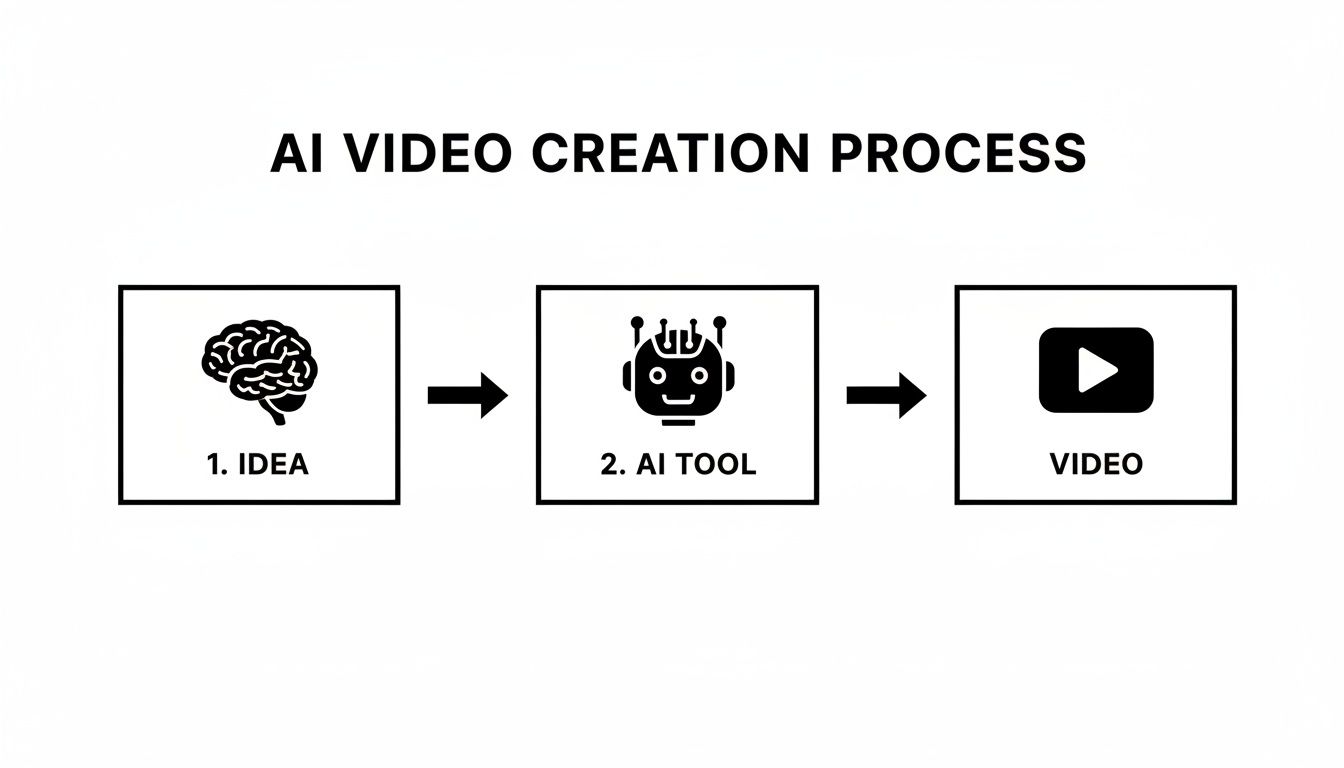
Notice how "The Idea" is the very first, foundational block? That's not an accident. The quality of your initial concept directly dictates what the AI can produce.
Pro Tip: Don't be afraid to storyboard your idea, even if it's just a few scribbled bullet points on a napkin. Map out the key visual moments and the lines of dialogue that go with them. This super simple exercise can reveal glaring holes in your story before you waste time and energy generating.
At the end of the day, this blueprint is your secret weapon. It ensures your AI-generated video isn't just a cool tech demo but a potent piece of communication crafted with a clear purpose. A few minutes of planning right now can be the difference between a video that gets scrolled past and one that gets shared everywhere.
Alright, you've got your master plan. Now for the fun part: actually making the thing. This is where you get to play director and bring your vision to life. We’re going to jump into a platform like SendFame and show you how to navigate it like a pro, turning that script into a video that gets people talking.
The first, and arguably most exciting, decision you'll make inside the tool is picking your talent. This isn't just about slapping a face on your script. You're choosing a personality, a vibe, and an instant connection point for your audience.
A dramatic monologue delivered by a legendary Hollywood icon feels completely different from a casual product shout-out by a current influencer, right? The right persona can make your video feel authentic, gut-bustingly funny, or seriously persuasive.
To get this right, just ask yourself a couple of quick questions:
What's the mood? Are you going for corporate and trustworthy or hilarious and off-the-wall? A wealth management firm will probably want a persona that exudes confidence, while a new energy drink brand should lean into someone with a high-energy, comedic reputation. Who are you talking to? Think about your audience. A message aimed at Gen Z will hit harder coming from a popular TikTok star. But if you’re trying to reach Gen X, a little ‘90s nostalgia with an actor from a classic sitcom could be pure gold. Does the star fit the script? The connection has to feel natural, or at least intentionally funny. Having a tough-guy action hero dramatically endorse a local coffee shop as his "daily rescue mission"? That works because the joke lands.
Platforms like SendFame lay out a whole roster of AI personas for you, so you can find the perfect match for your brand's voice without endless searching.
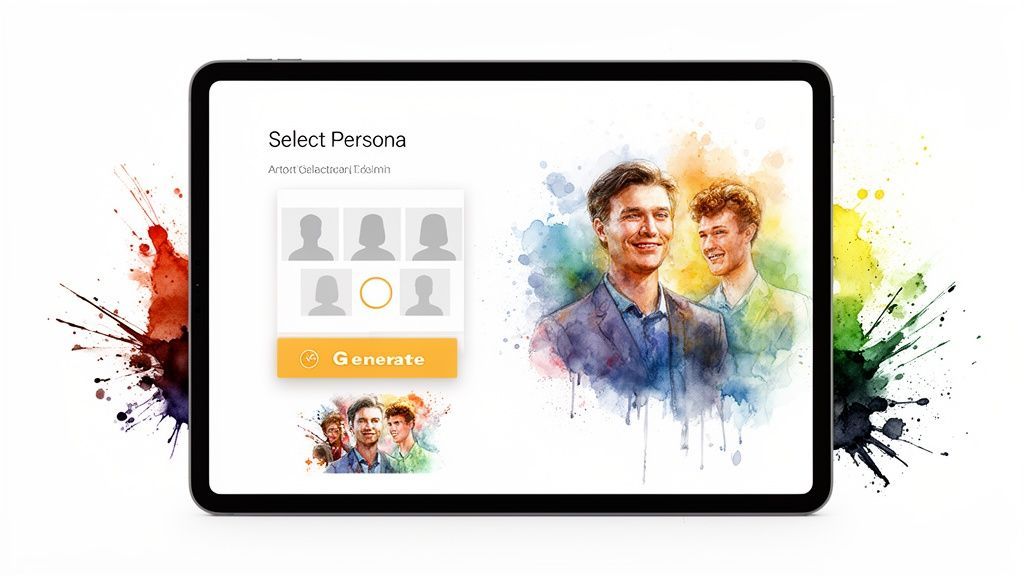
Seeing all the options laid out visually is a huge creativity booster. You can immediately start picturing how different personalities will deliver your lines.
Once you've cast your star, the process becomes ridiculously simple. This is the moment you hand over that script you worked so hard on. In a user-friendly tool, you’ll just see a text box. No confusing menus, no technical jargon—just a place to paste your words.
It really is as simple as it sounds: choose your talent, paste your script, and hit 'Go.' The AI handles all the heavy lifting—voice cloning, perfect lip-syncing, and rendering the final video. You get a finished product in minutes.
This "one-click" workflow is what makes this technology so incredible. It completely demolishes the old barriers of filming, audio recording, and editing. Your job is to focus on the creative, not the complicated. If you want to see this magic in action, playing around with an AI video generator like SendFame will show you just how smooth it is.
Beyond just putting a script to a face, the real power comes from more advanced features. One of the coolest tools in the shed is Image-to-Video. This lets you take any static image—a product shot, your company logo, a professional headshot—and bring it to life.
Imagine making a photo of your company's founder deliver a personal announcement. Or animating your brand's mascot to announce a flash sale. This is an absolute game-changer for social media, turning boring still images into scroll-stopping, dynamic content.
Feeling a little lost about which feature to use when? Don't worry. This little cheat sheet will help you pick the right tool for the job every time.
| Creative Goal | Best SendFame Tool | Ideal For | Pro Tip for Best Results |
|---|---|---|---|
| Personalized Message | AI Celebrity Video | Birthday wishes, sales outreach, shout-outs | Write the script in a casual, conversational tone to make it feel genuine. |
| Social Media Ad | Image-to-Video | Animating product shots, making logos talk | Start with a high-resolution image where the subject is clear and front-facing. |
| Brand Storytelling | AI Celebrity Video | Founder stories, company announcements | Match the celebrity's public persona with your brand's core values for authenticity. |
Getting the hang of these tools isn't about being a tech wizard. It’s all about knowing what you want to create and picking the right feature to get you there. When you combine a solid plan with the right AI talent, you can churn out amazing videos without any of the traditional production headaches.
Let's be real for a second: a video with bad audio is just a glorified GIF. The visuals might be stunning, but sound is what gives your creation a heartbeat. An otherwise amazing AI video can completely tank if you slap on some generic stock music or a voiceover that sounds like a bored GPS.
This is the part where you stop just making clips and start crafting an experience. We're about to dive deep into the audio world to make sure your project hooks people from the very first note.
This isn't about just finding a background track. It's about engineering an entire soundscape that makes your visuals pop.
Forget the soul-crushing experience of scrolling through royalty-free music libraries for hours, only to settle for a track that’s just "good enough." With tools like SendFame’s AI Music Generator, you get to play composer, even if you can't read a single note of music.
Need an epic, cinematic score for a dramatic product reveal? Done. How about a chill, lo-fi beat for a quick social media story? You can get exactly what you need in seconds.
Here’s how you can prompt for the perfect vibe:
For a high-energy promo: "Create an upbeat, motivational electronic track with a driving beat, perfect for a 30-second fitness ad. Think synth-pop and positive vibes." For a heartfelt message: "Generate a soft, ambient piano melody that feels hopeful and slightly nostalgic. Slow tempo, simple and clean." For a quirky explainer video: "I need a playful, ukulele-driven instrumental with a whimsical feel, like a charming indie film soundtrack."
The trick is to use descriptive, emotional words. The more detail you feed the AI about the mood, instruments, and tempo, the closer it’ll get to nailing the audio backdrop for your video. When you can create a whole song from a simple thought, you’re really learning how to create ai generated videos that feel one-of-a-kind. If you're ready to turn these ideas into full-blown productions, check out how an AI music video generator can bring it all together.
Alright, let's talk about voiceovers. Nobody wants to listen to a robot drone on and on. The secret to getting a natural, human-like delivery from an AI isn't buried in some complex setting—it’s all about how you write and punctuate your script. You have to be the director because the AI reads your text literally.
Punctuation is your best friend here. It's how you control pacing and emotion. A comma creates a slight breath. A period is a hard stop. An ellipsis (...) builds a little suspense, giving a thought a moment to land.
Pro Tip: Read your script out loud before feeding it to the AI. If it feels clunky or awkward for you to say, the AI is going to butcher it. Using contractions like "you're" and "it's" instantly makes the language feel more conversational and less stiff.
And it's no wonder this stuff matters so much. AI video tools are exploding among social media creators. In fact, the social media application segment is projected to grow at a blistering 23.5% CAGR. Why? Because platforms like TikTok and Instagram have an insatiable appetite for high-volume, attention-grabbing videos. You can learn more about the rise of AI video generators in the social media space.
Mastering the audio is your secret weapon. It’s what makes your content stand out and feel authentic in a sea of look-alike posts.
Alright, you've done the heavy lifting. You’ve wrestled with prompts to get the perfect visuals and cooked up a soundtrack that slaps. Now it's time for the final assembly—the part where all your raw ingredients become a polished, professional-looking video.
This is where you transform a cool AI experiment into something truly captivating, ready to grab eyeballs and not let go.
Don't sweat it if you're not a seasoned video editor. You don't need a degree from film school or a beefy Hollywood editing suite. Basic, user-friendly software is all you need to stick the landing. The main goal here is simple: trim any clunky bits left over from the AI, add some smooth transitions to tie everything together, and layer on text that makes your message pop.
Before you slam that export button, give your creation one last look-over. It’s wild what a fresh pair of eyes can catch.
Pacing and Rhythm: Does the video have a good groove? Or are there moments that feel like they’re dragging their feet? Snip out a few frames here and there to tighten the timing and keep things snappy. Visual Consistency: If you’re stitching together a few different AI-generated clips, make sure they look like they belong in the same universe. A sudden, jarring shift in style or color can instantly pull a viewer out of the moment. Audio Balance: Is the background music completely drowning out your voiceover? You’ve got to check the mix. A quick listen on your phone (where most people will watch it anyway) will tell you if your audio is clean and balanced.
This little quality control step can be the difference between a video that screams "amateur" and one that looks slick and pro. It’s a tiny bit of effort for a massive payoff in perceived quality.
Your goal is to make the technology invisible. A great AI-generated video doesn't feel like it was made by an AI; it feels like a compelling piece of content, period. The final edit is where you sand down the rough edges to achieve that seamless feel.
One of the biggest blunders I see people make is exporting a single, one-size-fits-all video and blasting it everywhere. What crushes it on YouTube will die a slow death on TikTok.
You have to tailor your export settings for each platform. It's non-negotiable. This is where all your hard work pays off and you actually start seeing results.
The whole point of learning how to create AI generated videos is to connect with people, and that means meeting them on their turf, in the format they expect. Think about it: content creation dominates the AI video generator market, making up a whopping 55-60% of its volume, all thanks to the insatiable hunger for social media content. Creators who get this final step right see engagement that can be 4x higher than static posts, all while slashing production costs by as much as 70%. You can dive deeper into these trends in this in-depth industry analysis from Grand View Research.
So, let's get it right. Here are the must-know export settings:
| Platform | Best Aspect Ratio | Recommended Resolution | Why It Matters |
|---|---|---|---|
| TikTok & Instagram Reels | 9:16 (Vertical) | 1080x1920p | This is non-negotiable. It fills the entire phone screen, creating an immersive, full-screen experience that stops the endless scroll. |
| YouTube Shorts | 9:16 (Vertical) | 1080x1920p | Same deal as TikTok and Reels. YouTube built its short-form player for vertical video, so give the people what they want. |
| YouTube (Standard) | 16:9 (Horizontal) | 1080p or 4K | Here’s where the classic widescreen format still reigns supreme. It’s perfect for longer videos watched on desktops, laptops, and TVs. |
Nailing these settings ensures your video looks crisp, sounds fantastic, and is framed perfectly to snatch attention on any feed. This final polish is what turns a good idea into a viral hit.
Alright, let's get into the nitty-gritty. You're diving into AI video, and naturally, you've got questions. It’s a wild new world, and we're all figuring it out as we go. So, let’s tackle some of the biggest questions I hear from creators just like you.
Yes! And you absolutely should. This isn't just a fun toy; it's a game-changer for businesses. We're seeing companies use tools like SendFame for everything from snappy social media ads and product demos to internal training videos and ridiculously personalized messages for clients.
The key thing to check is that the platform you're using gives you full commercial rights. SendFame was built for this exact purpose—to let marketers and entrepreneurs pump out high-quality promotional content without the eye-watering cost of traditional production. Just give the terms of service a quick glance on any tool you use, but the general idea is that what you create is yours to use.
Think about it: you can test dozens of ad creatives, launch new campaigns, and react to market trends with a speed that used to be impossible. That's a serious edge.
This is the million-dollar question, isn't it? Getting that natural, human touch from an AI voice is part science, part art. The secret weapon is your script. You’re the director, and you have to give the AI actor its lines and its motivation. If you want a deep dive on this, our guide on AI voice actors is a goldmine of tips.
Here’s my go-to process for coaxing a more human performance out of the machine:
Write Like a Real Person Talks: Ditch the formal jargon. Use contractions like "you're" and "it's." This one tiny change immediately makes a script feel less stiff and more conversational. Use Punctuation as Your Pacing Guide: Punctuation is everything. A comma is a little breath. A period is a full stop. An ellipsis (...) can add a thoughtful pause. Play with it! Chop Up Your Sentences: Long, rambling sentences are the fastest way to get a clunky, robotic delivery. Break down your ideas into shorter, punchier sentences. It helps the AI find a natural rhythm. Don't Be Afraid to Experiment: Your first take is rarely your best. Generate a few versions. Sometimes just rewording a phrase or swapping out a single word completely changes the inflection and brings the whole thing to life.
Think of yourself as a voice director. Your script isn't just text; it's a set of instructions. The more guidance you provide through conversational writing and smart punctuation, the more alive the final audio will sound.
Learning what not to do is just as important as learning the right steps. I see the same few slip-ups over and over, and avoiding them will put you way ahead of the curve.
The first rookie mistake is a lazy, generic prompt. The video you get out is a direct result of the effort you put in. Be specific. Be descriptive. Give the AI context.
Bad Prompt: "Make a video about coffee." Great Prompt: "Create an upbeat, energetic 15-second video for Instagram Reels showing a celebrity persona enthusiastically recommending our new vanilla latte."
The second pitfall is bad audio. You can have the most visually stunning video in the world, but if the music is cheesy or the voiceover is muffled, you’ve lost your audience. Use a high-quality music track that fits the mood (like one from SendFame's AI Music Generator) and make sure your voiceover is crisp. Sound is 50% of the experience.
Finally, people constantly forget where the video is going to live. A widescreen video is going to look terrible in a TikTok feed. A low-res clip will scream "amateur" on your website. Always build your video for its final destination. And speaking of platforms, a lot of people are asking can AI truly drive Instagram growth? Well, optimizing your content for the platform is the first, most critical step.
Nail these three things—a strong prompt, great audio, and the right format—and you'll be creating pro-level AI videos in no time.
Ready to stop wondering and start creating? With SendFame, you have all the tools you need to generate incredible AI videos, music, and celebrity messages in seconds. Join over 200,000 creators and bring your most ambitious ideas to life today.
Create Epic

SendFame

Create Epic with SendFame!
Questions: info@sendfame.com