How to Create AI Generated Videos That Go Viral
how to create ai generated videos
Welcome offer — 56% OFF


Discover how to turn image into video AI with our expert guide. Animate static photos into stunning, dynamic videos that capture attention on any platform.
Ever seen a photo on your feed that suddenly... moves? It's not magic, but it might as well be. We're talking about turning a totally flat, static image into a short, captivating video with just a few clicks. With tools like SendFame, you can simply describe the motion you want and transform a photo into a dynamic video in seconds. This isn't some clunky, complicated animation process—it's your new one-click secret weapon for social media.
Let’s be honest, the social media landscape is crowded. Getting someone to stop scrolling is half the battle. That's where the ability to turn an image into a video with AI changes the game. It’s more than just a neat party trick; it's a fundamental shift in how we can create content that genuinely grabs attention and sticks in people's minds.
Forget about needing a film crew or wrestling with expensive, complicated software. The real secret weapon is using smart AI image to video tools to hook your audience without any technical headaches. Platforms like SendFame are opening up this technology for everyone, whether you're a marketer trying to make a product pop or a creator aiming to tell a more immersive story.
The hunger for video content is off the charts, and the numbers don't lie. The global AI video market isn't just growing; it's exploding. Valued at a massive USD 11.2 billion, it's projected to skyrocket to USD 246.03 billion by 2034. That's fueled by a wild compound annual growth rate (CAGR) of 36.2%. You can dive deeper into the data in this insightful AI video market report.
So, what’s driving this incredible boom? It's all about simple, powerful features that let anyone become a video creator. The possibilities are endless:
Marketers: Animate that boring product shot and turn it into a thumb-stopping ad. Influencers: Make the waves crash in your latest beach photo for a killer Instagram Reel. Artists: Add a subtle flicker of light to a digital painting to give it an entirely new dimension.
The big idea here is simple but incredibly effective: you’re not just showing people a moment, you're making them feel it. That’s how you stop the scroll for good.
Let's break down why this is such a big deal. For years, our digital world has been dominated by flat, lifeless images. But now, with a user-friendly image to video maker online, you can inject a whole new layer of storytelling into your visuals. Think about animating a portrait to capture a fleeting smile or making the clouds in a landscape photo drift lazily across the sky.
This simple shift turns a passive viewing experience into an active, engaging one. You’re not just making a video; you're breathing life back into a moment that was once frozen in time. That makes your content far more engaging, shareable, and, most importantly, memorable.
This technology isn't just for a niche group of tech enthusiasts; it's a practical tool with broad applications. Here's a quick look at how different people can benefit.
| User Type | Primary Goal | How Image to Video AI Helps |
|---|---|---|
| Small Business Owner | Increase ad engagement | Turns static product shots into eye-catching video ads for social media without a big budget. |
| Social Media Manager | Boost feed interactivity | Creates unique, scroll-stopping content from existing image assets to improve reach and shares. |
| Digital Artist | Showcase artwork dynamically | Adds subtle motion to illustrations or paintings, bringing them to life and highlighting details. |
| Real Estate Agent | Make listings stand out | Animates property photos (e.g., swaying trees, rippling pool) to create more immersive virtual tours. |
| Travel Blogger | Tell a better story | Transforms a beautiful landscape photo into a living scene, making followers feel like they're there. |
As you can see, the core benefit is the same across the board: turning something static into something dynamic to capture attention and tell a more compelling story. It’s an easy win for anyone looking to make a bigger impact online.
Alright, enough theory. Let's get our hands dirty and make some magic. I’m going to walk you through how to turn an image into a video with AI and get your first mind-blowing clip faster than you can make a cup of coffee. Seriously. The whole process is designed to be ridiculously simple, getting you from a flat photo to a living, breathing video without hitting any creative walls.
It all starts with picking the right image. Think of it as casting the star of your movie—the better your lead, the more incredible the final performance.
Let’s be real: not all images are created equal, especially when you're feeding them to an AI. To get those jaw-dropping results, you need a photo with a clear, well-defined subject. Portraits, clean product shots, or landscapes with a strong focal point are gold. Why? A simple, uncluttered background lets the AI know exactly where to focus its animation wizardry without getting sidetracked.
This little diagram sums up the entire concept perfectly.
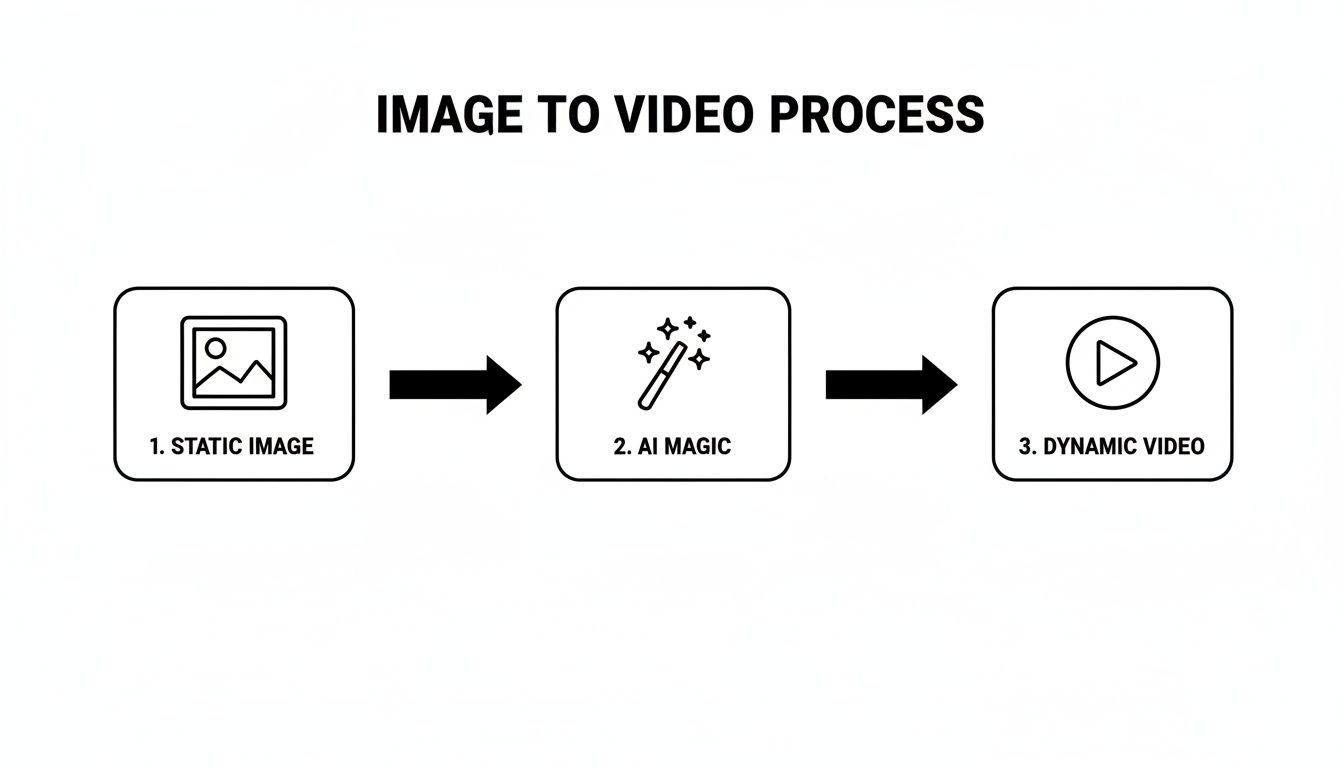
See? That "AI Magic" box is doing all the heavy lifting. Your only job is to give it a fantastic starting point.
Once you’ve chosen your star image, it's time to head to the studio. Your first step on any platform is usually getting your assets uploaded, like with saucial's upload feature. In SendFame, it’s just as easy.
You’ll notice the layout is clean and doesn't throw a million buttons at you. It’s built to be intuitive, guiding you right to the good stuff. The main dashboard is your command center, with all the creation tools right where you’d expect them to be.
My two cents: A great creative tool doesn't bury you in options. It gets out of your way and lets you create. Simplicity is your best friend, especially when you're just starting.
Find the "Image-to-Video" feature—that's your launchpad. Clicking it opens up the workspace where your vision starts taking shape. If you ever feel like you need a deeper dive on the tools, our guide to https://sendfame.com/blog/create-video-from-image-ai has some extra tricks up its sleeve.
Okay, image uploaded. You’re literally just a few clicks away from the fun part. The first, and arguably most important, decision you'll make for social media is the aspect ratio. Are you aiming for a vertical video for TikTok or a classic square for your Instagram feed? SendFame has presets for all the big ones.
9:16 (Vertical): Your go-to for Instagram Reels, TikTok, and YouTube Shorts. 1:1 (Square): The classic, perfect for Instagram and Facebook grid posts. 16:9 (Horizontal): The choice for widescreen, think YouTube videos or website banners.
Nailing the aspect ratio from the start makes your final video look polished and professional wherever you post it. Once that's locked in, you're ready to tell the AI what to do. This is where you get to be the director, and we’ll jump into mastering those motion prompts next.
Alright, you've got your image uploaded. Now for the fun part—this is where you get to play director and tell the AI exactly how you want your picture brought to life. The instructions you give, your prompt, are the difference between a cool little animation and something that genuinely stops people mid-scroll.
Forget vague commands like "make it move." If you want stunning results when you turn an image into a video, you've got to think like a filmmaker. You're not just asking for motion; you're setting a mood, dictating a camera move, and defining the energy of the whole scene.
Think of the AI as a brilliant animator who takes everything you say very literally. It has no imagination of its own, so it hangs on your every word. This means being specific is your superpower.
Look at the difference here:
Generic Prompt: "Make the car move." Actionable Prompt: "A slow, dramatic zoom-in on the front grille of the red sports car, with lens flare glinting off the chrome."
See? The second prompt paints a complete picture. It gives the AI specifics to work with—the speed ("slow"), the emotion ("dramatic"), the camera movement ("zoom-in"), and even the lighting ("lens flare"). That's how you get those slick, professional-looking results.
A great prompt doesn't just describe what should happen; it describes how it should feel. Are you going for a dreamy, floating sensation or a high-energy, fast-paced jolt? Just say so.
Let's get into the weeds of a killer motion prompt. Your job is to mix and match these core elements to cook up the perfect recipe for your animation.
| Prompt Element | Description | Example |
|---|---|---|
| Direction | Specifies the path of the camera or subject. | pan from left to right, tilt upwards, spiral outwards |
| Speed & Intensity | Sets the pace and energy of the movement. | a gentle, slow drift, a fast, energetic zoom, a subtle shimmer |
| Subject Focus | Tells the AI what part of the image to animate. | focus on the woman's face, animate the clouds, make the water ripple |
When you start combining these, you create some seriously powerful instructions. For example, "A gentle, slow drift upwards, focusing on the mountain peak as clouds swirl around it" is worlds better than just "move the mountain." Getting this right is a game-changer, and if you want to dive deeper into the world of AI creativity, it’s worth learning more about how to make AI generated art.
Motion is just one piece of the puzzle. SendFame also gives you a whole library of style presets that act like cinematic filters for your animation. Think of them as one-click shortcuts to a specific vibe—maybe a vintage film look, a futuristic neon glow, or even a dreamy watercolor effect.
The real pro move is to combine your custom motion prompt with a style preset. Try pairing "a fast, energetic zoom on the subject" with a "Glitch" style for an edgy ad. Or combine "a slow, dreamy pan from left to right" with a "Vintage Film" preset to create that perfect, nostalgic storybook feeling.
This kind of creative fusion is blowing up. The AI image generator market, already valued at USD 1.8 billion, is expected to skyrocket to USD 22.66 billion by 2032. Add video to the mix, and the numbers get even crazier. A static image turned into a video sees 5x higher engagement on YouTube, and a whopping 80% of viewers say they prefer dynamic clips. This is where mastering prompts and styles gives you a serious edge in a crowded space. You can find more details on these generative AI market findings if you're curious.
You’ve wrestled with the prompt and coaxed the AI into creating a fantastic animation. High-five! But we're not done yet. Now comes the part where we sprinkle on the magic dust—the motion and audio that transform a cool clip into something truly memorable.
An image that moves is one thing. But an image that moves with intention and is paired with the perfect soundscape? That's when you create something that feels truly alive.
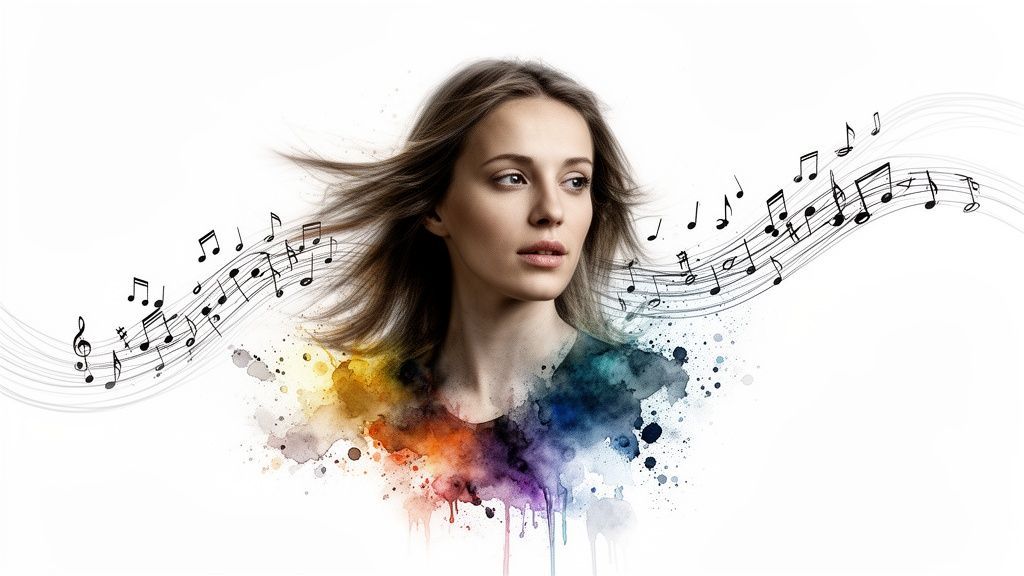
Let’s get into the director’s chair. Inside a tool like SendFame, you get granular control over the speed and intensity of the animation. This isn't a one-size-fits-all situation. Want a slow, meditative drift for a peaceful nature scene? You can do that. Need a sharp, energetic zoom for a product reveal that stops the scroll? Just crank up the settings. You're in complete control of the vibe.
The real art is matching the motion to the mood. A slow, almost imperceptible zoom can build a feeling of suspense or draw the viewer into an intimate moment. On the other hand, a quick pan can inject a shot of pure energy. My advice? Play around. Seriously, some of the most compelling results I've seen have come from unexpected motion choices.
To get you started, think about the story you're telling with the movement.
Not all motion is created equal. The effect you choose can dramatically change how your audience perceives the video. Here’s a quick rundown of a few styles and where they shine.
| Motion Style | Description | Best For (Example Use Case) |
|---|---|---|
| The Slow Drift | A gentle, almost lazy camera movement. Think floating or gliding. | Creating dreamy, atmospheric scenes, like clouds rolling over a mountain or a slow pan across a fantasy landscape. |
| The Energetic Jolt | A fast zoom, a whip pan, or a sudden push-in. It's designed to be noticed. | Grabbing instant attention on social media. Perfect for a sale announcement or highlighting a key feature on a product. |
| The Gentle Ripple | A subtle, organic shimmer or warp effect. | Adding a touch of life to static elements, like making a reflection in a puddle shimmer or a flag gently wave. |
Ultimately, the goal is to find a motion that feels right for the image. The best movement often goes unnoticed consciously but is absolutely felt by the viewer. It’s there to support the story, not steal the show.
Okay, let's talk audio. The right sound can be the difference between a nice visual and a full-blown emotional experience. SendFame's AI Music Generator is a fantastic tool for this. You can literally just tell it the vibe you're after—"epic cinematic score," "upbeat lo-fi beat," or "calm acoustic melody"—and it will whip up a custom track for you. It's ridiculously handy.
If you already have the perfect track, you can of course upload your own music.
The real pro move is to sync your visual motion to the beats and swells of the audio. Time that big zoom-in to land right on the beat drop. Match a slow, graceful pan to a rising string section. When you choreograph the visuals and audio to dance together, you create a cohesive piece that pulls your viewer in and holds them there.
Want to take it even further? Think about adding a narrative. Combining a voiceover with your animated image and custom score is how you go from making content that gets seen to making content that gets felt. If you're curious, you can learn more about how AI voice actors are making it easier than ever to add professional-sounding narration to your projects.
Alright, enough of the technical stuff. Let's see what happens when the rubber meets the road. The best way to really get the power of AI animation is to see it in action, solving real problems and making incredible content for real people. Time to move from theory to reality and look at how creators and businesses are using this tech to completely change their game.
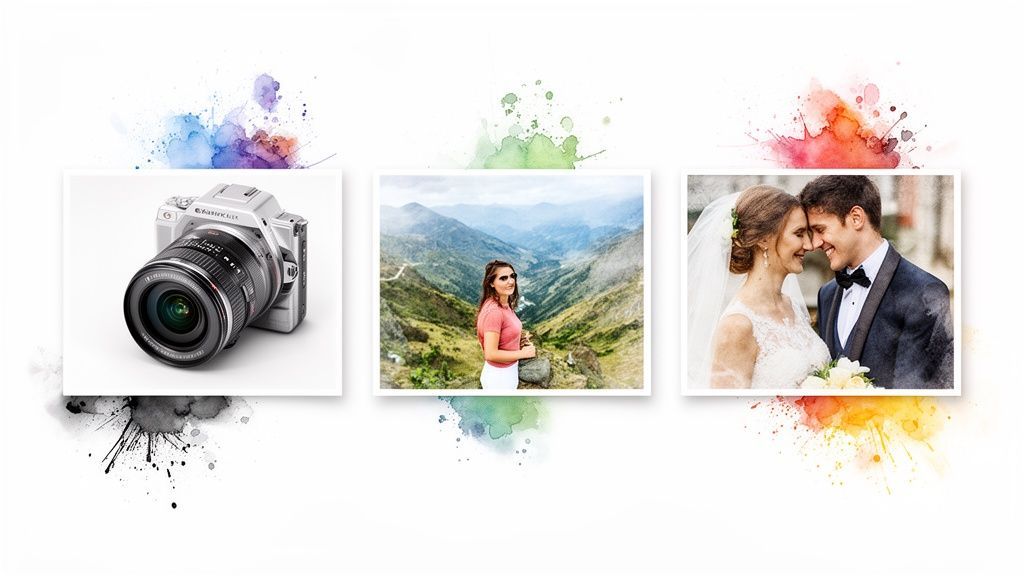
These examples aren't just hypotheticals; they're grounded in the exact kind of creative thinking that helps you stand out. Each one started with a simple, static image and a clear goal.
Picture this: a small e-commerce brand selling handcrafted coffee mugs had a classic problem. Their product photos were clean and professional, but they were also getting lost in a sea of lookalike ads. They needed to make their mugs pop, but a big video production budget was out of the question.
Using the ability to turn an image into a video with AI, they took a high-quality photo of their best-selling mug. The goal was simple but effective: make the coffee inside look irresistibly alive.
Original Image: A slick, top-down shot of a dark ceramic mug filled with black coffee. Creative Prompt: "Make steam gently rise and swirl from the coffee in the mug. Add a subtle, slow zoom-in on the mug's texture." The Result: A mesmerizing, 5-second clip that just felt warm and cozy. It immediately drew the eye, making the product feel tangible. They ran it as an Instagram Story ad and watched their click-through rate jump by over 20% compared to their old static image ads.
This approach is becoming a lifeline for small businesses. In fact, small and medium enterprises (SMEs) are the fastest-growing segment in the AI video market, with a projected 21.1% CAGR. Affordable tools make it possible to create dynamic content from static images, turning product shots into mini-stories that can boost viewer retention by 40%. You can dive deeper into the growth of AI video generators in this market analysis.
Here's another one. A wedding photographer wanted to offer her clients something truly unique as part of her premium package. She decided to go beyond simple prints and deliver a digital keepsake that would bring a key moment to life.
She chose a stunning portrait of the newly married couple standing in a field at sunset. Her goal? To add a touch of romance and magic to an already beautiful photo.
Original Image: A wide shot of the couple holding hands, backlit by the golden hour sun. Creative Prompt: "Make the tall grass gently sway in the wind. Add a soft, golden lens flare that slowly pulses from the sun. Animate tiny dust motes sparkling in the air."
The final video was breathtaking. It transformed a beautiful memory into a living one, and the clients were absolutely blown away. It’s now a standard—and much-loved—part of her top-tier offering.
This just goes to show that the application extends far beyond marketing. It’s about adding an emotional layer to visual storytelling, making moments more impactful and memorable for anyone who sees them.
Diving into any new creative tool is going to bring up some questions. It's totally normal. When it comes to making a still photo move and groove with AI, you're definitely not the first to wonder about the little details. So, let's tackle the big ones I hear all the time.
You’ll get the most jaw-dropping results from high-resolution images where the main subject is crystal clear. Think portraits, clean product shots, or landscapes with a really obvious focal point. Those are fantastic starting points.
While the AI is pretty darn clever, it can sometimes get tripped up by super cluttered or "busy" backgrounds. If you want a killer result right out of the gate, stick with an image that has one, well-defined hero element.
Most of the clips you'll generate are perfectly snackable, usually landing somewhere between 3 and 15 seconds. This is the magic number for grabbing (and keeping) attention on social media.
It's less about making a full-length movie and more about creating what I like to call a "living photo." You're animating a single, powerful moment. It's ideal for Instagram Reels, TikToks, or as a little visual spice in a bigger video project.
Don't think of this as making a feature film from one picture. The real power is in turning a static moment into a thumb-stopping, dynamic micro-story that hooks people instantly.
Yes, one hundred percent! This is where tools like SendFame really shine. When you create a video on their platform, you typically own the rights to use that content commercially.
This cracks open a whole new world for marketers, small business owners, and creators. Suddenly you can pump out unique ads, eye-catching promos, and social media gold without getting bogged down in confusing (and expensive) stock video licensing. Of course, always give the terms of service a quick glance, but these platforms are built for business.
Not even a little bit. If you’re picturing a steep learning curve with a bunch of confusing tech, you can relax. The whole point of these new AI tools is to make things incredibly simple.
Seriously, the process couldn't be easier:
Pick a Picture: Just grab one you like. Tell It What to Do: Write a quick, simple sentence describing the motion. Hit 'Generate': And watch the magic happen.
You don't need any video editing experience or a computer science degree to make something amazing. It’s all about your idea, not your technical chops.
Ready to stop wondering and start creating? With SendFame, you can literally bring your photos to life in a few clicks. Turn your best images into mesmerizing videos and see what happens to your engagement. Give it a try for free today at SendFame.
Create Epic

SendFame

Create Epic with SendFame!
Questions: info@sendfame.com