The Top 12 AI Tools for Social Media Marketing in 2025

ai tools for social media marketing
Welcome offer — 56% OFF


Turn static images into engaging videos with our guide to using an image to video maker online. Learn how to create scroll-stopping content in minutes.
Let's be honest, in a world dominated by Reels and TikToks, a simple photo gallery just doesn't cut it anymore. It feels… well, a little ancient. Video is the undisputed king of grabbing and holding attention, which is why turning your static images into dynamic videos isn't just a cool trick; it's a must-do strategy for making an impact.
Think about it. An e-commerce brand can take a handful of product shots and, with a few clicks, create a slick, scroll-stopping social media ad. Suddenly, those static items have motion, energy, and a compelling narrative that a single image could never quite capture.
The same goes for your personal photos. That forgotten folder of vacation pictures? It can become an exciting travel montage that your friends and family will actually watch all the way through.
Adding a bit of motion and a killer soundtrack is what bridges the gap between a picture and a story. It injects emotion into your visuals, creating a far more memorable experience. A great example of this is creating personalized video messages for children, where transforming a static photo into a dynamic video creates genuine magic and lasting joy.
The big idea is simple: moving visuals tell better stories. A picture shows a moment, but a video recreates the feeling of that moment.
This isn't just a passing fad. The demand for this kind of content is exploding. The AI video generation market was valued at a cool USD 0.43 billion in 2024 and is expected to skyrocket to USD 2.34 billion by 2030. This growth is all thanks to tools that can turn still images into animated clips, giving everyone a ridiculously fast alternative to traditional video production.
This shift is a fundamental change in how we communicate visually. For a deeper dive into the tech and trends, check out our complete guide on using an image to video AI.
Platforms like SendFame are leading the charge, putting this powerful technology right at your fingertips.
As you can see, the interface is designed to be incredibly straightforward, inviting you to jump right in and start creating. The barrier between your idea and a finished video has pretty much disappeared.
Alright, enough talk. Let’s roll up our sleeves and actually make something cool. This is where the magic happens. Using an image to video maker online like SendFame is genuinely fun—it’s like being a director, turning a simple folder of photos into a story that actually moves people.
To show you how easy this is, we're going to create a classic "Year in Review" video. It's the perfect project to get started.
First up, you need your ingredients. Go round up your best photos from the year. For my "Year in Review," I grabbed a silly New Year's selfie, a killer sunset shot from a summer vacation, a cozy holiday photo, and a handful of other random, happy moments. The first real step is just dragging and dropping all of them right into the SendFame timeline. Seriously, that's it.
Okay, your photos are in the timeline, but probably in a jumbled mess. Don't just leave them like that! The order you place them in is your story. Think like a filmmaker. You need a great opening scene. I'm putting that stunning summer sunset right at the beginning to grab attention immediately. Then, I’ll follow it up with the quieter, more personal shots.
The goal here is to transform a pile of pictures into a narrative with motion and feeling.
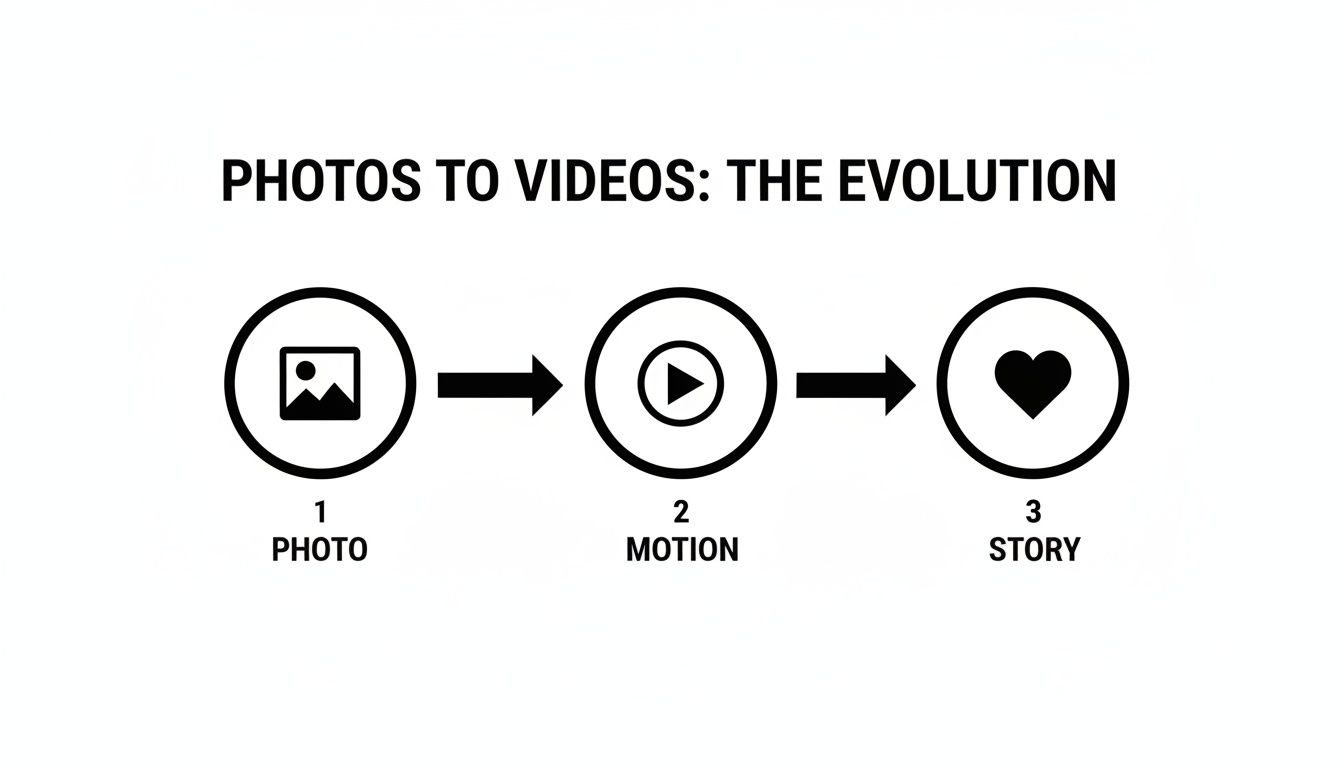
This little graphic nails it. You're not just animating photos; you're building a story that makes your audience feel something.
Now, let's smooth things out. Transitions are what connect your scenes. A hard cut from a sunny beach to a snowy Christmas can be jarring. Instead, try a simple fade or a clean slide effect. It's these tiny details that make your video look polished and professional, not like a clunky slideshow.
A silent video is a boring video. Music is what gives your creation its soul. I jumped into SendFame's audio library and found the perfect track for our "Year in Review"—something upbeat and a little bit nostalgic. A good soundtrack can boost how long people watch by over 20%, so don't skip this part!
Next, a little text can go a long way. I'm adding simple overlays like "January Fun" and "Summer Escapes" to give the viewer some context. Just keep the text short, sweet, and easy to read.
Pro Tip: Your images should be the star of the show. Don’t drown them in text. A few carefully placed words are way more powerful than a constant stream of captions. Let the pictures tell the story.
To give you a bird's-eye view, here are the tools within SendFame you'll be using to work this magic.
This table is a quick cheat sheet for the essential tools that turn your photos into a masterpiece.
| Feature | What It Does | Pro Tip for Maximum Impact |
|---|---|---|
| Drag & Drop Timeline | Your main workspace. This is where you arrange your photos in sequence. | Start with your most visually stunning image to hook viewers in the first 3 seconds. |
| Transitions Library | Provides effects like fades, slides, and wipes to connect your images. | Use a consistent transition style throughout the video for a clean, professional look. |
| Text Overlays | Lets you add titles, captions, or other text directly onto your video. | Match your font style and color to the mood of the video. Playful font for fun, elegant for formal. |
| Royalty-Free Music | A built-in library of music tracks you can add to your video's background. | Listen to a few tracks against your visuals. The right song enhances emotion, the wrong one kills it. |
Mastering these features is all it takes to go from a beginner to someone who can confidently crank out awesome videos.
Once you get the hang of turning images into compelling videos, you might want to dig deeper. There's a whole world of the best video editing software out there for when you're ready for more complex projects. But for speed and simplicity, nothing beats a great online tool.
And if you want to see what else is possible, check out our full guide on the SendFame https://sendfame.com/ai-video-generator. That's where things get really interesting.
Now, go ahead and hit that preview button. It's time to watch your story come to life.
Okay, stringing a few photos together is one thing. But creating a video that genuinely feels like your brand? That’s where the magic happens. This is the part where we go beyond the nuts and bolts and start injecting some real personality. Using an image to video maker online isn't about churning out cookie-cutter content; it’s a shortcut to the fun stuff—the customization.
Let's say you run a boutique coffee shop and want to whip up a quick promo for your new seasonal latte. You need that video to ooze cozy vibes and your shop's unique aesthetic, not look like a generic template.
This is your cue to jump into SendFame's toolkit. You can dial in your brand's exact hex codes for the color palette, pop your logo in the corner as a subtle watermark, and pick a font that matches the one on your menus. It’s these little details that build a cohesive and recognizable brand.
Think of the music as the video's soul. Getting this right is crucial. An upbeat, poppy track could be perfect for a flash sale announcement, building a sense of excitement and urgency.
But if you're creating a heartfelt video celebrating your team's anniversary? That same track would be a total mood-killer. You'd want something more like a warm, acoustic tune to really tug at the heartstrings and match the sentimental photos.
Pro Tip: Don't just slap any track on there. The music needs to elevate the story. Before you choose, ask yourself, "How do I want people to feel when they watch this?" That's your guide.
And it's not just us saying this—the demand for quick, polished video is exploding. Data shows that a whopping 85% of marketers plan to use more video this year. A huge chunk of them are already using AI tools to make it happen faster. You can dig into more of these fascinating video marketing statistics to see just how big the trend is.
Finally, let's talk about timing. How long each photo appears on screen completely changes the video's vibe.
Fast and Punchy: Want to create a high-energy reel for Instagram? Use quick cuts, showing each image for just a second or two. This creates a dynamic, exciting pace that's perfect for grabbing attention. Slow and Meaningful: If you're telling a more emotional story, let key photos linger for five or six seconds. This gives your audience a moment to really connect with the image and absorb its details.
For an extra layer of polish, a well-placed voiceover can tie everything together. You can easily guide your viewers through the story you're telling. Our guide on using AI text to speech tools shows you just how simple it is to add that professional touch.
Alright, so you’ve got a slick-looking video. Awesome. But now for the real challenge: how do you keep it from getting lost in the endless sea of content people mindlessly scroll through every day?
It’s a dog-eat-dog world on social feeds, but trust me, a few clever moves can make your video the one that stops the thumb. The secret isn't some ridiculously complex editing software. It’s all about adding simple, deliberate motion that catches the human eye—something a good image to video maker online was built to do.
Let's start with a classic trick that never gets old: the 'Ken Burns effect.' You know the one—that slow, graceful pan and zoom across a still photo. It might sound almost too simple, but its impact is huge. This tiny bit of movement turns a boring, static image into a scene with depth and energy.
Think about it. Apply it to a landscape shot, and suddenly it feels like you're gliding over the scenery. Use it on a portrait, and it draws the viewer in, creating a sense of connection. That subtle motion is often the only hook you need.
You've got about three seconds. That's it. Three seconds to convince someone not to flick their thumb and scroll on. To win that battle, you need a visual hook that lands like a knockout punch.
This means you have to lead with your absolute best, most captivating image right from the get-go. Making a travel video? Don't start with the shot of your luggage. Start with that jaw-dropping sunset over the mountains. That initial burst of color and drama is what earns you their attention.
A video’s success is often decided in the first few frames. Make them count. A strong opening doesn't just attract viewers; it sets the tone for the entire story you're about to tell.
Finally, let's talk about a rookie mistake I see all the time: using the wrong format. A video that looks amazing on YouTube will get awkwardly cropped and look terrible as an Instagram Story. You have to play by the rules of each platform.
Here's a quick cheat sheet:
Instagram Stories & TikTok (9:16): Full-screen vertical is non-negotiable here. Instagram Feed & Facebook (4:5 or 1:1): Go with a square or slightly taller format. YouTube & LinkedIn (16:9): Stick to the traditional widescreen format for these professional platforms.
And don't forget this massive stat: up to 85% of videos on social media are watched on mute. Always, always add captions. It’s not just about accessibility; it's about making sure your message actually gets across when there's no sound.
Mastering these basics is a game-changer. But if you're ready to go from good to great, our guide on how to create viral content is packed with next-level strategies.
You’ve done it. You took a handful of still photos and breathed life into them, creating a dynamic video that tells a real story. Now for the fun part—getting it in front of people.
When you’re ready to wrap things up in an image to video maker online like SendFame, you'll hit that "Export" button. Don't let the technical-sounding options throw you off; they're actually pretty straightforward. Think of it like picking the right outfit for an event. A tuxedo is great, but not for a beach party. Same logic applies here.
So what's the deal with 720p, 1080p, and 4K? It’s all about how sharp and clear your video looks. Let’s break it down, no jargon allowed.
720p (HD): This is your reliable, all-purpose option. It looks perfectly fine on most screens, loads quickly, and won't clog up someone's inbox. It's a great choice for quick email shares or when you know people will be watching on a spotty connection. 1080p (Full HD): Here's the sweet spot for almost all social media. It looks crisp and professional on everything from a phone to a laptop, but the file size won't make you want to pull your hair out while it uploads. 4K (Ultra HD): This is the big kahuna. Go for 4K when you need jaw-dropping detail for a big screen—think a high-end YouTube channel, a professional portfolio, or a presentation on a massive monitor. Just be warned: the files are huge.
Honestly, 1080p is your best friend for 99% of what you'll do online. It’s the perfect blend of amazing quality and a file size that plays nice with social media algorithms and your audience's patience.
Once your video is finished rendering, you’ve got a couple of choices. You can download the MP4 file right to your computer or share it directly to your social channels from SendFame itself.
Downloading gives you total control. You can upload it to your website, pop it into a presentation, or embed it in your next email newsletter. The direct sharing feature, on the other hand, is a fantastic time-saver when you know its final destination is Instagram, Facebook, or TikTok.
The whole creator economy is exploding, and tools like this are a huge reason why. In fact, the market for AI-powered creative tools is set to be worth billions by the mid-2020s. You can read more about the growth of the AI photo maker market to get a sense of just how massive this trend has become.
Diving into video creation for the first time? It's totally normal to have a few questions. Let's clear up some of the common things people wonder about when they start turning their images into videos online.
Heck no! That’s the whole beauty of tools like this. Modern platforms, especially SendFame, are built for people who aren't professional editors. Think simple drag-and-drop actions and pre-made templates that do all the heavy lifting for you.
You can genuinely go from a folder of photos to a slick-looking video in a matter of minutes. No confusing timelines or tech jargon required.
This one's a biggie. For a video that looks sharp and professional, you need to start with high-resolution photos. Don’t skimp here.
Aim for images that are at least 1920x1080 pixels—that's your standard Full HD size.
Pro tip: Starting with crisp, clear images is the most critical step. It’s the difference between a video that looks polished and professional versus one that’s a blurry, pixelated mess, especially on bigger screens. Good stuff in, good stuff out.
A little bit of prep here makes a world of difference in your final product.
Absolutely. The right audio can make or break your video, and relying on generic library music isn't always the answer. Any decent online video maker will let you upload your own audio files.
This is a game-changer for a couple of reasons:
Your Brand's Vibe: Have a signature jingle or a song that perfectly captures your brand's personality? Use it! A Personal Voice: You can record and add your own voiceover to explain what's happening, tell a story, or just connect with your audience on a more human level.
It’s your story, after all. You should get to control how it sounds.
Ready to stop wondering and start creating? Grab your best photos and see what you can build. With SendFame, you can create a video that actually gets people to stop scrolling in just a few minutes. Jump in and start creating for free!
Create Epic

SendFame

Create Epic with SendFame!
Questions: info@sendfame.com