Your Guide to the Best Image to Video Maker Online
image to video maker online
Welcome offer — 56% OFF


Learn how to create videos with AI and transform your ideas into stunning content in minutes. This guide breaks down the simple workflow you need to know.
Making a video with AI is a surprisingly straightforward dance: you give the AI a script or an idea, it whips up the visuals and a voiceover, and then you swoop in to add your own branding and final touches. Seriously, tools like SendFame have squashed a process that used to eat up an entire week into something you can knock out before your coffee gets cold.
Let's just get this out of the way: forget everything you think you know about making videos. We're not in Kansas anymore. The days of needing a massive budget and a film degree to create something stunning are officially over. That soul-crushing grind of editing for hours on end, hunting for the perfect B-roll, and wrestling with audio sync? Yeah, that's quickly becoming ancient history.
This guide is all about the massive shake-up AI is bringing to the table, completely flipping traditional video workflows on their head. Platforms like SendFame are tearing down the old walls, offering mind-boggling speed and gutting production costs. It’s all about giving you the creative firepower to bring your wildest ideas to life.
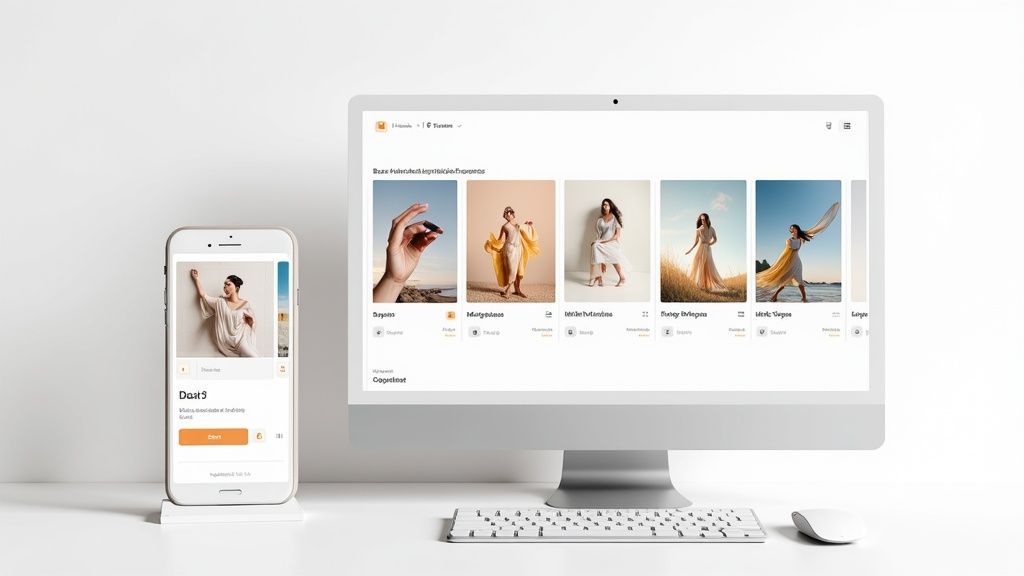
Here's a little peek at where the magic starts in the SendFame interface.
This dashboard is your mission control for turning a few lines of text into a full-blown video. Consider this your official welcome party to the future of video. The only real limit here is your own imagination.
This whole AI video generator boom isn't just a flash in the pan; it's a full-on market earthquake. The market was valued at a cool USD 614.8 million one year and is on a rocket ship trajectory to hit USD 2,562.9 million by 2032. This isn't just hype—it's driven by real demand.
North America is leading the charge, grabbing a 40.61% market share, largely because big media companies are pouring money into AI that can slash their production costs by as much as 80%. It’s a no-brainer.
The secret sauce behind all this is something called synthetic media. Getting a handle on https://sendfame.com/blog/what-is-synthetic-media is the key to really unlocking what this tech can do for you. It's the engine driving this whole new world of realistic, AI-generated content.
If you're curious about where else AI is making waves, you should check out the transformative power of AI in drone technology. It’s a great example of how these same core ideas are being put to work in completely different fields.
Alright, let's roll up our sleeves and get our hands dirty. The theory is great, but the real fun starts when you dive in and actually make something. This is the moment your idea stops being a concept and starts to breathe.
The first, and frankly most critical, decision you'll make is about the format. It seems simple, but it dictates everything that follows. Are you crafting a sprawling 16:9 brand story for YouTube, something that feels grand and cinematic? Or are you aiming for a snappy, vertical 9:16 clip built to stop a user's thumb-scroll dead in its tracks on TikTok or Reels? Nailing this down from the jump saves you a world of pain later. It ensures every single element the AI conjures up is perfectly framed for where it will live.
Once you’ve chosen your canvas, it's time to feed the machine. This is the heart of the whole process. You’ll start by dropping in your script or even just a rough outline. Think of it as handing the AI a creative brief filled with your vision.
Don't just give it a vague prompt like "make a video about coffee." That’s a recipe for generic, forgettable content. Instead, get specific. Give it something to chew on, like this:
(Scene 1): Extreme close-up. Dark, glistening coffee beans tumble in gorgeous slow motion. (Voiceover): "Every great day starts with a promise." (Scene 2): Steam curls delicately from a freshly poured mug of coffee, sitting on a weathered wooden table. (Voiceover): "A promise of warmth, energy, and a moment just for you."
See the difference? This level of detail acts as a clear set of instructions, guiding the AI toward a first draft that's already miles ahead of a shot in the dark.
Your prompt is your superpower here. A well-written prompt is the difference between the AI guessing what you want and it executing what you envision. The more detailed your input, the more refined the output.
With the script locked and loaded, the next move is to dial in the look and feel. This goes way beyond just picking a few colors; you're setting the entire mood. Most platforms, including SendFame, will offer a library of styles or templates as a starting point.
Cinematic: Think moody lighting, deliberate pacing, and shots that feel expensive. This is your go-to for powerful brand stories. Minimalist & Modern: You'll see lots of clean lines, crisp typography, and simple animations. Perfect for a corporate explainer or a sleek tech demo. High-Energy & Fast: This style is all about quick cuts, punchy transitions, and bold, vibrant colors. It's practically designed for social media ads.
Choosing a style that matches your brand’s personality is non-negotiable. It makes the final video feel authentic and intentional. If you’re itching to see this in action, the SendFame AI video generator is a fantastic sandbox for playing with different prompts and visual styles.
This initial setup isn't just about checking boxes. It’s about building a solid creative foundation for the masterpiece you and the AI are about to create together.
Alright, you've got the blueprint for your project. Now for the really fun part: building the actual video. This is where we'll raid SendFame's treasure trove of AI-generated visuals and audio to turn that script on your screen into a story that moves and breathes.
This isn't just about dragging and dropping random clips. It’s about being a storyteller.
The right visual can make or break a scene. You’re not just looking for a video that sort of works; you're on the hunt for the perfect clip that nails the feeling of every single sentence. If you're hyping up a new product launch, try searching for "dynamic abstract light trails" or "fast-paced urban montage." For a heartfelt customer story? Something like "soft focus, warm afternoon light, candid smile" will deliver a totally different, and much more fitting, vibe.
Think of the SendFame asset library as your own personal Hollywood studio, packed with millions of AI-generated clips and images ready for their close-up. The secret to finding the real showstoppers is getting specific with your search terms.
But it gets better. You can go beyond just searching. Need a consistent face for your brand? Create a custom AI avatar. Can't find the exact scene you're picturing? Just describe it and let the AI generate it from scratch. This is a huge shift from the old way of doing things. You're no longer stuck with what you can film—if you can imagine it, you can create it. To really get a handle on this, check out our guide on how to generate AI images from text.
Once your timeline is filled with stunning visuals, it's time to add the music. Music is the emotional heartbeat of your video, not just background filler. A bouncy, rhythmic track can make a simple how-to video feel exciting. A subtle, atmospheric score, on the other hand, can give a corporate message a touch of class. Take a few minutes to audition different moods—from "Uplifting & Inspirational" to "Chill & Focused"—and find the one that truly elevates your story.
Now, let's give your story a voice. A great voiceover builds a connection, guides the viewer, and establishes trust. With SendFame's AI voice generator, you can finally ditch the robotic narration and find a voice with genuine personality.
You've got a ton of control here:
Accent: Does your message call for a standard American accent, or would a British accent add a bit of polish? Tone: Are you going for authoritative and confident, or something more friendly and conversational? Pacing: You can literally dial in the speed to match the energy of your video, making sure the voiceover feels completely natural and in sync.
This is exactly why AI video creation is blowing up. When you have creative tools that can handle everything from scene generation to voiceovers, you can cut your production time by up to 90%. Think about that—a pro-level promo video, done in under 10 minutes. And when you combine features like custom voices with killer visuals, studies show engagement can leap by an incredible 30-50%.
By the time you're done with this stage, your project timeline should look like a rich mosaic. You'll have carefully chosen visuals, music that sets the mood, and a voiceover that ties it all together. You’ve just built the heart and soul of your AI video.
Let's be honest, an out-of-the-box AI video is a fantastic starting point. But it’s still just a start. The real genius comes in when you roll up your sleeves and splash your brand's personality all over it. This is how you take a neat piece of AI-generated content and morph it into a marketing tool that actually sounds and feels like you.
This is where you stop just directing the AI and start getting creative. With a tool like SendFame, this part of the process is designed to be fast and fun, letting you make the project your own without getting lost in a sea of complicated menus. It’s all about making that final cut genuinely yours.
First things first, let's get your brand's visual signature in there. Think of it like putting your team's jersey on the video. You can pop your logo in and stick it exactly where you want it—maybe a subtle watermark in the corner, so it's not too in-your-face.
Next up, the color palette. Don't settle for "close enough." If your brand uses a specific shade of blue, you can plug in the exact hex code to make sure every graphic and text overlay is a perfect match. Consistency is everything; using your brand’s specific colors and fonts makes the whole thing look polished and helps build trust with your audience.
This graphic lays out the three core ingredients you're blending together.
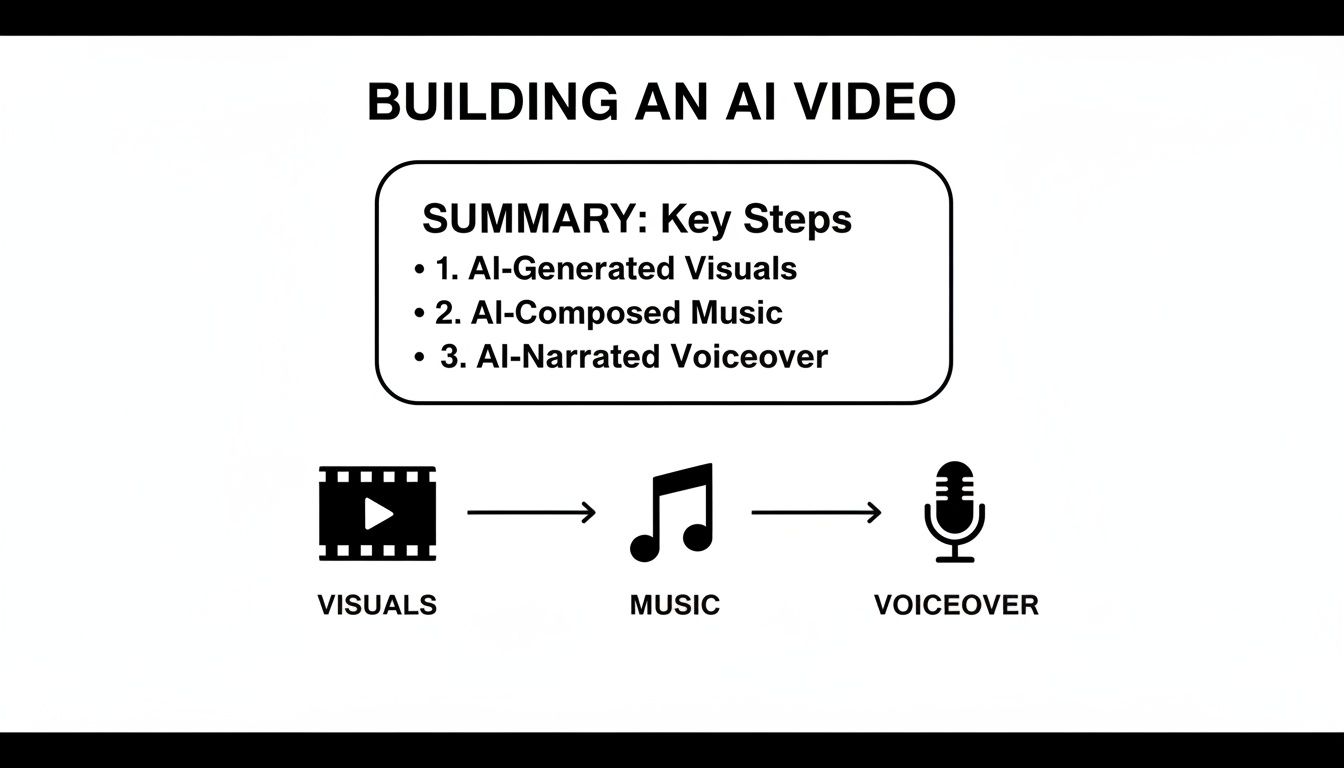
Each one—the visuals, the music, and the voiceover—is a dial you can turn to get the final product just right.
With your branding locked in, it's time to mess with the more subtle stuff that really shapes the video's emotional punch. A huge one that people often forget is pacing. Does a scene feel like it’s dragging a bit? Snip a second or two. Need to let a big moment sink in? Give it a little more room to breathe.
These tiny tweaks can completely change the rhythm and energy. For example, a rapid-fire sequence of short clips can build excitement, while longer, slower shots can create a sense of calm or importance.
Transitions are another big piece of the puzzle. A simple, clean cut works most of the time, but a smooth fade can be a great way to signal a shift in topic or mood. Play around with them! It’s what makes a video feel like a cohesive story instead of just a bunch of clips stitched together.
The goal isn't just to slap your logo on it. It's to bend the AI's creation until it matches your brand's voice and style. Your audience should feel like a real person was behind the controls.
To help you decide which tool best fits your customization needs, it's useful to see how different types of AI video generators stack up.
| Feature | Basic AI Generator (e.g., Text-to-Video) | Advanced Platform (e.g., SendFame) |
|---|---|---|
| Branding | Limited; may only allow a simple logo watermark. | Full customization with logo placement, custom fonts, and exact hex color matching. |
| Scene Editing | Often minimal; you get what the AI generates with little control. | Granular control to trim, extend, or reorder individual scenes and clips. |
| Transitions | Basic or automatic transitions between clips. | A library of professional transitions (fades, wipes, cuts) for a polished flow. |
| Text Overlays | Simple text additions with limited font/style choices. | Advanced text tools with animations, custom fonts, and styling for headlines and CTAs. |
| Audio Control | Basic background music selection, sometimes with limited voiceover options. | Full audio mixing, ability to upload your own music, and a wide range of AI voices. |
As you can see, while basic tools are great for quick, simple videos, an advanced platform gives you the creative control needed to truly make the content your own.
The last round of tweaks is all about clarity and making sure your message lands. This is where text overlays come in handy. Think of them as signposts that guide your viewer, making sure they don’t miss the important stuff.
Here are a few quick wins:
Catchy Headlines: Introduce a new segment with a bold, maybe even animated, headline. Highlight Key Stats: Got a killer number or data point? Make it pop on screen to ensure it’s memorable. Clear Calls to Action: Don't leave them hanging! End your video with a direct instruction like "Visit Our Website" or "Subscribe for More."
When you thoughtfully add these final touches, you're doing more than just making a video—you're telling a story. This is how you level up a cool AI-generated video into a piece of branded content that actually connects with people and gets them to act.
You’re so close to the finish line you can practically taste it. But hold on a second. Before you smash that big, shiny export button, let's talk about the final checks that separate a "pretty good" video from an "absolutely killer" one.
This is the part everyone wants to skip, but trust me, it’s where the magic happens.
Give your project one last, uninterrupted watch. I mean it—no distractions. Put yourself in your audience's shoes and watch it from beginning to end. Your mission? Hunt down any little gremlins that snuck past you. You’re looking for awkward cuts, scenes that linger just a fraction of a second too long, or music that just...stops. These tiny hitches are what yank a viewer right out of the moment.
Okay, you’ve done your final review and everything looks smooth. Now it’s time to decide where this masterpiece is going to live. Your export settings aren't a one-size-fits-all deal; they need to be tweaked for each platform to really pop.
Get this wrong, and your beautiful video could end up looking like a pixelated mess or take an eternity to load. Either way, your engagement is dead on arrival.
Here’s a quick cheat sheet for the big players:
YouTube: Go for the highest quality you can stomach. Exporting in 1080p or even 4K makes sure your video looks sharp and professional, whether it’s on a tiny phone screen or a massive smart TV. Instagram & TikTok: Think vertical. These platforms are all about the 9:16 aspect ratio. You'll also want to keep the file sizes on the smaller side for zippy mobile loading. A resolution of 1080x1920 is the gold standard here. LinkedIn & Facebook: A standard 1080p resolution is your best friend on these platforms. They’re a bit more forgiving, but high-quality video still cuts through the noise of a crowded feed.
Picking the right settings is just as critical as the editing itself. If you're feeling a bit lost in the technical jargon, our video editing software comparison breaks down why these details are so vital for a polished final product.
Your final preview is your last line of defense. A single typo on a text overlay or a slightly mismatched voiceover can completely undermine all the hard work you’ve put in. Be your own harshest critic for these last few minutes—it’s worth it.
At the end of the day, this final polish is what makes all the time you spent learning how to create videos with ai pay off. A few extra minutes of review ensures your video is ready to shine, no matter where you post it.
Diving into AI video creation feels a bit like science fiction becoming reality, right? It’s totally normal to have a few questions swirling around. Trust me, you're not the only one.
Let's cut through the noise and get right to the good stuff. Think of this as a quick chat to clear up the common head-scratchers so you can get back to what matters: making awesome videos.
Okay, this is the part that usually blows people's minds. For a typical 1-2 minute video for your socials or a marketing campaign, you can genuinely go from script to a finished, branded video in about 10 to 15 minutes with a tool like SendFame.
I'm not kidding. That includes the AI whipping up scenes, generating a voiceover, and finding the perfect background music. Compare that to the old way of doing things—days or even weeks of filming and editing—and it's a game-changer. The AI does all the tedious work, like hunting for B-roll and syncing everything up, so you can just focus on the fun, creative parts.
This is a big one, but let me put your mind at ease: nope. Think of AI as the world’s most efficient and talented assistant, not your replacement.
AI is fantastic at taking your instructions and running with them at lightning speed. It can cook up amazing visuals from your text prompts, but the actual idea? The story that connects with people? The strategy behind it all? That’s still 100% you.
The real magic happens when you and the AI work together. You provide the spark—the creative vision and the message—and the AI handles the grunt work. It’s a partnership that lets you focus on being a creator, not a technician.
The best videos out there are a fusion of human creativity and AI efficiency. You're the director; AI is just your super-powered production crew.
While AI makes things way easier, I see a few common trip-ups that can make a video feel a little… off. Steering clear of these will make your work look so much more professional.
The biggest mistake by far is just taking the AI's first draft and calling it a day. It's a fantastic starting point, but the final polish is what makes it yours.
Make it Your Own: Always, always pop in your brand's colors, logo, and fonts. It’s a small step that makes a massive difference in building brand recognition. Give the Voice Some Soul: Don't just stick with the default AI voice if it sounds a bit stiff. Play around with different options, speeds, and tones until you find one that actually sounds like it has a personality. Do One Last Watch-Through: Seriously, don't skip this. A final check for weird pacing, visuals that don't quite match the script, or silly typos can take your video from "pretty good" to "wow, that's slick."
These little tweaks are what separate amateur content from polished, professional work. If you're curious about how AI is weaving its way into other parts of our tech lives, checking out the AI features available on devices like the Samsung Galaxy S24 offers a fascinating glimpse into where things are heading.
Ready to jump in and see for yourself? With SendFame, you have everything you need to bring your ideas to life with professional-looking videos in just a few minutes. Give it a try and show your audience what you can create. They’re waiting.
Create Epic

SendFame

Create Epic with SendFame!
Questions: info@sendfame.com