How to Create Video From Image AI Like a Pro
create video from image ai
Welcome offer — 56% OFF



Discover the 12 best AI tools for social media marketing. Level up your content creation, scheduling, and analytics with our curated 2025 list.
Let's be real: managing social media can feel like trying to catch lightning in a bottle. You're juggling content creation, scheduling, analytics, and trying to stay ahead of trends that change faster than you can say 'algorithm.' But what if you had a secret weapon? This year, the game-changer is artificial intelligence, and it's poised to completely reshape how we approach online engagement.
We're diving deep into the 12 most powerful and practical AI tools for social media marketing that can automate the grunt work, spark creativity, and give you back your precious time. These platforms are more than just fancy gadgets; they are transforming everything from content generation to audience analysis. From generating viral-worthy videos in seconds with SendFame to finding the perfect time to post with Hootsuite, these tools aren't just hype, they're your new co-pilots for conquering the social media universe.
This guide cuts through the noise to show you exactly which platforms deliver. Each entry comes with screenshots, direct links, and a no-fluff breakdown of its best features and potential drawbacks. We'll explore practical use cases to help you find the perfect fit for your specific needs, whether you're a solo creator or a growing brand. For a deeper dive into the broader landscape of how AI is transforming the entire industry, explore Artificial Intelligence's impact on Digital Marketing. Now, let's find your new favorite tool.
SendFame emerges as a powerful, all-in-one creative suite, positioning itself as a top contender among ai tools for social media marketing. It's designed for speed and impact, allowing anyone to generate polished videos, images, and even full songs from simple text prompts. This platform isn't just about creating assets; it's a full-fledged idea-to-content engine for those who need to produce attention-grabbing material without a steep learning curve.
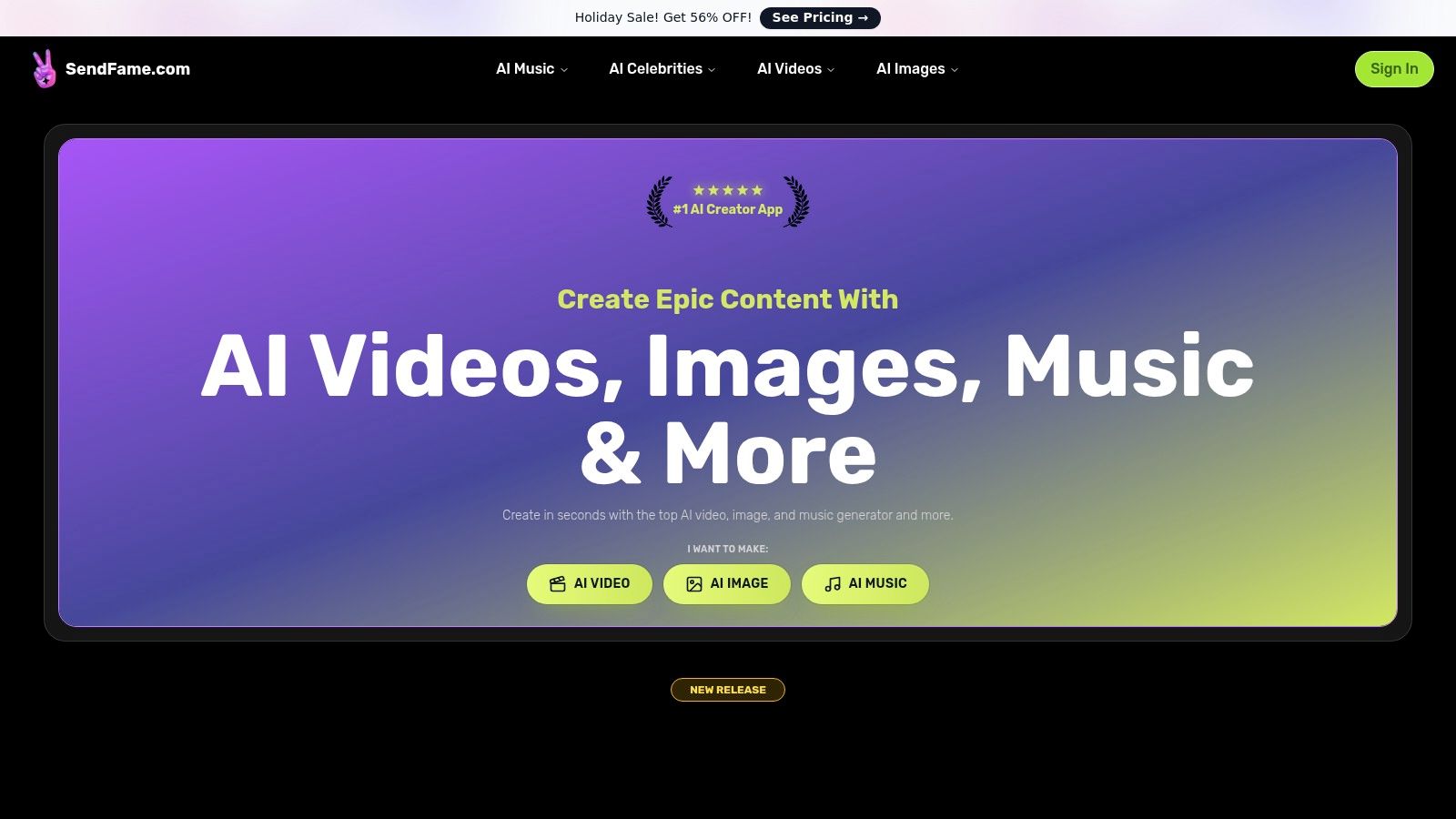
What truly sets SendFame apart is the sheer breadth of its integrated toolset, which eliminates the need to juggle multiple platforms.
AI Celebrity Video Generator: Create hyper-realistic, personalized messages in the style of famous personalities. This is a game-changer for creating viral-style shoutouts, unique event invitations, or novel marketing hooks that stop the scroll. AI Music & Video Generator: Go from a single prompt to a complete, original song with accompanying visuals. Whether you need a custom jingle for a reel or a full diss track for a fun campaign, this tool handles lyrics, vocals, and video in one click. Image-to-Video Animation: Breathe life into static images by transforming them into dynamic, engaging video clips. This is perfect for repurposing graphics, animating logos, or creating mesmerizing social media shorts.
The platform's one-click workflow makes it ideal for rapid content prototyping and production. A social media manager could generate a week's worth of diverse content, from animated product shots to a custom brand anthem, in a single afternoon. Its growing community of over 500,000 creators and regular blog tutorials provide ample inspiration. You can learn more about its video capabilities from the team's guide to the best AI video creation tools.
However, users should be mindful when using features like the celebrity video generator for commercial purposes. It's crucial to review SendFame's terms and local regulations regarding likeness and copyright. While a free tier may be available, unlocking the full suite of features and high-volume generation will likely require a paid plan, with details on their pricing page.
Website:https://sendfame.com
Hootsuite is the seasoned veteran of social media management that got a serious AI upgrade. Think of it as the Swiss Army knife for your social strategy, now with a robotic assistant named OwlyWriter AI to sharpen the blades. It’s an all-in-one platform where you can plan, create, schedule, and analyze your content without ever leaving the dashboard. This makes it one of the most integrated AI tools for social media marketing available for teams.
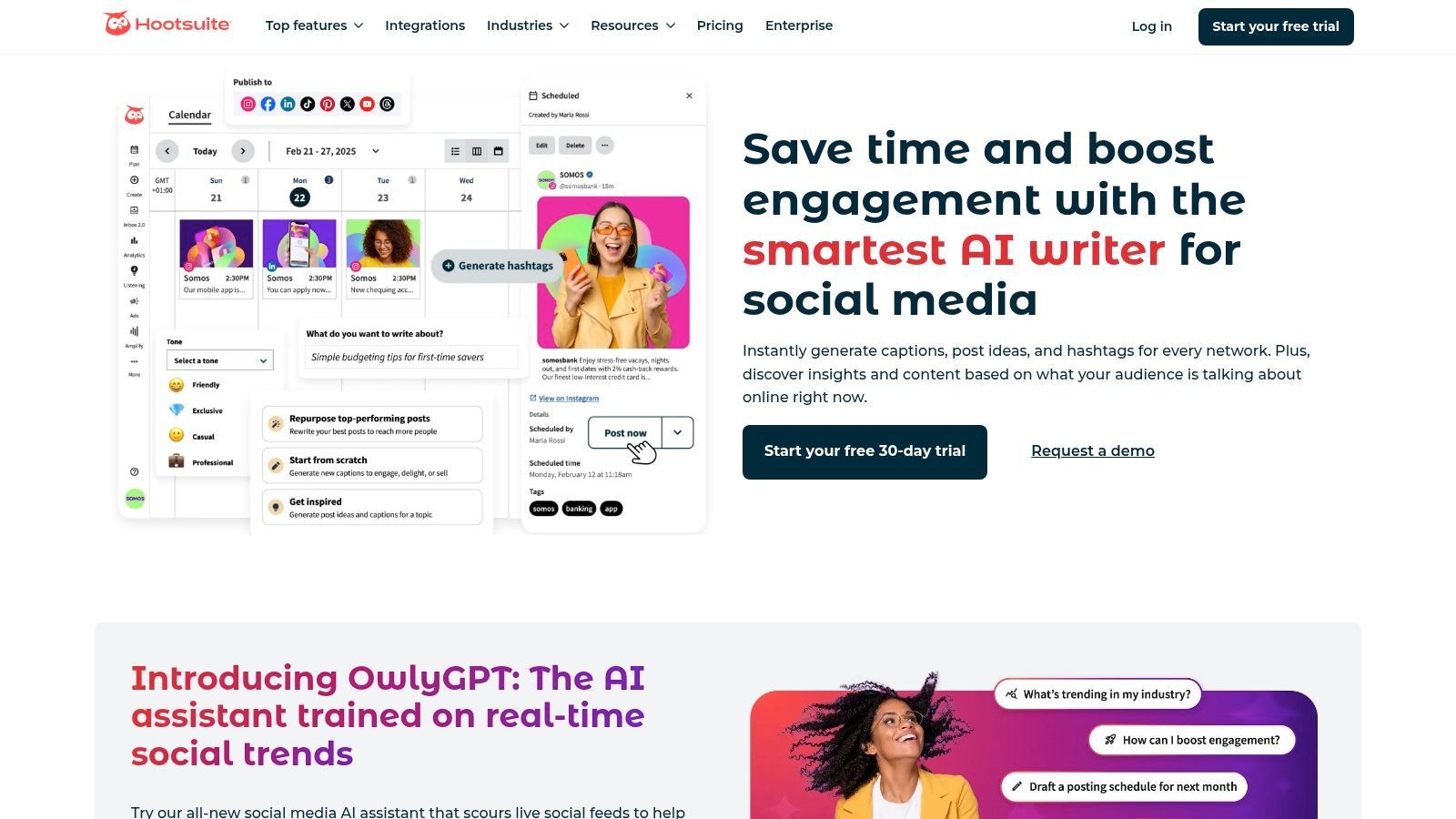
The magic is how seamlessly the AI is woven into the workflow. Inside the post composer, OwlyWriter can whip up captions, suggest hashtags, and even generate entire post ideas from a simple prompt. Its "Best Time to Post" feature uses AI to analyze your audience's activity, ensuring your content lands with maximum impact. This is a game-changer for boosting your numbers and is a core part of modern social media engagement strategies.
| Feature | Best For |
|---|---|
| OwlyWriter AI | Generating post ideas, captions, and hashtags instantly. |
| AI-Powered Scheduling | Automatically publishing content at optimal times for peak reach. |
| Social Listening Summaries | Condensing thousands of mentions into actionable AI-powered insights. |
| Integrated Workflow | Managing the entire social media lifecycle from a single platform. |
Pros:
Truly All-in-One: AI is embedded across creation, scheduling, and analytics. Team-Friendly: Built with enterprise-level collaboration and security in mind. Powerful Integrations: Works seamlessly with tools like Canva and Adobe Express.
Cons:
Pricey for Solo Users: The cost scales with team size and plan tier. Advanced AI is Gated: Top-tier features like advanced listening are on higher-priced plans.
Website:https://www.hootsuite.com/platform/owly-writer-ai
Buffer is the friendly, approachable social media scheduler that has smartly integrated AI without complicating its famously simple interface. It’s the go-to for small businesses and creators who want powerful scheduling and content assistance without the enterprise-level price tag or learning curve. Its AI Assistant is designed to break through creative blocks and streamline content creation, making it one of the most accessible AI tools for social media marketing.
The AI Assistant lives directly within the post composer, ready to help you brainstorm ideas, draft posts from scratch, or repurpose existing content for different platforms. Ask it for a week's worth of post ideas about a topic, and it delivers. Need to turn a LinkedIn post into a punchy X (formerly Twitter) thread? It handles the reformatting and tone shift in seconds. This focus on practical, everyday content creation makes it a lifesaver for busy marketers who value simplicity and efficiency.
| Feature | Best For |
|---|---|
| AI Assistant | Brainstorming content ideas, drafting posts, and rewriting copy. |
| Content Repurposing | Tailoring a single piece of content for platform-specific formats. |
| Simple Scheduling & Queue | Easily planning and automating a content calendar with basic analytics. |
| Direct Integration | Using AI within the same window you schedule and publish from. |
Pros:
Generous Free Plan: The free tier includes access to the AI Assistant. Affordable and Simple: Low starting price per channel and very easy onboarding. Practical AI Tools: Focuses on core content creation tasks that save the most time.
Cons:
Limited Advanced Features: Deeper analytics and collaboration require paid tiers. Copy-Focused AI: The AI features are centered on text generation, not social listening or trend analysis.
Website:https://buffer.com/ai-assistant/
Sprout Social is the enterprise powerhouse of social media management, bringing a sophisticated AI toolkit to the table for large teams. It’s less about playful content creation and more about turning massive streams of social data into strategic business intelligence. The platform excels at providing deep analytics and structured workflows, making it one of the most robust AI tools for social media marketing for brands focused on ROI and customer care.
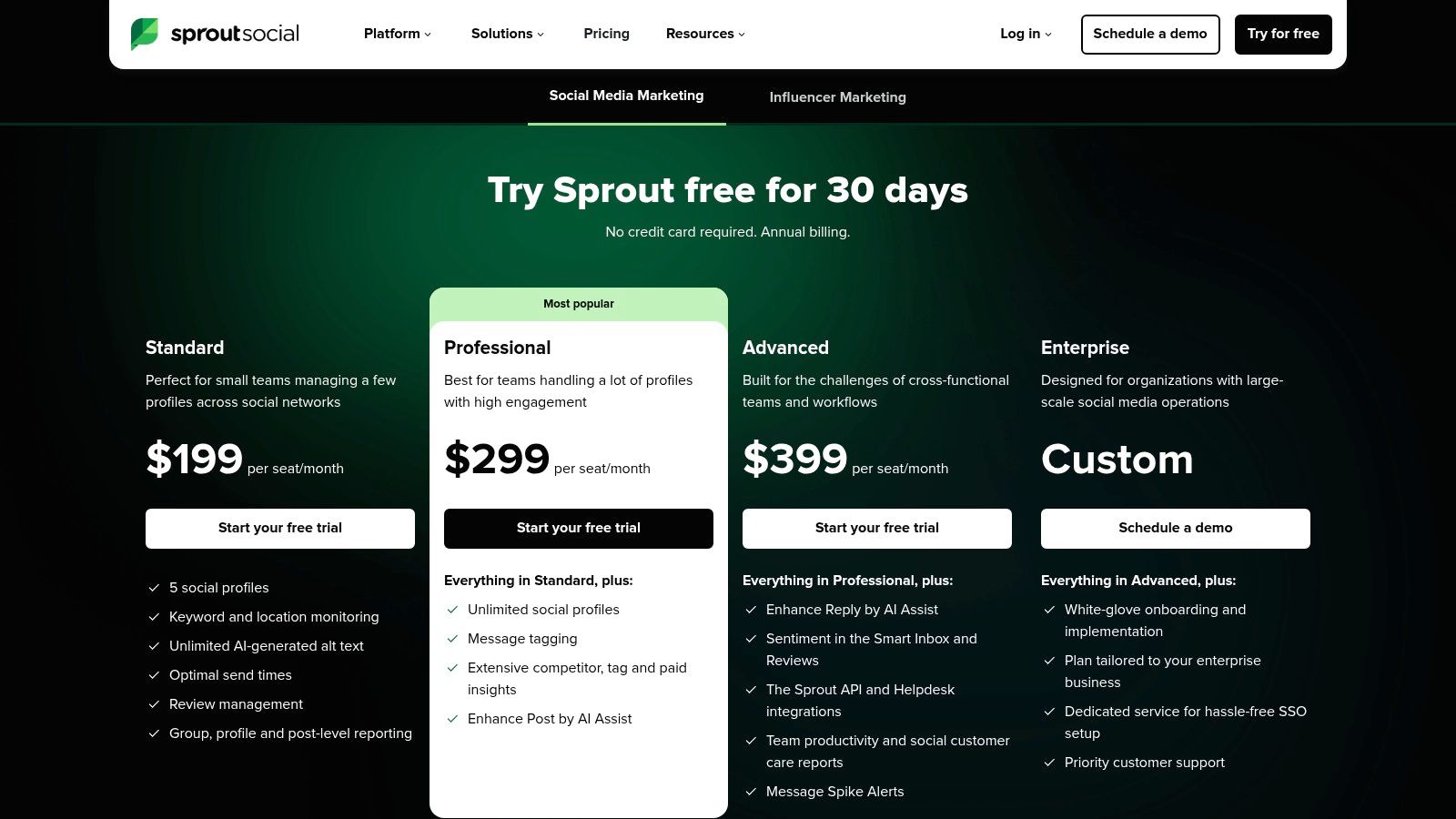
Its AI features are built for efficiency and insight. The AI Assist helps refine post copy and replies, ensuring brand consistency at scale. Meanwhile, the ViralPost feature analyzes audience engagement patterns to recommend optimal publishing times. The standout, however, is Trellis, a conversational AI agent that lets you "ask" your data questions, delivering instant insights without needing to build complex reports.
| Feature | Best For |
|---|---|
| AI Assist | Enhancing post copy and generating consistent replies for customer care teams. |
| Optimal Send Times | Maximizing content reach by publishing when your specific audience is most active. |
| Trellis Conversational AI | Getting quick, actionable insights from social data without deep analytics knowledge. |
| AI-Enhanced Influencer Search | Discovering and vetting potential brand partners with data-driven recommendations. |
Pros:
Deep Analytics: Unmatched reporting capabilities for measuring social media ROI. Enterprise-Ready: Strong reputation and features built for large, complex organizations. Structured Workflows: Excellent for managing customer care and team collaboration.
Cons:
Expensive Per Seat: The per-user pricing model can become costly for big teams. Gated Features: The most powerful AI tools are reserved for higher-priced plans.
Website:https://sproutsocial.com/pricing
Later is the creator-focused darling of the social media world, built with a visual-first approach that shines on platforms like Instagram and TikTok. It recently integrated AI to tackle one of the most time-consuming tasks: writing the perfect caption. Its AI Caption Writer isn't just an add-on; it's a core part of its streamlined workflow, making it one of the most intuitive AI tools for social media marketing for solo creators and small businesses.
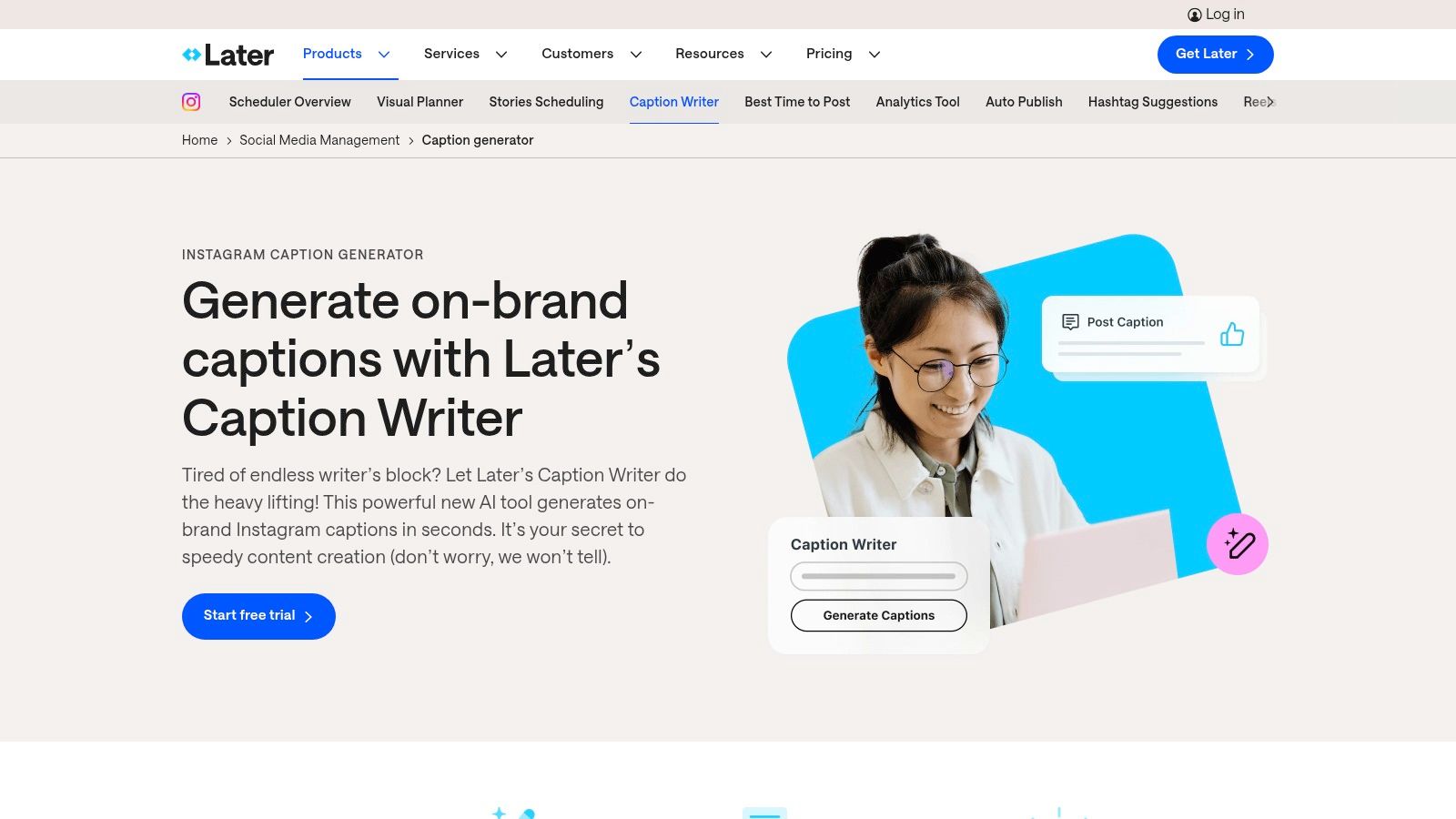
The platform’s strength lies in its simplicity and focus. While you schedule your posts on its famous visual calendar, the AI Caption Writer generates multiple caption options from a simple prompt, tailored to the specific platform's tone. This is seamlessly connected to its other creator-centric features like its link-in-bio tool (Linkin.bio) and product tagging, turning AI-assisted content into direct commerce opportunities. It’s a practical, no-fuss solution for the modern creator economy.
| Feature | Best For |
|---|---|
| AI Caption Writer | Quickly generating multiple, platform-specific caption ideas. |
| Visual-First Scheduling | Planning Instagram, TikTok, and Pinterest content with a drag-and-drop calendar. |
| Linkin.bio & Tagging | Driving traffic and sales directly from social media posts. |
| Creator-Focused Analytics | Tracking performance metrics that matter most to individual brand builders. |
Pros:
Friendly UI: Designed with creators and small teams in mind for easy adoption. Integrated Creator Tools: AI captions work alongside commerce features like Linkin.bio. Accessible AI: AI credits are included in all paid plans, not just top tiers.
Cons:
Credit-Based AI: Caption generation is limited by a monthly credit system. Less Enterprise-Focused: Lacks some of the deep, advanced features of larger suites.
Website:https://later.com/caption-writer/
Canva has transformed from a simple design tool into a creative powerhouse with its AI-infused Magic Studio. It’s the go-to platform for anyone who needs to create stunning social media visuals without being a professional designer. Magic Studio integrates AI directly into the design process, allowing you to generate copy, create images from text, and even produce short videos with a few clicks, making it one of the most accessible AI tools for social media marketing.
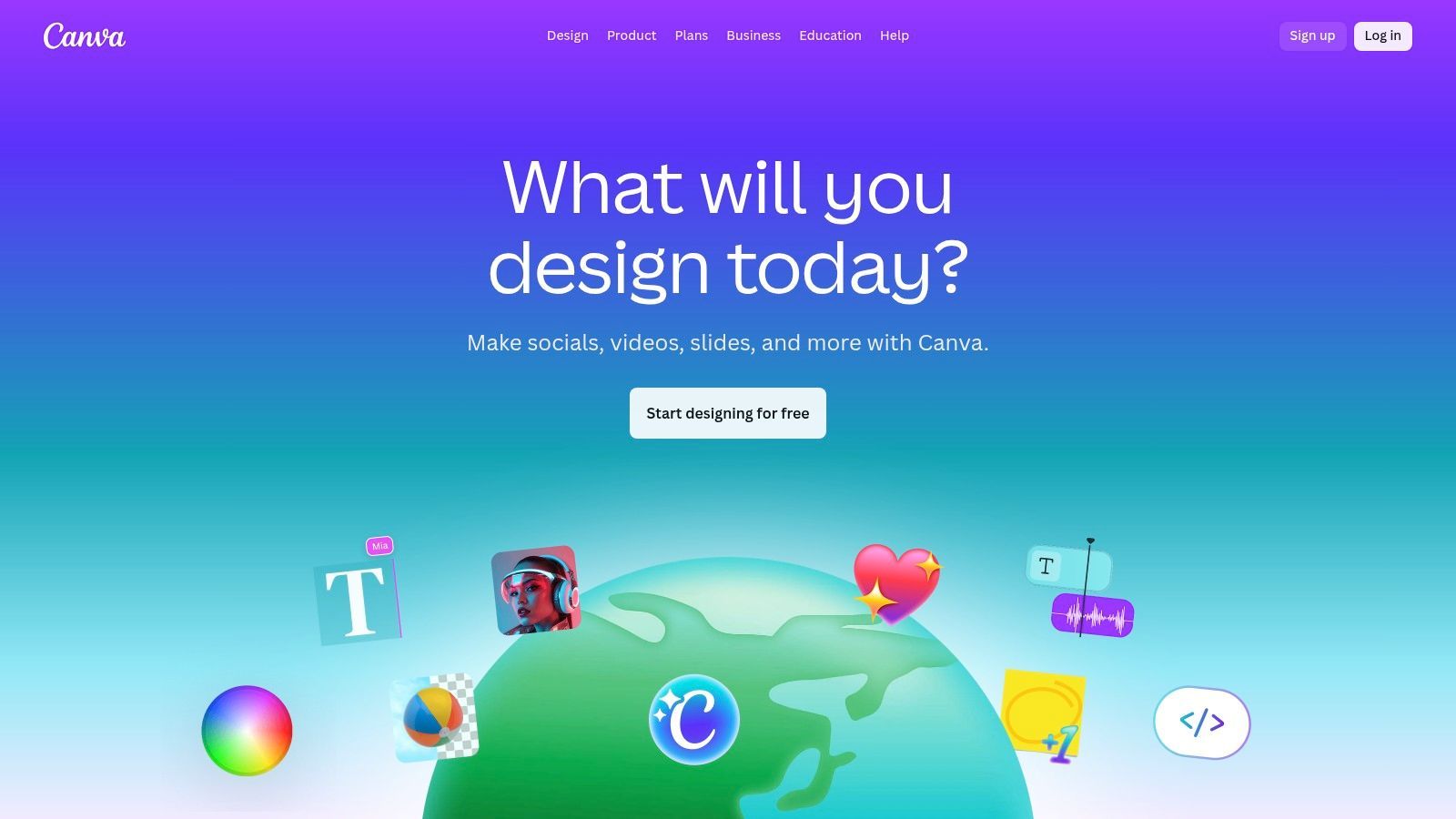
The platform shines by making advanced AI features feel intuitive. Magic Write can craft engaging captions on the spot, while Magic Design can generate a complete, on-brand social media post from a single prompt or image. For marketers struggling with content creation, this is a lifesaver. You can explore how to make AI-generated images that perfectly match your campaign aesthetic, all within the same ecosystem where you schedule your posts.
| Feature | Best For |
|---|---|
| Magic Write & Design | Instantly generating social copy and design templates from simple text prompts. |
| AI Image & Video Tools | Creating unique visual assets with text-to-image and text-to-video features. |
| Magic Switch | Effortlessly translating and resizing a single design into multiple social media formats. |
| Brand Kits & Team Tools | Maintaining brand consistency across all creative assets produced by a team. |
Pros:
Massive Template Library: Provides an enormous head start for creating any type of social media creative. Intuitive AI Integration: AI tools are seamlessly built into the user-friendly design workflow. Collaborative Power: Canva for Teams adds brand controls, insights, and higher AI limits.
Cons:
Paid Plans for Heavy Use: Premium AI features and higher usage credits require a Pro or Teams subscription. Increased Costs for Teams: Recent pricing and plan changes have made it more expensive for some business users.
Website:https://www.canva.com
Adobe Express is the creative powerhouse that brings enterprise-level design AI to everyone. Powered by the impressive Adobe Firefly generative AI, it's a one-stop shop for creating stunning visuals, editing videos, and then scheduling them directly to your social channels. It brilliantly merges content creation and management, making it one of the most versatile AI tools for social media marketing for teams that need both generative assets and a streamlined workflow.
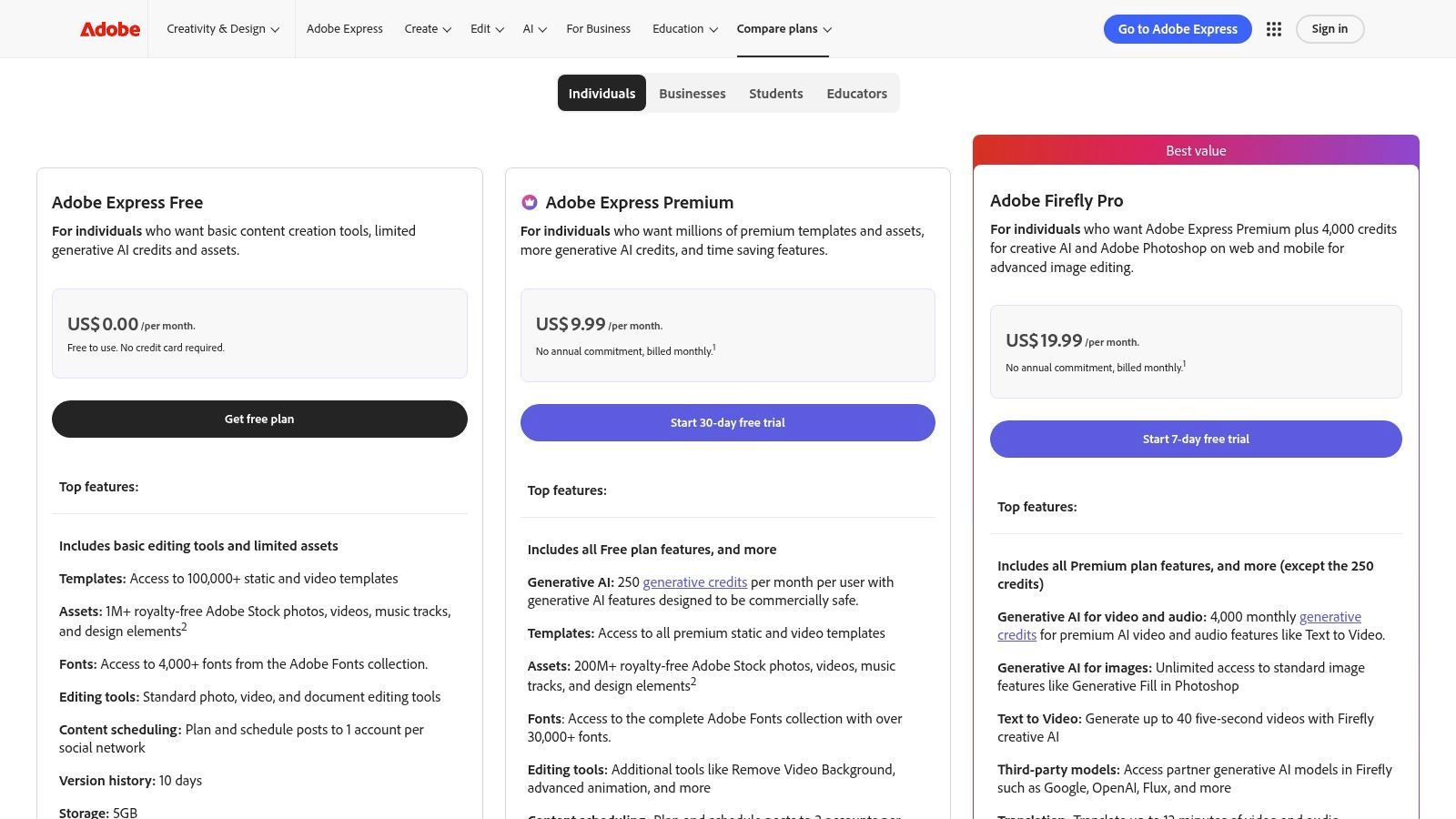
What makes Adobe Express stand out is its deep integration with the Adobe ecosystem. You can generate an image with Firefly, resize it for multiple platforms with a click, remove the background, and then pull assets from your Adobe Stock library, all within the same interface. It’s a seamless transition from idea to published post, supported by robust brand kit controls to ensure every asset stays on-brand. This level of integration is a dream for content teams managing multiple accounts.
| Feature | Best For |
|---|---|
| Firefly Generative AI | Creating unique, commercially safe images and text effects from prompts. |
| Quick Actions | Instantly resizing images, removing backgrounds, and trimming videos. |
| Built-in Content Scheduler | Planning and publishing content directly to multiple social platforms. |
| Adobe Stock Integration | Accessing millions of professional photos and assets seamlessly. |
Pros:
Strong Asset Ecosystem: Deep integration with Adobe Stock and brand kits. Enterprise-Ready: Excellent administration features for managing team access and assets. Generous Storage: Plans include 1TB of storage per user for creative assets.
Cons:
Credit Consumption: Monthly generative credits can be used up quickly with heavy use. Pricing Complexity: Broader Adobe pricing changes could affect future costs and bundles.
Website:https://www.adobe.com/express/pricing
Jasper is the AI content workhorse built for marketing teams who are obsessed with brand consistency. It goes beyond simple caption generation by learning your brand's unique tone, style, and product knowledge. Think of it as a new team member you can train to write perfectly on-brand social media copy every single time, making it a powerhouse among AI tools for social media marketing for scaled-up operations.
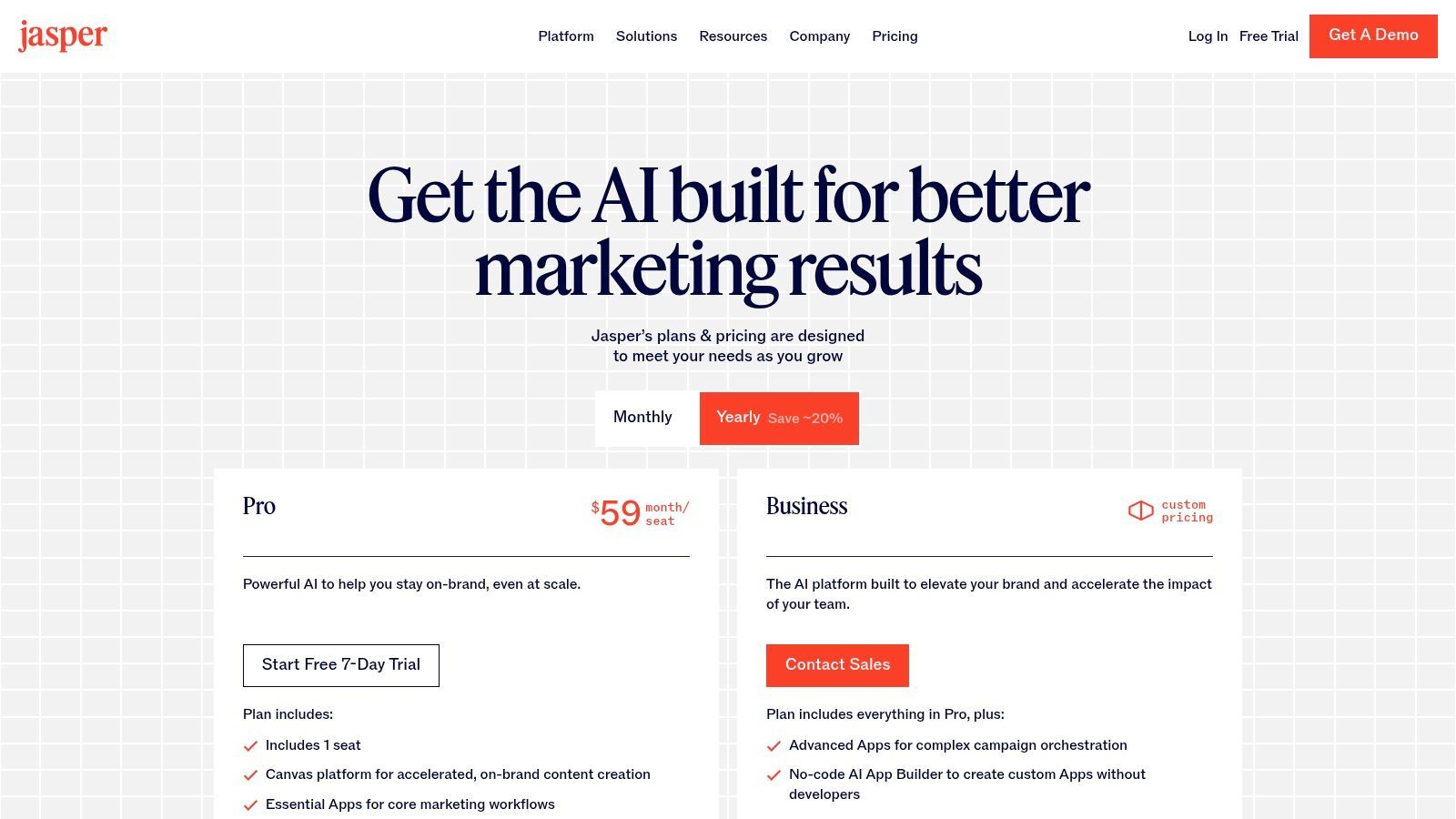
The platform's strength lies in its "Brand Voice" and "Knowledge" features, which you feed with your style guides and company info. Jasper then uses this context to create content that sounds like you, not a generic robot. For marketers juggling multiple channels, its "Instant Campaigns" feature can take a single brief and spin it into a cohesive set of assets, from tweets to LinkedIn posts. This system is a core component for creating high-quality AI-generated social media posts at scale.
| Feature | Best For |
|---|---|
| Brand Voice & Knowledge | Ensuring all AI-generated content is perfectly on-brand and factually correct. |
| Instant Campaigns | Creating a complete set of coordinated social media assets from one prompt. |
| Templates Library | Quickly generating specific content types like Instagram captions or video scripts. |
| Team Governance | Maintaining control over brand assets and usage for larger marketing teams. |
Pros:
Built for Brand Consistency: Excellent at learning and replicating a specific brand voice. Team-Oriented: Designed with collaboration, workflows, and governance in mind. Versatile Content Creation: Creates everything from short captions to full campaign assets.
Cons:
Pricier Than Simple Tools: It's an investment compared to single-purpose caption writers. Annual Plan for Best Value: The most cost-effective plans often require an annual commitment.
Website:https://www.jasper.ai/pricing
Copy.ai is a versatile AI content engine that goes beyond simple social media posts. It's designed for marketers who need to create social copy as part of a larger content strategy, offering robust automation features and access to multiple AI models. Think of it as a content creation hub where you can draft social media captions, then immediately repurpose that idea into a blog post, ad copy, and an email newsletter without switching platforms.
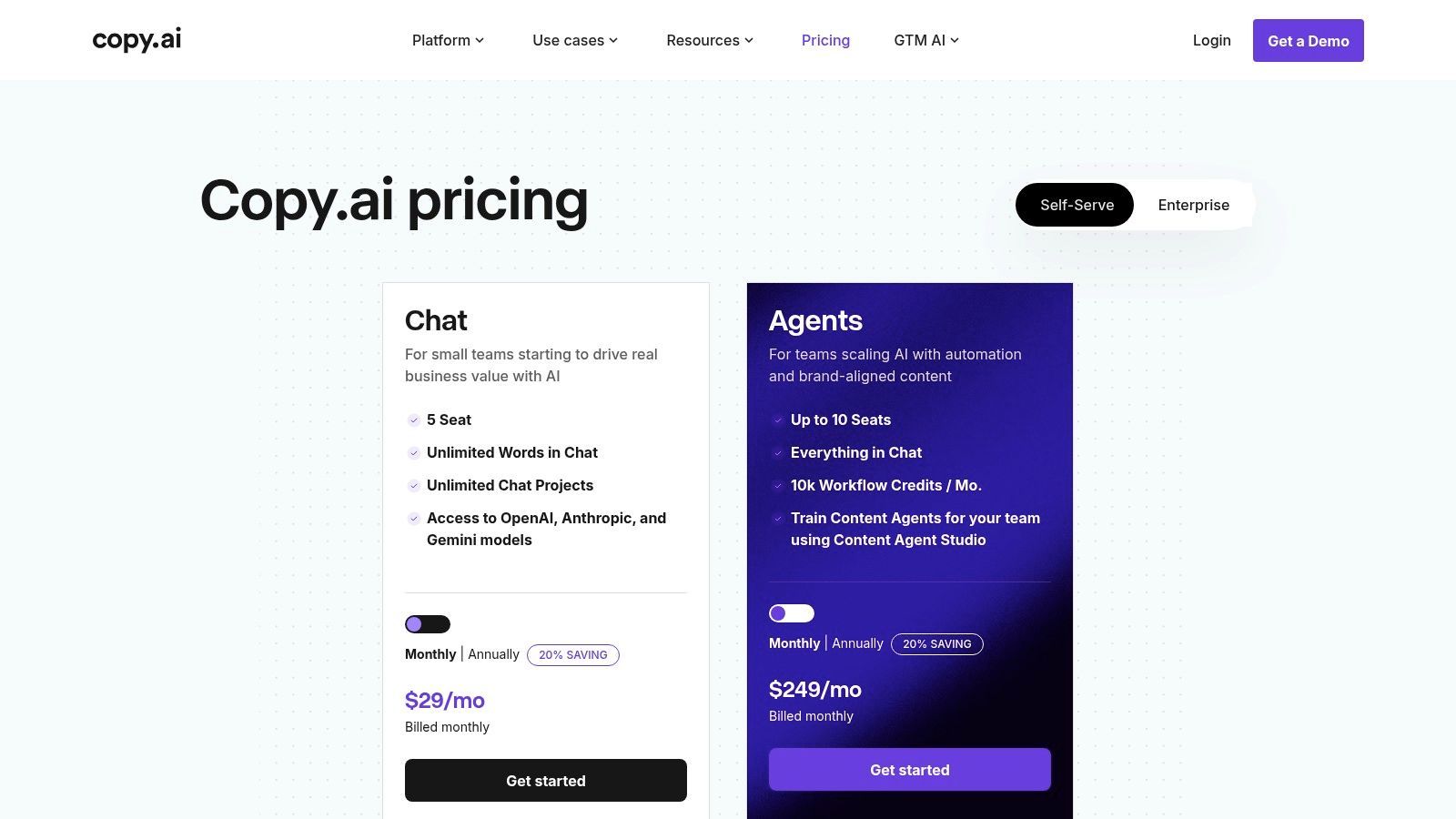
The real power of Copy.ai lies in its Workflows. You can build automated content agents that handle repetitive tasks, like generating a week's worth of tweets from a single blog post URL. This makes it one of the most powerful AI tools for social media marketing if you're looking to scale content production efficiently. The ability to switch between models from OpenAI, Anthropic, and Google also gives you creative flexibility.
| Feature | Best For |
|---|---|
| Social Post Generation | Quickly drafting varied social media captions and posts in Chat. |
| Workflow Automations | Creating repeatable processes for turning long-form content into social snippets. |
| Multi-Model Access | Toggling between different AI models (like GPT-4 and Claude) for diverse tones. |
| Project Organization | Keeping all content for a specific marketing campaign neatly organized. |
Pros:
Low Entry Price: The entry plan offers unlimited words in its Chat feature. Powerful Automation: Workflows are excellent for scaling content creation. Multi-Model Flexibility: Access to several top-tier AI models in one place.
Cons:
Requires Other Tools: Lacks built-in design or scheduling, requiring integration. Capped Automation Credits: Advanced workflow runs are limited on mid-tier plans.
Website:https://www.copy.ai/prices
Lately.ai is the content repurposing wizard you've been dreaming of. It’s built on the idea that you shouldn't have to reinvent the wheel for every social media post. Instead, its AI trains on your brand's historic content and audience performance to learn your unique voice. It then atomizes your long-form content like blogs, webinars, and podcasts into dozens of channel-specific social posts that sound exactly like you. This makes it one of the most efficient AI tools for social media marketing for content-heavy businesses.
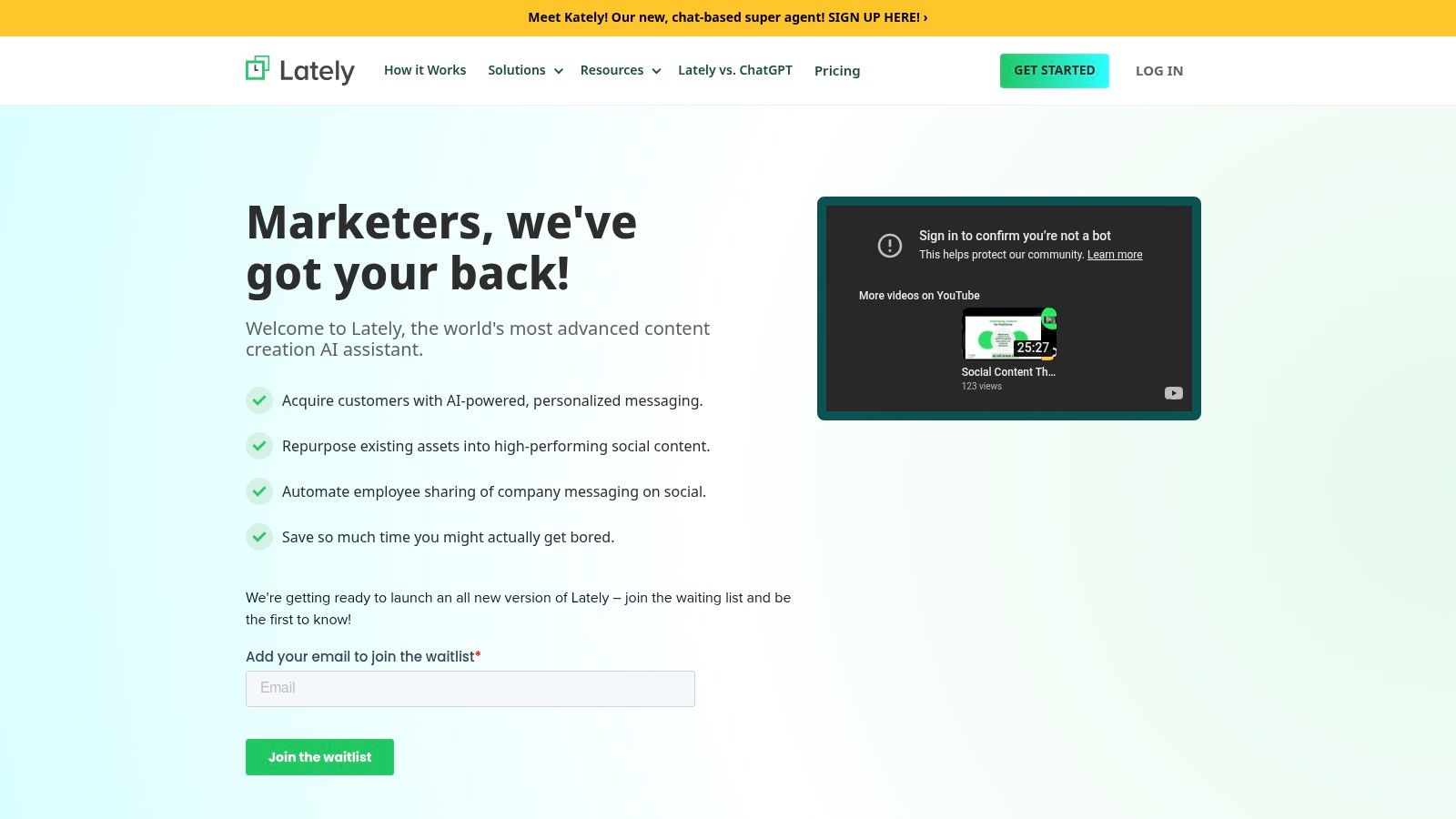
The real magic is in its brand-voice training. Lately.ai studies the patterns, words, and sentence structures that resonate with your audience, ensuring every generated snippet feels authentic, not robotic. It's not just about creating more content; it's about creating more on-brand content at a scale that would be impossible for a human team to maintain. This system is perfect for B2B marketers who need to squeeze every last drop of value from their pillar content.
| Feature | Best For |
|---|---|
| AI Content Repurposing | Turning blogs, podcasts, and videos into dozens of social snippets. |
| Brand Voice Training | Learning your unique style from past content for authentic posts. |
| Employee Advocacy | Seamlessly distributing AI-generated content to team members to share. |
| Cadence Guidance | Scheduling posts based on AI analysis of your long-form content's flow. |
Pros:
Massive Time Saver: Excellent for companies with extensive long-form asset libraries. Consistent Brand Voice: Maintains brand integrity across hundreds of posts. Scalable Repurposing: Makes it easy to fuel a high-volume social media calendar.
Cons:
Enterprise-Focused: Pricing is tailored for businesses, with demos required. Niche Functionality: It's not an all-in-one suite like Hootsuite or Sprout Social.
Website:https://www.lately.ai/
Flick is the creator-focused toolkit that brings a practical AI edge to your Instagram strategy. It’s designed less for massive enterprise teams and more for the solo creator or small agency trying to crack the Instagram code. Its AI Content Lab is a streamlined engine for brainstorming ideas, writing engaging captions, and repurposing content without the fluff of more complex platforms. This makes it one of the most accessible AI tools for social media marketing for those who live and breathe Instagram.
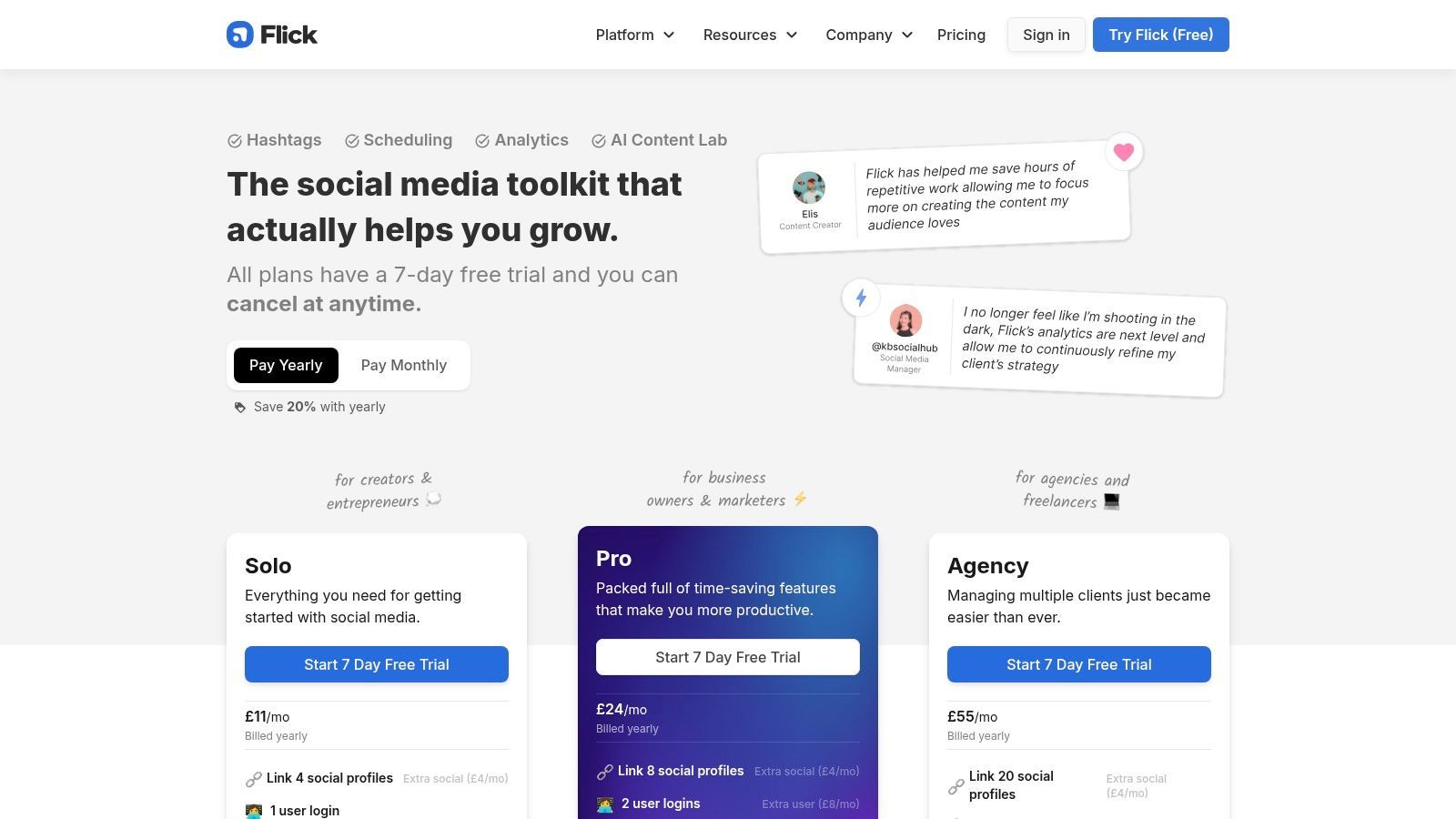
Where Flick truly shines is its blend of AI-driven creativity with deep, data-backed hashtag research and analytics. The platform doesn't just give you content ideas; it helps you find the right hashtags to get that content seen. The "Best Time to Post" recommendations and Instagram-centric analytics provide a clear, actionable path to growing your audience, making it a powerful ally for anyone serious about mastering the platform.
| Feature | Best For |
|---|---|
| AI Content Lab | Quickly brainstorming content pillars, post ideas, and writing captions. |
| Hashtag Search & Auditing | Finding relevant, high-performing hashtags to expand reach on Instagram. |
| Best Time to Post | Analyzing your specific audience data to schedule posts for optimal engagement. |
| Instagram Analytics | Tracking key performance metrics to understand what's working and what isn't. |
Pros:
Affordable & Transparent: Clear plans with a 7-day free trial make it easy to start. Instagram-Focused Toolkit: A practical set of tools built specifically for Instagram success. Simple & Intuitive: Easy to navigate, even for those new to social media management.
Cons:
Instagram-Centric: Analytics and deep features are primarily focused on Instagram. Lighter Feature Set: Lacks the multi-platform breadth of larger enterprise tools. GBP Pricing: Pricing is in GBP, which may require currency conversion for some users.
Website:https://www.flick.social/pricing
G2 isn't an AI tool itself, but rather the ultimate AI tool matchmaker. Think of it as the ultimate software marketplace where thousands of verified user reviews help you cut through the marketing noise. When you're overwhelmed by options, G2 lets you conduct a head-to-head comparison of different AI tools for social media marketing, armed with real-world feedback to guide your decision-making and secure stakeholder buy-in.
The platform's power lies in its detailed comparison grids and filtering capabilities. You can slice and dice platforms like Hootsuite, Sprout Social, and Buffer by feature, company size, and user rating. This lets you move from a massive list of potential vendors to a qualified shortlist, ensuring the tool you choose actually solves your specific marketing challenges without breaking the bank.
| Feature | Best For |
|---|---|
| Comparison Grids | Directly comparing features, pricing, and ratings of competing AI tools. |
| Verified User Reviews | Gaining honest insights and avoiding procurement risk based on real experiences. |
| Badges & Buyer's Guides | Identifying industry leaders and understanding key market trends. |
| Feature & Rating Filters | Shortlisting vendors based on specific needs like analytics or team size. |
Pros:
Independent Comparisons: Review-driven data helps reduce the risk of choosing the wrong software. Budgeting & Justification: Invaluable for building a business case and justifying your choice to stakeholders. Vendor Shortlisting: Efficiently narrows down a wide market to a few top contenders.
Cons:
Sponsored Noise: Promoted placements can sometimes clutter the search results. Verify Pricing: User-reported pricing info can be outdated; always verify with the vendor directly.
Website:https://www.g2.com/categories/social-media-analytics
| Product | Key features | UX / Quality (★) | Price / Value (💰) | Target (👥) | Unique selling point (✨) |
|---|---|---|---|---|---|
| SendFame 🏆 | AI Celebrity Video, AI Music Generator, Image→Video, one‑click finished outputs | ★★★★☆ (polished, fast) | 💰 Freemium + paid plans; frequent discounts | 👥 Influencers, marketers, event planners, creators | ✨ All‑in‑one finished videos & songs + hyper‑realistic celebrity‑style outputs |
| Hootsuite | Scheduling, AI caption/image, social listening, analytics | ★★★★☆ (team workflow) | 💰 Enterprise‑scaled pricing | 👥 Teams & enterprises | ✨ Native scheduling + listening + deep integrations |
| Buffer | Scheduler, AI drafting & repurposing, basic analytics | ★★★☆☆ (simple & reliable) | 💰 Low‑cost; free plan available | 👥 SMBs & creators | ✨ Affordable scheduling with AI copy tools |
| Sprout Social | AI post/reply assist, Trellis insights, advanced analytics | ★★★★☆ (enterprise‑grade) | 💰 Premium per‑seat pricing | 👥 Enterprises & agencies | ✨ Robust analytics + conversational insights engine |
| Later | AI Caption Writer (credited), scheduling, commerce tools | ★★★☆☆ (creator‑focused) | 💰 Creator plans; AI uses monthly credits | 👥 Creators for IG/TikTok & SMBs | ✨ Creator commerce + caption credit model |
| Canva (Magic Studio) | Magic Write/Design, text→image/video, templates, brand kits | ★★★★☆ (fast creative) | 💰 Freemium; Pro for teams | 👥 Designers, teams, social creators | ✨ Massive template library + Magic Design workflow |
| Adobe Express | Firefly AI, stock assets, resize/background remove, scheduling | ★★★★☆ (powerful assets) | 💰 Included in Adobe plans; generative credits | 👥 Teams needing asset mgmt & brand control | ✨ Adobe Stock + enterprise brand controls |
| Jasper | Brand Voices, templates, Instant Campaigns, governance | ★★★★☆ (marketing‑focused) | 💰 Higher‑cost for teams/enterprise | 👥 Marketing teams & agencies | ✨ Brand governance + multi‑asset campaign creation |
| Copy.ai | Social copy, automation workflows, multi‑model access | ★★★☆☆ (versatile copy) | 💰 Low entry; unlimited chat words on basic | 👥 Small teams, marketers | ✨ Multi‑model options + workflow automations |
| Lately.ai | Learns brand voice, repurposes long‑form into many posts | ★★★★☆ (strong repurposing) | 💰 Enterprise‑oriented; demos required | 👥 Organizations with long‑form content libraries | ✨ Auto‑atomization of blogs/videos/podcasts into social posts |
| Flick | AI Content Lab, hashtag research, IG analytics, scheduling | ★★★☆☆ (Instagram‑centric) | 💰 Affordable plans (GBP pricing) | 👥 Instagram creators, small agencies | ✨ Deep hashtag research + IG timing analytics |
| G2 | Verified reviews, comparison grids, badges & buyer's guides | ★★★★☆ (review‑driven marketplace) | 💰 Free to use (vendors may pay) | 👥 Buyers, procurement, vendor researchers | ✨ Independent reviews & side‑by‑side comparison grids |
And there you have it, a whirlwind tour through the digital wonderland of AI tools for social media marketing. We've journeyed from comprehensive management platforms like Hootsuite and Sprout Social to creative powerhouses like Canva and Adobe Express. We even explored specialized copy ninjas like Jasper and Lately.ai. It's a lot to take in, and if your head is spinning faster than a viral TikTok dance, that’s completely understandable. The digital landscape is no longer just evolving; it's rocketing into a new dimension, powered by algorithms and intelligent automation.
The biggest takeaway? There is no single "best" AI tool, just the one that’s best for you. Your perfect match depends entirely on your unique goals, team size, and budget. Trying to pick one without knowing your needs is like trying to order at a restaurant without looking at the menu, you might end up with something fancy, but it won't satisfy your craving.
Feeling a bit of decision paralysis? Let's break down how to choose your ideal AI sidekick. Start by conducting a quick audit of your current social media workflow. Where are the bottlenecks? What tasks consume the most time and deliver the least joy?
For the Solo Creator or Small Business Owner: If you're a one-person show juggling content creation, scheduling, and engagement, an all-in-one tool is your best friend. Look for platforms that blend content generation with scheduling, like Canva’s Magic Studio or Later. For rapid, personalized video creation that stops the scroll, a specialized tool like SendFame could be a game-changer. For the Data-Driven Marketing Team: If you’re part of a larger team that lives and breathes analytics, ROI, and performance metrics, you need a heavy hitter. Platforms like Sprout Social or Hootsuite offer the robust reporting, deep listening capabilities, and collaborative features necessary to manage complex campaigns and prove their value. For the Content-Hungry Brand: Is your biggest challenge simply feeding the beast and churning out enough high-quality content? Your focus should be on generative AI. Combine a writing assistant like Jasper or Copy.ai with a visual tool like Adobe Express to create a powerful content creation engine.
Before you pull out your credit card, remember to leverage those free trials. Get your hands dirty. Test the user interface, see how the AI responds to your prompts, and determine if it genuinely streamlines your process or just adds another layer of complexity. The goal of these AI tools for social media marketing isn't to replace your creativity; it's to amplify it. They are here to handle the repetitive, time-consuming tasks, freeing you up to focus on the big-picture strategy, human connection, and brilliant ideas that only you can have.
The AI revolution isn't a distant, futuristic concept. It's happening right now, on your screen, in your marketing stack. By embracing these tools, you're not just staying current; you're gaining a powerful competitive advantage. You're building a smarter, faster, and more effective social media presence that works for you, even when you’re not working. So go ahead, pick your tool, and start creating the future.
Ready to create unforgettable, personalized video content that truly connects with your audience? SendFame uses AI to generate amazing celebrity-style videos in minutes, making high-impact marketing accessible to everyone. Check out SendFame to see how you can start making your own scroll-stopping videos today
Create Epic

SendFame

Create Epic with SendFame!
Questions: info@sendfame.com