10 Album Cover Art Ideas To Drop Jaws In 2026
album cover art ideas
Welcome offer — 56% OFF


Ready to go viral? Learn how to AI generate music video content with this guide. Create stunning, professional visuals for your songs in minutes, not months.
Ever dreamed of creating a mind-blowing music video for your track but didn't have a spare Hollywood-sized budget lying around? Well, welcome to the future. You can now use AI to generate stunning music videos in minutes, turning that tune in your head into a visual masterpiece—no film crew, no ridiculously expensive software needed.
Let's be real, the old roadblocks to creating a professional-looking music video are gone. Platforms like SendFame have completely changed the game, putting a full-blown production studio right on your laptop. This guide is your all-access pass to owning the entire creative process from start to finish.
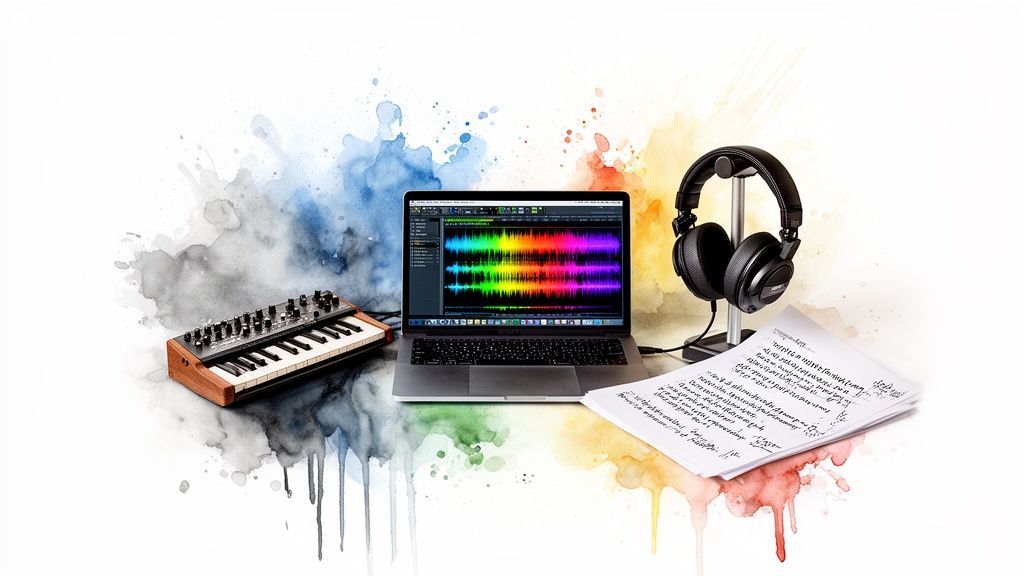
The whole thing boils down to three main gigs: whip up a song, dream up a visual concept, and then produce the video. It’s a pretty simple flow.
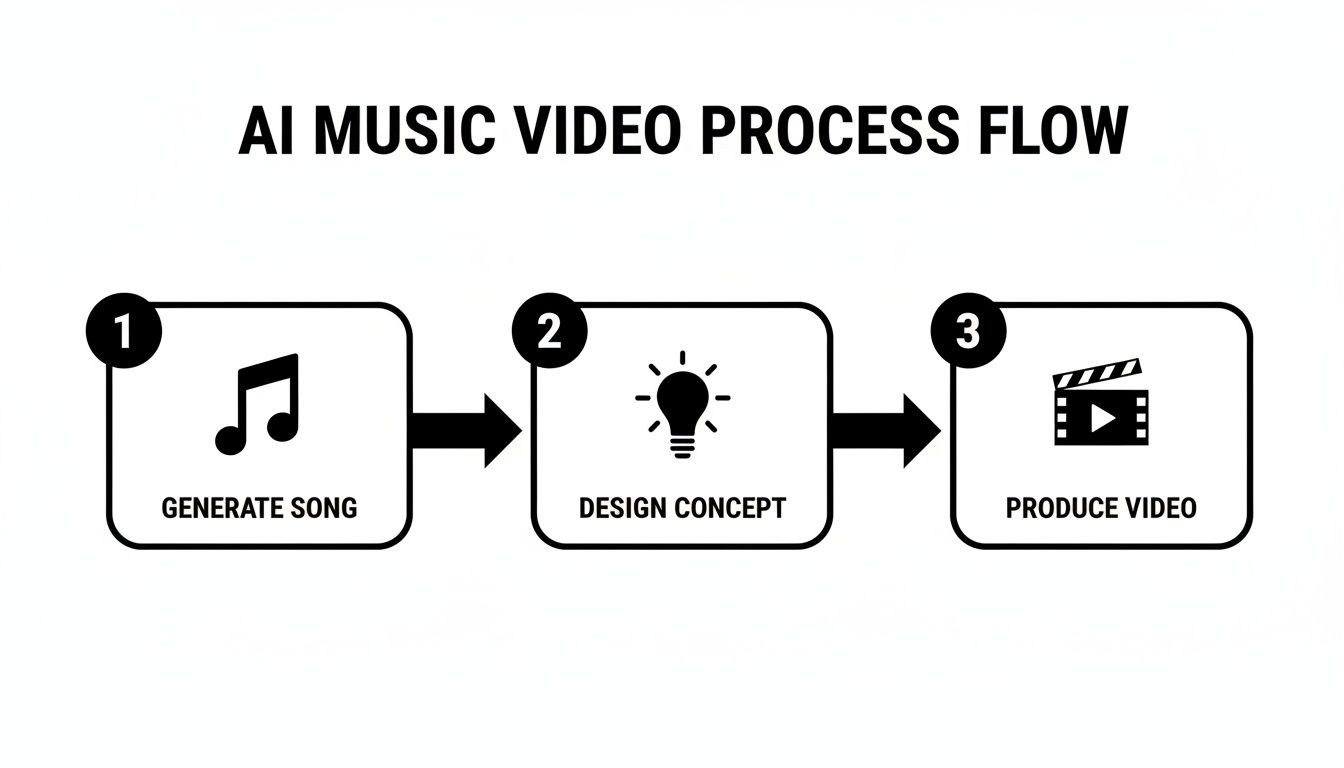
This little roadmap—song, concept, video—is your new creative mantra.
And this isn't just some niche trend. The numbers are screaming it from the rooftops. The AI music market, which is the engine behind these video tools, hit $6.65 billion in 2025 and is on track to explode to a massive $60.44 billion by 2034. AI music video generators are quickly becoming must-have gear for any modern creator.
This is about more than just cutting costs. It's about cracking open a universe of creative freedom that was totally off-limits for independent artists, marketers, and basically anyone with a story to tell.
If you want to see what else is out there, checking out a roundup of the 12 best AI tools for content creators is a great way to get a feel for the landscape.
To get a better handle on how all the pieces fit together, here's a quick look at the typical workflow.
This table breaks down the entire journey from a simple idea to a finished video, pointing you to the right tools for each stage.
| Production Stage | Primary Goal | Recommended Tools |
|---|---|---|
| Song Generation | Create an original, high-quality audio track from a text prompt. | Suno, Udio, Soundraw |
| Concept Design | Develop the story, style, and visual direction for the video. | ChatGPT, Claude, Milanote |
| Video Production | Generate and sync visuals to the beat and lyrics of your song. | SendFame, Runway, Pika |
Think of this as your production cheat sheet. It keeps you organized and ensures you're using the best tech for the job at hand.
The beauty of this process is how fast you can move from a spark of an idea to a fully finished product. You bring the vision, and the AI does all the heavy lifting.
Nail the perfect song: Tell the AI the genre, mood, and instruments you want, and it'll compose a track just for you. Sketch out your vision: Come up with a story or a cool aesthetic that perfectly matches the music's energy. Bring it all to life: Let the AI transform your concept into animated scenes that sync perfectly with your audio.
This is exactly the kind of seamless workflow our AI music video generator was designed for.
Alright, let's get into the nitty-gritty and kick things off with the first step.
Every legendary music video needs a track that absolutely slaps. The good news? You don't need to book a pricey recording studio or hire a slick producer to make it happen. We're going to dive into how you can whip up a legitimate banger using SendFame’s AI Music Generator, turning a simple idea into a full-fledged song.
This isn't just about hitting a button and hoping for the best. It's about learning to guide the AI like you're a seasoned producer, making sure the final track nails the exact vibe you have in your head. Think of yourself as the creative director, and the AI is your infinitely talented session musician who's always on call.
The absolute heart of AI music generation is the prompt. A lazy prompt like "make a pop song" is going to get you something forgettable. A detailed, descriptive prompt, on the other hand, is what produces a track that sounds unique and intentional. Your goal is to paint a picture with words that the AI can translate into sound.
Start by getting granular. Don't just think about genre; break down the core pieces of the song you're imagining.
Genre and Subgenre: Instead of just "rock," try "gritty garage rock with a fuzzy bassline." Instead of "electronic," get specific with "downtempo lo-fi hip hop with chill synth pads." Mood and Emotion: How should this song feel? Words like "melancholy," "euphoric," "tense," "uplifting," or "nostalgic" are your best friends here. Tempo and Rhythm: Are you hearing a "slow, deliberate 4/4 beat" or a "fast-paced, frantic breakbeat"? Describe the energy. Instrumentation: Name names! Call out the instruments you want to hear. "Shimmering electric piano," "distorted 808 bass," "acoustic guitar with a touch of reverb," or "haunting female vocal ad-libs."
The real magic happens when you start combining these elements. You're basically building a recipe for the AI to follow.
Look, the quality of your AI-generated music is a direct reflection of the quality of your prompt. It’s a classic case of garbage-in, garbage-out. Spend an extra five minutes refining your prompt, and you'll save yourself an hour of sifting through mediocre tracks.
After spending countless hours in the AI music trenches, I've landed on a few prompt structures that consistently deliver the goods. They're a solid starting point you can tweak for pretty much any project.
Here's a simple but killer formula to get you started: [Genre], [Mood], [Key Instruments], [Tempo], [Defining Characteristic]
Let's put it to the test with a couple of real-world scenarios.
Example 1: A Product Launch Video Let's say you need an upbeat, energetic track for a new tech gadget reveal. You want it to feel modern and exciting.
Prompt: Upbeat indie pop, optimistic and exciting mood, with a driving drum beat, funky bassline, and clean electric guitar riffs, 120 BPM, perfect for a product promo.
Example 2: A Moody Short Film Now, picture a short film set in a rainy, futuristic city. The vibe is way different—more pensive and atmospheric.
Prompt: Dark synthwave, melancholic and atmospheric, featuring pulsing arpeggiated synths, a slow, heavy drum machine, and reverb-drenched pads, 85 BPM, cyberpunk noir vibe.
See the difference? These prompts give the AI clear, actionable instructions, which dramatically increases the odds of it spitting out something that perfectly fits your video's vision.
A great instrumental track is just the beginning. To really get your anthem ready for its visual debut, you need the whole package. SendFame makes this ridiculously easy by integrating tools to generate not just the music, but the lyrics and even the artwork, too.
Once you've got a song you love, use the AI to generate lyrics that match its mood and theme. You can then feed those lyrics right back into the music generator to create a version with vocals. For a deeper dive into that side of things, you can learn more about how to create songs with AI in our dedicated guide.
Finally, generate a matching album cover. This isn't just for show; a strong visual identity helps set the tone before the first frame of your music video even plays. With your song, lyrics, and cover art all locked in, you have a fully realized musical concept, armed and ready to become a killer AI-generated music video.
So, you've got a killer AI anthem cooked up and ready to go. Awesome. Now it's time to put on your director's hat, because a great music video is way more than just a collage of cool-looking shots—it's a story. This part of the process, the pre-production, is where you map everything out before generating a single frame.
Honestly, this planning stage is your secret weapon. It’s what separates a random jumble of AI clips from a cohesive, emotionally powerful video that people actually want to watch and share.
Before you even think about typing a prompt, you need a core concept. What’s the story here? This decision will shape every single visual choice you make from this point forward.
You’ve basically got three main paths to wander down:
Literal Interpretation: The visuals directly match the lyrics. If the song says "walking through a rainy city at midnight," well, that’s exactly what you show. It's straightforward and incredibly effective for narrative-driven songs. Abstract Journey: This one is all about vibe and feeling. Instead of literal words, you use colors, textures, and surreal imagery to capture the song's emotion. Think dream sequences and symbolic visuals that hit you on a gut level. Performance Piece: Here, the video centers on a character or avatar performing the song. This is a classic for a reason—it’s perfect for creating a bond between the audience and a virtual artist.
And hey, don't feel locked into just one. You could have an avatar performing in an abstract, dreamlike world that symbolizes the song's lyrics. The only real rule is to have a plan. For a much deeper dive into this, our guide on how to write a music video treatment is your best friend—it's the exact blueprint pros use.
Once you’ve landed on your big idea, it's time to get granular and break it down, scene by scene. I call this the 'prompt storyboard.' You’re not drawing anything; you’re writing out a sequence of text prompts that will eventually become the clips in your video.
This storyboard is your production roadmap. It’s the key to making sure your final video has a clear beginning, middle, and end, and that the visuals don't feel all over the place. When you want to ai generate music video content that feels deliberate and professional, this is how you do it.
Think of your prompt storyboard as an insurance policy against a chaotic, disjointed mess. A five-minute plan here saves you hours of frustration and wasted generation credits later. I’m not exaggerating when I say this is the most important step in this entire process.
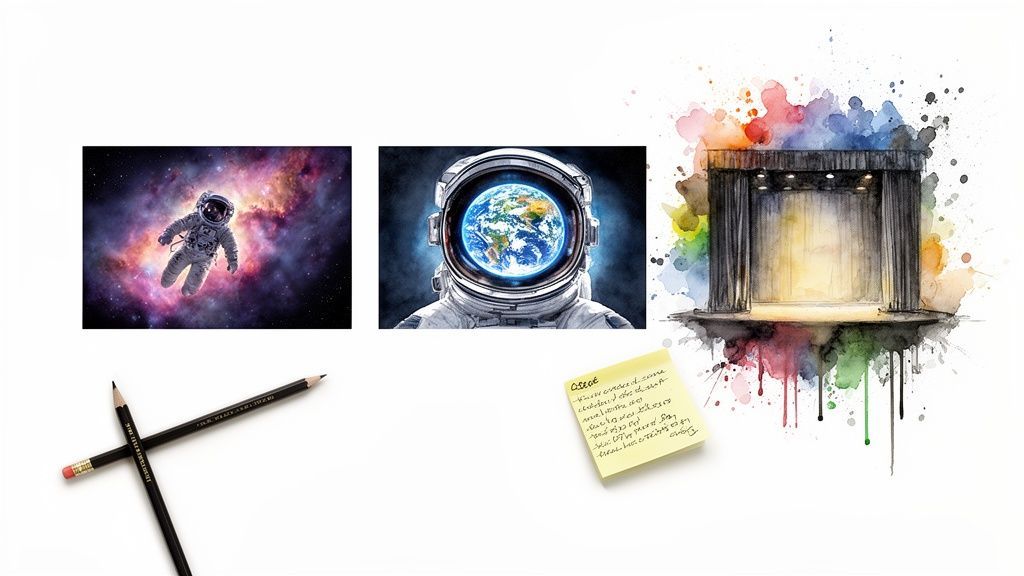
Let's pretend we're making a video for that moody synthwave track we talked about earlier. Our concept is a lone astronaut drifting through space, lost in thought.
Here's what a simple prompt storyboard might look like:
| Scene # | Shot Description | Core Prompt Elements |
|---|---|---|
| 1 | Opening Wide Shot | A lone astronaut drifting in a vibrant nebula, cinematic, hyperrealistic, deep space, 35mm film grain |
| 2 | Medium Shot | Astronaut slowly tumbles, cosmic dust swirls around them, feeling of isolation and wonder, moody lighting |
| 3 | Extreme Close-Up | Close-up on the astronaut's helmet, reflecting a distant, glowing Earth, subtle lens flare |
| 4 | POV Shot | View from inside the helmet, looking out at the star-filled void, audio slightly muffled |
| 5 | Closing Wide Shot | The astronaut floats towards a massive, unknown planet, silhouette against the bright celestial body |
With a simple table like this, you’ve just outlined your entire visual narrative. Each prompt is a building block for a specific moment, and they all fit together to tell a complete story. You're no longer just generating random clips; you're directing your own sci-fi epic, one prompt at a time. This structured approach is what it takes to create a video that truly stands out.
Alright, the director's chair is yours. You’ve got your prompt storyboard mapped out and your AI-spun anthem is bumping. Now for the fun part: turning those written ideas into actual, moving pictures. This is where we take our scene descriptions and feed them into the machine to build a library of custom visuals for our project.
The secret sauce here is all in the prompt. We're not just telling the AI what to make; we're giving it detailed, cinematic instructions. Think of yourself as a cinematographer, not just a writer. You're telling the AI how to shoot the scene, not just what's in it.
If you want to ai generate music video clips that look like they were professionally shot, you have to think like a filmmaker. Your prompts need to be dripping with visual language that dictates camera work, lighting, and the overall vibe. Tools like SendFame’s Image-to-Video feature absolutely feast on this level of detail.
Let's get into the nitty-gritty of what to bake into every prompt:
Camera Angles and Movement: Don't just say "a person standing." Direct the camera! Use terms like "wide shot" to set the scene, a "close-up" to capture raw emotion, or even a "dolly zoom" for that classic, gut-wrenching dramatic effect. Lighting and Mood: Lighting is the soul of a scene. Is your world bathed in the "soft neon glow" of a futuristic city at night? Or maybe it's defined by "dramatic Rembrandt lighting," with intense shadows and stark highlights. Get specific. Artistic Style: This is your aesthetic signature. You can call out famous directors or art movements by name. Try asking for something "in the style of Hayao Miyazaki" for a touch of animated magic, or add "8mm film grain" for that warm, nostalgic kick.
When you layer these elements together, you're not leaving things to chance. You're guiding the AI with a firm, creative hand right toward the vision in your head.
To really see how a few extra words can completely change the game, let's evolve a basic prompt. We'll stick with our astronaut theme from earlier.
Basic Prompt: An astronaut floating in space.
It’s fine. It works. But it’s also incredibly boring. The AI has too much room to guess, and you’ll likely get something that looks like generic stock footage. Now, let’s inject some of that cinematic flair.
Advanced Prompt: **Extreme close-up** on an astronaut's helmet, **dramatic Rembrandt lighting**, reflecting a distant, glowing Earth against a vibrant nebula. **Hyperrealistic, cinematic, in the style of Blade Runner 2049, 35mm film grain.**
See the difference? It’s night and day. The first prompt gets you a picture. The second prompt gets you a story. You’ve got mood, a clear artistic style, and a narrative baked into a single frame. That's the level of detail to aim for.
This isn’t just a neat trick; it's becoming the standard. AI tools have gotten shockingly good. A 2025 Deezer-Ipsos survey revealed that 97% of listeners couldn't tell the difference between fully AI-generated songs and human ones. That same level of realism is now hitting video. In fact, the market for virtual idols is on track to smash past $15 billion by 2026. This is the new reality of content creation.
Time to get to work. Go through your storyboard, scene by scene, and flesh out each description into a rich, cinematic prompt. As you start generating, don't be afraid to play around.
Generate Variations: For a really important moment, like the song's chorus, make a few different versions. Maybe one is a sweeping wide shot, and another is a frantic tracking shot. You'll thank yourself for having options when you get to the editing stage. Keep It Short: Right now, most AI video generators excel at short clips, usually in the 3-5 second range. This is actually perfect for a music video, where quick cuts keep the energy high. Plan for this by breaking longer actions into a sequence of shorter prompts. Organize As You Go: This is a pro tip that will save you from a world of pain. Name your files clearly as you save them (e.g., "Verse1_WideShot_Nebula.mp4," "Chorus_Closeup_Helmet.mp4").
Once you have a collection of clips you’re happy with, it’s easy to upload your generated video clips to an editor or sharing platform. With a well-organized folder of custom-made assets, you're officially ready to head into post-production and stitch your masterpiece together.
Alright, the heavy lifting is done. You’ve got a killer AI song and a hard drive full of incredible, custom-made video clips. Now for the fun part: diving into the edit and stitching these raw ingredients into a seamless work of art.
This is where the magic really happens. Post-production is what elevates your project from a cool experiment into a polished, professional-grade music video that people will actually want to watch and share.
First up, you need a digital playground to assemble everything. You don't need to break the bank on some ridiculously complex software. Honestly, amazing tools like CapCut are fantastic for this, and the free version of DaVinci Resolve packs enough power to rival what the pros in Hollywood use.
If you're stuck trying to decide, our deep dive into video editing software can help you find the perfect fit.
Once you're set up, pull your AI song and all your video clips into the project. The first mission is to just get a rough cut down. Drop the song onto the audio track, then start laying your video clips on the timeline above it. Don't sweat perfection here. The goal is to get the basic skeleton in place, matching your storyboard—verse clips over the verses, chorus clips over the choruses, you get the idea.
Now, let's talk rhythm. If you learn only one editing trick, make it this one: cutting to the beat. This is the single most powerful technique for making a music video feel tight, professional, and just plain satisfying to watch.
Find those big, punchy moments in your song—usually the kick drum or snare—and make your video cuts land right on top of them.
A visual that slams in right as the chorus drops or the beat switches creates an electrifying impact. It’s a simple concept, but it's the absolute foundation of great music video editing. Nailing this is non-negotiable.
Here’s a quick way to do it:
Find the Downbeat: Just listen to the track and tap your foot. Most songs have that clear "one, two, three, four" pulse. That "one" is your downbeat, your anchor. Mark It Up: Use your editor’s marker tool to flag these key beats, especially at major transition points like when a verse flips into a chorus. Align and Slice: Trim your video clips so they snap right to these markers. A series of rapid-fire cuts on every snare hit can create a frenetic, high-energy vibe. In contrast, a long, smooth transition between verses can build a completely different atmosphere.
With your clips all sequenced and dancing to the rhythm, it’s time for the final touches that pull everything together into a cohesive whole.
Transitions: Seriously, keep it simple. A clean "hard cut" is your best friend 99% of the time. For softer moments, a gentle "crossfade" can be beautiful. Just please, stay away from cheesy star wipes and pixelated explosions unless you’re intentionally going for a retro, ironic feel. Color Grading: This is the key to making clips generated at different times look like they were all shot on the same day. Apply a consistent color filter—often called a "LUT" (Look-Up Table)—across all your footage. This gives your video a signature mood, whether it’s the cold, sterile blues of a sci-fi epic or the warm, hazy tones of a nostalgic summer memory. Lyric Overlays: Tossing in some animated text of the lyrics can be a huge engagement booster, especially for platforms like TikTok and Instagram. Just pick a clean, readable font that fits your video's aesthetic.
This final editing stage is more critical than you might think. We're seeing an absolute flood of AI content hitting the web. Some platforms are reportedly getting 50,000 AI tracks submitted daily, and Spotify had to yank 75 million low-quality tracks in just 12 months.
To avoid getting lost in that noise, your work has to be polished. The first AI song to hit No. 1 on the Billboard Hot 100 will almost certainly be the one with the most gripping, flawlessly edited video. Your editing skills are what will make you stand out.
Before you hit that export button, think about where your audience will be watching. A video optimized for a widescreen YouTube experience will flop on vertical-first platforms like TikTok. Tailoring your final cut for each platform is a small step that yields huge results.
| Platform | Ideal Aspect Ratio | Optimal Length | Key Engagement Tip |
|---|---|---|---|
| YouTube | 16:9 (Horizontal) | 2-4 minutes | Focus on a strong hook in the first 15 seconds and create a high-quality, custom thumbnail. |
| Instagram Reels | 9:16 (Vertical) | 15-90 seconds | Use trending audio (even layered subtly) and on-screen text/captions to grab attention immediately. |
| TikTok | 9:16 (Vertical) | 15-60 seconds | The first 3 seconds are everything. Cut fast, use bold text, and loop the video seamlessly. |
| Facebook Video | 1:1 (Square) or 4:5 (Vertical) | 1-3 minutes | Design for sound-off viewing. Make sure your visuals and captions tell the story without audio. |
| X (Twitter) | 16:9 (Horizontal) or 1:1 (Square) | Under 2 minutes 20 seconds | Keep it short and punchy. Videos that are direct and get to the point perform best here. |
By tweaking your video's dimensions and length for each platform, you're not just re-uploading content; you're speaking the native language of each audience, dramatically increasing your chances of engagement and success.
Diving headfirst into the world of AI-generated content can feel a bit like the Wild West. You've got the tools and the vision, but a bunch of questions are probably bouncing around your head. That’s completely normal.
Let's clear the air. We’ll tackle some of the most common questions creators, artists, and marketers have when they start to ai generate music video projects. Think of this as your practical field guide to navigating the exciting new frontiers of creative tech.
This is the big one, and for good reason. The short answer? Yes, generally, but the devil is in the details. The legal side of AI is still being sketched out, but we can break down the current state of play.
When you use a platform like SendFame to create your video, you’re typically granted a commercial license. This means you have the green light to use your creation for things like YouTube monetization, social media ads, or promotions. Always, always check the specific terms of service for the tools you use—that’s where they spell out exactly what’s permitted.
Copyright, however, is a whole different beast. The U.S. Copyright Office has been pretty clear that works created solely by AI, without a human steering the ship, can't be copyrighted. But that's not what you're doing.
Your creative choices—writing the prompts, selecting specific clips, editing them together, timing cuts to the music, and applying color grades—represent your human authorship. The final, edited video is a product of your vision, which is generally copyrightable.
To stay on the safe side and build trust with your audience, transparency is your best friend. Consider adding a simple disclaimer like "#AIassisted" or "#MadeWithAI" to your video descriptions. For any major commercial project, a quick chat with a lawyer specializing in intellectual property is always a smart investment.
This is the secret sauce that separates the amateurs from the pros. A truly great AI music video doesn't feel like a random mishmash of clips; it feels like it was shot with a single, unified vision. Nailing this cohesion comes down to planning and polish.
It all starts before you generate a single frame. Your prompt storyboard, which we talked about earlier, is your blueprint for a consistent narrative. By planning your scenes in a logical sequence, you've already won half the battle.
Next, you need to maintain a consistent visual language in your prompts.
Style Keywords: If your video's aesthetic is "dystopian cyberpunk," make sure that phrase is in every single prompt. Lighting Descriptors: Using terms like "vibrant neon glow" or "cinematic 35mm film" across all your clips ensures they share the same DNA.
Once you move into the editing suite, color grading becomes your most powerful tool. Applying a single color treatment or filter (a LUT) across all your clips will instantly make them feel like they belong together. Even subtle tweaks can magically tie disparate shots into a single, professional-looking piece.
Jumping into AI video creation is a blast, but a few common slip-ups can derail a project fast. Knowing what they are is the best way to steer clear.
The single biggest mistake is diving in without a clear concept. If you just start firing off random prompts, you'll end up with a chaotic, nonsensical video. Always spend time on your idea and storyboard first. It's the foundation of everything that follows.
Another classic error is writing prompts that are way too long or convoluted. AI models thrive on clear, concise instructions.
Instead of a massive paragraph trying to describe an entire scene, break it down:
Prompt 1: Wide shot of a rain-slicked futuristic city street, moody blue and purple neon signs, in the style of Blade Runner. Prompt 2: Medium shot of a lone figure in a trench coat walking down the street, reflections in the puddles. Prompt 3: Close-up on their face, illuminated by the flashing neon lights.
A third pitfall is skipping or rushing post-production. Don't just export raw AI clips and call it a day! The real art happens in the edit. The timing, the color correction, and the rhythm are what breathe life and emotion into the project.
Finally, don't let a single static shot hang around for too long. A great music video has a dynamic pace. Make sure you generate a variety of shots—wide, medium, close-up, tracking shots—to keep your viewer hooked from the first beat to the last.
Ready to stop wondering and start creating? SendFame puts all the tools you need to generate professional-quality AI music videos right at your fingertips. Turn your creative vision into a stunning visual reality in just a few clicks. Start your project today at https://sendfame.com.
Create Epic

SendFame

Create Epic with SendFame!
Questions: info@sendfame.com