12 Best Music Production Programs for Beginners in 2025
music production programs for beginners
Welcome offer — 56% OFF


Uncover the best album cover design software for your music. This guide breaks down essential tools, AI workflows, and design secrets for stunning artwork.
Imagine your music is a story. The album cover is the book's front jacket—it's the first thing anyone sees, the visual hook that says, "Hey, you need to hear this." Album cover design software is your personal art department, the digital studio where you bring that visual story to life. It's how you translate the vibe of your tracks into a single, killer image that stops thumbs from scrolling on Spotify and Apple Music.
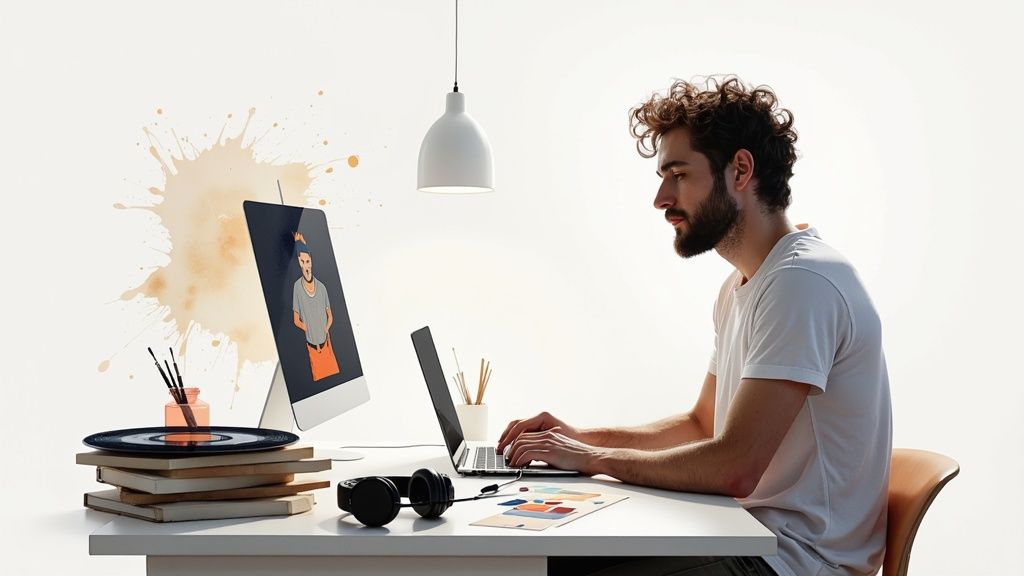
At its heart, this kind of software is just a specialized creative playground for making music artwork. Think of it as the 21st-century version of a painter’s canvas, but instead of messy brushes and paint tubes, you get layers, slick text editors, and endless color palettes. It’s the bridge between what your music sounds like and what it looks like.
The days of needing to hire a pricey design agency to get a professional-looking cover are officially over. These tools are now in the hands of everyone, from the bedroom producer dropping their first single to major record labels. They give you the power to craft something that not only looks incredible but also ticks all the technical boxes for streaming platforms.
A great album cover tool does a lot more than just slap your band name over a cool photo. It’s a workhorse that handles some seriously important jobs for your music's launch:
Turning Sound into a Vibe: This is where you visually define your genre and mood. A gritty, high-contrast photo screams metal, while a dreamy, pastel-gradient design whispers lo-fi beats. You’re setting the listener's expectations before they even press play. Building Your Artist Brand: Consistent visual themes across your releases create an identity that fans can recognize instantly. It's like the Nike swoosh for your sound. Nailing the Technical Stuff: Most importantly, the software ensures your artwork is a perfect 3000x3000 pixels, at 300 DPI resolution, and in the right RGB color mode. No more rejected files from your distributor!
This isn't just a niche trend; it’s part of a massive creative explosion. The whole digital content creation market—which includes these design tools—was valued at a whopping USD 32.28 billion in 2024. According to market analysis from Grand View Research, that number is only going up, proving just how much creators want tools that let them run the show themselves.
Picking the right album cover software can feel like staring at a massive mixing board for the first time—a dizzying array of knobs, faders, and buttons. So, what actually matters? Let's cut through the noise and zero in on the features you absolutely cannot live without.
Think of these as your essential studio gear. Trying to design without them is like trying to record a hit single with a busted microphone. You might get a sound out, but nobody's going to want to listen to it. These are the tools that make the difference between a frustrating mess and a smooth, creative session.
Ever tried to paint a masterpiece on a single sheet of paper? One wrong brushstroke with the background color, and the whole thing is toast. That’s what designing without layers feels like. Layers are basically transparent sheets stacked on top of each other. You can slap your main photo on one, drop your band's logo on another, and overlay a gritty texture on a third, all independently.
This separation is a creative godsend. It means you can:
Experiment without fear: Go wild! Move things around, resize them, or delete an element entirely without wrecking the rest of your design. Tweak the tiny details: Want to make that texture just a little more see-through? Or change the color of your text? Easy. Each layer is its own little world. Build complex art: Stack images, text, and effects on top of each other with complete control, creating depth and a professional finish.
A design without layers is a one-way ticket to a creative dead end. It locks you in from the first click and makes even small changes a nightmare. If you want flexibility, layer support isn't just a feature—it's the feature.
Before we dive deeper, let's get a bird's-eye view of the most important features. This table breaks down what you need and why it's a non-negotiable for creating killer album art.
| Feature | Why It Matters for Album Art | Best For |
|---|---|---|
| Layer-Based Editing | Gives you total control to edit text, images, and effects independently. It’s the foundation of all professional design. | Everyone. Seriously. This is non-negotiable. |
| High-Resolution Export | Ensures your cover looks crisp on Spotify and is ready for print. Distributors require at least 3000x3000 pixels at 300 DPI. | Musicians planning a digital release or printing physical copies (vinyl, CDs). |
| Advanced Typography | Your band name and album title are design elements. You need control over fonts, spacing (kerning), and effects to make them pop. | Artists who want a polished, professional look where text is a key part of the art. |
| Templates & Stock Assets | A huge time-saver. Good templates give you a pro starting point, and stock libraries provide high-quality images and graphics. | Indie artists, marketers, and anyone on a tight deadline needing a great cover fast. |
| AI Generation Tools | Turns your text ideas into unique visual concepts instantly. Perfect for brainstorming or creating a one-of-a-kind base image. | Creatives looking to explore new visual styles or overcome a creative block quickly. |
This table is your cheat sheet. If the software you're looking at is missing any of these core components, it's probably best to walk away and find one that's properly equipped for the job.
Your album art has to look absolutely pristine everywhere it appears, from a teeny-tiny Spotify thumbnail on a phone to a giant promotional poster. This is where high-resolution export saves the day. Your software must be able to export your final file at 3000x3000 pixels and 300 DPI (Dots Per Inch). If it can't, you're signing up for a blurry, pixelated mess that digital distributors will flat-out reject.
Just as critical are your typography tools. The text on your cover isn't just there to provide information; it’s a massive part of the vibe. Good software gives you a whole playground of options:
Font libraries: A massive collection of fonts to nail the exact feel of your music, whether it's brutal death metal or dreamy synth-pop. Kerning and leading: These are the fancy design terms for adjusting the space between individual letters and lines of text. Getting this right is the secret to making your text look like it was set by a pro. Text effects: Let's have some fun! You need options for shadows, outlines, glows, and warps to make your artist name and album title leap off the screen.
Let's be real: sometimes you need a fantastic-looking cover, and you need it yesterday. That's when templates and built-in stock asset libraries become your best friends. A good template isn't a crutch; it's a launchpad. It gives you a professionally designed layout that you can quickly make your own by swapping in your colors, images, and text. It’s not about cutting corners, it’s about working smarter.
Many modern design tools are taking this a step further with AI. In fact, learning how to use an AI image generator can completely change your workflow, letting you turn a simple idea like "a lone astronaut sitting on a neon-lit jukebox on Mars" into a stunning visual in seconds. These features don't just speed things up; they can blow the doors wide open on your creativity.
Alright, let's turn that blank screen into an album cover that grabs people by the ears. A solid workflow isn't about boxing in your creativity; it's about giving it a roadmap. It’s the difference between wandering aimlessly and executing a vision.
Think of it like a chef prepping their ingredients before the heat is on. A great designer locks in a concept before ever launching their album cover design software. This simple process keeps creative block at bay and makes sure the final product looks slick and professional, every single time.
This little graphic lays out how the most critical software features play together, from the first layer to the final file.
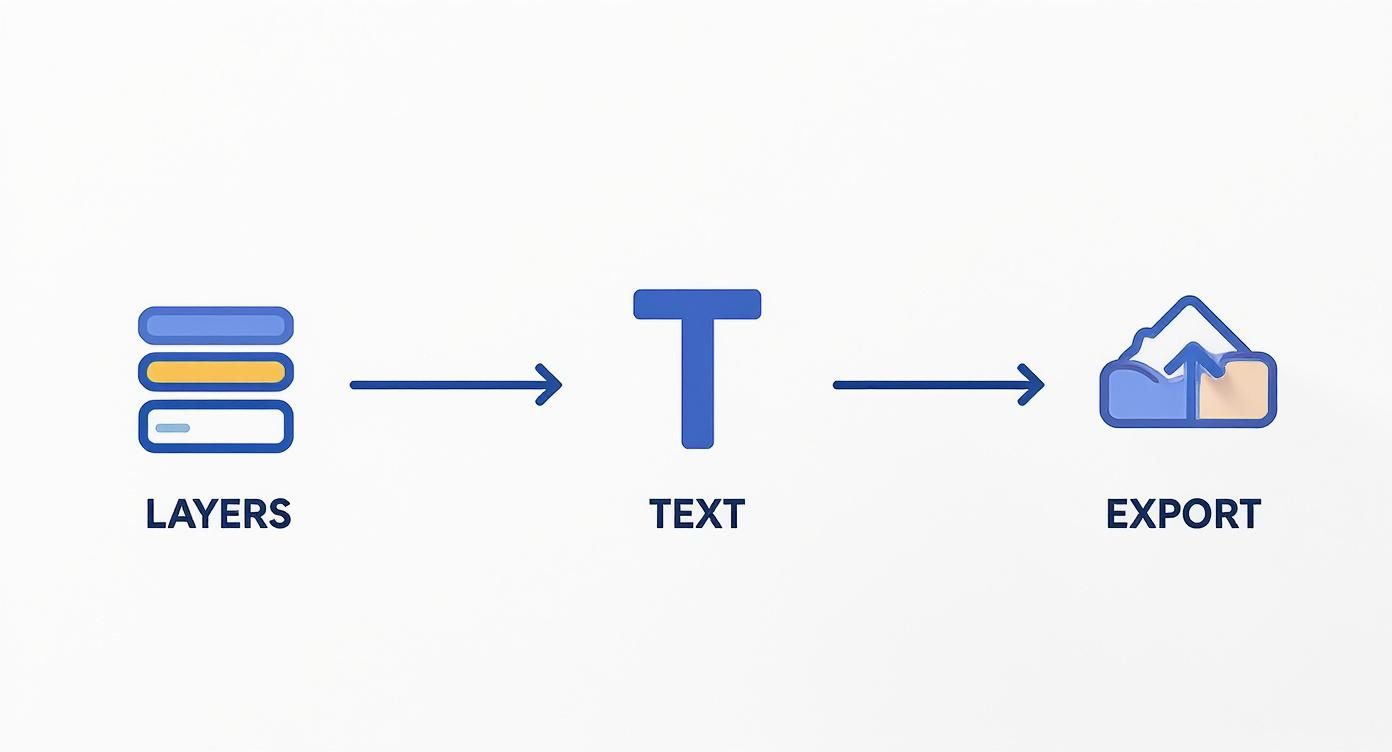
You can see how the basics—layers and text tools—are the building blocks that lead straight to that all-important final export.
Stop. Before you touch a single pixel, you need an idea. What’s the soul of your music? Is it a late-night drive? A sun-drenched beach party? An angry breakup? Jot down keywords and themes that tell your story.
Now, build a mood board. This is your visual playground. Snag images, color palettes, fonts, and even other album covers that just feel right. You're not copying; you're bottling a vibe. Getting this right ensures your artwork actually sounds like your music.
Time for the technical bit, but I promise it's painless. Fire up your software and create a new project. You’ll want to use the sacred specs for all major streaming platforms:
Dimensions: 3000 x 3000 pixels. This is the magic number that keeps your art looking crisp, whether it’s on a phone or a monitor. Resolution: 300 DPI (Dots Per Inch). This is the gold standard for both print-quality and razor-sharp digital displays. Color Mode: RGB. This is the language of digital screens, so stick with it.
Nailing these settings from the jump saves you from a world of hurt later. It's the concrete foundation for the masterpiece you're about to build.
Canvas is prepped, mood board is ready—let's make some magic. Start by dropping in your main photo or graphic. A good rule of thumb is the "rule of thirds," which helps you place key elements in spots that are naturally pleasing to the eye.
Next up, the words. This is where visual hierarchy becomes your best friend. Your artist name and album title need to pop, but they shouldn't fight each other for attention. Play with fonts, sizes, and positioning until it clicks. And for goodness sake, put every element on its own layer! Your future self will thank you when you need to make a quick change.
Feeling adventurous? This is a great spot to bring in some AI muscle. Generating a wild, unique image can give you an incredible head start. You can dive deeper into this in our guide to AI-generated album covers, where we break down how to coax stunning visuals out of simple text prompts.
We're in the home stretch. Time to add that final 10% of polish. Tweak the colors, pump up the contrast, maybe throw on a subtle texture or filter to give it some grit. Seriously, zoom all the way out and see how it looks as a tiny thumbnail. If it still has impact, you've won.
Once you’re thrilled with it, it's time to ship it. Export your final design as a high-quality JPG or PNG. Do one last check to make sure it's still 3000x3000 pixels and 300 DPI. And that's it—you've officially created a pro-level album cover ready for the world.
Welcome to the future, where your next album cover might be dreamed up with a digital muse. Artificial intelligence isn't some far-off tech buzzword anymore; it's a real, powerful creative partner that's flipping the script on how independent artists get their visuals done. Think of AI as your tireless artistic assistant, one that can spitball a thousand wild concepts in the time it takes to make a cup of coffee.
This isn't just a minor shift—it's a monumental one. AI-powered design tools like DALL-E and Midjourney have completely crashed the party, making professional-quality design something anyone can get their hands on. Suddenly, indie artists and small labels can pump out stunning, high-concept album covers in minutes, not weeks. That’s a total game-changer for music’s visual world.
Let’s say you have a weird, abstract idea floating around in your head. Something like, "a lonely robot listening to a vinyl record in a neon-drenched, rainy city." Trying to explain that to a human designer could involve a dozen emails and sketches. But with an AI image generator? You just type that description in as a prompt, hit enter, and watch the magic happen.
This process completely opens up the world of concept art. It's not about whether you can draw or paint anymore; it's about how well you can describe the picture in your head.
AI is brilliant at a few things:
Smashing through creative block: Feeling stuck? Let the AI throw a hundred visual starting points at the wall and see what sticks. Visualizing the impossible: It can take the abstract emotions or lyrical themes from your music and turn them into something you can actually see. Insanely fast do-overs: Don't love the first version? Just tweak your prompt and generate a new one in seconds. No hurt feelings.
For a cool twist, you can even try generating images with ChatGPT, turning a simple text conversation into a full-blown design session.
The real art of using AI isn't just clicking a "generate" button. It’s all about crafting the perfect prompt and knowing which of the machine’s ideas to run with. Your creativity is still steering the ship.
Look, AI isn't here to take anyone's job. It’s here to make artists more powerful. The raw image that an AI spits out is often just a starting point. The truly incredible results happen when a human—that’s you—steps in to refine, edit, and add those final, crucial touches.
This is where your unique artistic vision takes center stage.
Many artists are using AI to generate a cool base image, then pulling that file into traditional album cover design software to handle the typography, tweak the colors, and nail the composition. A perfect example is using a tool like the https://sendfame.com/ai-album-cover-generator, which gives you the instant creativity of AI paired with simple, intuitive controls.
This hybrid approach really is the best of both worlds. You get the limitless imagination of a machine and the nuanced, tasteful control of a dedicated design tool. At the end of the day, AI might provide the block of marble, but you’re still the one holding the chisel.
Let's get one thing straight: there's no magic "best" software for making album art. Anyone who tells you otherwise is selling something. The real secret is finding the tool that feels like an extension of your own creative brain—something that fits your budget, your skills, and the story you're trying to tell.
What works for a big-shot producer managing a roster of artists would be a nightmare for a DIY musician just trying to get their first single on Spotify. It's all about finding the right fit. Let's break it down by who you are.
You're a one-person army. You wrote the songs, you recorded them in your bedroom, and now you’re the art director, too. Your budget is… let's call it "strategic," and your time is nonexistent. You need something that gets you a killer-looking cover without requiring a graphic design degree or a small loan.
Web-based design platforms are your best friend here.
Key Needs: Simplicity is king. You need great templates and a price tag that’s easy to swallow (preferably free). Best Tools: Think browser-based tools with drag-and-drop editors. They come loaded with perfectly sized album cover templates and libraries of free photos, which is a massive time-saver.
You're juggling multiple artists, each with their own vibe. Your job is to keep the train moving, and that means you need power and control. You’re building entire visual campaigns, not just a single image.
This is where the heavy-hitting desktop software earns its keep.
You're not just whipping up one cover. You're crafting entire visual identities for different artists. Your software needs to be a powerhouse that can handle complex layers, intricate typography, and massive print-quality files without even flinching.
These programs are an investment, no doubt. But for creating consistently high-end, original artwork, the creative freedom they offer is non-negotiable.
Your band’s lifeblood is online. You don’t just need one album cover; you need an endless stream of graphics. You need art for the Spotify release, a different version for Apple Music, animated stories for Instagram, and eye-catching clips for TikTok. Speed and variety are your currency.
AI-powered generators are your secret weapon. These tools can dream up dozens of unique concepts from a single text prompt. Got a new single? Bam, 20 visual ideas in a minute. This gives you a bottomless well of content to keep your fans engaged.
Want to dive deeper into this rabbit hole? Check out our guide to the best AI art generators on the market. It's a game-changer for musicians who need to focus on the music while still crushing the visual game.
Look, making a killer design is only half the battle. Getting the technical specs right is what actually gets your music through the door. Streaming platforms like Spotify and Apple Music are notoriously strict about their album art rules, and they are not messing around. If you don't nail these requirements, your distributor will flat-out reject your masterpiece, and your release will grind to a screeching halt.
Think of these specs as the secret handshake that all streaming services understand. Your album cover design software absolutely must be able to spit out a file that meets these exact standards. Get it wrong, and you risk your art looking blurry, discolored, or worse—getting blocked entirely. The trick is to build your canvas correctly right from the start.
Every single piece of album art destined for a digital release has to follow a core set of rules. These aren't just friendly suggestions; they're the non-negotiable, industry-wide requirements for a professional launch.
Dimensions: Always, always, always 3000 x 3000 pixels. This is the magic number that ensures your cover looks razor-sharp on everything from a tiny phone screen to a massive 4K monitor. Resolution: Stick to 300 DPI (Dots Per Inch). I know, DPI feels like a print thing, but setting it this high keeps all the delicious image data packed in, preserving maximum quality. Color Mode: Use RGB. This color space is built for screens, period. It prevents those horrifying color shifts that can happen when your art goes live. File Format: Export as a high-quality JPG or PNG. These guys give you the best bang for your buck, balancing crisp quality with a file size that won't clog up the internet.
This obsession with precision is part of a bigger picture. People want high-quality, personalized digital goods. For a little perspective, the embedded photo album market—which plays in the same design sandbox—is projected to hit a whopping $11.7 billion by 2033, all because people crave sophisticated customization. You can dive deeper into the growth of personalized visual products on datainsightsmarket.com.
And don't forget the final step! Once you have the perfect image file, you need to make sure it's actually attached to your music. Learning about editing ID3 tags to embed your album art is the crucial last mile that guarantees your cover shows up everywhere your music is played.
Diving into album cover design can feel like opening a Pandora's box of technical and legal questions. Let's clear up some of the most common things that trip artists up when they're getting started with album cover design software.
In a word: no. You absolutely must have the legal right to use every single pixel on your cover. Think of it this way: just like you own the rights to your music, photographers and illustrators own the rights to their work.
This means you need to stick to a few safe sources:
Royalty-free stock photo sites. Images you created from scratch yourself. Photos or art where you've paid for a specific license.
Simply yanking an image from a Google search is the fastest way to get a nasty letter from a lawyer. Even AI-generated images have their own tricky usage rights, so always, always read the terms of service of the AI tool you're using before you slap that art on your release.
Thankfully, no. The streaming giants have pretty much synced up their requirements, which makes life a whole lot easier for artists.
The magic formula is a perfect square, at least 3000x3000 pixels, in RGB color mode. Save it as a high-quality JPG or PNG, and you're golden.
Aim for this high-res standard right from the beginning. It guarantees your art will look crisp and professional everywhere, from Spotify to Apple Music to Tidal, keeping your brand looking tight across the board.
The golden rule? Create one high-resolution master file that meets the strictest requirements. This single file can then be submitted everywhere without modification, saving you time and preventing platform-specific headaches down the line.
You totally can! In fact, phone apps are fantastic for whipping up quick visuals for a social media post, a SoundCloud demo, or just brainstorming ideas. They're often super intuitive and packed with great templates.
But here's the catch for an official release: export quality. Before you pour hours into a design, you have to confirm that the app can save a file at 3000x3000 pixels and 300 DPI. This is non-negotiable for meeting the quality standards that distributors like DistroKid or TuneCore require. Many free apps cap the resolution, so double-check this feature before you even start.
Ready to create stunning, professional-quality album art in seconds? Let AI be your creative partner. The SendFame AI Album Cover Generator turns your ideas into unique visuals instantly, so you can focus on the music. Try it now and design your next masterpiece
Create Epic

SendFame

Create Epic with SendFame!
Questions: info@sendfame.com