How Can You Create a Seamless Remote Hiring Experience With EOR and Personalized Video Introductions?
general
Welcome offer — 56% OFF


Tired of boring webinars? Learn how to plan virtual events that captivate your audience. Our guide covers everything from tech to engagement secrets.
Before you book a single speaker or even think about which fancy platform to use, let's get back to basics. Seriously. Nailing down two things from the get-go will save you a world of headaches later: what you’re trying to accomplish and who you’re trying to reach. Master these two elements first, and everything else just falls into place.

Before you dive into the fun stuff, you have to ask one deceptively simple question: Why are we even doing this? Without a rock-solid answer, your event is just more digital noise. And let's be honest, there's already way too much of that.
Fuzzy goals like "boost brand awareness" or "drive engagement" are not goals. They're wishes. To pull off something truly great, you need to turn those vague ideas into sharp, measurable objectives.
What’s the one big thing you need this event to do? This is your North Star. Every decision you make—from the format to the follow-up email—should serve this primary goal.
Are you trying to feed your hungry sales team a fresh batch of high-quality leads? Or maybe you need to educate your existing customers on a new feature to keep them happy and subscribed. The goal could even be internal, like firing up your remote team or kicking off a new company-wide project. Each of these requires a completely different playbook.
Here’s what real, concrete objectives look like:
Lead Generation: We will generate 200 marketing-qualified leads (MQLs) from new prospects. Customer Education: We will achieve a 90% satisfaction rate on post-event surveys about our new software update. Team Building: We will see a 15% bump in employee engagement scores in the quarter after the event.
Your primary objective is the ultimate tie-breaker. When you're stuck debating two different ideas, just ask, "Which one gets us closer to our goal?" This simple filter cuts through the noise and keeps your planning brutally efficient.
Okay, you’ve got your "why." Now it's time to get obsessed with the "who." An event built for a room full of C-suite executives is going to look, feel, and sound totally different from one for freelance illustrators. You can't create an unforgettable experience for a faceless crowd.
A great first step is learning exactly how to identify your target audience in detail. Don't just stop at job titles and age ranges. Go deeper.
You need to understand their world:
What keeps them up at night professionally? What problems are they desperately trying to solve right now? What format gets them excited? Are they into expert panels, hands-on workshops, or quick-hitting case studies? Where do they hang out online? (This is gold for your promotion strategy later.)
This level of detail makes decisions for you. For instance, knowing your audience is a bunch of over-caffeinated startup founders juggling a million tasks makes a tight, single-day event a no-brainer. The data backs this up, too—57% of online events are single-day affairs precisely because they respect people's time.
The table below breaks down how to connect those big goals to the numbers that actually matter.
Here's a quick cheat sheet to help you translate your event's purpose into tangible metrics. This ensures you're not just guessing at your success but actually measuring what counts.
| Event Goal | Primary KPI | Secondary KPI | Example Tactic |
|---|---|---|---|
| Lead Generation | Number of MQLs | Cost per Lead | Offer a high-value downloadable asset exclusively for attendees. |
| Brand Awareness | Social Media Mentions & Reach | Website Traffic Increase | Create a unique event hashtag and run a pre-event contest. |
| Customer Education | Product Adoption Rate | Live Q&A Questions Asked | Host a deep-dive workshop on a new feature with a live demo. |
| Community Building | Engagement in Event Chat/Forum | New Community Sign-ups | Set up dedicated networking sessions or themed breakout rooms. |
| Revenue Generation | Ticket Sales or Sponsorships | Average Revenue per Attendee | Implement tiered ticketing with exclusive perks for premium levels. |
By tracking the right KPIs, you'll have a clear picture of what worked, what didn't, and how to make your next virtual event even better. It’s the difference between hosting an event and building a repeatable engine for success.
Let's be real: your event's technology is its venue. It's the stage, the networking lounge, the lobby, and the AV booth all rolled into one. And just like a physical venue, it can either be a seamless backdrop for an amazing experience or a clunky, frustrating mess.
Picking the right tech isn't about chasing the latest shiny object. It’s about matching the tools to the experience you’re trying to build. A simple webinar can get by with basic streaming, sure. But if you're planning a multi-day conference? You're going to need the big guns—virtual booths, slick breakout rooms, and smart networking tools. The platform you choose literally defines what your attendees can (and can't) do, so this isn't a decision to rush.
The virtual events market is exploding, set to hit $236.69 billion in 2025—a huge leap from $193.45 billion in 2024. This isn't just random growth; it's proof that a professional, reliable tech setup is no longer optional. It's the cost of entry. If you want to dive deeper into the numbers, the latest event industry statistics from Remo.co are pretty eye-opening.
Before you get wooed by a slick sales demo, you need a reality check—a list of your absolute non-negotiables. This isn’t a wish list; it’s a needs list that ties directly back to your event goals.
Start with the fundamentals:
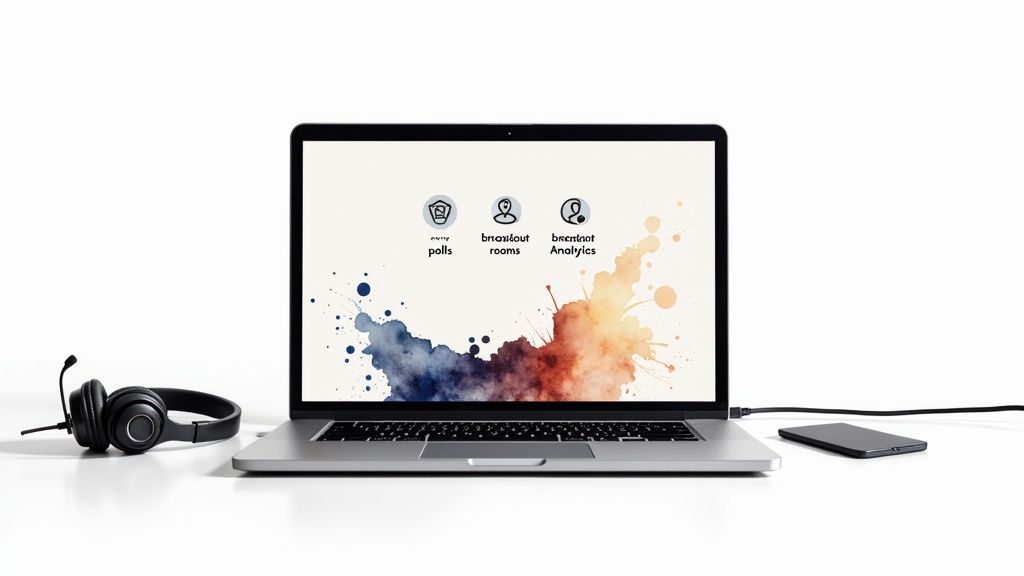
Rock-Solid Streaming: Can the platform deliver crisp, high-def video without turning into a buffering nightmare? If your content is choppy, you’ve lost the battle before it even starts. Real Audience Interaction: Look for more than just a chat box. You need built-in polls, live Q&A with upvoting features, and anything else that stops your audience from passively scrolling on their phones. Functional Breakout Rooms: These are gold for workshops and networking. How easy is it to set them up on the fly? Can you move people between them without a Ph.D. in platform management? Analytics That Tell a Story: You need to know more than just how many people logged in. Good analytics track session-by-session attendance, which polls got the most votes, and who your most engaged attendees were. That’s how you prove ROI.
Once you’ve got the basics covered, think about how this new piece of software will actually fit into your life.
Your event platform can't be a lonely island. For your own sanity and efficiency, it absolutely has to play nice with the tools you already rely on every single day.
Nail down these connections from the start:
CRM Integration: The magic of automatically syncing attendee data with your CRM cannot be overstated. It saves hours of manual work and gives your sales team hot leads to follow up on immediately.Marketing Automation: Hook it up to your email platform. This lets you automate everything from registration confirmations and "see you tomorrow!" reminders to post-event surveys and content drips.Payment Processing: If you're selling tickets, a clunky checkout is a dealbreaker. Make sure it integrates with trusted gateways like Stripe or PayPal for a smooth, secure transaction.
Choosing the right technology is about building an ecosystem, not just picking a single tool. A platform that plays well with others will streamline your operations, enrich your data, and ultimately deliver a far better experience for both your team and your attendees.
If you're feeling overwhelmed by the options out there, our guide on the best software for event planners cuts through the noise and breaks down some of the top contenders.
Remember, the "best" platform is the one that fits your event. So, make your checklist, get picky about integrations, and always, always take advantage of free trials. A little due diligence now will save you from a massive tech headache on event day.
Let's be brutally honest. Your biggest competition isn't another virtual event. It's Netflix. It's the siren song of a Slack notification. It's the dog that needs to be let out. In a world drowning in digital noise, "Zoom fatigue" isn't a buzzword; it's the air your audience breathes.
If you're just broadcasting information, you've already lost. Your job is to create an experience—something that grabs people by the collar and makes them forget about their overflowing inbox. You need to stop thinking like a webinar host and start thinking like a show producer.
The blueprint for any great virtual event is the run-of-show. This is more than just a schedule; it's your script for orchestrating the energy, flow, and engagement of the entire show. A solid run-of-show doesn't just list speakers; it intentionally mixes different formats to keep people on the edge of their seats.
Think of it in terms of peaks and valleys. After a dense, data-heavy presentation, you need to lift the energy. Follow it up with something interactive and light—a quick networking breakout, a funny poll, or a stretch break.
Here's a battle-tested structure for a 90-minute block that works:
Welcome & Icebreaker (10 mins): Come in hot. A quick poll ("What's your go-to work-from-home snack?") or a chat waterfall ("Where are you tuning in from?") gets fingers on keyboards from minute one.Keynote Session (30 mins): This is your big rock. Keep it tight, visually engaging, and to the point. No rambling.Interactive Workshop (25 mins): Time to switch gears from passive listening to active doing. Mastering the art of online workshop facilitation is what separates a truly collaborative session from just another breakout room.Live Q&A (15 mins): Use a tool that lets attendees upvote questions. This ensures you're tackling what the whole audience is curious about, not just the fastest typist.Closing & The Hook (10 mins): Land the plane with a clear call-to-action and a juicy teaser for what's coming next.
This isn't rocket science, but it works. It intentionally breaks the monotony and fights off the digital drift that sends your attendees scrolling through Instagram.
Predictability is the silent killer of virtual events. The moments people buzz about in the chat or tweet about later are almost always the ones they never saw coming. This is where you get to have some real fun.
How can you create moments of genuine, unscripted-feeling surprise? What if a celebrity popped in with a pre-recorded cameo to introduce your keynote? Or a surprise musical guest appeared to close out the day? These are the moments that break the fourth wall and create a powerful, shared experience.
The best virtual events are the ones that make you feel something. A genuine laugh, a jolt of inspiration, or a moment of pure surprise will stick with an attendee way longer than another bullet point on a slide.
Sprinkle in some of these high-impact tricks to keep them guessing:
Gamification: Fire up some friendly competition with a live leaderboard. Award points for asking great questions, engaging in the chat, or visiting partner pages. A decent prize for the top three spots is all it takes to get people involved. Surprise Guests: Picture this: your CEO starts to introduce the next speaker, but instead, Snoop Dogg appears on screen with a personalized shout-out. It's an immediate blast of energy and a moment everyone will be talking about. Creative Breaks: Ditch that boring "We'll be back in 15 minutes" slide. Use that downtime for a guided meditation, a live DJ spinning some tunes, or even a mind-bending virtual magic trick.
And that's just scratching the surface. For a full arsenal of show-stopping tricks, check out these corporate event entertainment ideas—many of which translate beautifully to the virtual stage. Your goal is to create those "you had to be there" moments that make your event unforgettable.
You could plan the most mind-blowing virtual event in history, but if nobody shows up, it's just an expensive dress rehearsal. Nailing the content is only half the job. The other, arguably more important half, is creating a promotional tidal wave that builds so much hype people are practically begging to register.
This isn’t about firing off a single email blast and crossing your fingers. We're talking about a multi-channel campaign that makes your event feel completely unmissable from the second you announce it. Your promo plan should be a living, breathing part of your strategy, not a last-minute scramble. I recommend mapping everything out at least 6-8 weeks before go-time. This lets you build momentum organically, turning early whispers into a final roar of sign-ups.
Let's break down your promotion into phases. Each one has a specific goal, which helps keep your messaging fresh and prevents your audience from tuning you out.
The Early Buzz (6-8 Weeks Out): This is your teaser phase. Drop the event theme, hint at your keynote speaker, and open a super-exclusive early-bird registration with a killer discount. The goal here is to reward your most die-hard fans and lock in an initial group of attendees. The Core Push (3-5 Weeks Out): Time to go big. You'll want to have your speaker lineup locked and the full agenda published. Now, you launch your main campaigns across email and social media. This is where the bulk of your registrations will roll in, fueled by content that screams value. The Final Countdown (1 Week Out): Urgency is your new best friend. Your messaging should pivot to scarcity and a healthy dose of FOMO (fear of missing out). Think "last chance" emails, speaker countdowns on social media, and spotlighting specific sessions people absolutely cannot miss. It works like a charm.
To give you a clearer picture, here’s what a practical timeline might look like.
A well-structured promotional timeline is your roadmap to a sold-out virtual event. It ensures you're hitting the right notes at the right time.
| Timeframe | Key Activity | Primary Channel | Goal |
|---|---|---|---|
| 6-8 Weeks Out | Event Announcement & "Save the Date" | Email, Organic Social | Generate initial awareness and curiosity. |
| 5-6 Weeks Out | Keynote Speaker Reveal & Super Early-Bird Tickets | Email, Paid Social Ads | Drive early registrations from loyal followers. |
| 3-4 Weeks Out | Full Agenda Release & Speaker Spotlights | Blog, LinkedIn, Email | Showcase event value and convert interest into sign-ups. |
| 2 Weeks Out | Behind-the-Scenes Teasers & Session Previews | Instagram/Facebook Stories, X | Build excitement and community engagement. |
| 1 Week Out | "Last Chance to Register" Campaign | Email, Retargeting Ads | Create urgency and capture last-minute attendees. |
| 2-3 Days Out | Final Logistics & "Know Before You Go" Email | Ensure attendees are prepared and excited to join. |
This structure helps build momentum, ensuring your event stays top-of-mind right up to the day it starts.
To pack your virtual venue, you need to meet your audience where they hang out. A one-size-fits-all message just gets lost in the noise. Instead, you've got to tailor your content for each platform.
Your email list? That's gold. Segment your audience and send them messages that hit on their specific needs. If you're running a tech conference, you could send one email to developers highlighting the hands-on coding workshops, and a totally different one to managers that focuses on the leadership strategy talks.
On social media, it's all about creating stuff people want to share. Turn juicy speaker quotes into slick graphics, create short video teasers, and run interactive polls to get a conversation started. A strong social presence is a non-negotiable; check out our guide on how to improve social media engagement for tips on building a community that can't wait for your event.
This visual captures the essence of the experience you’re selling through your promotion.
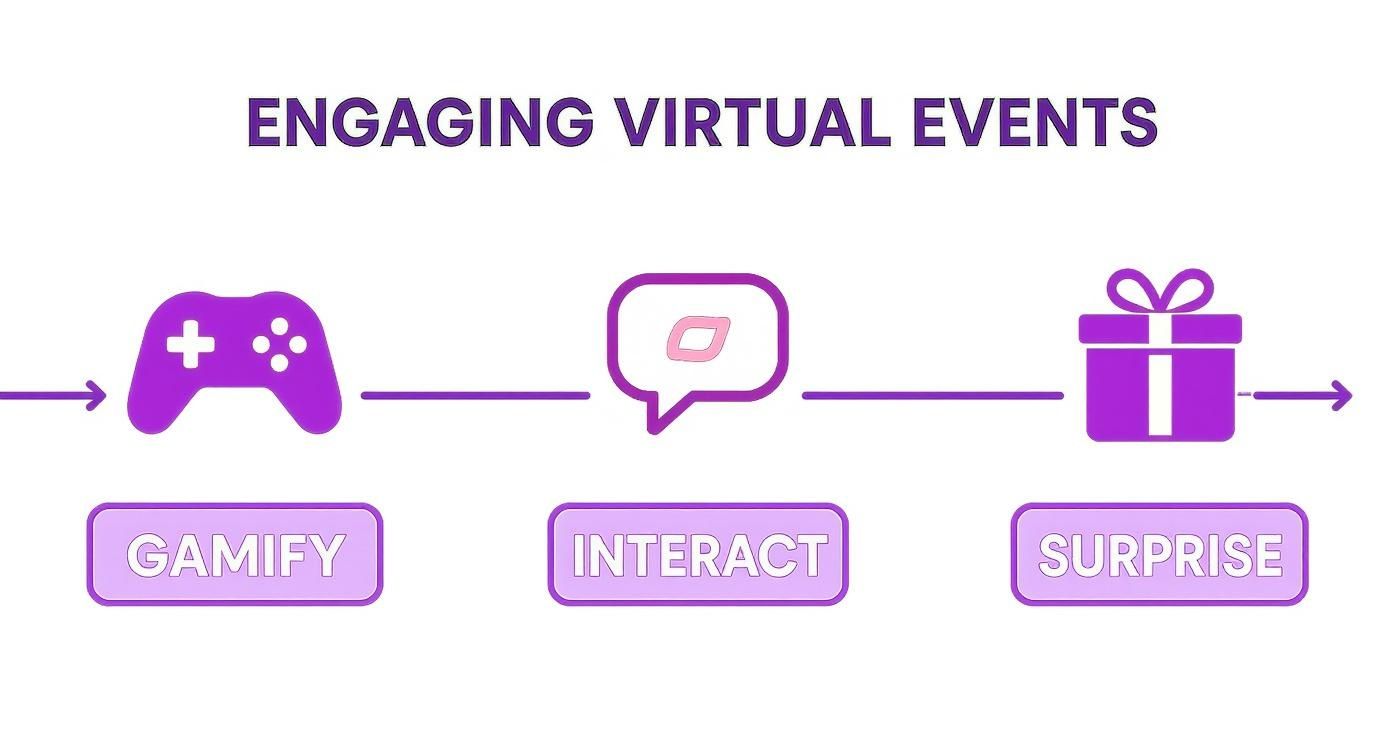
This simple flow—gamify, interact, surprise—is a great reminder. You're not just promoting a schedule; you're selling an exciting, unique experience.
Think about it: your speakers and sponsors are just as invested in the event's success as you are. Better yet, they have audiences you want to reach. Don't just ask them to share; make it ridiculously easy for them to become your most passionate promoters.
Pro Tip: Create a dedicated "promoter's kit" for every single speaker and sponsor. This small bit of upfront work removes all the friction and makes it a no-brainer for them to shout about your event from the rooftops.
This kit is their one-stop-shop for everything they need to promote their involvement. It should include:
Pre-written social media copy for LinkedIn, X, and Instagram. Custom-branded graphics with their headshot, session title, and event details. A unique tracking link so they can actually see the registrations they drive. A simple timeline of when you’d love for them to post, helping create coordinated buzz.
By making it this easy, you turn them from passive participants into a motivated marketing army that extends your reach far beyond your own network.
You know those virtual events that are so smooth they feel completely effortless? That’s not an accident. That seamless flow is the direct result of obsessive, meticulous rehearsal.
Skipping a dry run is like a pilot skipping the pre-flight check. Sure, you might get off the ground, but you’re practically begging for a bumpy ride. This is all about building muscle memory for your entire crew, so when the show goes live, everyone operates on pure instinct.
Don't just "wing it." Your rehearsal needs to be treated with the same gravity as the live event itself. This is where you iron out every wrinkle, from awkward speaker handoffs to slides that mysteriously refuse to share.
Your practice session absolutely must cover these non-negotiables:
Speaker Tech Audit: Every single speaker needs to join from the exact spot, using the exact gear they'll have on event day. Check their mic for clarity, their camera for good lighting, and their internet connection for stability. No exceptions. Content Flow and Transitions: Run through the whole show, from start to finish. Practice sharing screens, playing videos, and launching polls. The goal is to make transitions between segments and speakers feel buttery smooth, not clunky and jarring. Audience Interaction Drills: Simulate all the engagement features. Have your team pretend to be attendees—ask questions in the Q&A, vote in polls, and spam the chat. This gives your moderator a real feel for managing the chaos. Role-Playing Production: Everyone on the team, from the host to the person managing slides, needs to perform their duties exactly as they will live. This is how you prevent that dreaded "Wait, who was supposed to do that?" moment.
The point of a rehearsal isn't to hope everything goes right. It’s to find out what goes wrong in a safe environment so you can fix it before your audience ever sees it. This is your chance to fail without consequence.
Look, even with a flawless rehearsal, live events are live. Stuff happens. A speaker’s Wi-Fi will inevitably die mid-sentence, or the streaming platform will have a momentary hiccup. This is where your contingency plan—your "Plan B"—turns a potential catastrophe into a minor blip.
Without a backup, a tiny issue can derail your entire event, making you look panicked and unprofessional. With a solid plan, you handle the hiccup with calm confidence, keeping the audience engaged and blissfully unaware of the scramble happening behind the scenes.
Think through the most common points of failure and map out a clear protocol.
A speaker’s internet fails: Have a pre-made slide ready that says something like, "We're experiencing temporary technical difficulties. Please stand by!" The moderator should be prepped to fill a minute or two with a quick audience poll or a summary of key points so far.The platform crashes: Before the event, let attendees know about a backup viewing option, like a private YouTube or Facebook Live link. If the main platform goes down, you can fire off an email and social media post directing everyone to the backup.A key team member gets sick: Cross-train your team! Make sure at least two people know how to manage critical roles, like running the slides or moderating the Q&A. This kind of redundancy is your best safety net.
Think your job is done when the last speaker logs off? Think again. The curtain call is actually where the real work—and the real payoff—begins. The post-event phase is your golden opportunity to turn that fleeting buzz into lasting business value.
You’ve just generated a treasure trove of content and a list of people who are already paying attention to you. Now, it’s all about connecting the dots. That starts by going back to those crystal-clear goals you set way back in the planning stage and seeing how you measured up.
Forget just looking at the final headcount. You need to dig into the metrics that actually tell you something.
Who Stuck Around? Check your session engagement. Which speakers had people captivated, and which ones saw a virtual exodus? This is unfiltered feedback on your content. What Did They Really Think? Your post-event survey needs to be more than a simple thumbs-up or thumbs-down. Ask pointed questions like, "What's one thing you learned today that you'll use at work tomorrow?" Did It Move the Needle? If sales was the goal, how many demo requests did you get? How many qualified leads entered your pipeline? That’s the straight line from your event to your bottom line.
With this data in hand, you can officially retire the generic, one-size-fits-all "thanks for coming!" email blast. It’s time to get specific. Start by segmenting your attendees based on their behavior.
Did someone binge-watch every single session in your advanced marketing track? Don’t you dare send them a beginner’s guide. Follow up with the session recordings they loved and maybe a link to a deep-dive case study on a similar topic. It’s a simple move that shows you were actually listening.
Your follow-up isn't just good manners; it's your first move in building a real relationship. It shows you saw them as a person, not just an entry in a database, and it’s how you start turning viewers into a vibrant community.
This is also the perfect time to make your content work overtime. That one-hour keynote? It can become a dozen blog posts, a handful of social media clips, and a killer infographic. For a masterclass on this, check out these awesome content repurposing strategies and keep your event’s momentum going for months.
So, you're diving into the world of virtual events. It’s exciting, but let's be real—it can also feel like you've been asked to build a rocket ship with a manual written in another language. You've got the big ideas sorted, but a few nagging questions can bring all that great momentum to a screeching halt.
Don't worry, we've all been there. Let's clear up some of the most common head-scratchers I hear all the time.
This is the golden question, isn't it? The answer is almost always: shorter than you think. A full day staring at a screen is a marathon most people aren't trained for.
For something like a multi-session conference, a half-day (think 3-4 hours) is the sweet spot. That’s long enough to deliver serious value but short enough to keep everyone locked in.
If you're running a single webinar or a focused workshop, keep the core content to 30-45 minutes. Then, tack on a dedicated 15-minute Q&A at the end. This shows you respect your audience's time and helps you sidestep that soul-crushing "Zoom fatigue" we all know and loathe.
Honestly, it’s less about the total runtime and more about the rhythm. I've seen a fast-paced three-hour event with polls, breaks, and different speakers absolutely crush a rambling 90-minute webinar. Pacing is everything.
If you take one thing away from this, let it be this: do not just copy-paste your in-person event online. I’ve seen it happen, and it's a disaster. Simply pointing a camera at a podium and hitting "go live" is a guaranteed way to have your audience mentally check out and start scrolling through their phones.
You have to build the entire experience for the screen, from the ground up. This means shifting your priorities completely.
Bite-sized content is king. Digital attention spans are fleeting. Get to the point, and get there fast. Interaction isn't optional. You have to build it in. Think live polls, a lively chat, and dedicated Q&A segments to pull people into the conversation. Look and sound professional. Grainy webcams and muffled audio are unforgivable. Good lighting and crisp sound are the bare minimum.
Trust me on this: give yourself way more time than you think you need. The last-minute scramble is stressful, and it always shows in the final product.
For a big virtual conference or a multi-day summit, you should start the planning process at least 3-4 months out. For a smaller-scale webinar, you can probably pull it off with a solid 4-6 week runway.
This isn't just about booking speakers. This buffer gives you the breathing room you need for a killer promotion strategy, smooth speaker coordination, and—the most critical part—plenty of time for tech rehearsals.
Ready to create a virtual event that people actually remember? With SendFame, you can blow your audience away with things like a surprise celebrity intro, custom AI music that sets the perfect vibe, or slick video assets that make you look like a pro. Stop settling for boring and start creating moments people can't stop talking about. See what's possible at SendFame.com.
Create Epic

SendFame

Create Epic with SendFame!
Questions: info@sendfame.com