Make song with ai: From Idea to Finished Track
make song with ai
Welcome offer — 56% OFF


Discover how to make songs with ai in minutes. From prompts to production and visuals, this guide walks you through a beginner-friendly, creative process.
Ever get a killer melody stuck in your head but have zero clue how to turn it into a real song? I've been there. But what if you could just describe your idea and have AI whip up everything from the lyrics to the vocals and instrumentals in a few minutes? It’s not science fiction anymore.
For anyone who needs custom music without the headache of traditional production, this is a total game-changer.
Forget needing a record deal or a studio filled with expensive gear. The whole process of making music has been flipped on its head, letting anyone with a creative spark step into the producer’s chair.
Maybe you're a YouTuber who needs a unique soundtrack for your next video, or you’re an artist just looking to play with new sounds. These AI tools put a full-blown production suite right at your fingertips.
This guide isn't just a boring list of buttons to click; think of it as your creative game plan. We're going to walk through turning a simple concept into a polished track, complete with its own music video. The technology behind this is often called synthetic media, a fascinating world that covers all sorts of AI-generated content.
This journey will take you through the entire workflow, making the process feel less like a technical chore and more like a wild, fun experiment.
Here's a taste of what you'll learn:
Brainstorming a Vibe: How to nail down the genre, mood, and theme of your song so the AI knows exactly what you're after. Generating the Core Elements: We'll dive into crafting killer lyrics, producing unique vocals, and generating instrumental tracks that perfectly match your vision. Assembling and Polishing: This is where we arrange all the audio clips into a complete song and use AI mastering for that professional shine. Creating Visuals: What’s a song without a video? We’ll instantly produce an awesome music video or an animated album cover for your new track.
The real magic here is the sheer speed and accessibility. You can go from a random thought to a complete, shareable song in a tiny fraction of the time it used to take. This opens up creative doors that were once locked for most of us.
We'll drop in plenty of practical tips and real-world prompt examples to help you feel confident every step of the way. If you want to dig even deeper into the tools involved, check out our other guide on how to create music with AI from start to finish.
Okay, let’s get that inner producer out.
To give you a bird's-eye view, here's a quick breakdown of the journey we're about to take. This table maps out the essential stages, from that first spark of an idea to a finished song and video ready for the world.
Stage Key Action Goal 1. Planning & Ideation Define your song's genre, mood, and theme. Create a clear creative brief for the AI. 2. Melody & Lyrics Generate core musical ideas and write lyrics. Build the foundational elements of your song. 3. Vocals & Instruments Produce vocals and generate instrumental tracks. Flesh out the song with all necessary audio layers. 4. Arrangement & Mastering Assemble all parts into a song and polish the final mix. Produce a professional-sounding, complete track. 5. Music Video Creation Use an AI video generator to create visuals. Make an engaging music video to promote your song.
Think of this as your roadmap. Each step builds on the last, turning abstract concepts into tangible art. Let's dive into the first stage: planning.
Every killer track starts with that little spark—a feeling, a scene, a half-remembered melody. But how do you get that abstract idea out of your head and into an AI model that can actually do something with it? It all comes down to laying a solid, descriptive foundation.
Forget tossing one-word prompts like "happy song" into the void and hoping for the best. To get AI to create something that feels uniquely yours, you need to think like a film director setting a scene. The more vivid the picture you paint with your words, the closer the AI will get to your vision.
And you're not alone in this. The whole generative AI music scene has blown up, rocketing from a $440 million market in 2023 to a projected $2,794.7 million by 2030. That’s a tidal wave of creators figuring out how to bring their ideas to life, faster than ever. You can dive deeper into this trend in the full report on generative AI's impact on the music industry.
Before you even think about writing a prompt, hit pause. Ask yourself: what's the vibe of this track? Who is it for? Where would someone actually listen to this?
Here are a few questions I always start with:
What's the Genre? Are we making a fist-pumping synth-pop banger? A moody, melancholic lo-fi beat? A high-octane trap anthem? What's the Mood? Ditch the basic words. Think more descriptively. Is it "wistful," "aggressive," "dreamy," or "inspirational"? What's the Use Case? Is this destined for a TikTok dance trend, a YouTube travel vlog, or just a late-night chill session?
This isn’t just about slapping on labels; it’s about giving your track a personality. If you’re feeling stuck, don’t sweat it. Sometimes you just need a nudge in the right direction. A tool like a song ideas generator can be a lifesaver for getting the creative juices flowing with fresh concepts.
Okay, you've got the core idea. Now it's time to translate that into a prompt the AI can sink its teeth into. The real magic—the difference between a generic, forgettable tune and a banger—is all in the details.
Let’s say you want to make an electronic track. Instead of just writing "EDM track," try feeding the AI something with more flavor:
"A cyberpunk-inspired EDM track with a driving, dirty bassline and ethereal female vocals. Think Grimes meets Blade Runner. Perfect for a high-speed night drive through a neon-soaked city."
See the difference? That prompt is practically a movie scene. It gives the AI specific directions on genre, instruments, vocal style, and most importantly, the atmosphere.
Let's try a totally different vibe. Don't just ask for a "chill beat." Build it piece by piece.
Genre & Vibe: "Melancholic lo-fi hip-hop beat" Instrumentation: "Feature a gentle, looping piano melody, plenty of dusty vinyl crackle, and a simple, head-nodding boom-bap drum pattern." Mood: "The perfect soundtrack for a late-night study session on a rainy day."
When you combine those elements, you're not just giving instructions. You're handing the AI a rich, detailed blueprint. That's how you lead the creative process and make sure the final song sounds like it came straight from your imagination.
Alright, you've got your blueprint. Now we get to the really fun part: breathing life into your song. This is where you roll up your sleeves and dive into the AI music generators, turning those detailed prompts you wrote into actual, listenable audio.
Think of yourself as a mad scientist in a sound lab, and the AI is your tireless creative partner. You probably won't get a masterpiece on your first click, and that’s totally okay! The entire process is about experimenting. Don’t like the first melody it spits out? Just tweak your prompt a little and hit “generate” again.
The secret to getting results that don't sound like generic elevator music is all in the prompt. You have to be specific and know what you're trying to achieve. The more context you feed the machine, the closer it gets to reading your mind.
Let's look at a couple of real-world scenarios.
Scenario 1: The Marketer's AnthemYou're launching a new product and need a killer soundtrack for the promo video. The vibe? Upbeat, professional, and motivational.
Prompt Example: "Create an upbeat, royalty-free corporate pop track. I need motivational lyrics about innovation and teamwork. Give me a clean electric guitar melody, a driving four-on-the-floor drum beat, and a simple, sticky synth hook. Let's keep the tempo right around 120 BPM."
Scenario 2: The Influencer's Viral SoundYou need a super-short, catchy audio clip for a TikTok or Reel that will stop people from scrolling.
Prompt Example: "Generate a trendy, 30-second trap beat with a heavy 808 bass. I want a catchy synth hook and a simple, repetitive vocal chop that’s perfect for a dance challenge or transition video."
The magic really is in the details. Asking for an "80s synth bass" instead of just "bass," or adding a "dusty vinyl crackle" instead of a generic "sound effect," gives the AI specific textures to play with. This tiny shift can totally change the final sound.
Once you have a solid instrumental track cooking, it’s time to add the human touch—or at least, the AI's version of it. You'll typically generate the lyrics first, which you can do within the same tool or by using a dedicated one. If you're looking to spark some lyrical genius, a good AI lyrics generator can be a fantastic starting point.
With lyrics in hand, you'll move on to the vocals. This is where you truly get to direct the song's personality. Most platforms give you a whole menu of vocal styles to choose from.
Soulful R&B: Perfect for those emotional, slow-burn tracks. Energetic Pop: The go-to for an upbeat, sing-along chorus. Aggressive Rap: Ideal for high-energy hip-hop beats that hit hard. Ethereal Ambient: Works beautifully for dreamy, atmospheric soundscapes.
Play around! Try different vocalists and styles to see what clicks with your instrumental. Remember, when you make songs with AI, you're the director. You have total control to mix, match, and regenerate until every piece of the puzzle slots into place. This hands-on, back-and-forth process is what elevates a simple idea into a polished track, leaving you with a full set of high-quality audio files—vocals, drums, bass, and melody—ready for the final arrangement.
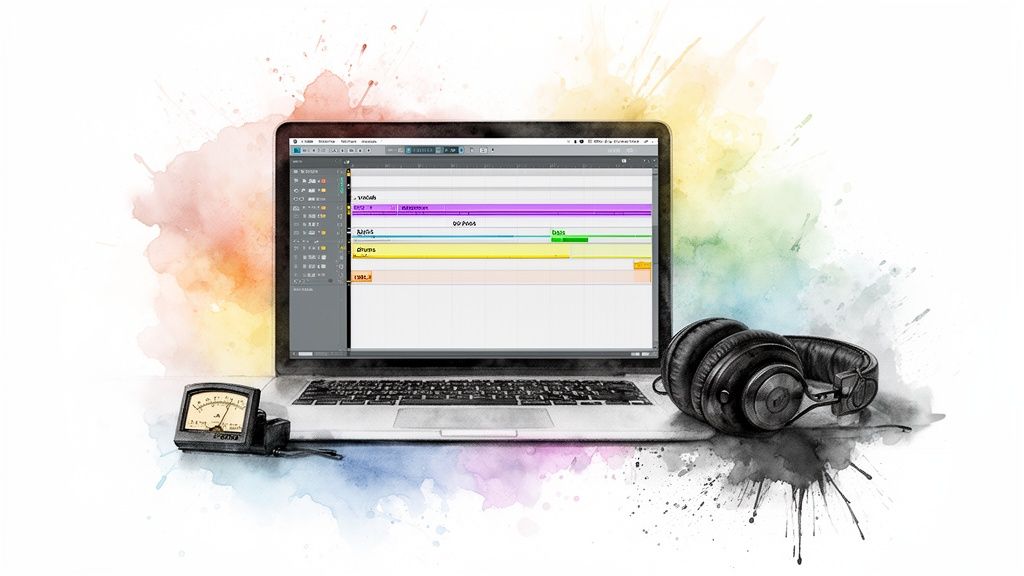
Alright, you've got all the puzzle pieces: killer vocals, a solid drum track, that groovy bassline, and a melody that just won't quit. Now for the fun part—snapping them all together into something that feels like a real song. You're shifting gears from director to editor now, arranging all your individual audio files (we call these stems) into a cohesive track.
Most AI music tools give you a basic timeline where you can drag and drop your stems. Resist the urge to just stack them all up from start to finish! The real magic is in the arrangement. Think about how to build energy, create tension, and tell a story with your sounds.
If you’re not sure where to start, lean on a classic: the Verse-Chorus-Verse-Chorus-Bridge-Chorus structure. It’s the blueprint for countless hits because it works. It hooks the listener, builds familiarity, and delivers a satisfying payoff.
Verse: This is where you set the scene and introduce the main ideas. Chorus: The big one. The part everyone sings along to. Make it pop. Bridge: Time for a little detour. Switch things up to build anticipation for that final, explosive chorus.
You could absolutely make songs with AI from start to finish inside one tool, and there's nothing wrong with that. But many of us are finding a sweet spot in a hybrid approach. The idea is simple: use AI to generate the core ideas and stems, then export them into a Digital Audio Workstation (DAW) for that final, human touch.
And no, you don't need to drop a ton of cash on fancy software. Free powerhouses like GarageBand (for Mac) or Audacity (for PC/Mac) are more than capable. Pulling your AI stems into a DAW unlocks a whole new level of control.
This is where you get to put your own stamp on it. Tweak the vocal volume just so, slap a cool delay on that synth lead, or maybe even record your own live guitar riff over the top. It’s the best of both worlds: the speed of AI meets your unique creative instincts.
This hybrid model is fast becoming the go-to for composers on a deadline. They'll generate high-quality stems—often at 48kHz/24-bit—and then add their personal flourishes in a DAW. It’s a brilliant way to produce licensable music that has both AI's efficiency and the kind of emotional nuance only a person can bring. You can dive deeper into how AI is shaping the music industry and see just how common this workflow is becoming.
Your song is arranged, every part is sitting perfectly in the mix, and you’re feeling good. There's just one last step before you share it with the world: mastering. This used to be a mysterious, expensive process reserved for specialized audio engineers, but AI has blown the doors wide open.
With a single click, AI mastering tools can analyze your finished track and apply that final coat of gloss. It's an automated process that intelligently balances frequencies, optimizes loudness, and ensures your song sounds incredible everywhere—from cheap earbuds to a massive club sound system.
Think of it as the final buff and shine that makes your creation sound truly professional and ready for prime time.
Alright, you've mixed and mastered your track, and it’s sounding massive. But let's be real—in a world dominated by screens, a song without a visual is only half the story. It needs a face. This is where you can create a killer music video without ever getting bogged down in complicated editing software.
Think about it: you can turn your song into a breathing, pulsing animated album cover, a slick lyric video with text that dances to the beat, or even a full-blown visual story starring an AI character. The process is almost laughably simple. You just upload your audio, tell the AI what kind of vibe you're going for, and watch it sync everything up.
The whole point here is to cook up visuals that match the energy of your music. You're not just slapping a video on top of a song; you're creating a whole experience that pulls people in.
Here’s how I’d tackle a couple of different genres:
Got a high-energy pop banger? I'd prompt the AI with something like, "vibrant, neon-soaked abstract animation with fast cuts that sync to the drum hits." Working with a chill lo-fi beat? My go-to prompt would be, "a cozy, animated loop of a character studying by a rainy window, with subtle, calming visual effects."
This is hands-down the fastest way to get your music ready for prime time on YouTube and Instagram. If you want a tool that puts all this power in one place, our guide on the SendFame AI music video generator walks you through the entire process.
Okay, let's talk about the big question: is this AI-generated masterpiece legally yours? The short answer is, it all comes down to the terms of service on the platform you use. The good news is that most reputable AI music services are built for people like us, granting you a royalty-free license.
This is a huge deal. It means you can use your creation commercially—think monetized YouTube videos, social media ads, or even background music for a client project—without a single copyright strike or legal letter in sight. Just make sure to skim the licensing agreement before you go all in.
Your AI banger is finished. Now what? You've got to get it in front of people. And believe me, the audience is out there and they are hungry. A Morgan Stanley survey revealed that 60% of 18-29-year-olds listen to AI music every single week, with YouTube and TikTok being their favorite spots to find new stuff.
What does that tell you? Short-form video is your golden ticket.
Distribution doesn't need to be some complex, drawn-out affair. Start by uploading the full music video to YouTube. Then, chop it up into bite-sized clips for TikTok, Instagram Reels, and YouTube Shorts. The goal is to make your music as easy as possible for people to find and share.
If you want to really dig into a solid launch plan, learning how to promote music online will give your track the push it truly deserves.
Diving into AI music is a blast, but it's totally normal for a few questions to pop up along the way. Think of this as your personal cheat sheet, tackling the big curiosities so you can start creating with confidence.
Let's get these cleared up so you can get back to the fun part.
The short answer? Yes, absolutely. But there's one non-negotiable rule you have to follow: always, always check the terms of service for whatever AI tool you're using. Seriously, this is the most crucial detail.
Most of the top-tier platforms are designed with creators and marketers in mind. They usually offer royalty-free licenses, which is your golden ticket to using the music in monetized YouTube videos, social media campaigns, podcasts, or anything else you're building a business around. You can sleep soundly without worrying about a dreaded copyright strike.
Just make sure you choose a service that spells out your commercial rights in plain English. This is a game-changer for anyone who needs custom music without the legal headaches.
Not even a little bit. In fact, that's the entire magic of these new AI music generators. They weren't built for conservatory-trained composers; they were built for you.
Your real skill here isn't knowing chord progressions or music theory. It's your vision. You're the creative director, guiding the AI with prompts that describe the mood, the vibe, and the story you want to tell. The AI takes care of all the technical stuff, translating your ideas into actual music.
This is what people mean when they talk about democratizing music. The old barriers are gone. If you can describe a feeling, you can now create a song to match it.
They both give you a soundtrack, sure, but the difference is massive. It all boils down to two things: uniqueness and control.
Picking a stock music track is like buying a suit off the rack. You spend hours browsing a huge library, hoping to find something that kinda fits. The catch is that thousands of other people are probably using that same track, which can make your awesome project feel a bit... generic.
AI music, on the other hand, is like getting that suit custom-tailored. It creates a completely new piece of music from scratch, based only on your instructions.
You can tweak, refine, and nudge every element until it’s a perfect match for your vision. This gives your content a one-of-a-kind soundtrack that nobody else has, helping your project truly pop.
For the smoothest ride, you'll want an all-in-one platform that combines everything you need under one roof. The last thing you want is to be juggling a half-dozen different subscriptions and trying to learn multiple complicated programs.
The best tools are the ones that let you manage the entire creative pipeline in one spot:
Generate the entire song: From lyrics and melodies to the final vocals and instrumental tracks. Produce the visuals: Create a slick music video, animated album art, or a cool lyric video without ever having to open another app.
This kind of unified workflow is a dream come true for busy creators, marketers, or anyone who just wants to get from an idea to a finished audio-visual project without pulling their hair out. It takes you from a simple text prompt to a masterpiece ready for the world.
Ready to stop wondering and start creating? With SendFame, you can generate a complete song and a stunning music video in just a few clicks. Transform your ideas into hits today at https://sendfame.com.
Create Epic

SendFame

Create Epic with SendFame!
Questions: info@sendfame.com