The 12 Best Text to Video Generator Free Tools for 2026

text to video generator free
Welcome offer — 56% OFF


Learn how to make AI song covers with our complete guide. Discover the best tools, pro techniques, and viral strategies to create your first hit today.
So, you want to make an AI song cover? The basic idea is simple: you pick a song you love, use a tool to split the vocals from the music, and then feed that vocal track into an AI voice model. The AI works its magic, spitting out a brand-new performance, which you then stitch back together with the original instrumental.
What used to be a super technical, hair-pulling process is now something you can knock out in minutes with platforms like SendFame. It's a cool mix of technical skill and creative vision, and honestly, it's a ton of fun.
Welcome to the new frontier of music-making, where you don't need a million-dollar studio to create something that sounds amazing. We're diving headfirst into how you can make AI song covers that actually get noticed and rack up those sweet, sweet views.
Think of this as your quick-start guide. We'll give you the 30,000-foot view of the entire journey, from that initial "what if?" moment to sharing your finished track with the world. We'll cut through the jargon like "voice models" and "stem separation" and explain it all in plain English. This is your roadmap for turning a wild idea into a potential viral hit.
The real magic behind AI song covers is that the process is surprisingly straightforward. Once you get the hang of it, you can repeat it over and over. This little flowchart breaks down the entire game plan.
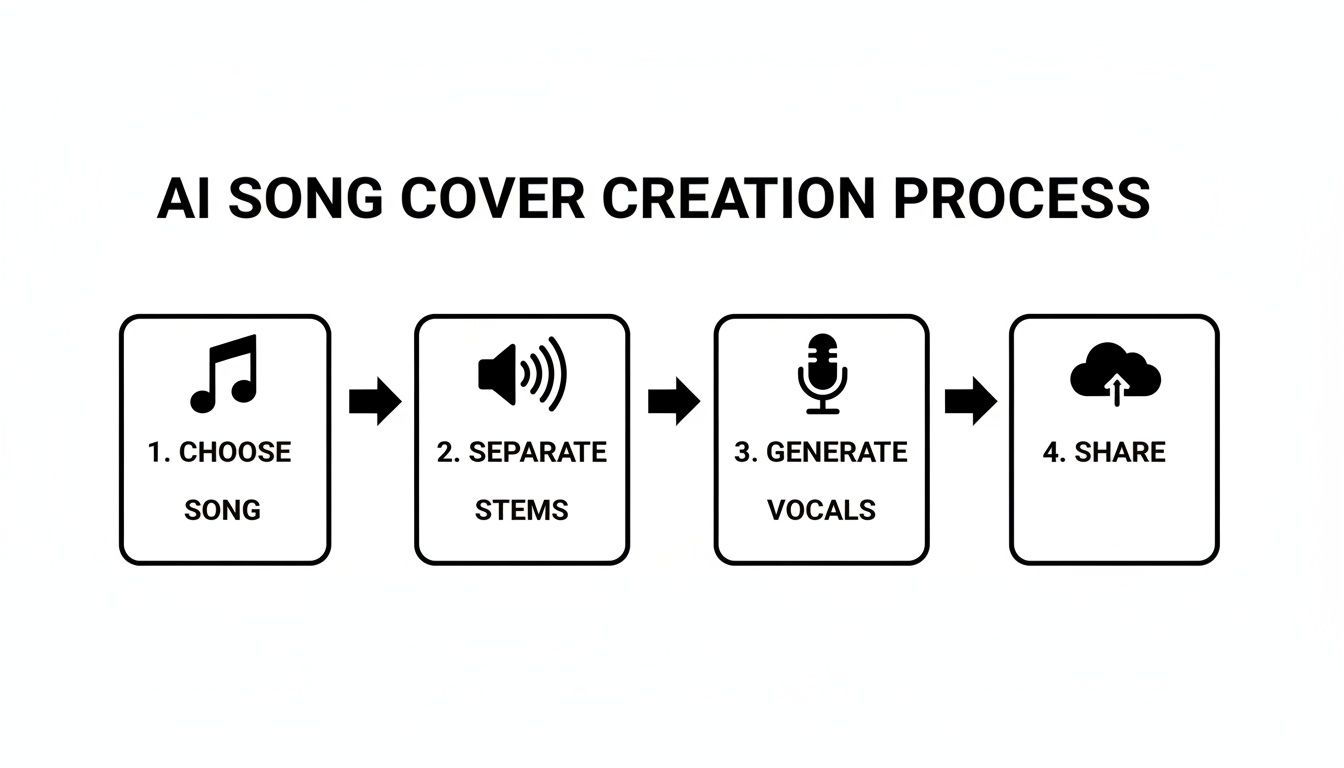
See? Each step logically flows into the next. Get one part right, and the next becomes that much easier, leading you to a final track that perfectly blends the original song's vibe with a fresh AI performance.
To give you an even clearer picture, here’s a quick breakdown of what you'll be doing at each stage of the process.
| Stage | Main Goal | Key Tools & Techniques |
|---|---|---|
| 1. Choose & Prep | Find the perfect song and get clean audio files. | High-quality audio (FLAC, WAV), YouTube rippers, acapella finders. |
| 2. Separate Tracks | Isolate the vocals from the instrumental music. | AI stem separators like Lalal.ai, Ultimate Vocal Remover (UVR). |
| 3. Generate Vocals | Use an AI model to create the new vocal performance. | AI voice changers (Kits.ai, Voicify), RVC models, voice training. |
| 4. Mix & Share | Combine the new vocals and instrumental, then publish. | Digital Audio Workstations (DAWs), basic audio editing, social media. |
This table maps out your entire creative journey, from a simple idea to a finished piece of content ready for your audience.
This isn't just some niche hobby anymore—it's a full-blown movement. Think about it: you can take your favorite pop anthem and have it sung by an AI version of a classic crooner, all in a matter of seconds. This whole scene exploded around 2023 when tools like Suno and Udio hit the mainstream.
And the numbers are staggering. The global AI music market is on track to hit $60.44 billion by 2034, growing at a wild 27.80% each year. Platforms like SendFame are riding this wave, offering one-click workflows for influencers to pump out viral content with AI celebrity voices.
Key Takeaway: The barrier to entry for making music has been completely obliterated. If you have a solid idea and the right tools, you can produce a genuinely high-quality AI song cover that connects with people.
As you dive in, remember that technology is only half the battle. A little know-how in strategic content creation can make a huge difference in helping you plan and produce covers that really land. It's all about making smart choices to hit your goals, whether that's growing your channel or just having a blast.
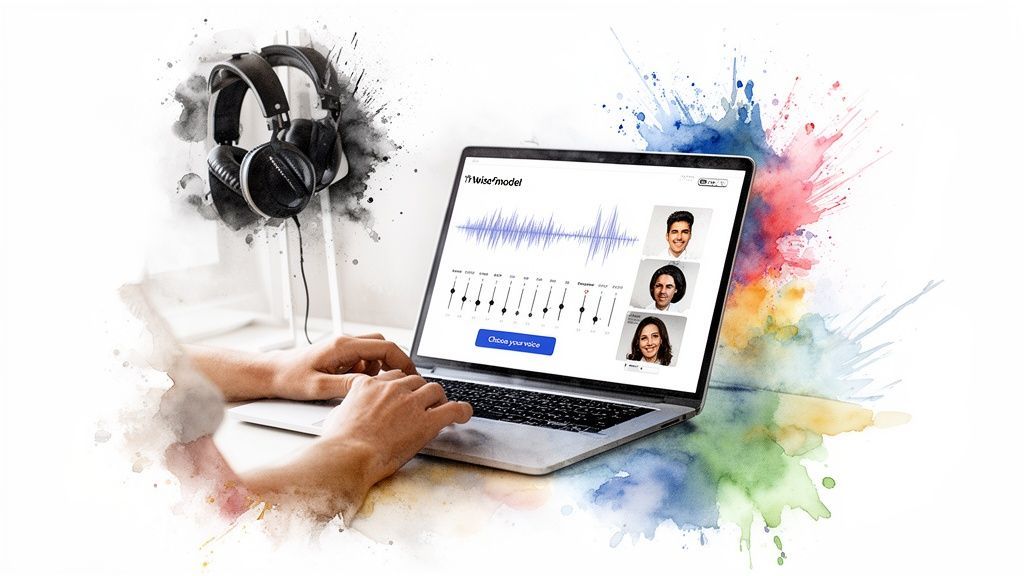
Alright, let's get down to the fun stuff: the gear. Your final track is only going to be as good as the tools you use to build it. Think of yourself as a digital chef—your ingredients and kitchen gadgets make all the difference. This is where we’ll build your ultimate AI music toolkit, whether you’re chasing a quick viral hit or crafting a polished demo.
The AI music scene is absolutely exploding right now, and you can go as deep down the rabbit hole as you want. You could grab an all-in-one platform that does most of the heavy lifting with a few clicks, or you can get your hands dirty and piece together specialized tools for each step. The right path really just depends on what you're trying to create.
Let's break it down with a couple of real-world scenarios. Imagine a TikTok creator trying to jump on a trend. They want to make a cover of the latest pop song, but sung by a famous cartoon character. For them, speed and simplicity are everything. This is where a one-click solution like SendFame's AI Music Generator is a total game-changer. It handles the entire process—from splitting the track to generating the new vocals—and spits out a shareable video in minutes.
Now, picture a music producer working on a high-fidelity demo. They have a vision: what would a classic rock anthem sound like with a modern metal vocalist? This job calls for precision and total control. They’ll probably start with a dedicated tool like Ultimate Vocal Remover (UVR) to get a crystal-clear instrumental, then use a sophisticated voice-cloning platform to train a custom vocal model, and finally pull everything into their Digital Audio Workstation (DAW) for a professional mix.
Key Insight: Your goal dictates your toolkit. For fast, fun content that's ready for social media, all-in-one platforms are your best friend. For professional-grade audio and maximum creative control, you’ll want a curated set of specialized tools.
Picking the right tool isn't just about bells and whistles; it's about matching the tech to your creative ambition.
The voice model is the soul of your AI cover. It's the digital DNA that brings the performance to life. You've basically got two main options here, and each comes with its own set of trade-offs.
Pre-Made Public Models: These are the off-the-shelf voices, usually based on famous singers, actors, or even meme characters. They're incredibly convenient and perfect for those hilarious "what if" scenarios that tend to go viral. Custom-Trained Models: This is the DIY route. You can create a private voice model by feeding the AI clean audio clips of a specific voice—it could be a friend, a collaborator, or even your own. This opens up a universe of unique possibilities but definitely requires more effort and a bit of technical skill.
For most people just starting out, grabbing a high-quality public model is the easiest way in. You get a massive library to play with without the headache of training your own. Once you get the hang of making AI song covers, you can start exploring custom models for projects that are truly one-of-a-kind. For a deeper dive into what's possible, check out our guide on the rise of https://sendfame.com/blog/ai-voice-actors and how they're shaking things up.
Okay, now for the super important part: using these voices responsibly. The legal dust is still settling around AI voice cloning, but some clear no-go zones are already established. Using someone's vocal likeness without their permission for commercial stuff is a huge legal risk. Platforms are already taking action, with YouTube and Spotify actively yanking unauthorized AI covers that step on copyright.
To keep your creations fun and, more importantly, safe from takedowns, stick to these ground rules:
Prioritize Parody and Fair Use: Your safest creative space is anything that's clearly a parody or transformative. Think "SpongeBob sings a sea shanty," not "Taylor Swift's secret new album" that you just generated. The first is fun; the second is a lawsuit waiting to happen. Disclose Everything: Be upfront. Seriously. Use hashtags like #AIcover, #AImusic, or #parody in your video descriptions and titles. It tells your audience what they're hearing and shows the platforms you aren’t trying to pull a fast one. Avoid Commercial Use: Trying to monetize a cover that uses a famous artist’s voice without their blessing is just asking for trouble. Keep these projects for creative expression and fun, not for profit, unless you've secured the explicit rights.
By treating AI voices with a bit of respect and a lot of transparency, you can explore this incredible new world of creativity without wandering into legal hot water.
Here's a golden rule I've learned the hard way that applies to everything from cooking to AI: garbage in, garbage out. If you want an AI song cover that sounds mind-blowing, you absolutely have to start with clean, high-quality audio. This is the prep work that pays off big time, making sure your new AI vocals sound crisp and professional, not like a robot gargling autotune in a tin can.
Your mission is simple: get your hands on two key ingredients. You need a pristine vocal track (the acapella) and the backing instrumental. Think of these as the flour and sugar for your AI cake. Getting them right is the difference between a throwaway meme and a cover that actually makes people stop scrolling.
Before you can slice and dice a song, you need the song itself. And no, that crunchy 128kbps MP3 you downloaded in 2005 won't cut it. You're on the hunt for the highest fidelity version of the track you can possibly find. The more data the AI has to chew on, the cleaner and more believable the result will be.
Always aim for lossless audio formats like FLAC or WAV if you can get them. These files are the audio equivalent of a raw photo—they contain all the original information, unlike compressed MP3s that toss out data to shrink the file size. A clean source is your best defense against a muffled, artifact-ridden final product.
Official Goodies: Believe it or not, sometimes artists release official instrumental or acapella versions of their songs. A quick search on YouTube or music platforms can sometimes unearth these treasures. Karaoke Goldmines: Don't sleep on high-quality karaoke tracks. They're literally made to be clean instrumentals and can be a fantastic, professionally produced starting point. Go Legit: If you're coming up empty, your best bet is to get the track from a high-res streaming service or just buy the digital download. It's worth it.
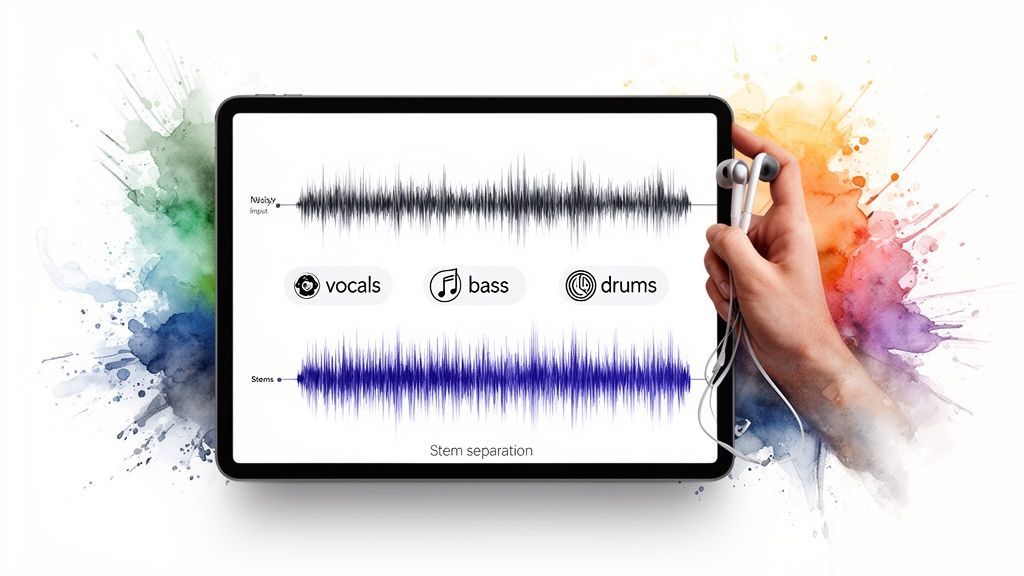
Got your high-quality track? Awesome. Now it's time for a bit of digital surgery. This is where stem separation comes in, and it's the real secret sauce behind the AI cover explosion. It’s the process of using an AI tool to split a single song into its individual parts, or "stems"—usually vocals, drums, bass, and everything else.
Think of it like deconstructing a sandwich because you want to swap out the turkey for ham. You have to carefully pull apart the bread and veggies (the instrumental) from the meat (the vocals) without making a complete mess. A good stem separator does exactly that, leaving you with a clean acapella to feed the AI and a perfect instrumental to lay the new vocals on top of.
AI has completely blown the doors open for this kind of audio editing. What used to demand a master audio engineer and access to the original studio recordings can now be done in just a few minutes, right from your browser.
There are tons of tools out there for this, each with its own vibe.
Quick and Easy Online Tools: Sites like Lalal.ai or VocalRemover.org are fantastic for getting your feet wet. They’re browser-based, fast, and perfect for beginners or quick projects.The Power User's Choice: For creators who need the absolute best quality, dedicated software like Ultimate Vocal Remover (UVR) offers way more control. You can mess with different algorithms and fine-tune the separation to get the cleanest possible tracks.
This tech is a huge part of why AI music is blowing up. In fact, AI music adoption has already hit 60% among musicians, especially in genres like electronic and hip-hop. It’s giving creators the power to remix and reimagine music in ways that were pure science fiction just a few years ago. You can read more about the trends shaping the AI music world to see just how fast things are moving.
Once your track is separated, you might notice a few little imperfections. It's common to hear a faint echo of the original vocal—what we call a "ghost artifact"—left behind in the instrumental, or maybe a tiny bit of a synth sound that bled into the acapella.
Taking a few extra minutes to clean this up is a total pro move. You can use a free audio editor like Audacity to go in and manually silence any obvious leftover noise. Just zoom in on the waveform, spot the little bits of audio that don't belong, and mute them. This final polish ensures your ingredients are perfect before the AI starts cooking, which makes all the difference in getting a final cover that sounds legit.
Alright, you’ve done the prep work. Your acapella is sparkling clean, and your instrumental track is ready to go. Now for the fun part—stepping into the lab and bringing your AI singer to life.
This is where you feed your source material to the machine and hear the new vocal performance for the very first time. It’s a genuinely electrifying moment, but let me tell you from experience: the first take is almost never the final masterpiece.
Generating the vocal is just the opening line in your conversation with the AI. The real magic, the thing that separates a neat little experiment from a track that truly slaps, happens when you start refining. Think of yourself as a digital vocal coach, ready to guide the AI’s performance until it sounds human, expressive, and totally believable.
The core concept here is pretty simple. You take that clean acapella you worked so hard on and upload it to the AI voice model you chose earlier. The AI chews on the pitch, timing, and melody of the original and then, essentially, re-sings it in the new voice. This re-synthesis process is the engine that drives this whole creative endeavor.
Most modern platforms have made this ridiculously easy. It's usually a drag-and-drop affair. You toss in your file, pick your voice model from a dropdown menu, and smash that "generate" button. In a few moments—sometimes longer, depending on the server load—you’ll have a brand-new vocal track sitting there, waiting for you.
My Two Cents: Treat your first generation as a baseline, not the final cut. Listen to it with a critical ear, but don't get bummed out if it sounds a bit clunky or robotic. That's normal! The real artistry is in the tweaks that come next.
The AI just gave you a solid first take. Now it’s your job as the producer to step in and direct the performance to coax out that missing emotion.
With your initial AI vocal in hand, it’s time to start sculpting. The best AI voice platforms aren't just one-and-done tools; they give you a whole suite of controls to shape the sound. These settings are your secret weapons for injecting that much-needed human touch.
Pitch Correction and Transposition: Does the AI voice sound like it's straining for a high note or rumbling too low in the basement? Most tools let you shift the entire performance up or down by semitones. This is huge for making a voice sound natural in its new context. For instance, if you're using a deep baritone AI voice on a high-pitched pop banger, dropping the pitch by 2-3 semitones can make it sound way more authentic. Tone and Timbre Controls: Look for sliders labeled "brightness," "tension," or "character." These can subtly change the vocal texture. A tiny boost in brightness might add clarity and cut through the mix, while messing with the "character" could make the voice sound breathier or more powerful, depending on the tool. Fixing Artifacts and Pronunciation: Look, AI is smart, but it's not perfect. You’re going to hear weird digital warbles, garbled words, and phrases that just sound... off. The best way to tackle this is often to re-generate just those small problem sections. Sometimes, just running it again with the same settings does the trick.
If you really want to get into the nitty-gritty, our complete guide on how to make AI sing a song dives even deeper into these advanced vocal manipulation tricks.
What’s truly wild is how efficient this whole workflow has become. AI now tackles complex jobs like stem separation, voice modeling, and even some initial mastering, slashing what used to take weeks in a studio down to a matter of minutes. Sure, there are still bumps in the road—Spotify famously nuked 75 million tracks in a single year, many of them spammy AI uploads—but the momentum is unstoppable. The AI voice generator market is expected to rocket to $20.4 billion by 2030, fueled by a blistering 37.1% annual growth rate. This insane accessibility is leveling the playing field for musicians everywhere.
You will run into some common quirks. It's part of the game. Knowing how to troubleshoot them on the fly is what will make your AI covers sound professional.
| Problem | Quick Fix Solution |
|---|---|
| Sounds Like a Robot | Try nudging the pitch up or down slightly. Sometimes a small shift helps the voice "settle" more naturally into the key. You can also try a different conversion model if your tool has that option. |
| Muffled Vocals | This almost always points back to a crummy source acapella. Don't be lazy—go back and re-separate your stems, or hunt down a higher-quality version of the original song. Garbage in, garbage out. |
| Mispronounced Words | This one's a pain. Your best bet is to isolate the messed-up word in an audio editor and try generating just that part again with different settings. Sometimes, a different AI voice model will nail a word that another one messes up. |
| Timing Is Off | If the AI vocal feels like it's dragging or rushing, you can easily slide it forward or backward in a free audio editor like Audacity until it locks into the groove with the instrumental. |
Finessing an AI vocal is a loop: generate, listen, tweak, repeat. Each tiny adjustment brings you one step closer to that polished, professional performance that makes people stop scrolling and ask, "Wait, who is that singing?"
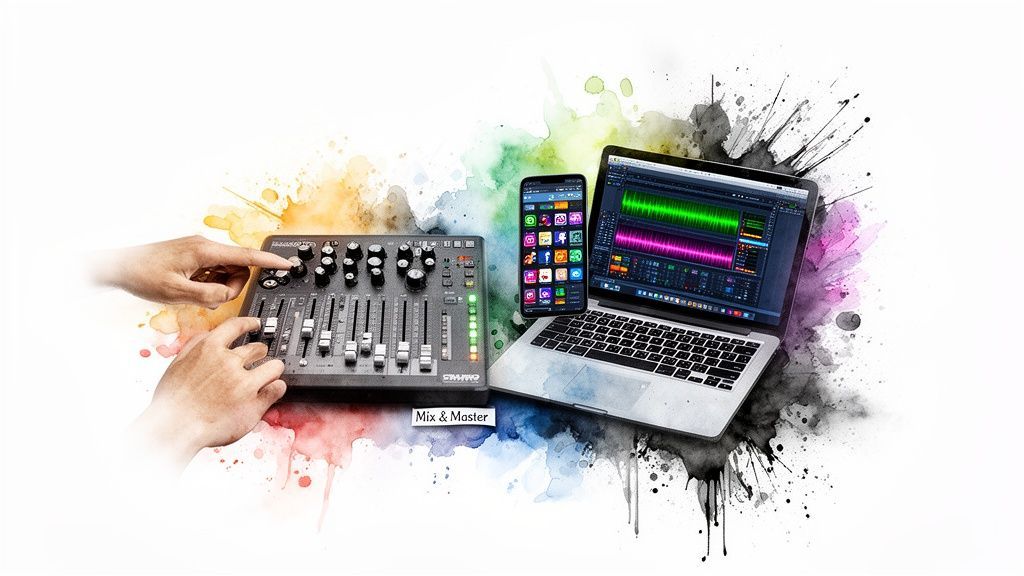
Alright, you’ve got the goods. You have a killer AI vocal performance and the perfect instrumental track just waiting to be smashed together. Now comes the fun part: assembling all the pieces into a polished masterpiece that's ready to conquer the internet.
This is the mixing and mastering stage. Think of it as the final coat of paint that makes your track sound professional, punchy, and ready for its viral moment. Don't let the technical jargon scare you off! You don't need a million-dollar studio or a degree in audio engineering. We're going to break it all down, step by step.
Mixing is really just about one thing: balance. It’s the delicate dance of blending your new AI vocal with the instrumental so they sound like they were always meant to be together. It’s like making a perfect cocktail—get the proportions right, and you’ve got something smooth and cohesive.
Your main goal here is to make the vocal sit perfectly on top of the music. You don't want it drowned out by the guitars, but you also don't want it screaming so loud that it feels totally disconnected. A great mix just feels right.
Here's how to get started:
Level Up (or Down): The first, most crucial step is just setting the volume. Drop your AI vocal and the instrumental into an audio editor. A free tool like Audacity is perfect for this. Now, hit play and start nudging the vocal's volume slider until it feels clear and present without steamrolling the music.Trust Your Ears: Seriously, there's no magic number. A good rule of thumb is to have the vocals just a couple of decibels louder than the main melody in the backing track. But honestly? Close your eyes and just listen. Does it sound good? If so, you're on the right track.
Pro Tip: Listen to your mix on everything you can get your hands on. Try your good headphones, your crappy laptop speakers, your car stereo, and even your phone's speaker. A mix that sounds great everywhere is a solid, bulletproof mix.
Once your levels are dialed in, you can sprinkle in a few simple effects to make your track sound more spacious and legit. These are the little touches that can take your AI cover from a cool experiment to an absolute banger.
Reverb is your new best friend. It’s an effect that mimics the sound of a physical space, giving your track depth and atmosphere. A little bit of reverb on the vocal helps it melt into the instrumental, making it sound like everything was recorded in the same room. Just don't go crazy—too much reverb will turn your track into a muddy, distant mess.
Another game-changer is EQ (Equalization). Think of EQ as a super-powered tone knob. You can use it to carve out any nasty, harsh frequencies in the vocal or to boost the parts that really make it shine. For instance, a small boost around the 2-5 kHz range often adds a ton of clarity and presence, helping the vocal cut right through a busy track.
Mastering is the final, final step. If mixing is about balancing the individual ingredients, mastering is about making sure the whole dish tastes amazing. It's the last quality check that makes your track sound loud, clear, and consistent, whether it's blasting on TikTok or playing through Spotify.
Thankfully, AI-powered mastering services have made this step insanely easy. Platforms like LANDR or the built-in mastering on BandLab will analyze your track and apply the perfect amount of polish to make it pop. You just upload your mix, and the AI does the heavy lifting. For most AI covers, these tools are more than enough to get a fantastic result.
The AI cover scene isn't just a fleeting trend; it's a genuine shift in how we create and consume music. By late 2025, it's projected that AI-generated tracks will make up 30% of daily uploads on some streaming platforms. A recent Morgan Stanley report even found that 55% of millennials are listening to AI music for 2.5 hours each week, fueling the fire on TikTok and YouTube.
Your track is mixed, mastered, and ready for the world. But how you share it is just as important as how you made it. Before you hit "publish," you need a game plan.
Our guide on how to make AI generated music dives even deeper into promotion, but here's a quick checklist to get you started on the right foot.
This little table will help you optimize your AI cover for the biggest platforms out there.
| Platform | Optimal Format | Key Hashtags | Disclosure Practice |
|---|---|---|---|
| TikTok | Vertical video (9:16) with captions | #aicover #aimusic #songcover #[artist]ai | Clearly state "AI Cover" or "AI Voice" in the description or on-screen text. |
| YouTube | Horizontal video (16:9) | #aisongcover #aigeneratedmusic #cover #parody | Mention in the title and description that it's an AI-generated cover. Link to the original song. |
| Vertical for Reels, Square for Feed | #aivoice #coversong #musicparody #aigenerated | Use on-screen text in Reels and a clear disclaimer in the caption. Tagging the original artist is a good practice. |
Following these guidelines ensures you're playing by the rules and giving your creation the best possible chance to find its audience. Now go get that hit
So, you've seen how it all works, you’ve picked your tools, and you know how to polish a track until it shines. But let's be real—stepping into the AI song cover arena can feel like the Wild West. You've probably got a few big questions still rattling around in your head.
Is this even legal? What do I do when the AI sounds like a dying robot? Can I actually make any money with this stuff?
Don't sweat it. We've got you. Think of this as your cheat sheet for the most common questions that pop up when creators start making AI song covers.
This is the big one, isn't it? The short answer is: it’s complicated, but you can absolutely do this the right way. The legal side of things is still playing catch-up, but the whole debate really comes down to two kinds of copyright.
The Song Itself (Composition & Master Recording): Every part of that original track is protected. If you wanted to legally release a cover for profit, you'd have to jump through hoops to get mechanical and synchronization licenses. The Voice (Right of Publicity): An artist's voice is basically their identity. Using a famous person's vocal likeness to make money without their permission is a massive no-go and can land you in some seriously hot water.
For most of us, the safest and most fun route is parody and transformative use. If you’re making "SpongeBob sings a metal anthem," it's clearly just for laughs, not an attempt to fool anyone into thinking it's an official release. Just be transparent. Always, always disclose that your work is an AI creation. For a deeper dive, our guide on Instagram and music copyright is a great resource for navigating social media rules.
Yes, but you have to be clever about it. Just slapping an AI cover of a Top 40 hit on Spotify and hoping the royalty checks roll in is a surefire way to get a takedown notice.
Instead, think of AI covers as amazing content marketing. A hilarious or shockingly good cover can go viral on TikTok or YouTube, driving a flood of traffic to your channel. From there, you can monetize through ads, brand deals, or by funneling that new audience to your own original music and merch. The cover isn't the product; it's the hook that builds your audience.
It happens to all of us. You click "generate," full of hope, and what comes out sounds like a robot gargling gravel. Don't panic! This is almost always fixable, and the problem usually starts with your ingredients.
A muddy, artifact-riddled AI vocal is the classic sign of "garbage in, garbage out." Rewind back to your stem separation. Did you use a crusty, low-quality MP3? Did the vocal remover leave a ghost of the original instruments behind? Try running the process again with a high-fidelity audio file or a more powerful tool like UVR, and you'll be amazed at the difference.
Key Takeaway: Your final output is a direct reflection of your input quality. A few extra minutes spent finding a clean track and carefully separating the stems will save you hours of headaches later.
Picking the perfect voice model is the soul of your cover, and it’s definitely more art than science. First, think about the vibe. A goofy meme cover is practically begging for a famous cartoon character's voice. But if you're doing a serious stylistic flip, you might need a model trained on a specific genre of singer to nail the performance.
The secret is to just play around. Don't be afraid to run your acapella through a few different voice models to see what sticks. Sometimes the weirdest combination creates the most magic. A deep, soulful voice on a bubbly pop track? It sounds strange, but it just might be genius.
Things are about to get wild. Goldman Sachs is predicting that direct AI music revenues will rocket to $2.1 billion by 2030, largely driven by fans who want more personalized content.
Considering that 60% of people under 30 are already listening to AI music, creators who get good at this now are setting themselves up to win big. The tech is only getting better, meaning more realistic voices and easier-to-use tools are right around the corner. To get a glimpse of what's next, check out these predictions on the state of the music industry.
Ready to stop wondering and start creating? With SendFame, you can generate bespoke AI song covers, videos, and celebrity messages in seconds. Our one-click AI Music Generator makes it fun and easy to bring your wildest creative ideas to life. Join over 200,000 creators and make your first hit today at https://sendfame.com
Create Epic

SendFame

Create Epic with SendFame!
Questions: info@sendfame.com