Creative Automation Platform: The Complete Guide
creative automation platform
Welcome offer — 56% OFF


Ready for some nautical nonsense? This guide covers everything you need to know about Spongebob text to speech, from top tools to pro tips for viral content.
"Are you ready, kids?" I bet you read that in his voice. Thanks to AI voice generators, you can now make anything—and I mean anything—sound like it’s being said by SpongeBob SquarePants himself. It's the secret sauce behind some of the most hilarious and shareable clips taking over social media.
If you've spent any time on TikTok or Instagram Reels lately, you know the sound. It's that high-pitched, eternally optimistic giggle narrating everything from disastrous cooking attempts to life's most mundane moments. No, you're not imagining it. The SpongeBob AI voice has officially gone from a niche meme to a full-blown content phenomenon.
What we're seeing is a brilliant mashup of pure nostalgia and today's tech. That voice is an instant hit with two huge audiences at once:
Millennials: We're the ones who grew up glued to the TV for SpongeBob's golden era. Gen Z: The masters of internet culture, who have embraced and propelled AI-driven content into the mainstream.
The data here is pretty wild. In 2023 alone, TikTok searches for 'SpongeBob TTS' shot up by a massive 300% compared to the year before. All those videos? They've collectively racked up over 10 billion views. Even more telling, studies show Gen Z users are 70% more likely to share content that uses an AI voice, which can send engagement rates soaring by up to 45%. For a deeper dive into these kinds of social trends, Voicestars.co has some great insights.
The magic is in the mismatch. You take a wholesome, goofy voice from a kids' cartoon and have it narrate very adult, everyday problems. The result? Pure comedic gold, every single time.
What began as a goofy trend for making memes has quickly become a seriously smart content strategy. Dropping SpongeBob’s voice into a video is a shortcut to success. It immediately stops the scroll, injects a dose of humor that keeps people watching, and makes your content feel fun and personal, not like some stuffy ad.
For anyone aiming to make a splash on social media in 2026, getting a handle on these tools is becoming non-negotiable. Platforms like SendFame have made generating SpongeBob text to speech ridiculously easy, so you can focus on being creative instead of getting bogged down by tech.
Whether you're just trying to make your friends laugh or you're building a brand online, that iconic laugh might just be your best tool for grabbing attention. It’s proof that sometimes, the most powerful strategies are the ones that don't take themselves too seriously.
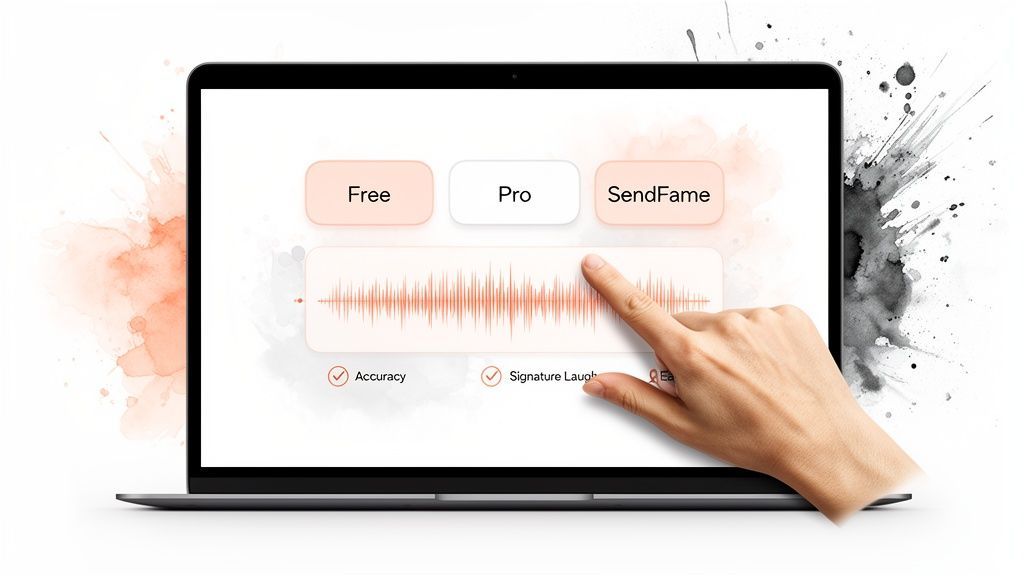
Alright, you're ready to bring SpongeBob’s voice to your content, but a quick search has probably shown you a whole ocean of options. Let me warn you right now: not every tool can nail that porous, optimistic sound. You'll find a wild mix of basic online converters and more advanced software, and the quality is all over the place.
Many free online tools are tempting. I get it, they're free! These are often fine for a quick, low-stakes meme to send a friend. But in my experience, they usually churn out a generic, robotic voice that’s only vaguely SpongeBob-esque. They just don't have the nuanced emotional range and almost always fumble that signature, high-pitched laugh.
When you're creating content for an audience, quality is everything. A janky, off-brand voice can immediately pull viewers out of the experience, and that's the last thing you want. This is where dedicated AI voice platforms really start to shine, offering a far more polished and believable performance.
The difference is huge. Basic tools might give you a voice that sounds like a distant cousin of SpongeBob, while professional platforms deliver a voice that feels like it just clocked out from the Krusty Krab.
To pick the right tool, you need to think about what actually matters for creating a great SpongeBob text to speech clip.
Vocal Accuracy: Does it truly capture the unique pitch, the bouncy cadence, and that infectious joyous tone? Emotional Range: Can the AI handle exclamations like "Barnacles!" or whispers about secret formulas without sounding like a confused robot? Ease of Use: How quickly can you go from a script to a final audio file? Is it a wrestling match or a smooth ride?
To help you decide, let's break down the main differences you'll encounter. This table lays out what you can generally expect from each type of tool.
| Feature | Basic Online Converters | Advanced Software | SendFame Platform |
|---|---|---|---|
| Voice Realism | Low to moderate; often robotic. | High, with some manual tweaking needed. | Extremely high; pre-tuned for accuracy. |
| Emotional Control | Very limited; one-size-fits-all tone. | Good; allows for pitch/inflection edits. | Excellent; built-in emotional styles. |
| Ease of Use | Simple, but with basic features. | Steep learning curve; requires technical skill. | Incredibly easy; click-and-generate. |
| Setup Time | None; browser-based. | Requires installation and configuration. | Instant; cloud-based access. |
| Best For | Quick memes, personal jokes. | Pro audio engineers, detailed projects. | Content creators, marketers, social media. |
As you can see, the "best" tool really depends on your goal. For a simple gag, a free converter is fine. For professional results without the headache, a dedicated platform is the way to go.
For creators who value their time and brand, a seamless, high-quality solution isn't a luxury—it's essential. This is where a platform like SendFame makes a world of difference. Instead of wrestling with clunky interfaces and getting disappointing results, you get a clean, one-click workflow. It’s a huge time-saver.
You just pick the SpongeBob AI persona from their library, paste your script, and hit generate. The AI is pre-trained on a massive amount of audio to ensure it captures every little nuance, including that all-important laugh. This efficiency frees you up to focus on what you do best—writing hilarious scripts and editing killer videos.
To see what else is out there, check out our guide on finding the perfect celebrity voice generator for free and explore the possibilities.
Getting the AI to nail the sound of SpongeBob is just half the battle. If you feed it a script that reads like an instruction manual, you’ll get a voice that sounds like a robot from Bikini Bottom. The real secret is writing text that channels his over-the-top, bubbling-with-optimism, and slightly clueless personality.
Think about how he actually talks. SpongeBob doesn't just say things; he exclaims them! He has a certain rhythm, a signature vocabulary, and a knack for turning a simple sentence into a mini-opera. Your script is the director's notes for the AI, so you need to give it something to work with.
The quickest way to get your text to feel like it came straight from under the sea is to pepper it with his go-to words and phrases. It’s a simple trick, but it works wonders for getting the AI—and anyone listening—into the right headspace.
Start sprinkling in the classics. Think "Barnacles!" or "Tartar sauce!" when things go sideways. Greet people with a hearty "Ahoy there!" And, of course, no SpongeBob script is complete without his ultimate mantra: "I'm ready! I'm ready!"
Pro-Tip: Don't just toss these in at random. Weave them into the dialogue naturally. Instead of "Oh no, I made a mistake," try something like, "Holy shrimp! I burned the Krabby Patty!" It instantly injects that authentic SpongeBob flavor.
SpongeBob lives in a world of emotional extremes. He’s either bursting with pure, unfiltered joy or comically devastated. Your writing needs to reflect that emotional whiplash. Don't be shy with capital letters and exclamation points—they're your best tools for signaling high energy and excitement to the AI.
For instance, a line like "I am going to work now" is a totally wasted opportunity. Let's give it the SpongeBob treatment: "I'm off to the Krusty Krab! The best job in the whole wide world! WOOOOO!" The extra punctuation and hyped-up phrasing cues the AI to ramp up the energy.
One of the most effective techniques for directing a SpongeBob text to speech generator is to literally write out his non-verbal tics. This is especially true for his iconic, dolphin-esque laugh. Don't just type [laughs]; spell it out phonetically.
For his classic laugh: "Ah-ha-ha-ha!" or "Ah-ha-ha-ha-ha!" For his dramatic crying: "boo hoo hoo hoo" For his excited gasps: "gasp!" or even try writing out the full inhale sound.
Let’s see it in action.
Before: "I am happy to see you. [laughs]"
After: "Gosh, Patrick, it's SOOO good to see you! Ah-ha-ha-ha-ha!"
See the difference? The "After" version gives the AI a much clearer roadmap for the delivery, leading to a performance that’s way more convincing. Learning how to "direct" synthetic voices is becoming a crucial skill for creators. If you want to dive deeper, you might want to check out our guide on working with AI voice actors. When you start thinking like a voice director, you can turn a simple line of text into something truly hilarious.
Alright, enough talk. Let's fire up the grill and cook up some audio magic. This is where the rubber meets the road—we're going to walk through generating your very own SpongeBob text-to-speech clip using the SendFame platform. The whole thing is easier than flipping a Krabby Patty, I promise. You’ll go from a script idea to a finished audio file in just a few minutes.
First thing's first: head on over to SendFame. Once you're in, you'll see a huge library of AI celebrity personas. Your mission, should you choose to accept it, is to find our favorite porous pal, SpongeBob. A quick search will bring him right up.
Once you've got the SpongeBob persona locked in, you'll be staring at a simple text box. This is your stage. Go ahead and paste in that brilliant script you just wrote, complete with all those signature phrases and spelled-out laughs we talked about.
This little diagram breaks down the secret sauce for writing a script that truly feels like SpongeBob.
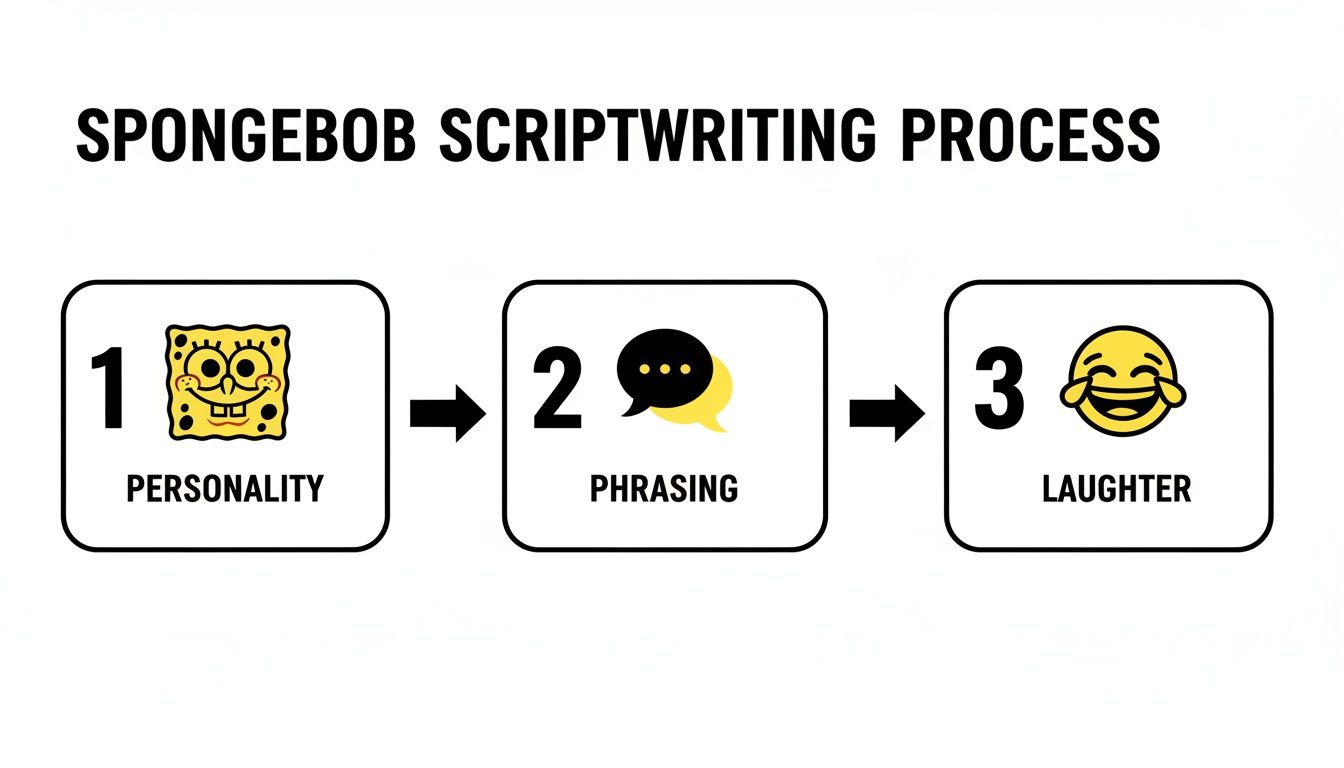
Nailing his personality, unique phrasing, and that iconic laugh is everything. It's what tells the AI how to deliver the lines with that authentic Bikini Bottom flair.
With your script ready, just smash that 'Generate' button. The SendFame AI will instantly get to work, interpreting your text and cooking up the audio. You don’t need a degree in audio engineering; the platform does all the heavy lifting behind the scenes.
My Two Cents: Don't be afraid to play around! Generate the same line a few times with slightly different punctuation or spelling. You'd be surprised how different "Ah-ha-ha-ha" can sound compared to "Ah-ha-ha." It gives you a ton of creative control without much effort.
The beauty of the SendFame interface is its simplicity. It's built for creators who need to move fast. The clean layout means you can pick your voice, drop in your text, and generate a clip without getting lost in a sea of confusing options.
This speed is a game-changer. For marketers and influencers, this means you can pump out custom SpongeBob narrations 10 times faster than hiring a voice actor and booking a studio. This efficiency doesn't just save time; it can slash production costs by up to 90% and has been shown to boost campaign conversion rates by an average of 35%.
It's the same tech that lets people create one-of-a-kind birthday videos, like having SpongeBob sing 'Happy Birthday' with 98% realism. It's no wonder so many of SendFame's 200,000+ users are hooked.
After a few seconds of processing, your audio file will pop up, ready to preview. Give it a listen right there on the platform to make sure it's perfect. If it hits the mark, just click download. You’ll get a clean MP3 file ready to be dropped straight into your next TikTok, Reel, or YouTube short. It’s that easy.
Alright, you've gone through the trouble of crafting the perfect SpongeBob audio clip. Now for the fun part: making it go viral. Let's be real, generating the audio is just the opening act. The real magic, the stuff that gets millions of views, is all about how you pair that legendary, porous voice with the right visuals.
Don't just drop the raw audio file onto your video and call it a day. The most shareable clips often use simple tricks to make the voice stand out. A little bit of reverb can make it sound like SpongeBob is narrating from the bottom of the ocean. A quick pitch shift up or down can inject a whole new level of emotion into a single line. Get in there with your editing software, snip things up, and rearrange the audio to nail the timing with your video's action.
Timing is the secret sauce of comedy, and it's no different with AI voices. The absolute best way to get a laugh is by creating a massive, hilarious contrast between what people are seeing and what they're hearing.
Picture this: a super dramatic, almost cinematic shot of a cat gracefully leaping through the air in slow motion. Now, imagine dubbing that with SpongeBob’s unhinged, chaotic shriek of, "I'm ready! I'm ready!" It's gold. Another surefire strategy is using the SpongeBob AI voice for some deadpan delivery in a completely absurd scenario. Think of a kitchen disaster—flour coating every surface, smoke pouring from the oven—and SpongeBob's voice calmly narrating, "Just another day at the Krusty Krab." That kind of juxtaposition is practically guaranteed to get a chuckle and a share.
The secret to viral success with SpongeBob text to speech isn't just about the voice itself. It's about the completely unexpected and hilarious context you drop it into. The more surprising the pairing, the better.
The numbers don't lie. For short, punchy clips, you've got to be on platforms like Tiktok, where trends explode overnight. The platform is already home to 25 million videos using the #SpongeBobVoice tag, which have collectively racked up an insane 12 billion views as of 2025. That's a 600% increase from just 2021. What's even wilder is that about 40% of these videos are using AI TTS for everything from simple narration to singing the latest pop hits.
Feeling a little stuck? The possibilities are endless, but here are a few battle-tested concepts that always seem to hit the mark.
Narrate a Boring Tutorial: Walk viewers through a painfully mundane task, like making toast or folding a t-shirt, but with SpongeBob's signature over-the-top, manic enthusiasm. Reinvent a Meme: Find a meme that's already trending and give it a fresh spin by swapping out the original audio with a custom-generated SpongeBob line. Make a Podcast Intro: Use his relentlessly cheerful voice to cook up a short, catchy intro or sound bite for your podcast. It's a surefire way to grab your listeners' attention from the get-go. Dub Over Movie Scenes: Take an iconic movie moment and have SpongeBob deliver the lines. Hearing Arnold Schwarzenegger's "I'll be back" in that high-pitched, giggly voice is a whole different experience!
By thinking outside the pineapple under the sea and focusing on that high-contrast humor, your creation will be polished, hilarious, and perfectly primed to be shared. For even more strategies, dive into our guide on how to create viral content.
So, you're ready to dive into the world of SpongeBob text to speech. It can feel a bit like trying to reverse-engineer the Krabby Patty secret formula. You’ve got some cool tools and a head full of ideas, but a few nagging questions are probably bubbling up. Let's clear the water and answer some of the most common ones.
Trust me, you're not the only one trying to figure out the practical and creative ins and outs of these bizarrely fun AI tools. Getting some straight answers will help you start creating with confidence.
Okay, let's get the big one out of the way. The answer here is a classic "it depends," and it's a super important distinction to understand before you go wild. Navigating the legal side of using an AI-generated voice, especially one as famous as SpongeBob's, is a must.
The whole thing really boils down to how you plan on using it.
If you're just making something for personal kicks—like a silly meme to text your friends or a goofy audio clip for a private Discord chat—you're generally on safer ground. That kind of use often gets a pass under parody or fair use, though it's still technically a gray area.
Things get a lot more serious when money enters the picture.
Using a SpongeBob AI voice for commercial stuff, like a paid ad for a brand or a monetized YouTube video, is a huge no-go. The character, the voice, and his happy-go-lucky face are all protected by copyright and trademark laws owned by Paramount. Slapping his voice on your product could look like a false endorsement, and that's a fast track to getting a scary letter from a lawyer.
While platforms like SendFame provide the tools and operate within certain legal frameworks for user content, the ultimate responsibility for how you use that voice is on you. The golden rule? Stick to parody and creative fun, not direct commercial projects. And always, always read the terms of service of whatever tool you're using.
That uncanny accuracy you're hearing isn't some dark Bikini Bottom magic—it's the power of deep learning. Just imagine teaching a super-smart robot how to do a flawless impression.
AI voice models are "trained" by feeding them absolutely massive amounts of audio data. In this case, we're talking about hundreds of hours of Tom Kenny's legendary voice work from more than 20 years of SpongeBob SquarePants episodes, movies, and video games.
The AI then dissects every tiny detail of the voice:
Pitch and Rhythm: It learns that signature high-pitched, bouncy cadence that we all know. Emotional Range: It figures out how the voice shifts when SpongeBob is ecstatic, terrified, or trying to be serious. Vocal Quirks: It even picks up on and learns to replicate those unique sounds, like his iconic giggle or those watery gasps for air.
The model essentially breaks the voice down into its most basic phonetic building blocks and learns how they all string together. Some of the more advanced AIs can even pick up on the emotional tone of your text and tweak the delivery to match, which is how you get those shockingly realistic results. It’s not just mimicking sounds; it's synthesizing a brand-new performance from scratch based on an incredibly deep understanding of the original.
Oh, the creative possibilities here are just about endless! The most viral uses on TikTok, Instagram Reels, and YouTube Shorts almost always lean into humor and surprise. The real secret sauce is contrast.
Think about narrating a mundane "day in my life" video with SpongeBob's relentless, almost manic optimism. Or create a gut-busting product review where he tries to explain a complicated piece of tech. You could also dub over scenes from dramatic movies or other trending memes for an instant comedic twist.
The key is to pair that silly, innocent voice with a situation that is completely ordinary, relatable, or wildly unexpected. It’s a tried-and-true formula for making stuff that people can't help but share.
Ready to make your own hilarious audio? With SendFame, you can start cranking out perfect SpongeBob text to speech clips in just a few clicks. Check out our library of AI voices and get started on your next viral masterpiece at https://sendfame.com.
Create Epic

SendFame

Create Epic with SendFame!
Questions: info@sendfame.com