The 12 Best Deepfake Apps of 2026: From Viral Memes to Pro-Level Video

best deepfake apps
Welcome offer — 56% OFF


Explore a free producer tag maker roundup with easy-to-use tools to craft your brand and boost your tracks.
You hear it before the beat drops. That iconic, instantly recognizable audio snippet that screams, "This is my track." Whether it’s Metro Boomin’s cryptic whisper or DJ Khaled’s booming declaration, a producer tag is your sonic business card. It’s the signature that protects your work, builds your brand, and makes sure everyone in the club, on the stream, or in the studio knows exactly who crafted the fire they’re hearing. But you don't need a massive budget or a professional voice actor to get started. The perfect tag is just a few clicks away.
This is your definitive guide to the best free producer tag maker tools available right now. We've cut through the noise to bring you a curated list of web apps, AI voice generators, and clever audio combos that will help you create a professional-sounding tag without spending a dime. A producer tag isn't just a sound; it's a vital part of your artistic identity, serving as an audio signature that distinguishes your work. To delve deeper into developing a comprehensive artistic identity, explore this a modern guide to branding for musicians for a complete picture.
Forget endless searching and sketchy downloads. In this roundup, we're giving you the straight scoop on each platform. You’ll find:
Step-by-step mini-tutorials to get you from text to tag in minutes. Honest pros and cons for each tool, highlighting their unique strengths and limitations. Direct links and screenshots so you can see exactly what you're getting into.
Our goal is simple: to help you find the right tool for your specific needs, whether you want a robotic AI voice, a classic announcer sound, or something completely unique. Let's find your signature sound.
Vadoo AI’s Producer Tag Generator is the digital equivalent of a drive-thru for beat tags: fast, convenient, and surprisingly good. This tool is built for pure speed and experimentation. Forget creating accounts or navigating complex menus; you just land on the page, type your tag, and start generating audio. Its entire purpose is to get a professional-sounding voice tag into your hands in under 30 seconds.
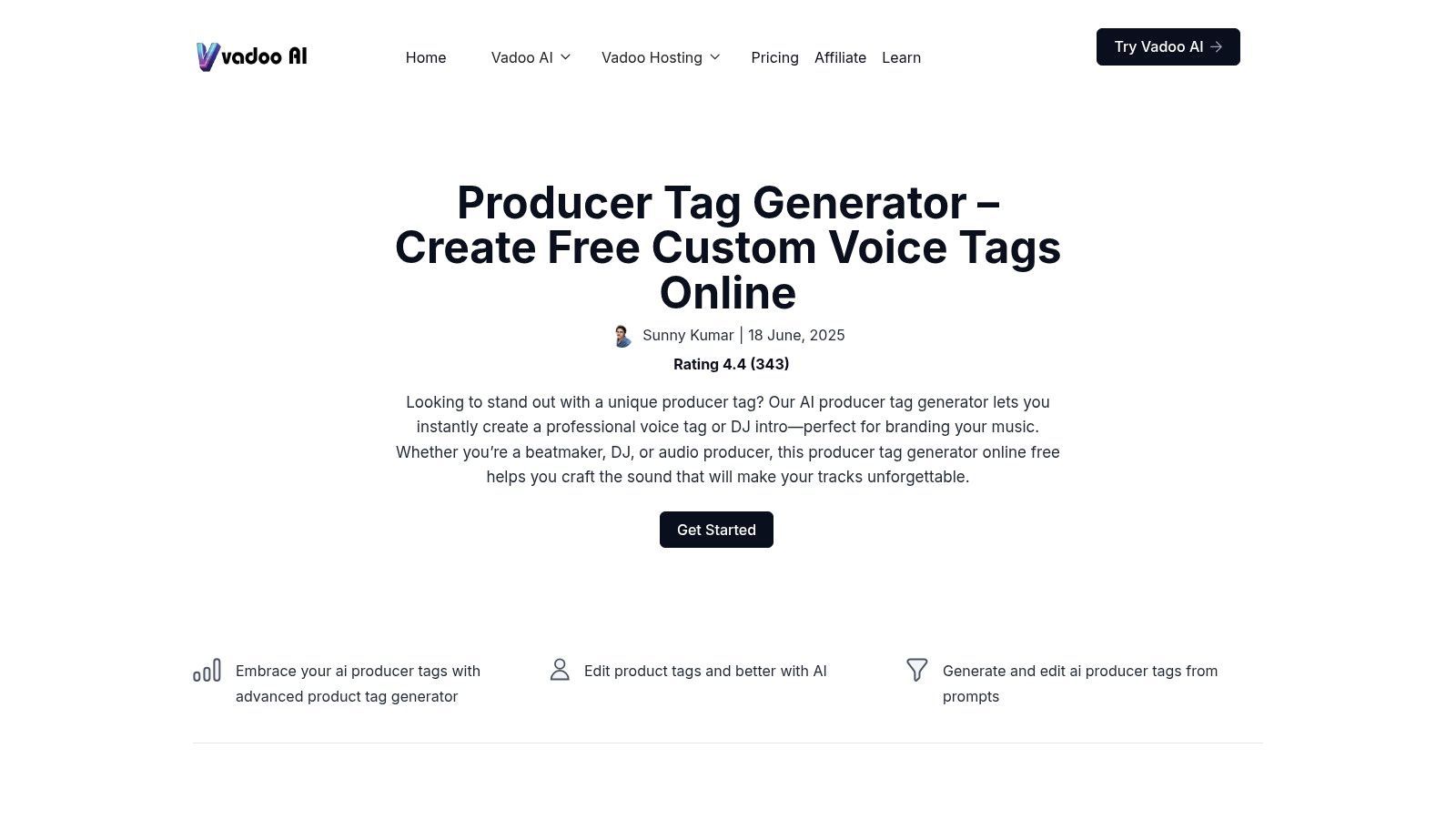
What makes it a fantastic starting point is its genre-based presets. Instead of tweaking endless knobs, you simply choose a vibe like "Hype," "Whispered," or "Robotic," select a male or female voice, and hit generate. This workflow is perfect for A/B testing different tag lines and delivery styles without getting bogged down. If you’re struggling with what to say, their "Tag Finder" can even spark some creative ideas.
This is a true free producer tag maker, with no hidden costs or signup walls. The user interface is clean and immediately understandable, making the creation process feel almost instant. You can download unlimited MP3 or WAV files, which is a massive plus for producers who want to audition multiple options directly in their DAW. For those just starting, learning how to make producer tags that fit your brand is crucial, and this tool provides the perfect sandbox to do just that.
Best For: Producers needing quick, high-quality tags for immediate use and rapid prototyping. Standout Feature: The "no account needed" policy combined with unlimited downloads. Limitation: The voice selection is curated, not an exhaustive library, so you can't endlessly search for hyper-specific voices.
Link:Vadoo AI – Producer Tag Generator
BasedLabs’ Free Producer Tag Generator is like having an AI sound designer on speed dial. This tool is built around vibes and aesthetics, allowing you to instantly generate tags that match a specific sonic identity without fiddling with complex settings. Its prompt-driven workflow asks you what to say and what style you're after, such as "Deep/Booming," "Futuristic/Robotic," or a simple whisper, then quickly delivers multiple options to audition.
This approach makes it an excellent platform for discovering your sound. Instead of just getting one audio file, BasedLabs generates several variations for each prompt, giving you a buffet of choices. This is perfect for producers who know the feeling they want but aren't sure of the exact delivery. The system is designed for rapid ideation, making it easy to find a recognizable signature sound that helps your beats stand out. Its simplicity is a core feature, pushing creativity forward without a steep learning curve.
This is another truly free producer tag maker that operates directly in your browser with no sign-up required. The interface is minimal and guides you straight to creation, making the process feel less like work and more like play. One of its strengths is how it leans into the world of AI, and if you want to explore more about that, there are many incredible AI tools for music production available today. You can download the generated tags instantly, although you'll want to double-check the commercial usage rights for each project, as with most AI-driven platforms.
Best For: Producers focused on finding a specific vibe or aesthetic for their brand. Standout Feature: Generates multiple variations per prompt, offering a range of choices from a single idea. Limitation: The interface favors presets over granular audio control, and the site's AI language means confirming commercial rights is a good practice.
Link:BasedLabs – Free Producer Tag Generator
VCM Suite takes a different angle on the free producer tag maker concept: it's not just about creating the tag, but also about implementing it. This tool is a complete tag-and-go solution designed for producers who want to quickly protect their beats before sending them out. It combines a simple AI voice generator with a beat uploader, letting you generate a tag and automatically place it across your track at set intervals, all in one seamless workflow.
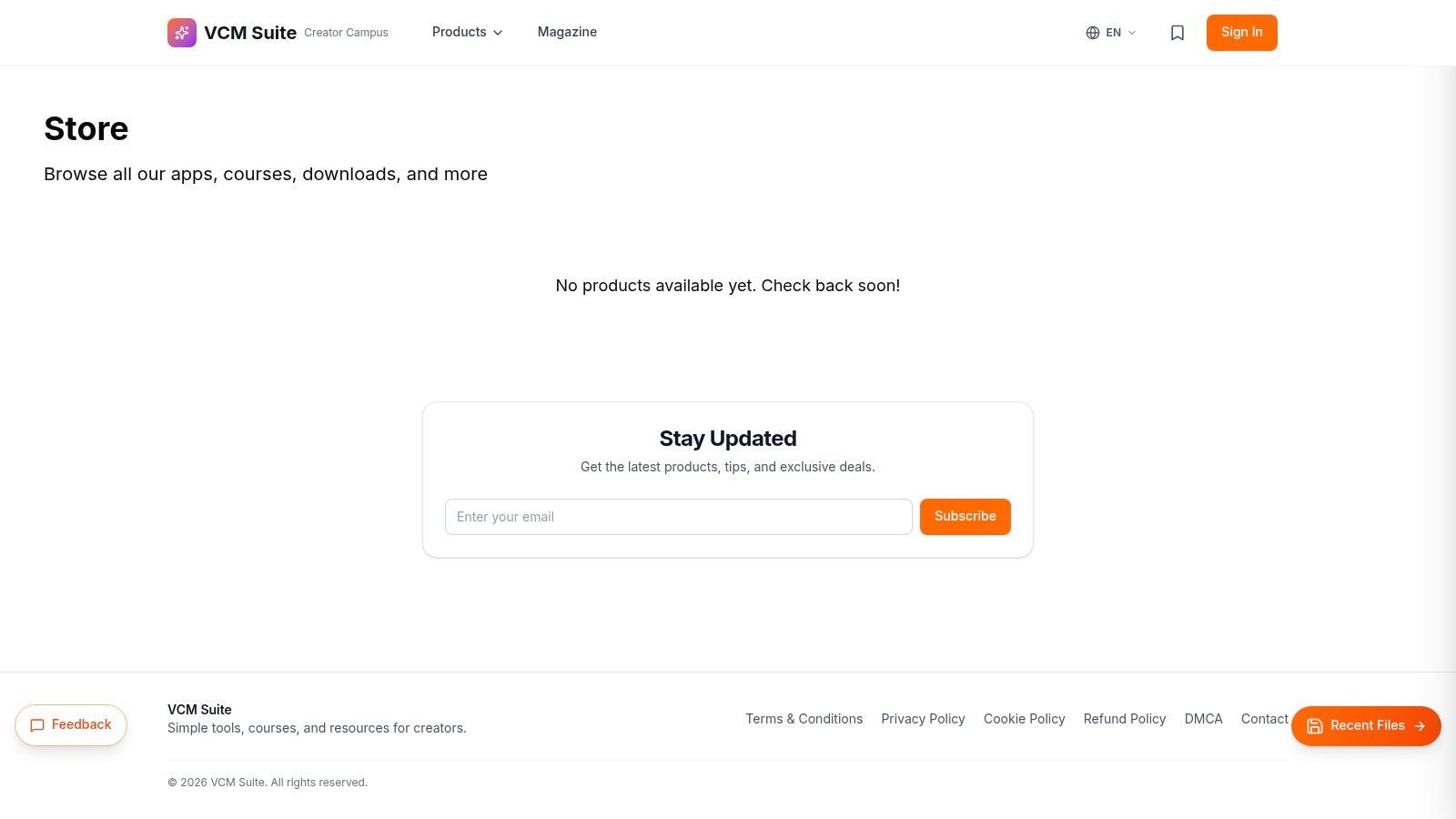
While the tag creation itself offers essential AI voices like "Female Soft," "Male Hype," and "Robotic," the real magic is in the automation. You can upload an MP3 or WAV, tell the tool to place your new tag every 15 or 30 seconds, adjust the tag's volume, and download a finished, watermarked file. It removes the tedious manual step of dropping tags into your DAW, which is a massive time-saver for anyone sending out multiple beats a day.
This is a true workhorse tool, built for function over flair. The user interface is utilitarian and straightforward, prioritizing speed and efficiency. As a free producer tag maker, it requires no sign-up and gets the job done without any cost. The entire process, from typing your tag to downloading the protected beat, can be completed in under a minute. The controls for tag interval and volume are incredibly simple, making it accessible even for producers who aren't audio-editing wizards.
Best For: Producers who need to quickly watermark their beats for sending to artists or posting online. Standout Feature: The all-in-one ability to generate a tag and automatically place it throughout an uploaded track. Limitation: The beat upload is capped at 30 MB, and the UI is purely functional, lacking the creative vibe of other tools.
Link:VCM Suite – Free Producer Tag Generator
BeatTagger.com is less of a tag maker and more of a tag deployer. Think of it as the final, crucial step in your workflow after you've already crafted the perfect audio drop. This tool doesn't generate voices; instead, it lets you strategically place your existing tag onto your beats to protect them from theft. It’s designed to be the fastest way to get your audio watermark from a file on your computer to a finished, protected beat, ready for SoundCloud or BeatStars.
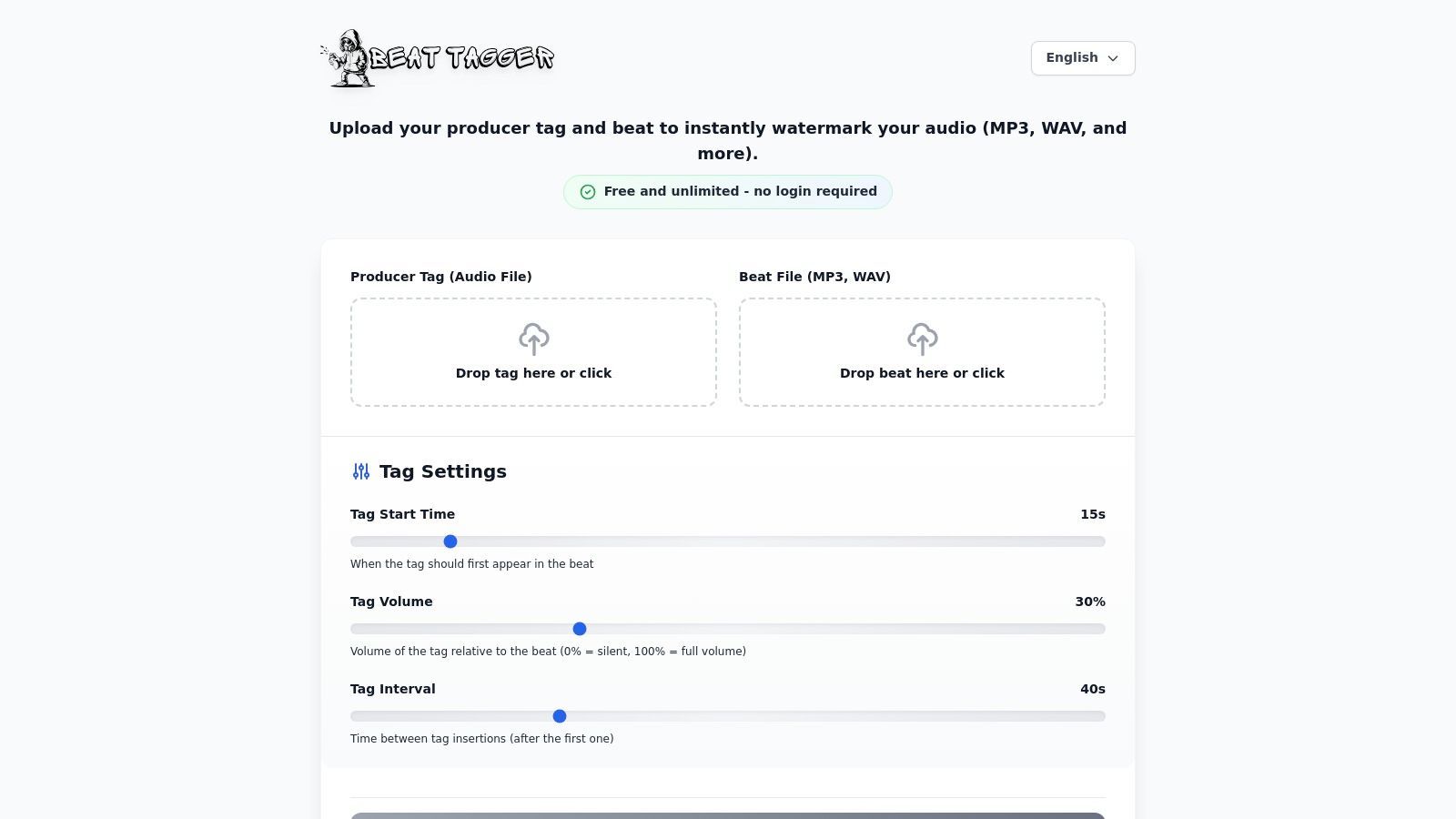
Its brilliance lies in its simplicity. You upload your beat, upload your tag, and then use two simple sliders to control the interval (e.g., every 30 seconds) and the gain (volume) of the tag. This allows you to quickly create a version of your track that’s protected for online previews without ever opening your DAW, which is a massive time-saver when you’re uploading multiple beats.
This is a completely free producer tag maker companion tool that requires no account or payment. The interface is about as minimal as it gets, which is a strength: there are no distractions, just a clear, three-step process. You can process and download unlimited MP3 or WAV files, making it an essential utility for producers who regularly send out beats for previews. It elegantly solves the single, specific problem of audio watermarking with zero friction.
Best For: Producers who already have a tag and need a fast, browser-based tool to watermark their beats. Standout Feature: The dead-simple slider controls for tag interval and volume, making the process incredibly intuitive. Limitation: It is purely a watermarking utility; it does not generate or create voice tags for you.
Link:BeatTagger.com
Fish Audio’s Producer Tag AI Voice Generator feels less like a tool and more like an artist’s profile dedicated to one thing: perfecting the cadence of a beat tag. It’s a focused experience designed for producers who know that rhythm and delivery are just as important as the words themselves. Instead of overwhelming you with options, it presents a curated text-to-speech model specifically tuned for the short, punchy phrases that define a modern producer tag.
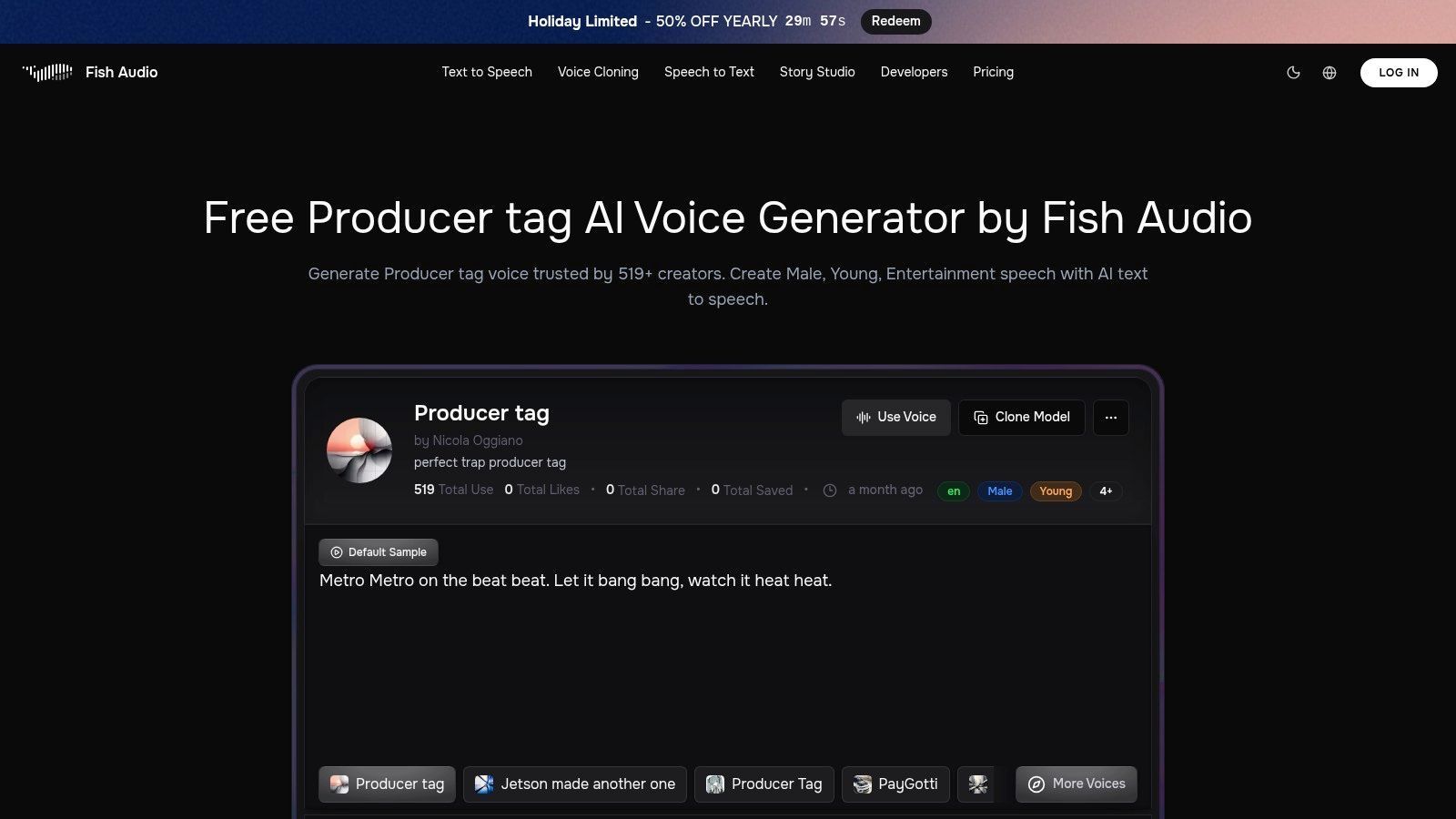
What sets Fish Audio apart is its dedication to cadence. The sample phrases provided aren't just filler; they are examples of how the AI interprets rhythm, making it easy to audition the voice's personality before you even type a word. This low-friction preview system lets you quickly gauge if the tone fits your brand, turning the process of finding the right sound into a much faster and more intuitive affair. It’s a specialized instrument for a very specific job.
This is a purpose-built free producer tag maker, offering a straightforward path to generating high-quality audio without any cost. The web-based interface is clean, focusing entirely on the input text field and the generate button. While the voice selection is fixed to the model on the page, its specialization ensures the output has that signature producer tag bounce. One critical point is to always check the licensing terms, as they can vary by voice model.
Best For: Producers who prioritize a specific vocal cadence and want to audition tones quickly. Standout Feature: The model is optimized for the unique phrasing and rhythm of beat tags, not just generic speech. Limitation: Voice selection is limited, and users must confirm usage rights, as terms can change.
Link:Fish Audio – Producer Tag AI Voice Generator
Uberduck is like a massive vocal playground for producers willing to experiment. As a long-standing AI voice platform, its free tier offers a taste of its extensive capabilities, making it a fantastic tool for generating initial tag ideas before committing to a final concept. Instead of simple text-to-speech, Uberduck provides a deep roster of voices, some modeled after famous characters and personalities, giving you a truly unique palette to work from.
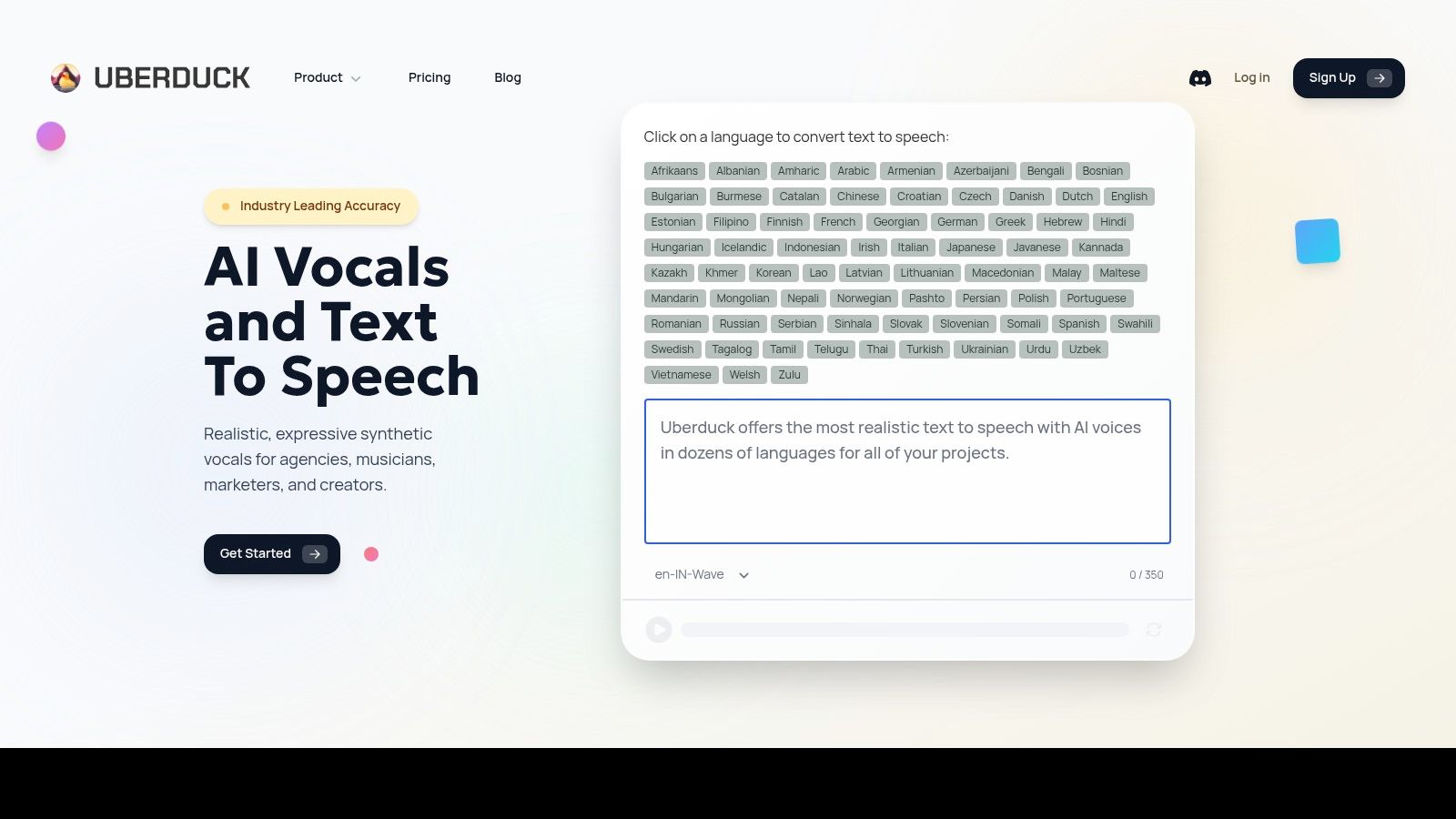
The platform operates on a credit system, which adds a layer of strategy to your creative process. You get a set amount of free credits to render audio, encouraging you to be thoughtful with your text prompts and voice selections. While the free version is strictly for non-commercial use, it's an excellent way to audition dozens of tag lines and delivery styles that would be impossible to get otherwise, helping you find the perfect vibe for your beats.
Uberduck is a powerful free producer tag maker for the prototyping phase. The interface is straightforward: you type your text, browse the extensive voice library, and render your audio clip. Because of its non-commercial license on the free tier, it's best used to find a winning tag line, which you can then re-record or purchase a commercial license for. For a deeper dive into similar tools, check out some of the best text-to-speech software available today.
Best For: Producers who want to experiment with a huge variety of unique AI voices for non-commercial projects or for prototyping ideas. Standout Feature: The enormous and constantly evolving library of distinct voice models, including many recognizable styles. Limitation: The free tier is for non-commercial use only, and the credit system limits how many tags you can generate without upgrading.
Link:Uberduck
ElevenLabs is the high-fidelity, premium-grade engine of the text-to-speech world, and its free plan offers a tantalizing glimpse into that power. This isn't your average robotic voice generator; it produces audio with such natural inflection and clarity that it often sounds indistinguishable from a human voice actor. It's built for those who prioritize pristine audio quality and want to experiment with creating tags that sound like they came straight from a professional recording booth.
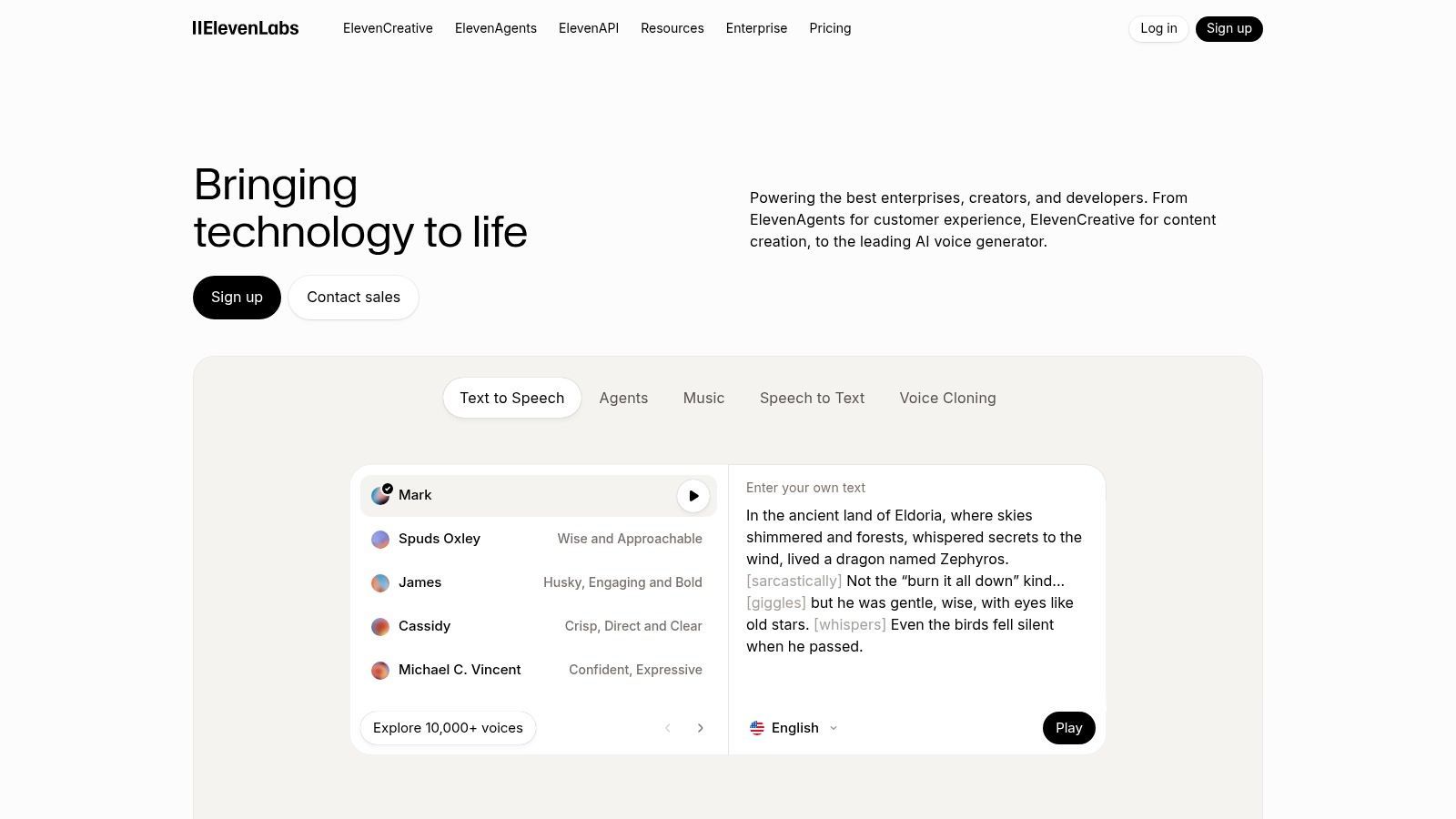
While many tools give you a simple text box, ElevenLabs provides granular control over voice settings, allowing you to fine-tune stability and clarity for the perfect delivery. This makes it an exceptional tool for drafting and perfecting tag ideas. You can test how different phrasings and pronunciations sound with a level of realism that other platforms struggle to match, ensuring your tag hits with professional impact.
As a free producer tag maker, the platform operates on a credit system, giving you a monthly allowance of characters to generate. The interface is clean and professional, focusing on the quality of the output rather than flashy effects. A crucial point to remember is that the free plan does not include a commercial license, so it’s perfect for personal projects and drafts, but you'll need to upgrade to a paid plan to use the tags in monetized tracks. This makes it an ideal stepping stone for serious producers.
Best For: Producers who need studio-quality vocal clarity for drafting tags and are willing to upgrade for commercial use. Standout Feature: The exceptionally natural and realistic-sounding voices that set a high bar for audio quality. Limitation: The free plan lacks a commercial license, and the credit-based system limits the amount of audio you can generate each month.
Link:ElevenLabs
Kapwing isn't just a text-to-speech tool; it's a full-blown browser-based video and audio editor that happens to have a great TTS engine built-in. This makes it the perfect one-stop shop for producers who are also content creators. You can generate your tag, lay it over a beat visualizer, add your logo, and export a ready-to-post Reel or Short without ever leaving your browser tab. It's built for the social media grind.
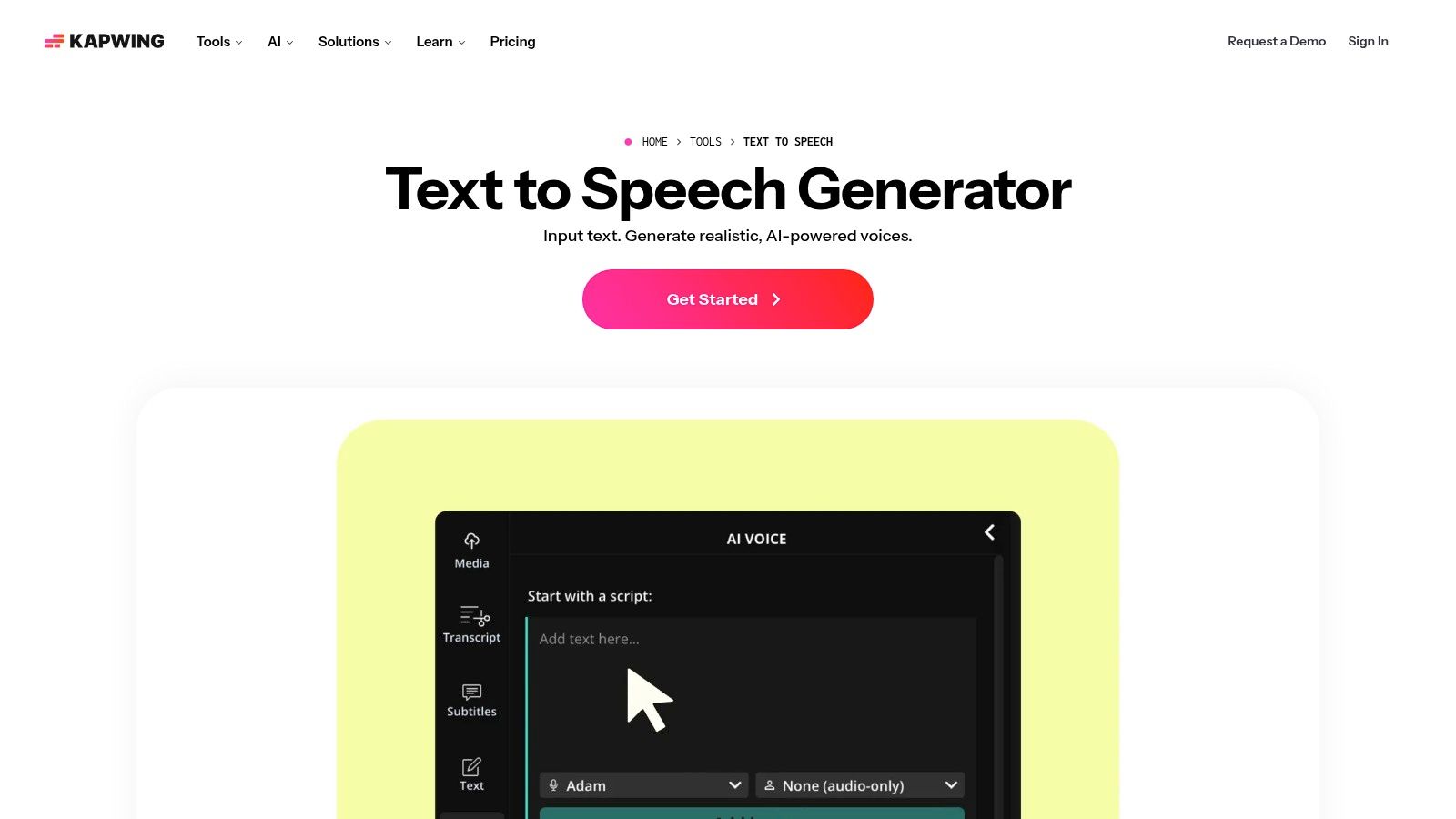
The platform offers over 180 voices across dozens of languages, giving you a massive palette to work with. The real magic happens on the timeline editor, where you can easily trim your generated audio, adjust its volume, and sync it perfectly with visual elements. This integrated workflow saves a huge amount of time compared to generating a tag elsewhere and importing it into a separate video editor.
While Kapwing operates on a freemium model, its free producer tag maker capabilities are solid for quick projects. You get access to the voices and timeline editor, but free exports come with a watermark and are capped at 720p. For simply creating an audio tag, you can generate the voice clip, then export the project as an MP3 to bypass the video watermark. This little workaround makes it a fantastic tool for crafting audio-only tags before committing to a paid plan.
Best For: Producers creating social media content (beat previews, tutorials) who need to add a tag to a video. Standout Feature: The integrated video and audio timeline editor, allowing for all-in-one project creation. Limitation: Free exports include a noticeable Kapwing watermark, and access to premium features and unlimited exports requires a Pro subscription.
VEED.IO’s Voice Maker enters the scene as a multimedia powerhouse disguised as a simple text-to-speech tool. While many competitors focus solely on audio generation, VEED integrates its TTS engine into a full-blown video and audio editor. This makes it the perfect choice for producers who are also creating social media content, beat-making videos, or promotional snippets alongside their tags. You can generate a voice tag and immediately layer it over a visualizer or behind-the-scenes footage without leaving your browser.
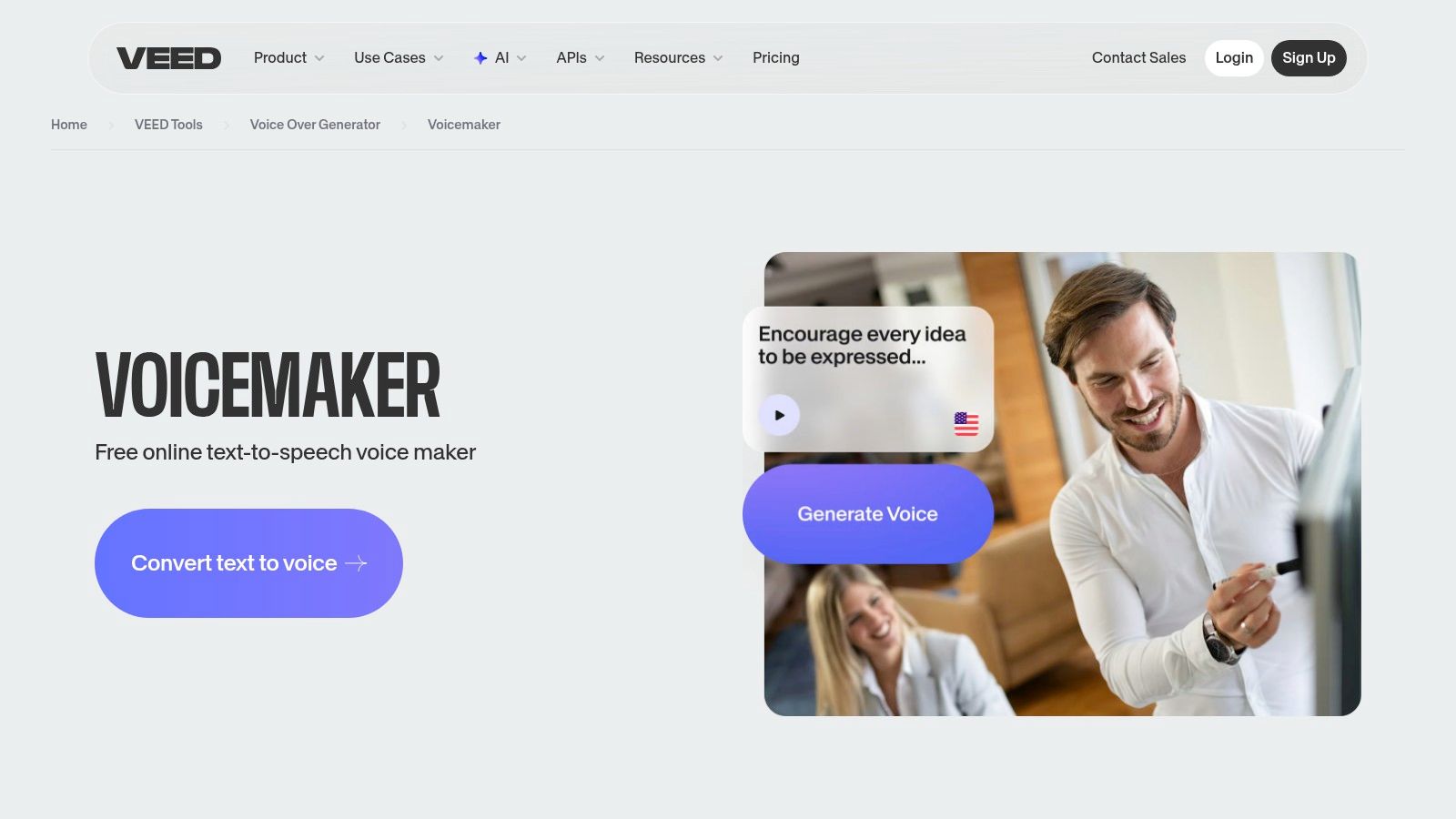
The platform’s strength lies in this all-in-one workflow. You can select from a diverse library of multi-language voices, type your tag, and drag the resulting audio clip onto a timeline. From there, you can apply basic effects like fade-ins or adjust the volume before exporting. While it’s a capable free producer tag maker, its true value shines when your branding needs extend beyond just the audio.
The user interface feels more like a simplified video editor than a dedicated tag generator, which is a good thing for anyone familiar with timeline-based software. The free tier gives you access to a solid range of standard voices and allows direct MP3 exports, though some premium voices and advanced features are locked behind a paid plan. The learning curve is minimal, making it an excellent tool for producers who want to create a quick, professional-looking video promo for their new beat with a freshly made tag included.
Best For: Producers who need to create audio tags and simple promotional videos in one place. Standout Feature: The integrated timeline editor that combines TTS audio with video and other audio elements. Limitation: It offers fewer granular audio effects than a dedicated DAW, and the best voices require a subscription.
TTSMaker earns its spot on the list by being incredibly straightforward about one of the biggest questions producers have: commercial use. This free text-to-speech tool explicitly states that you can use its audio for commercial purposes, removing a huge gray area that plagues other TTS sites. It operates on a generous weekly character quota, making it a reliable workhorse for drafting and finalizing tag lines without spending a dime.
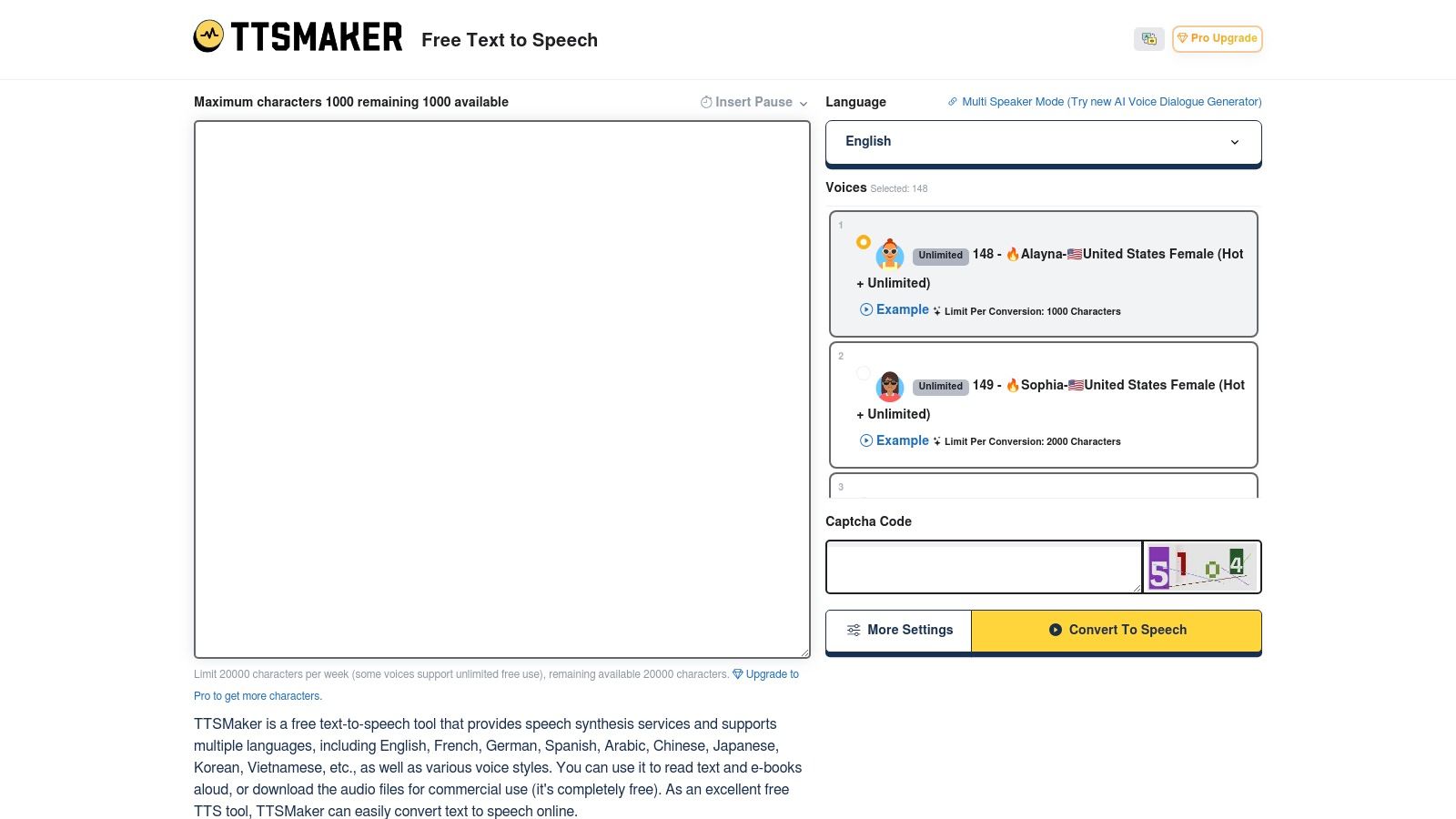
While not built specifically for music producers, its utility is undeniable. The interface is simple: you get a text box, a massive list of voices across dozens of languages, and basic controls to adjust speed and pitch. This makes it a great free producer tag maker for experimenting with different accents or tones. You can create a serious, authoritative tag and then immediately generate a playful, accented version to see which one fits your beat's character.
TTSMaker is refreshingly direct. There's no account needed to get started, and you can download your creations as MP3 files instantly. The weekly character limit is quite reasonable for producer tag creation, as most tags are only a few words long. This allows for plenty of trial and error throughout the week. The inclusion of SSML-like controls also lets you insert pauses, which is a subtle but powerful way to get the timing of your tag just right.
Best For: Producers who need a clear, commercially usable tag and want to experiment with a wide variety of global voices and accents. Standout Feature: The explicit permission for free commercial use, which provides excellent peace of mind. Limitation: The quality of the voices can be inconsistent; some sound very natural, while others are more robotic. You may also experience queues during high-traffic periods.
Link:TTSMaker
TTSMP3 is like a Swiss Army knife for text-to-speech, powered by Amazon Polly’s high-quality voice engine. While not exclusively a producer tag tool, its raw power and customization options make it a secret weapon for producers who want more control. This is the place you go when you want to fine-tune the delivery of a tag with surgical precision, telling the AI exactly how to pause, whisper, or change pitch.
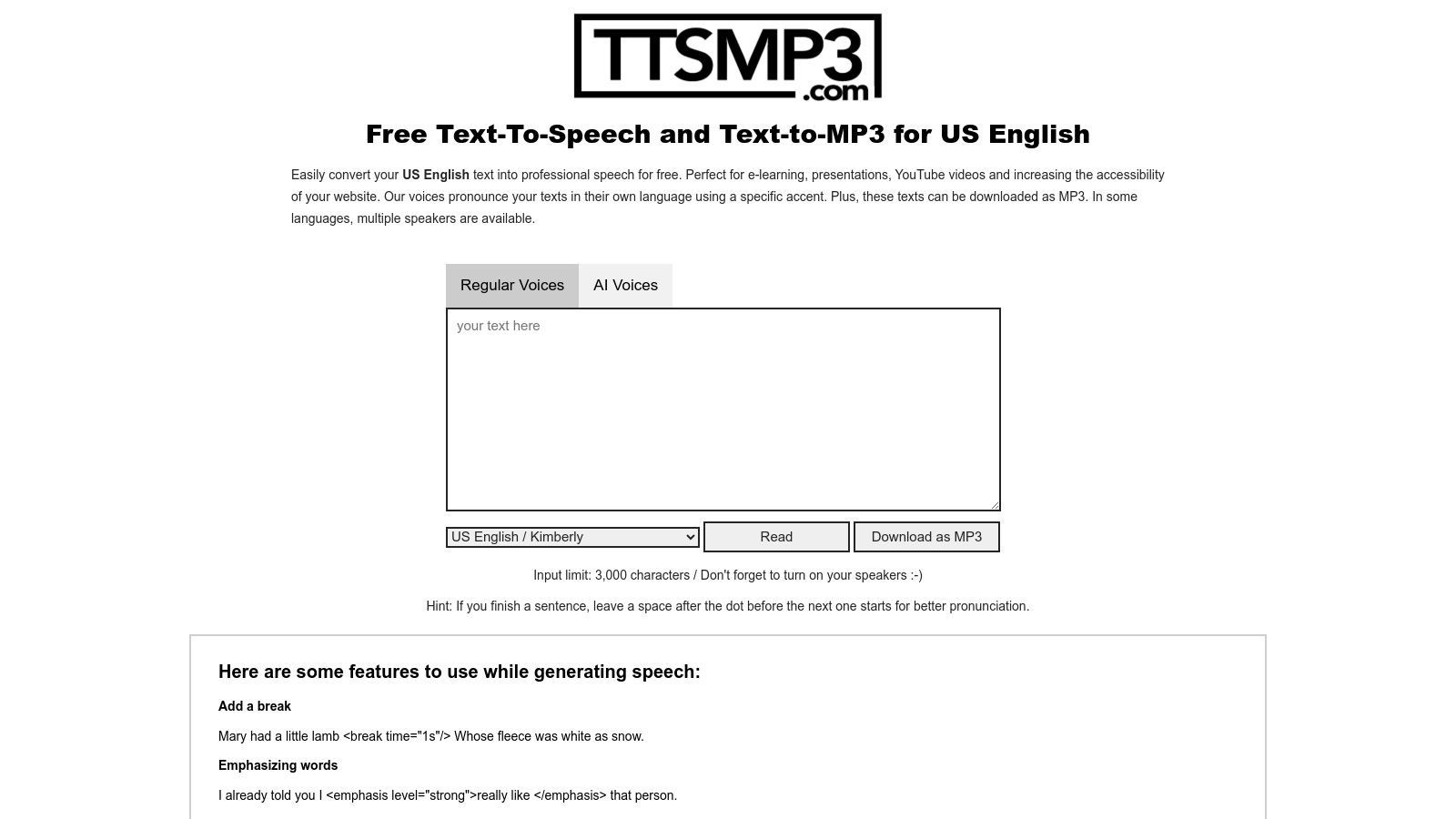
What sets TTSMP3 apart is its support for Speech Synthesis Markup Language (SSML). This might sound technical, but the site provides simple examples you can copy and paste to make a voice whisper a specific word or slow down its delivery for dramatic effect. This feature gives you a level of creative direction that most dedicated tag makers simply don't offer, turning a simple phrase into a truly unique audio signature.
This tool is a fantastic free producer tag maker for those who don't mind a little experimentation. The interface is no-frills: a text box, voice selection, and a download button. You can generate and download MP3s directly without an account, but be mindful of the daily character limit for free use. Learning a few basic SSML tags, like <amazon:effect name="whispered"> or <prosody rate="slow">, is the key to unlocking its full potential and creating tags that sound custom-made.
Best For: Tech-savvy producers who want precise control over voice inflection, pitch, and pacing. Standout Feature: SSML support that allows for detailed voice manipulation beyond simple text-to-speech. Limitation: It has a daily character cap for free users and lacks the genre-specific presets found in other tools.
Link:TTSMP3
This entry isn't a single tool, but a clever workflow for producers who prefer a hands-on, DIY approach. Think of it as the "build-your-own" kit for producer tags. The process starts by generating a clean voice tag (using a text-to-speech tool from this list or your own voice) and then dropping it into a free online voice effects tool like CapCut. This is where you transform a bland recording into something with character, adding effects like radio static, robotic filters, or a deep echo to give it that signature sound.
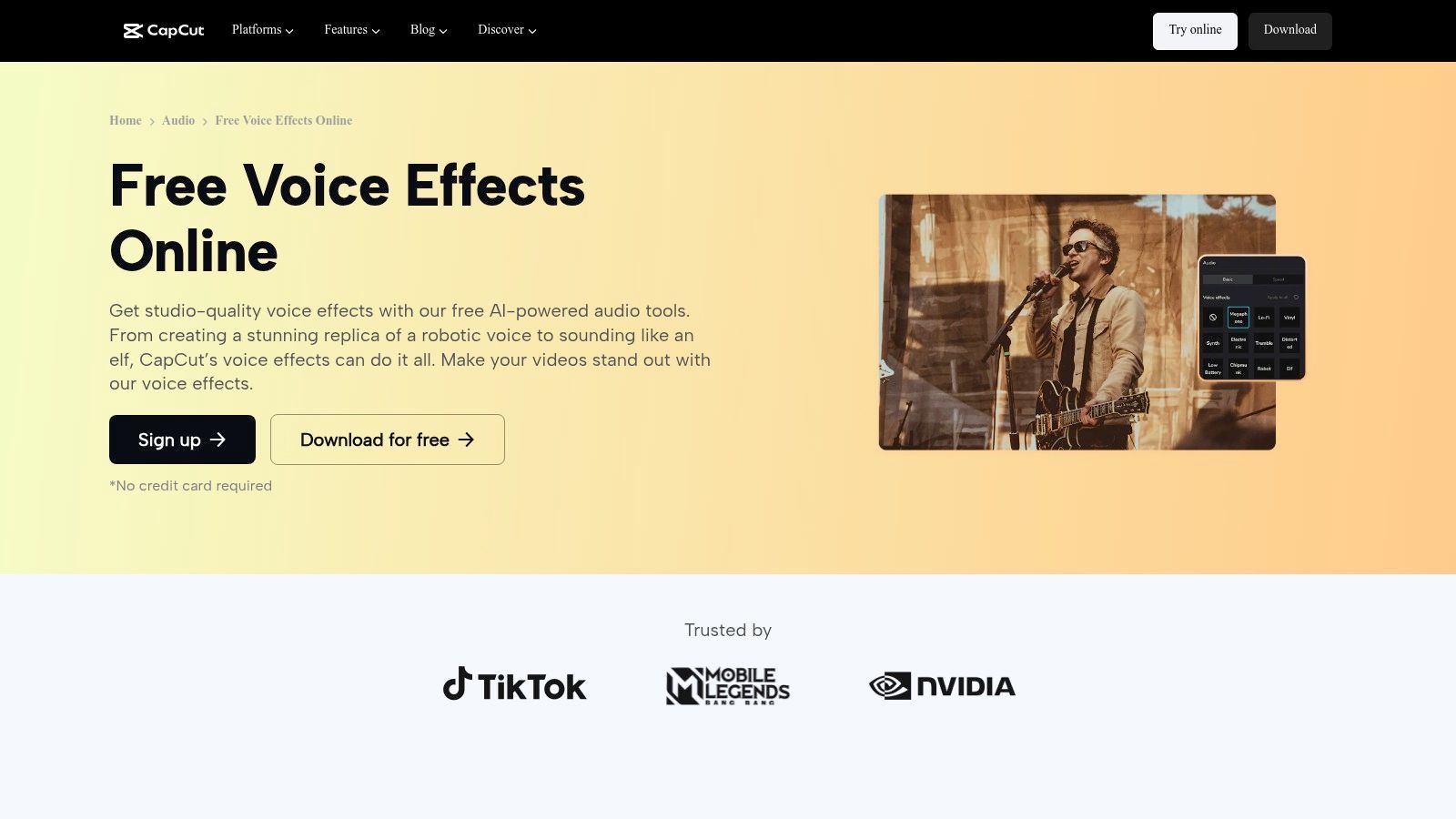
The magic of this method is its simplicity and accessibility. Instead of wrestling with a full-fledged DAW and expensive plugins, you can apply slick, professional-sounding effects in a browser in just a few clicks. Once you have your stylized tag, you can use a separate beat watermarking tool like BeatTagger to bake it into your beats. This combo is the ultimate free producer tag maker for those who want a custom sound without the technical overhead.
This workflow combines a few free producer tag maker steps into one powerful process. You have to bring your own audio to the party, but the payoff is a much more unique and polished result than a simple generator can offer. CapCut's interface is designed for social media, so it's incredibly intuitive; you just upload your audio, click through the effects presets, and export the result. This method puts creative control back in your hands without requiring a steep learning curve.
Best For: Producers who already have a recorded tag and want to add professional FX without a DAW. Standout Feature: Applying dozens of creative, high-quality voice effects in a browser with zero cost. Limitation: It’s a multi-step process, as you must generate the audio elsewhere before applying effects.
Link:CapCut Online Voice Effects
| Tool | ✨ Key features | ★ UX / Quality | 💰 Price / Value | 👥 Best for | 🏆 Unique selling point |
|---|---|---|---|---|---|
| Vadoo AI – Producer Tag Generator | Text→speech tags, genre/vibe presets, MP3/WAV, no signup | ★★★★☆ Fast previews, curated voices | Free, unlimited downloads 💰 | Producers/DJs rapid A/B testing 👥 | One-click unlimited iterations 🏆 |
| BasedLabs – Free Producer Tag Generator | Style/genre pickers, multi-variation outputs | ★★★★☆ Preset-driven, very quick | Free; confirm commercial rights 💰 | Beat creators ideating vibe variations 👥 | Fast multi-variation preset workflow 🏆 |
| VCM Suite – Free Producer Tag Generator | Generate tag + auto-place on beat, interval & volume controls | ★★★★☆ All-in-one tag+placement flow | Free (30 MB upload cap) 💰 | Producers who want finished tagged files 👥 | Auto-placement across uploaded beats 🏆 |
| BeatTagger.com – Free Online Beat Watermarker | Upload tag+beat, auto-insert, interval & gain sliders | ★★★★☆ Simple, fast watermarking | Free, no login 💰 | Sellers/watermarking as final step 👥 | Unlimited, quick watermarking controls 🏆 |
| Fish Audio – Producer Tag AI Voice Generator | TTS tuned for short tag phrasing, sample previews | ★★★★☆ Low-friction auditioning | Free (voice/licensing may vary) 💰 | Producers focused on cadence & phrasing 👥 | Tag-optimized phrasing & cadence focus 🏆 |
| Uberduck (Free Tier) | Large & evolving voice library, credits, API on paid plans | ★★★★☆ Great for prototyping voice ideas | Free non-commercial tier; paid for commercial rights 💰 | Hobbyists & prototypers testing tag lines 👥 | Vast, community-driven voice catalogue 🏆 |
| ElevenLabs (Free Plan) | High-fidelity natural voices, pronunciation controls, voice cloning (paid) | ★★★★★ Studio-grade clarity & prosody | Free for drafts; paid for commercial license 💰 | Professionals needing natural-sounding tags 👥 | Best-in-class natural TTS quality 🏆 |
| Kapwing – Text to Speech / Text to Voice | 180+ voices, timeline editor, visual editing integration | ★★★★☆ All-in-one audio+visual editor (watermark free→Pro) | Free tier (watermark), Pro unlocks exports 💰 | Social creators making audio+video assets 👥 | Integrated visual + audio workflow 🏆 |
| VEED.IO – Voice Maker (TTS) | Multi-language TTS, timeline editor, basic audio effects | ★★★★☆ Easy browser editor, limited advanced FX | Free tier; premium voices/features paid 💰 | Video creators needing quick TTS tags 👥 | Quick TTS inside video projects 🏆 |
| TTSMaker (Free, commercial use allowed) | Multi-language voices, SSML-like controls, weekly quota | ★★★★☆ Variable voice quality, generous policy | Free with weekly character quota; commercial allowed 💰 | Users needing free commercial TTS 👥 | Explicit free commercial-use allowance 🏆 |
| TTSMP3 (AWS Polly-based) | Amazon Polly voices, SSML support (pitch/whisper), many accents | ★★★★☆ Reliable base voices, daily cap | Free daily limit 💰 | Users wanting SSML control & fast MP3s 👥 | Polly-backed reliability & SSML examples 🏆 |
| Beat Watermarking + FX Combo (CapCut etc.) | Preset voice FX (robot, reverb, radio) + watermarking workflow | ★★★★☆ Fast stylization without DAW | Free tools (depends on components) 💰 | Creators styling tags without DAW expertise 👥 | Combines FX polish + watermarking workflow 🏆 |
You’ve made it through the gauntlet of digital voice generators, AI wizards, and clever audio workarounds. We've dissected everything from dedicated tools like Vadoo AI and BasedLabs to the versatile text-to-speech powerhouses like ElevenLabs and VEED.IO. The mission was to find the best free producer tag maker for your unique sound, and now you’re armed with a full arsenal of options. The myth that you need to spend a fortune or hire a professional voice actor right out of the gate is officially busted.
The single most important takeaway is this: your producer tag is not just a soundbite, it's your audio signature. It’s the sonic equivalent of a logo, a calling card that echoes in the listener's mind long after the beat drops. The tools we’ve explored prove that creating this signature is more accessible than ever. Whether you need the raw, gritty edge from an AI voice or the clean, crisp delivery of a text-to-speech engine, there’s a free solution waiting for you.
So, where do you go from here? The sheer number of options can feel like standing in front of a giant wall of guitar pedals. Let's simplify the decision-making process based on what you actually need.
For the Absolute Beginner: If you’re just starting and want a tag yesterday, your best bet is a dedicated generator like VCM Suite or BeatTagger.com. They offer a straightforward, no-fuss experience. You type, you click, you get a tag. The trade-off is limited customization, but for speed and simplicity, they can’t be beaten. For the Creative Tinkerer: If you enjoy experimenting with different voices and effects, you'll feel right at home with a combination approach. Use a high-quality TTS like ElevenLabs (on its free plan) or TTSMaker to generate a clean vocal, then drag that audio file into a free editor like CapCut. This is where you can layer on reverb, delay, and pitch shifts to craft something truly original. For the AI Enthusiast: Ready to explore the wild frontier of voice cloning and unique AI models? Uberduck is your playground. While the free tier has its limits, the ability to generate audio in the style of different characters offers a creative palette none of the simpler tools can match. It’s perfect for producers looking for a tag that’s a little left-field and instantly memorable. For the Pragmatist: If your main concern is getting a high-quality, commercially usable tag without any legal headaches, stick with tools that are explicit about their licensing. TTSMaker and TTSMP3 are excellent choices here. They provide clear, reliable voices with the freedom to use your creations in monetized projects, which is a critical consideration for any serious producer.
Remember, the tool is just the starting point. The real magic happens when you infuse the tag with your brand's personality. Don’t just settle for the first voice you generate. Experiment with punctuation to alter cadence. Play with different phrasing. A tag that says "You're listening to a Banger" sounds completely different from "You're... listening... to a Banger."
Most importantly, listen to your tag in context. Drop it onto one of your beats. Does it cut through the mix or get lost in the noise? Is the energy right? Your tag must complement your music, not compete with it. A well-placed, well-mixed tag becomes an integral part of the track, an announcement that something special is about to happen. You have the tools, the knowledge, and the creativity. Now go make some noise and let the world know who’s behind the beat.
Ready to take your branding to the next level but want a genuinely iconic, human voice for your tag? While a free producer tag maker is a fantastic starting point, for a truly legendary sound, consider a custom tag from a celebrity. SendFame connects you with famous artists, rappers, and personalities who can record a professional, one-of-a-kind producer tag just for you. Explore your options and get your custom celebrity tag at SendFame.
Create Epic

SendFame

Create Epic with SendFame!
Questions: info@sendfame.com