How to Write Rap Lyrics That Actually Go Viral
how to write rap lyrics
Welcome offer — 56% OFF


Learn how to produce rap beats from start to finish. Our guide covers DAWs, drum programming, sampling, arrangement, and mixing for modern creators.
Forget what you think a music studio is supposed to look like. You don't need a million-dollar mixing board or walls of intimidating gear to make killer rap beats. Seriously. Some of the biggest hits of the last ten years were cooked up on a laptop in a bedroom.
All you really need to get started is a computer, a Digital Audio Workstation (DAW), and a good pair of headphones. That’s it. This simple trio is your ticket to making tracks that slap.
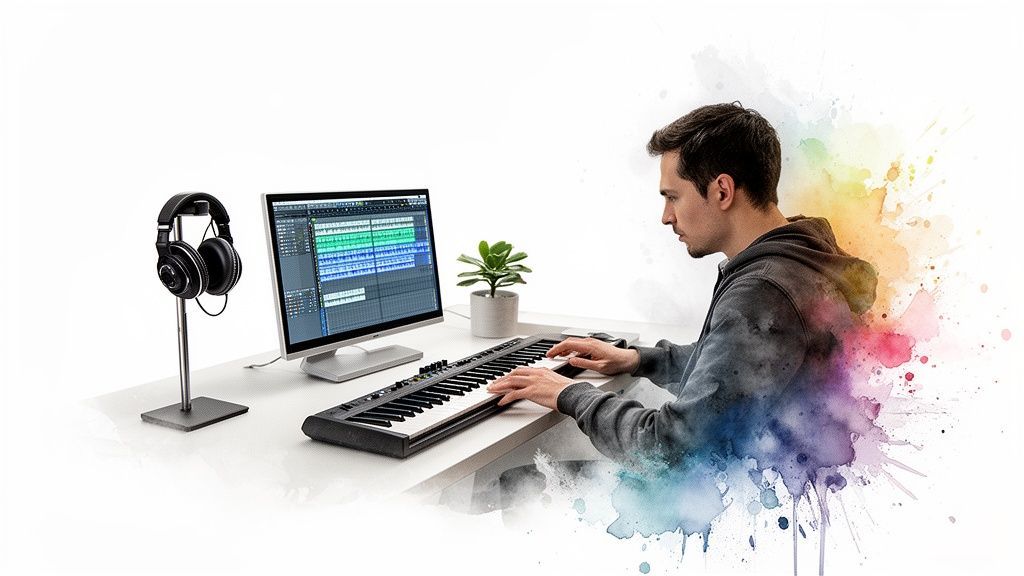
The real magic happens inside your computer. Your journey starts with a lean, mean setup that’s all about one thing: getting your ideas out of your head and into the speakers.
The command center of your entire operation is your DAW. This is the software where you’ll chop samples, program drums, lay down 808s, and mix everything together. In the rap game, two names constantly pop up: FL Studio and Ableton Live.
FL Studio is legendary for its super-fast piano roll and step sequencer, which is why you see so many trap and drill producers using it. It just makes building drum patterns and basslines incredibly intuitive.
Ableton Live, on the other hand, is a beast when it comes to sampling and live performance. If you love mangling audio and experimenting on the fly, you’ll feel right at home.
Don’t get stuck deciding. The best way to pick one is to grab the free trials and just mess around. See which one clicks with your brain. Once you've got your software, the only other non-negotiable is a solid pair of studio headphones—something like the Audio-Technica M50x will let you actually hear what’s happening in the low end.
Here’s a quick rundown of the gear you'll want to consider as you build out your lab.
| Component | Budget-Friendly Option | Industry Standard | Why You Need It |
|---|---|---|---|
| Computer | Any modern laptop/desktop | MacBook Pro or high-spec PC | The engine for your DAW and plugins. |
| DAW | BandLab (Free), Reaper | FL Studio, Ableton Live | Your all-in-one production software. |
| Headphones | Sony MDR-7506 | Audio-Technica M50x, Beyerdynamic DT 770 | For accurate mixing and hearing crucial details. |
| MIDI Keyboard | Akai MPK Mini | Arturia KeyLab, Native Instruments Komplete Kontrol | To play melodies and chords more naturally. |
| Audio Interface | Focusrite Scarlett 2i2 | Universal Audio Apollo Twin | To record clean audio and connect studio monitors. |
| AI Tools | SendFame's AI Generator | To spark ideas and speed up your workflow. |
This table gives you a starting point. Remember, you can always upgrade your gear as your skills and budget grow. The key is to start creating now with what you have.
Learning to produce rap beats isn’t just a cool hobby—it's tapping into the most dominant force in music today. In 2023, hip-hop absolutely ran the numbers, pulling in a massive 29% share of total global music revenue. That’s bigger than any other genre.
This explosion is powered by streaming and social media. Think about it: a staggering 45% of viral TikTok sounds last year were driven by rap. The punchy, loopable nature of rap beats is perfectly designed for the modern listener. From mainstream trap to underground subgenres, the hunger for fresh, hard-hitting beats is literally endless.
And here’s the best part: thanks to this digital-first world, your simple home setup is all you need to get in on the action. It's a level playing field. To help you choose the right software to get started, check out our in-depth guide on the best music production programs for beginners.
Lately, there's a new secret weapon finding its way into producers' toolkits. When you're kitting out your lab, it's worth looking into affordable AI tools that can jumpstart your creativity.
Think of an AI tool like SendFame's AI Music Generator not as a replacement, but as a collaborator. It’s the perfect fix for writer’s block. When you’re stuck, it can spit out a fire melody or a complex drum pattern in seconds, giving you a fresh starting point to chop up, rearrange, and make your own.
Let’s be real: the drums and 808 are the heart and soul of any rap track. They're the engine. If your drums don't knock and your 808 doesn't shake the room, the whole beat is dead on arrival. It's as simple as that.
This is about more than just dragging sounds onto a timeline. We're talking about programming a groove that physically forces heads to nod. It’s about creating that undeniable bounce an artist can lock into. We'll get into the nitty-gritty of punchy kicks, cracking snares, and those all-important hi-hat patterns.
Think of your kick and snare as the skeleton of your beat. The foundation. In almost all modern rap, you’ll find that snare hitting on the 2 and 4 counts of every bar. That's your backbeat, the constant that holds everything together.
The kick drum is where you really get to inject the rhythm. Please, don't just program a boring "boom, boom, boom, boom." Listen to your favorite tracks—notice those little "ghost notes"? Those are quieter kick hits tucked in between the main ones that create that rolling, complex feel. Play around with velocity; a slightly softer kick right before a hard one can build a ton of tension and release.
Ever notice how a single snare sample can sound a bit...wimpy? The pros know the secret to a snare that slaps is all in the layers.
The Body: Find a snare with a good, meaty "thwack" in the mid-range. This is your core. The Snap: Now, layer a sharp clap or a punchy rimshot on top. This is the high-end crackle that lets it cut through everything else in the mix. The Texture: Get creative! A tiny bit of vinyl crackle, a foley sound, or even a short burst of noise can give your snare a unique character nobody else has.
Pro-tip: try nudging the timing of your layers by just a few milliseconds. It's a subtle trick that makes the final sound feel wider and way more powerful.
Hi-hats are what give modern beats their speed and energy. This is where you can get wild and inject a ton of personality. The name of the game is variation.
Start by laying down a simple foundation of 8th or 16th notes. Now for the fun part: go in and start painting in rolls, triplets, and stutters. Most DAWs have a "paint" tool in the piano roll that makes drawing these lightning-fast rolls a breeze.
Here's a classic rookie mistake: making every single hi-hat hit at the exact same volume. It sounds robotic. Tweak the velocity of individual notes to create a natural, human bounce. Make some softer, some louder—it’s the key to making your rhythm breathe.
Another killer technique is automating the pitch of your hi-hats. A slow, subtle rise or fall in pitch over a few bars can add an insane amount of movement to an otherwise static loop. You hear this everywhere, from trap to drill.
The 808 isn't just bass. It's a melodic powerhouse and arguably the most crucial element in modern rap. If you're learning how to produce rap beats, mastering the 808 is non-negotiable.
First things first: your 808 has to be in key. No exceptions. Tune your sample to Middle C, so when you hit C on your keyboard, you hear a C. This makes writing a bassline that actually follows your melody a million times easier. If your 808 is clashing with your chords, the entire beat will sound off.
Next, you have to manage the relationship between your kick and 808. They both live in the low frequencies and will fight each other for space, turning your mix into a muddy disaster if you're not careful.
Sidechain Compression: This is the go-to solution. Set it up so that every time the kick hits, the 808's volume ducks for a split second. This carves out just enough space for the kick to punch through clearly. EQ Carving: Use an EQ to cut a small "scoop" out of the 808's frequency range right where the kick's main punch lives. It helps them sit together in the mix without clashing. Sample Selection: Sometimes, the simplest fix is the best. Just pick a shorter, punchier kick sample that doesn't have a long, boomy tail that overlaps with the 808.
And of course, we have to talk about the 808 slide. That iconic gliding sound is created by overlapping two notes in your piano roll and turning on the "portamento" or "glide" function in your sampler. It’s that smooth pitch bend that absolutely defines the sound of trap.
If you're looking to speed up your workflow with modern tech, check out our guide to the best AI tools for music production. Getting these drum and 808 techniques down is your first huge leap toward making beats that sound legit.
If your drums are the skeleton, then melodies and samples are the heart and soul. This is where you inject the vibe—the emotion and character that make an artist stop scrolling and say, "I need to get on this track."
We're about to dive into crafting memorable hooks, digging for the right sounds, and the timeless art of sampling. This is the fun part, where a simple loop starts to feel like real music.
Look, you don't need to be a piano virtuoso to write a killer melody. The secret sauce for most rap beats is just a basic understanding of scales. Think of a scale as a pre-approved set of notes that are guaranteed to sound good together—no clashing, no weirdness.
For those dark, emotional trap or drill beats, the minor scale is your absolute best friend. A super simple one to start with is A-minor, which is literally all the white keys on a piano. Just messing around on those keys will instantly give you a moody, cohesive sound.
Feeling a more upbeat or soulful vibe? Try the major scale. Sticking to the notes within a chosen scale is like having cheat codes for production. It kills the guesswork and helps you write melodies and basslines that lock in perfectly. If you want to dive deeper into how all these parts fit together, our complete guide on how to create a song breaks down the entire process.
So, where do all these sounds actually come from? You've got two main sources: Virtual Studio Technology (VSTs) and sample packs. VSTs are basically software instruments that live inside your DAW.
You'll hear these legendary VSTs on countless rap hits:
Omnisphere: The king of atmospheric pads, dark textures, and cinematic sounds. It’s an absolute powerhouse for setting a mood. Serum: A favorite for producers who love to sculpt their own sounds from scratch. It's famous for aggressive leads and wild synth tones. Kontakt: This is a sampler that hosts massive libraries of incredibly realistic instruments, from dusty grand pianos to entire orchestral sections.
Don't have the budget for the big guns? Don't sweat it. The internet is overflowing with amazing free VSTs and sample packs. Websites like Splice and Looperman are absolute goldmines for royalty-free sounds to get you cooking.
Sampling is hip-hop. It's the creative act of grabbing a small piece of an old song—a piano chord, a vocal snippet, a horn stab—and flipping it into something brand new. It's a beautiful tradition that connects modern beats back to their roots.
Your DAW's built-in sampler is all you need to get started. The process usually looks something like this:
Find a Sample: Dig through old soul, jazz, or even obscure movie soundtracks. Sites like Tracklib are great for finding samples that are easy to clear legally.Chop It Up: Drag the audio into your DAW. Find the most interesting parts and slice them into smaller chunks. Most producers chop on the "transients"—the very start of a drum hit or chord.Rearrange the Chops: This is where the magic happens. Play those chops back in a new order using your MIDI keyboard or pad controller. You're literally creating a new melody from the original pieces.Process It: Now, make it your own. Add effects like filters, reverb, or pitch-shifting. A classic trick is to pitch a sample down and slow its tempo to give it that syrupy, lo-fi feel.
Sampling isn't stealing; it's a conversation with the music that came before you. It's about recontextualizing a sound and breathing new life into it. The best samplists are like musical alchemists, turning lead into gold.
Let's be real. Some days, you'll sit down at your computer, and the ideas just won't flow. You'll stare at that blank project screen, and nothing will sound right. This is where AI tools can be an absolute game-changer.
Think of an AI music generator as your creative partner. Instead of starting from absolute zero, you can instantly get a custom chord progression in a minor key or a melodic loop at a specific BPM. For instance, SendFame's AI Music Generator can whip up these musical starting points in seconds.
This isn’t about letting a robot make the beat for you. It’s about getting that initial spark. You can take an AI-generated MIDI or audio loop, drag it into your project, and then start doing what you do best: chopping it, adding your own drums, and building your unique sound around it. It’s a powerful way to smash through creative blocks and keep the ideas coming.
Alright, you did it. You’ve got a killer 8-bar loop that’s giving you a serious case of stank face. The drums hit hard, the 808 is rattling your windows, and that melody is an absolute earworm.
But let’s be real for a second: a loop isn’t a song. It’s a great starting point, but it's not the finished product.
Arrangement is where the magic really happens. It’s how you take that repetitive loop and turn it into a dynamic journey for the listener. This is the skill that separates a beat that an artist nods along to from a beat they’ll actually shell out cash for and record on. Think of yourself as a storyteller now, using sound to build suspense and keep people hooked.
Almost every banger you love follows a similar, time-tested structure. Once you get these building blocks down, you can start arranging your own tracks like a pro. Don't think of this as a set of rigid rules—it's more like a flexible blueprint to build from.
A typical rap song structure usually breaks down like this:
Intro (4-8 Bars): Your first impression. This could be a filtered-down version of your main melody, a weird sound effect, or just the drums to set the vibe before everything drops. Verse (16 Bars): Where the rapper does their thing. You’ll want to strip back some elements here, maybe pull out a few synth layers, to leave plenty of space for the vocals. Chorus (8 Bars): The main event! This is the most memorable, high-energy part. Bring all your best elements back in, and maybe add a new counter-melody or pad to really make it pop. Bridge (8 Bars): The switch-up. The bridge gives the track a quick change of pace before that final chorus hits. You could drop the drums out, switch up the chords, or throw in a completely different sound. Outro (4-8 Bars): How you say goodbye. You can fade everything out, let one last sound ring out, or just cut it off cold. It’s your last chance to leave an impression.
This timeline shows how the different parts of making a melody come together over the first week or so.
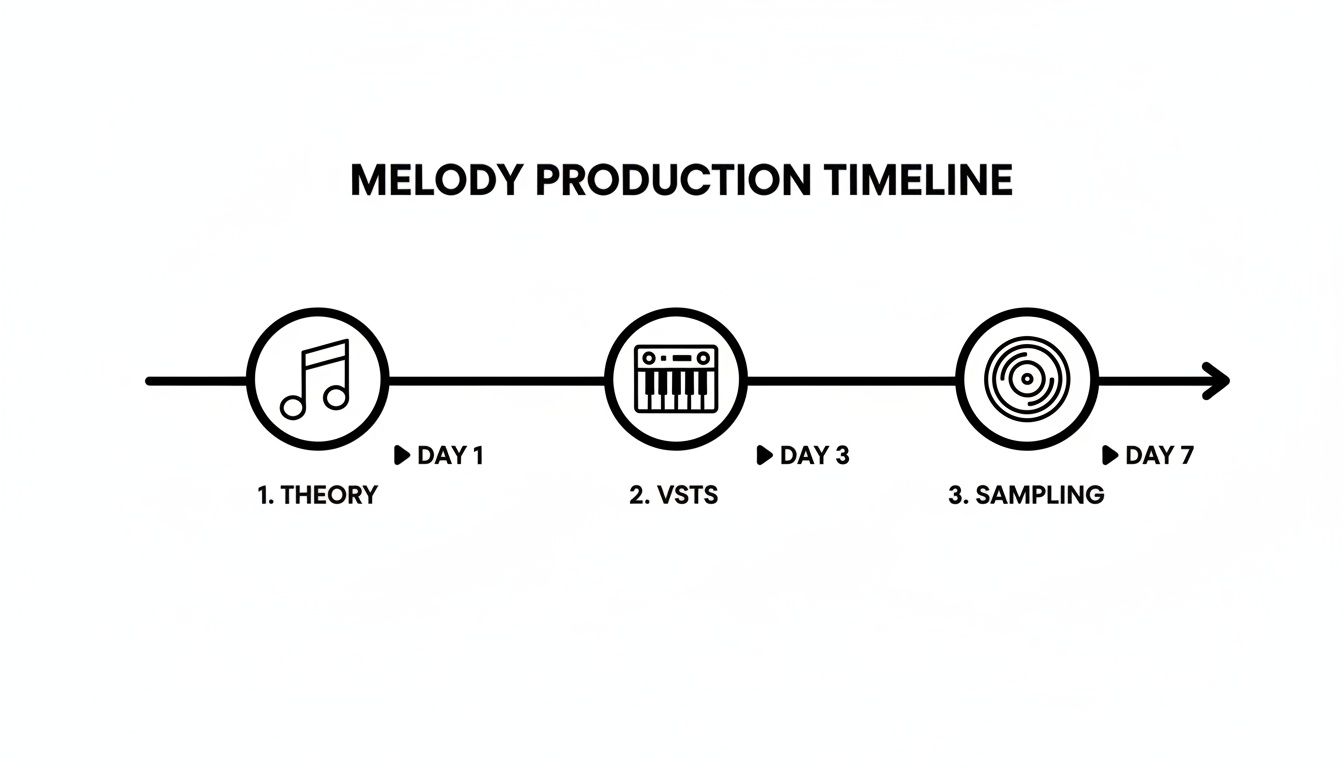
You can see it’s a process—you start with the basics, then get into your sound selection, and finally start chopping up samples.
Nobody wants to listen to a flat, repetitive beat for three minutes. Your job is to create an emotional rollercoaster, and you do that by building tension and then giving the listener a satisfying release. It's the secret sauce that makes a beat feel truly alive.
A simple way to start is by copying your 8-bar loop across the timeline to sketch out your song’s structure. Now, start taking things away and adding them back in. In the verse, maybe you kill the main melody and just let the bassline and hi-hats ride. Then, right before the chorus, you slam that melody back in. Boom—tension and release.
The most powerful tool in arrangement is silence. Don't be afraid to drop the drums out completely for a beat or two right before the chorus. That tiny moment of quiet makes the drop feel ten times bigger.
Ready to get your hands dirty? Here are a few of my go-to techniques you can use right now to make your arrangements more dynamic.
Filter Sweeps: Grab an EQ or a filter plugin and slowly sweep the high or low frequencies in or out. Using a low-pass filter to gradually open up a synth as you build into the chorus is a classic move for a reason. Impacts and Risers: Think of these as sonic exclamation points. Place a reverse cymbal or a white noise riser right before a new section to build anticipation. It tells the listener, "Hey, something big is about to happen!" Drum Variations: Don't let the same drum loop play on repeat forever. Take out the kick for a bar, drop the hi-hats, or throw in a new percussion loop during the second half of a verse. These small tweaks make a huge difference.
You’re basically a film director for music. You’re guiding the listener’s ear, deciding what they should focus on from moment to moment. Getting this right is a massive step in learning how to produce rap beats that sound polished and truly professional.
Alright, you've laid down the drums, cooked up a melody, and arranged the whole thing. The vibe is there. But now it’s time for that last 10% of work that makes 90% of the difference. This is where we take a good beat and make it sound like it came straight from a major label studio.
Mixing and mastering can feel like some kind of black magic, but let's pull back the curtain. The basics are way more straightforward than you think. We're not trying to become pro audio engineers overnight; we just need to learn a few killer techniques to get our beats sounding clean, punchy, and ready for an artist to tear up.
Before you even think about reaching for some fancy plugin, the entire game of mixing boils down to one word: balance. It’s all about making sure every sound has its own space to breathe without tripping over anything else. Your first move should always be about leveling and panning.
Here’s a trick I learned years ago: pull every single fader in your project down to zero. Seriously, all of them. Then, start bringing them up one by one, starting with the most important element—usually your kick drum. Get that kick and snare combo knocking just right, then slowly introduce the 808, hi-hats, and the rest of your melody.
Panning is your secret weapon for creating a wide, immersive sound. Instead of stacking everything right down the middle, try pushing your hi-hats a little to the left, or maybe a synth pad slightly to the right. This simple move instantly declutters your mix and makes it sound massive.
Think of an equalizer (EQ) as a sonic scalpel. It lets you surgically boost or cut specific frequencies to help sounds fit together like puzzle pieces. The classic beginner mistake? Boosting everything.
A pro mixing tip is to think subtractively. Instead of jacking up the treble on your hi-hats to make them sizzle, try making a small cut in the same high-frequency area on the synth that's clashing with them. You get the same clarity without adding any harshness.
Here's a quick and dirty EQ cheat sheet for rap beats:
Kicks & 808s: Shave off everything below 30Hz to eliminate useless mud. Find where the kick "thumps" and the 808 "booms" (usually around 60-100Hz) and carve out a little space for each so they don't fight. Snares: The "snap" or "crack" of a snare typically lives somewhere between 1kHz and 5kHz. Give it a little room to pop. Melodies: Use a high-pass filter on your pianos, synths, and pads to roll off all the low-end gunk they don't need. This instantly cleans up the mix and makes room for your bass.
So what is compression, really? It’s just a tool for controlling dynamics. In plain English, it squashes the loudest parts of a sound and brings up the quietest parts, giving you something that feels more consistent, punchy, and in-your-face.
A light touch goes a long way. Slap a compressor on your main drum group (or "bus") to "glue" the kick, snare, and hats together into one cohesive unit. On an 808, it can even out the volume so every note hits with the same force. Just don't overdo it, or you'll suck the life right out of your track.
To really get that professional sheen, you'll need a solid toolkit. Luckily, you don't have to break the bank; there are tons of amazing free VST plugins out there that can seriously level up your sound.
Mastering is the final coat of paint you put on the entire mixed track. For our purposes, we have one simple goal: make the beat loud enough to hang with commercial tracks on Spotify and Apple Music without turning it into a distorted mess.
Your go-to tool here is a limiter. A limiter is basically a compressor on steroids—it sets a hard ceiling on your track’s volume, preventing it from ever clipping. Put one on your master channel and slowly turn up the input gain. You'll hear the track get louder and feel fuller.
The key is to be gentle. If you push it too hard, you’ll hear it start to sound crunched and flat. Aim for a loudness level of around -14 LUFS (Loudness Units Full Scale), which is the sweet spot for most streaming services. This ensures your beat will sound powerful without getting automatically turned down by the platform's normalization algorithms.
This final polish is more critical than ever. Beat sales took a brutal hit in 2025, with many producers citing a massive decline directly tied to AI's rise, making 2026 a make-or-break year. In this crowded market, budget-conscious rappers are turning to cheap AI tracks, but savvy creators are niching down into styles like drill or lo-fi to stand out. Platforms that can quickly generate polished, personalized beats are thriving in this new environment. For more detail on this evolving market, you can explore the full story on the beat sales dip.
For producers using modern workflows, AI isn't just a threat—it's an opportunity. You can create AI music to generate the core ideas, then bring those elements into your DAW for this exact mixing and mastering process, blending speed with quality.
Diving into beat-making is a whole new world, and it's totally normal for questions to pop up while you're trying to get your bearings. Think of this as your personal cheat sheet for the stuff that trips up almost every new producer.
Ah, the million-dollar question. The honest-to-god truth? There isn't one best DAW. It’s all about finding the one that clicks with you. That said, the hip-hop world definitely has its favorites, and for good reason.
You can't talk about rap production without mentioning FL Studio. Its step sequencer is legendary for a reason—it’s just so damn fast for banging out drum patterns. The piano roll is also super intuitive, making it a go-to for producers who want to get ideas out of their head and into the project, like, yesterday.
Then you've got Ableton Live. Its real magic lies in the "Session View," which is an absolute playground for experimenting with loops and arranging ideas on the fly. Plus, its sampling and audio manipulation tools are second to none. If you're on a Mac, you can't ignore Logic Pro X. It's a powerhouse that comes absolutely loaded with incredible-sounding instruments and effects right out of the box.
My two cents? Stop watching comparison videos and start doing. Download the free trials for a couple of them. Give yourself a weekend. See which one feels less like homework and more like an instrument you actually want to play.
Welcome to the club! This is probably the biggest mixing puzzle every single rap producer has to solve. It’s all about creating space so they aren't tripping over each other in the low end.
First things first: tune your 808. I'm not kidding, this is non-negotiable. An out-of-tune 808 can kill a track's vibe instantly. After that, it’s time to play doctor with your EQ. The classic move is to find the main "thump" frequency of your kick and carve out a little bit of that same frequency from the 808. This gives the kick its own little pocket to punch through.
Want to get a little more surgical? Time for a pro-level trick: sidechain compression.
Slap a compressor on your 808 track. Set the kick drum as the "trigger" for that compressor. Now, every single time the kick hits, it'll tell the 808's volume to duck for just a split second.
It’s a subtle move, but it creates just enough room for both sounds to hit hard without turning your low end into a muddy mess.
Nope. You don't need a music degree to make a certified banger. Plenty of legendary producers couldn't read a note of music. But... and this is a big but... learning even a little bit will feel like you've just unlocked a secret level in a video game.
Forget the intimidating textbooks. Just understanding the basics of a minor scale (seriously, it's just the white keys on a piano starting from A) will instantly take the guesswork out of writing melodies that sound good. You'll know exactly which notes to use for your basslines and synth leads so they sound emotionally right and musically solid.
Hop on YouTube and search for "music theory for beatmakers." You'll find tons of quick, no-fluff tutorials that get straight to the point. It'll be the best hour you ever invest in your craft.
Think of AI tools like SendFame's AI Music Generator as your creative assistant, not your replacement. Their biggest strength is obliterating that terrifying feeling of staring at a blank project.
Instead of spending 20 minutes aimlessly clicking through presets trying to find a spark, you can tell the AI to generate a fire chord progression or a sick drum loop in a specific vibe... and it does it in seconds. It’s the ultimate cure for writer's block.
From there, you just drag the MIDI or audio files it spits out right into your DAW. Now you have a professional-sounding starting point to chop up, rearrange, and build your own unique track around. It's not about letting a robot make your beat for you; it's about letting it handle the grunt work so you can jump straight to the fun stuff.
Ready to finally stop staring at a blank screen? With SendFame, you can generate unique, royalty-free melodies, drum loops, and even full song ideas in a matter of seconds. It's the ultimate cheat code for smashing through creative blocks and finishing more music. Try the AI Music Generator and start making bangers today.
Create Epic

SendFame

Create Epic with SendFame!
Questions: info@sendfame.com