How to Write a Music Video Script That Captures Your Vision
how to write a music video script
Welcome offer — 56% OFF



Discover the 12 best text to video AI tools for 2026. A deep dive into features, pricing, and use cases for marketers, influencers, and creators.
Welcome to the wild, wonderful, and sometimes downright weird world of text-to-video AI tools. You've got an idea, a script, or maybe just a random thought that would make an amazing video, but you lack the Hollywood budget, the film crew, or frankly, the time. That’s where the magic happens. These platforms are designed to take your words and spin them into motion, transforming simple text prompts into compelling video content in minutes, not months.
This isn't just another boring list. We’ve gone deep, testing and tinkering with the top contenders to give you the real scoop. Forget the marketing fluff; we’re talking honest pros and cons, specific use cases for marketers, influencers, and event planners, and a close look at what makes each tool tick. Whether you're aiming to create a viral social media clip, a professional marketing video, or a personalized celebrity greeting, the right tool is in this list.
We’ll break down everything you need to know about the leading text to video ai tools, from cinematic generators like Runway and Luma AI to avatar-led platforms like Synthesia and HeyGen. Each entry includes standout features, pricing, and direct links so you can jump right in and start creating. Consider this your definitive guide to finding the perfect AI video partner for your specific project. Once you've mastered video, you might want to explore other content creation tools to complete your digital arsenal. Let's find the right tool to bring your vision to life.
SendFame positions itself as a powerhouse all-in-one creative suite, distinguishing itself by consolidating a surprisingly broad array of AI tools into a single, intuitive platform. While many text to video AI tools focus solely on video output, SendFame broadens the creative canvas to include full-song generation, hyper-realistic celebrity-style messages, and a suite of image creation tools. This integrated approach makes it a formidable choice for creators who need to produce varied content without juggling multiple subscriptions and interfaces.
The platform is engineered for speed and simplicity. Its one-click workflow is a major draw for influencers, marketers, and event planners who need to generate engaging content without a steep learning curve or technical background. Simply choose a tool, input a prompt or script, and the AI handles the heavy lifting, delivering polished results in moments.
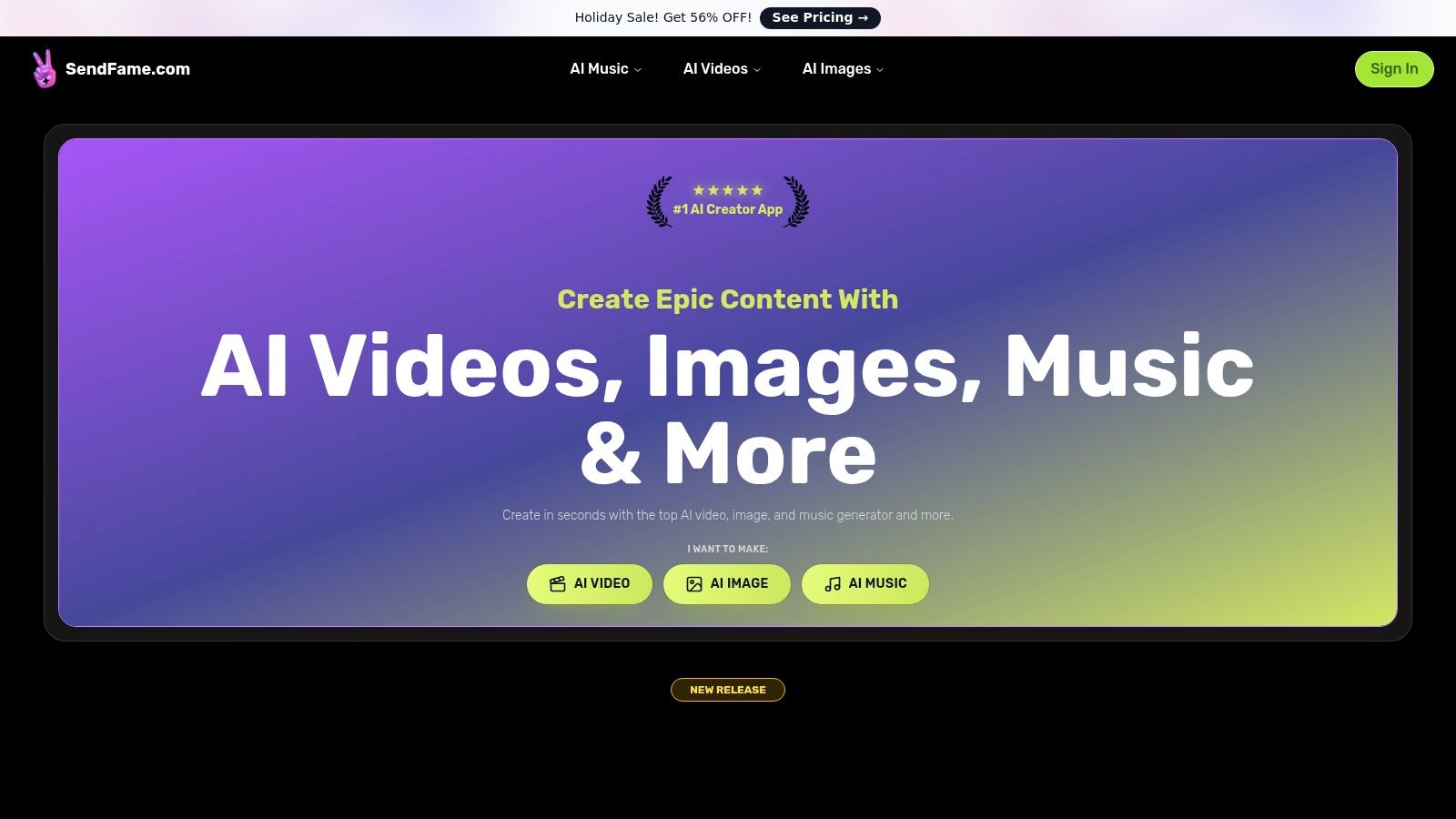
SendFame's strength lies in its specialized generators, which cater to very specific, high-impact creative needs.
AI Celebrity Video Generator: This is arguably the platform’s most unique feature. It allows you to create personalized video messages from hyper-realistic AI personas of famous figures. This is a game-changer for event planners creating custom shoutouts, marketers designing viral campaigns, or anyone wanting a truly unforgettable birthday greeting. Full Music & Music Video Generation: Go beyond simple background tracks. You can generate entire songs, complete with lyrics and vocals, and then produce a music video to match. This is an incredible tool for artists prototyping ideas or social media creators needing original audio for their content. Image-to-Video Transformation: Breathe life into static images by transforming them into dynamic video clips. This is perfect for creating engaging social media posts, animated logos, or bringing digital art to life.
The user interface is clean and straightforward, prioritizing ease of use. Positive testimonials from a large user base (the site claims over 500,000 users) highlight the platform's fun factor and the quality of its outputs. Pricing is subscription-based, and while specific tiers require visiting their site, SendFame frequently runs promotions offering significant discounts. You can learn more about their capabilities at the SendFame AI video generator page.
| Pros | Cons |
|---|---|
| All-in-one creativity: Generate video, images, and full songs from a single platform. | Ethical considerations: Use of celebrity likenesses requires careful review of SendFame’s terms and local laws, especially for commercial use. |
| Unique celebrity generator: Creates highly personalized, attention-grabbing video messages. | Pricing opacity: Specific plan details and feature limitations are not immediately clear without visiting the pricing page. |
| Extremely user-friendly: The one-click workflow makes it accessible to non-technical users. | Advanced features are likely locked behind a paid subscription. |
| Strong community proof: A large user base and positive testimonials add to its credibility. | |
| Niche creative tools: Specialized generators for lyrics, rap tracks, and album covers offer deep utility. |
Website:https://sendfame.com
If you're looking for the creative equivalent of a Swiss Army knife for AI video, Runway is your playground. It’s more than just a simple text-to-video generator; it's a comprehensive creative suite where you can generate, edit, and refine all in one place. This makes it a standout choice among text to video ai tools for creators who want to move beyond basic clips and craft a more polished final product without constantly switching between different software.
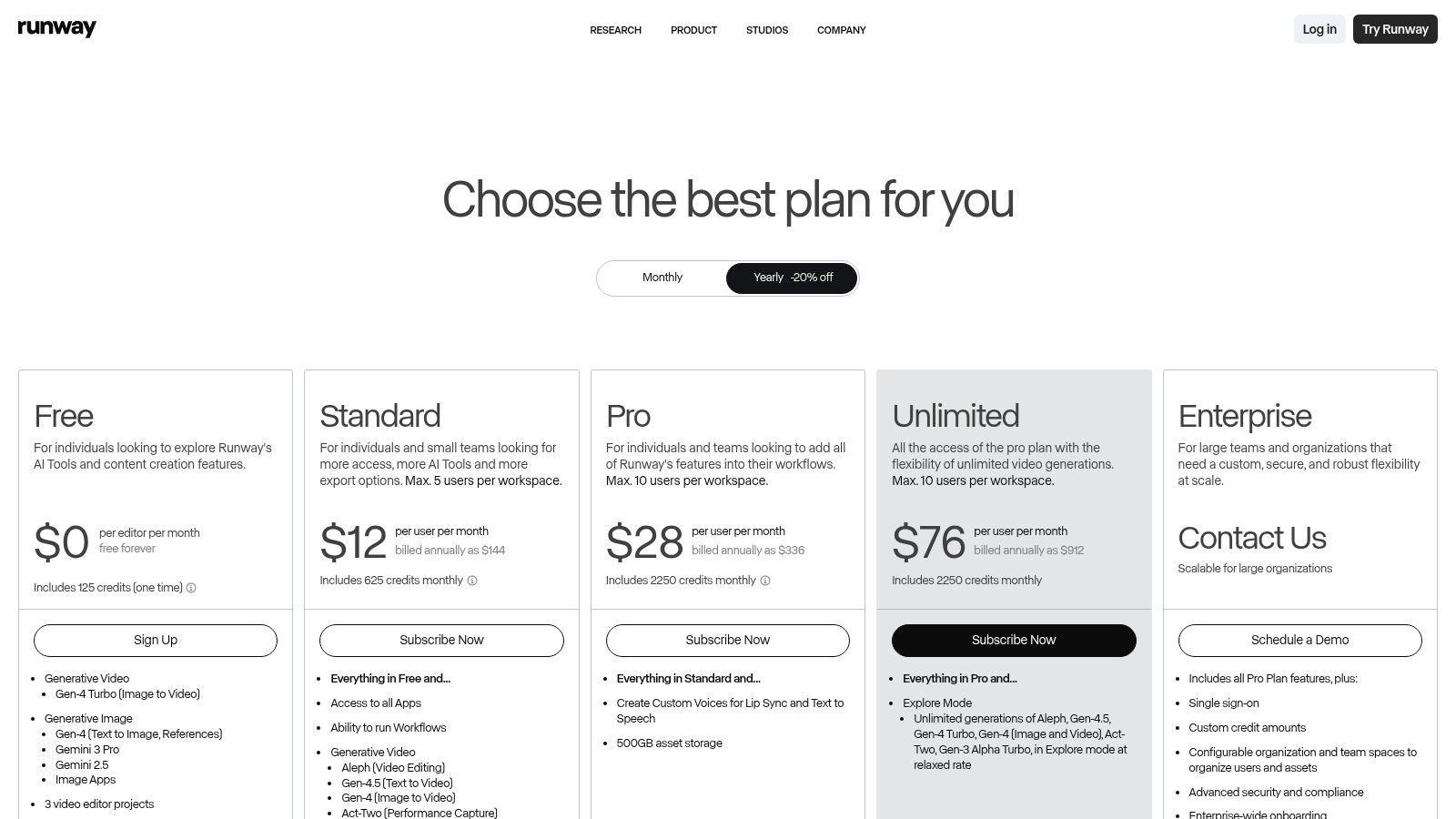
Runway's key strength is its integrated workflow. You can use their impressive Gen-3 or Gen-4 models to turn a text prompt into a cinematic shot, then immediately pull that clip into their built-in editor to trim, add effects, or combine it with other footage. The platform operates on a granular credit system, which is great for predictability; you know exactly how many credits a specific generation will cost per second.
Standout Feature: The all-in-one generator and editor is a game-changer. It dramatically speeds up the creative process, a core benefit for anyone trying to master a modern video workflow. Best For: Serious creators, filmmakers, and marketing teams who need both high-quality generation and robust post-production tools. Pro Tip: Start by experimenting with image-to-video. Upload a still frame that matches your desired aesthetic to give the AI a stronger creative direction than text alone. Pricing: A limited free plan offers a taste with one-time credits. Paid plans start at $12/user/month (billed annually) for more credits and access to premium features.
Pros & Cons
| Pros | Cons |
|---|---|
| Granular credit pricing offers predictable costs. | Higher-quality models and effects can burn through credits quickly. |
| Integrated video editor reduces the need for other software. | The interface has a learning curve to maximize credit efficiency. |
| Scales from solo users to enterprise teams with various plans. | The free plan is quite restricted, especially for video generation. |
Want a deeper dive into its capabilities? Explore how Runway can transform your video creation process.
Website:https://runwayml.com/pricing
Pika has rapidly become a go-to platform for creators looking to generate short, eye-catching video clips with impressive visual fidelity. It excels at turning simple text or image prompts into dynamic, high-quality scenes, making it a powerful contender among text to video ai tools. The platform is constantly evolving, with frequent model updates (like Pika 2.x) that push the boundaries of quality and style, ensuring creators always have access to cutting-edge generation.
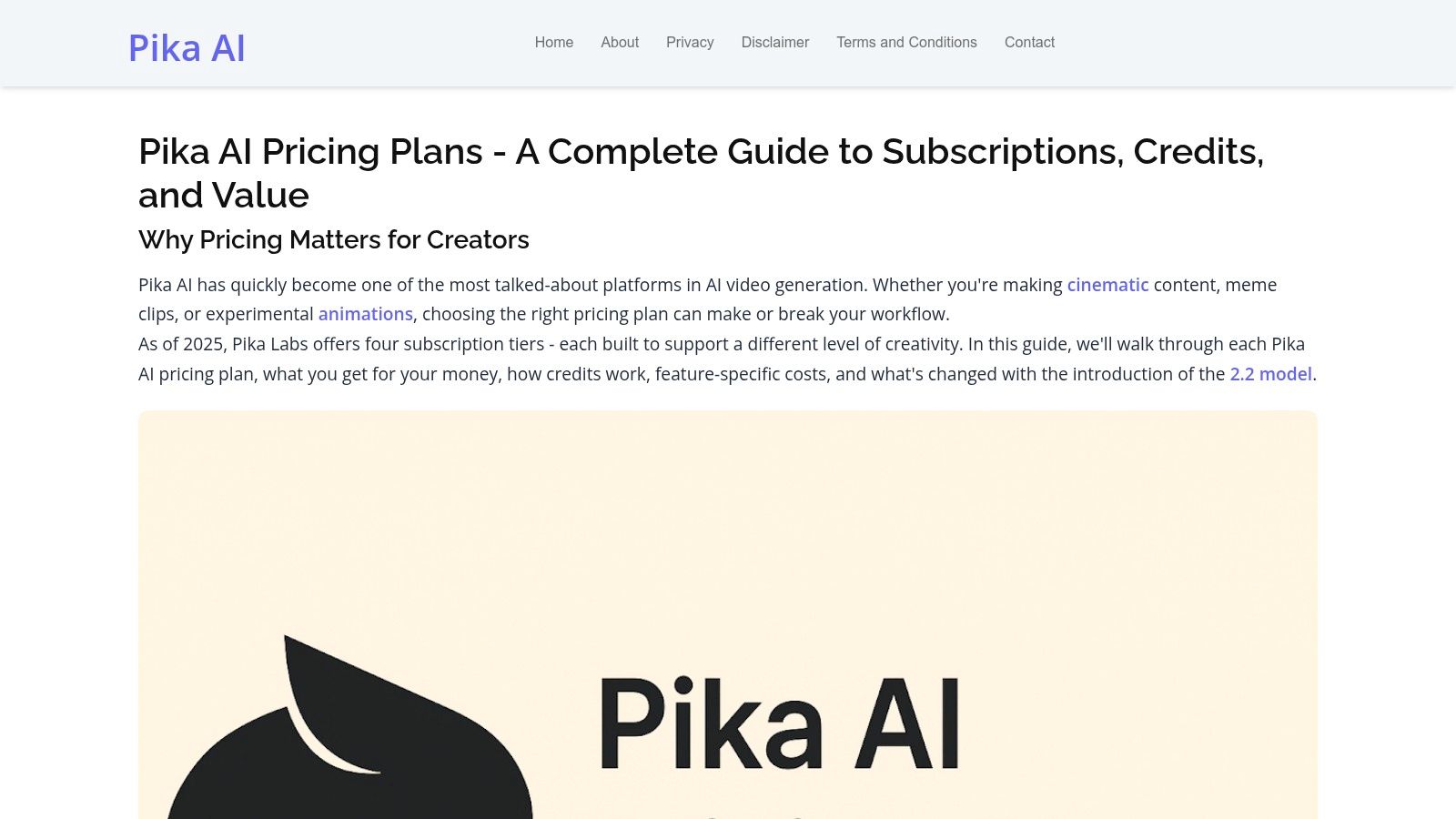
What makes Pika so appealing is its straightforward, credit-based system combined with powerful features like Pikaframes and Pikascenes, which give you more control over the final composition. You can choose from different models like Turbo or Pro to balance speed and quality, and paid plans unlock essentials like watermark-free exports and commercial usage rights, making it a viable tool for professional projects.
Standout Feature: The rapid and continuous model improvement. Pika doesn't rest on its laurels, frequently releasing updates that significantly boost output quality and introduce new capabilities. Best For: Social media creators, artists, and marketers who need to produce stunning short-form video content quickly without a steep learning curve. Pro Tip: Use the "Modify Region" feature to change specific parts of your generated video. This allows you to tweak details like a character's clothing or a background element without regenerating the entire clip. Pricing: A free plan is available with limited credits. Paid subscriptions start at $8/month (billed annually), offering more credits, watermark removal, and access to premium features.
Pros & Cons
| Pros | Cons |
|---|---|
| Competitive entry pricing with generous Pro credits. | Free plan credits are limited and videos come with a watermark. |
| Frequent feature and model updates improve quality. | Advanced tools and higher-res exports are behind higher tiers. |
| Priority rendering available on higher-tier plans. | Generating consistent character motion across clips can be tricky. |
Curious about how Pika stacks up against other free options? Discover the best free AI video makers to see which fits your needs.
Website:https://pika-art.net/pricing/
When it comes to generating short clips with an uncanny sense of realism, Luma AI’s Dream Machine enters the chat. This platform has quickly gained a reputation for its impressive understanding of physics and fluid motion, making it a go-to choice for creators who prioritize lifelike movement in their AI-generated content. If you're looking for one of the best text to video ai tools for creating quick, high-fidelity scenes for social media or concept storyboards, Dream Machine delivers.
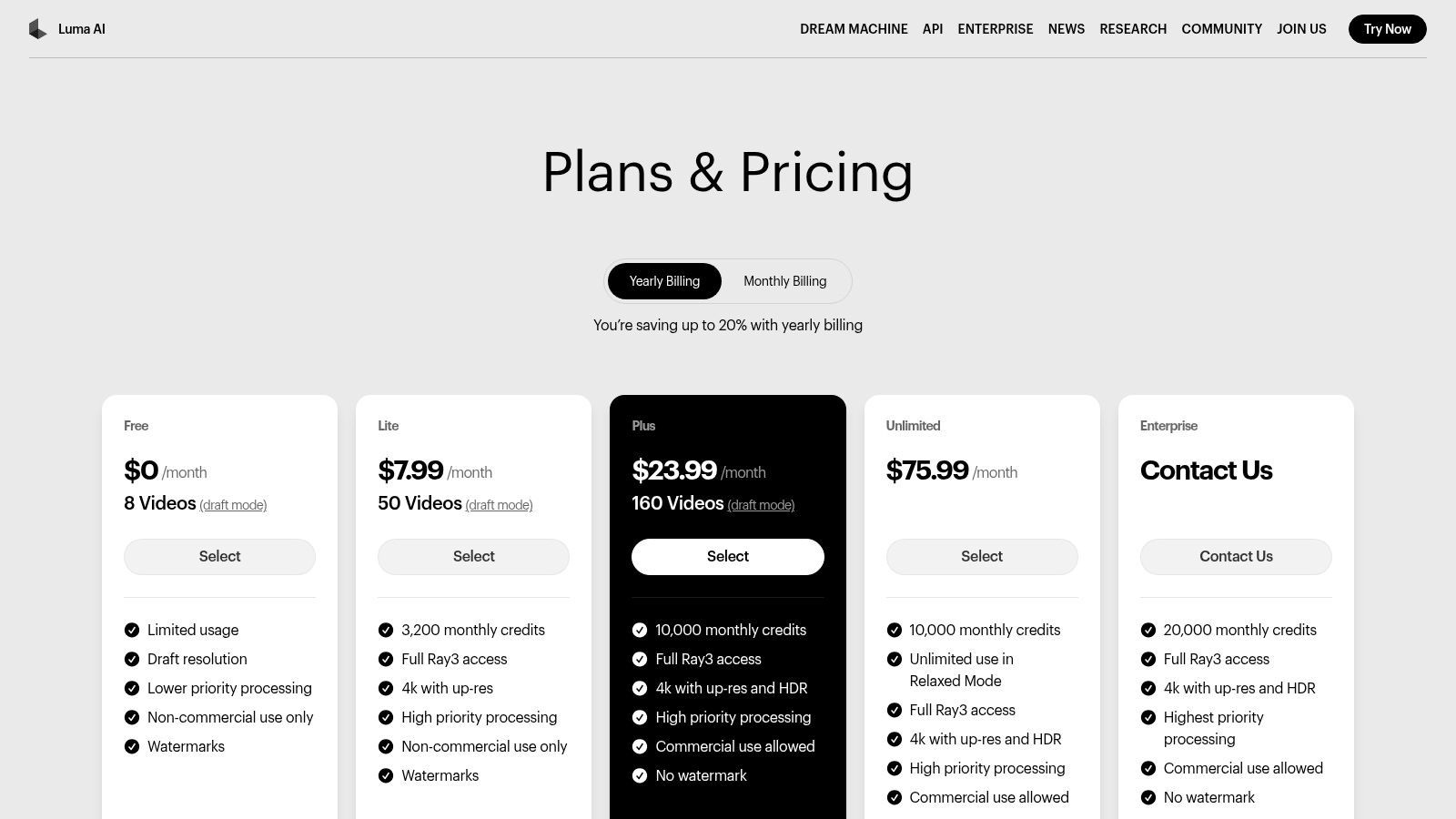
Luma AI excels at turning simple prompts into dynamic, believable short videos, typically capped around 10 seconds. Its strength lies in its model variety, offering different "Ray" options that let you balance generation speed against final quality. The transparent credit system clearly outlines the cost for each model, resolution, and duration, so you can make strategic choices to manage your budget without any guesswork.
Standout Feature: The superior motion realism and physics engine. Characters and objects move with a weight and smoothness that many other models struggle to replicate, making it ideal for cinematic shots. Best For: Social media creators, artists, and concept designers who need high-impact, short-form clips and value physical accuracy over longer narrative generation. Pro Tip: Use the "Extend" feature on a generation you like. This allows you to add a few more seconds to your clip, helping you push past the initial time limit while maintaining stylistic consistency. Pricing: Luma offers a free plan with a monthly allotment of generations. Paid plans start at $29.99/month for significantly more credits and priority access.
Pros & Cons
| Pros | Cons |
|---|---|
| Strong motion realism and physics for short-form video. | Clip length is capped, making it less suitable for longer scenes. |
| Transparent credit table per model, resolution, and duration. | Higher-quality and HDR options can be quite credit-intensive. |
| Multiple quality/speed models offer flexibility for any budget. | The free tier has usage restrictions and may experience high traffic. |
Website:https://lumalabs.ai/pricing
While many tools focus on creating cinematic b-roll, Synthesia carves out its niche by generating professional presenter-led videos. It’s less about abstract prompts and more about bringing a script to life with a lifelike AI avatar. This makes it an invaluable asset among text to video ai tools for corporate training, internal communications, and creating polished explainer videos without booking a studio or an on-camera personality.
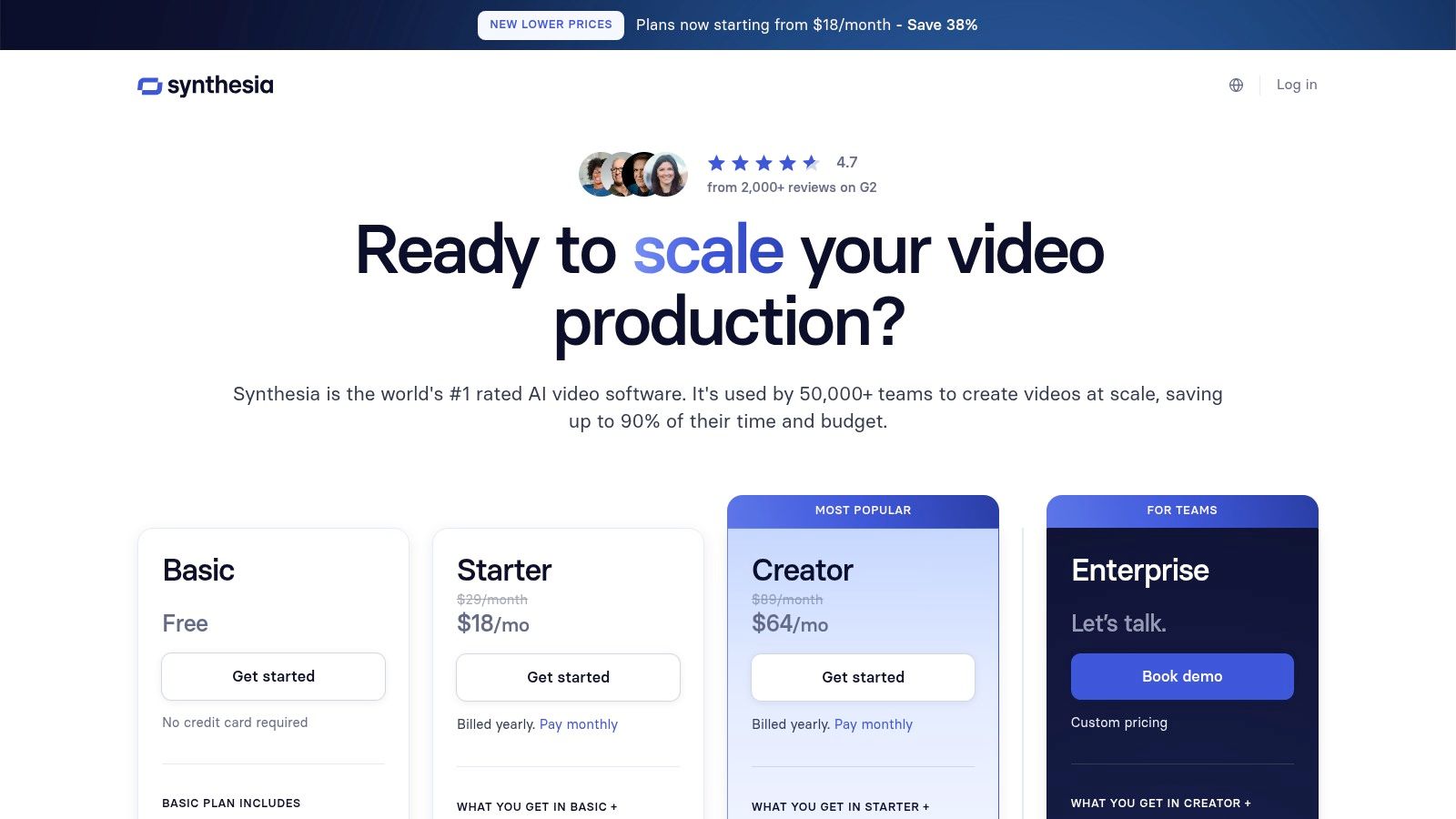
Synthesia’s core strength is its massive library of stock avatars and incredible voice options spanning over 140 languages. You simply type your script, choose a presenter, and the platform generates a high-quality video where the avatar speaks your words with synchronized lip movements. It's an incredibly efficient way to localize content for a global audience, turning one script into dozens of translated videos with just a few clicks.
Standout Feature: The library of 160+ diverse AI avatars and one-click translation is unparalleled for creating professional, presenter-style videos at scale. Best For: Corporate trainers, marketing departments, and HR teams who need to produce consistent, high-quality instructional or informational videos for a global workforce. Pro Tip: Pair your video script with custom screen recordings. You can upload them directly into Synthesia to create engaging software tutorials or process walkthroughs narrated by your AI presenter. Pricing: The Starter plan is $22/month (billed annually) for 10 minutes of video. The Creator plan offers more minutes, and Enterprise plans provide custom avatars and API access.
Pros & Cons
| Pros | Cons |
|---|---|
| Extensive avatar and voice options for enterprise use. | Video minutes/credits can be consumed quickly with heavy use. |
| Strong localization and translation capabilities. | Premium avatars and advanced features can significantly increase costs. |
| Scales for enterprise workflows with responsible data handling. | Higher-priced tiers are required for complex, multi-avatar scenes. |
Curious about the tech behind the voices? Discover more about how AI voice actors are changing content creation.
Website:https://www.synthesia.io/pricing-options
If you’ve ever wished for a digital twin to handle your video presentations, HeyGen is the platform that makes it happen. It's less about generating abstract cinematic scenes and more about creating polished, presenter-led videos without ever stepping in front of a camera. This focus on realistic avatars makes it one of the most practical text to video ai tools for corporate training, marketing explainers, and educational content at scale.
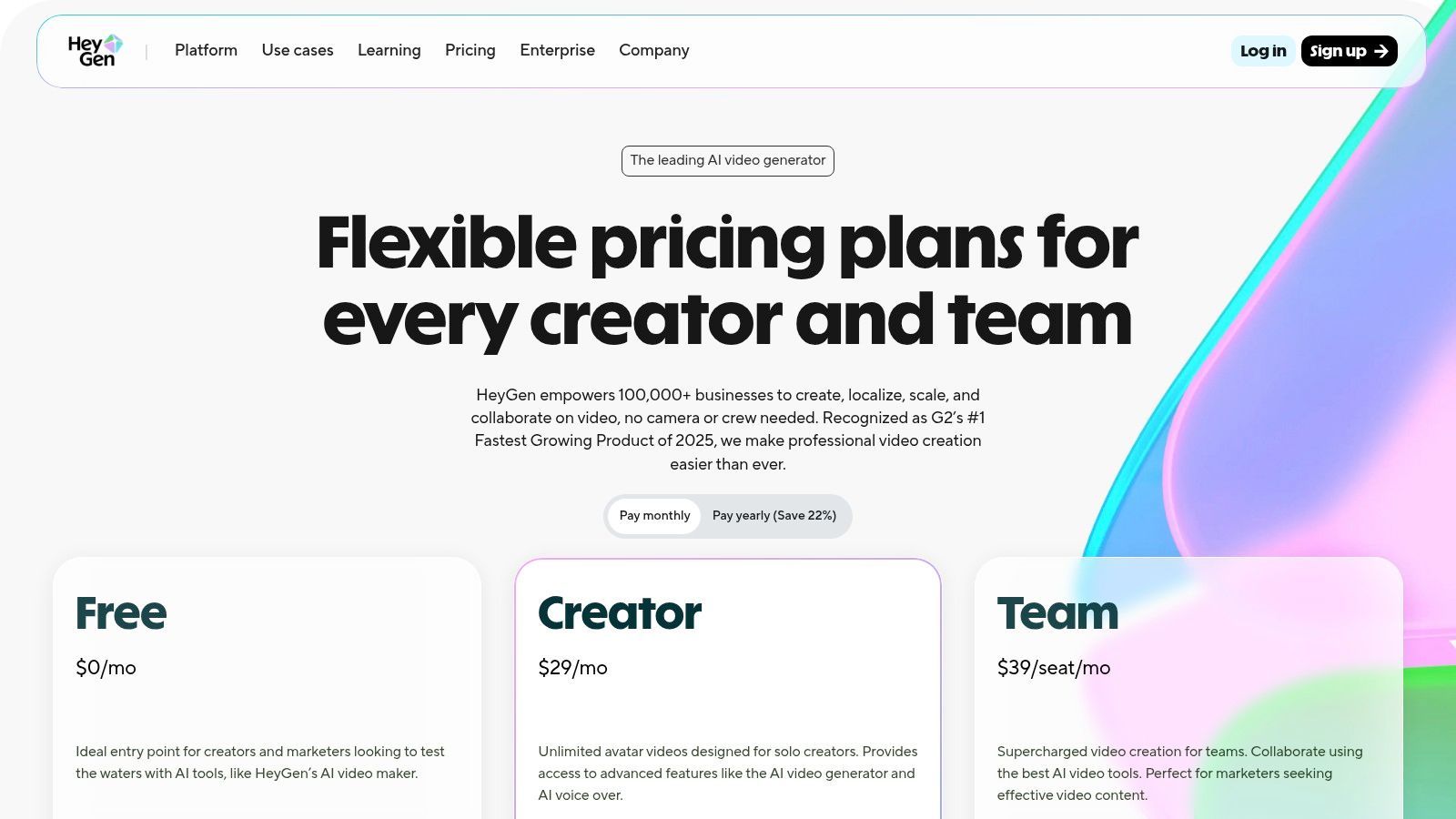
HeyGen's power lies in its simplicity and speed. You can choose from a massive library of stock avatars, or even create a custom one of yourself, then simply type your script. The platform handles the rest, generating a video with surprisingly accurate lip-syncing in over 30 languages. This makes localizing marketing campaigns or training materials a breeze, turning a multi-week project into an afternoon task.
Standout Feature: The combination of a massive stock avatar library and powerful AI-driven localization. You can create a video in one language and instantly dub it into dozens of others with correct lip-syncing. Best For: Marketing teams, corporate trainers, and educators who need to produce consistent, high-quality presenter-style videos quickly and across multiple languages. Pro Tip: Use the "Instant Avatar" feature to create a digital version of yourself. This adds a powerful layer of personalization to your communications, from sales outreach to internal announcements. Pricing: A free plan lets you experiment with the core features. Paid plans start at $24/month (billed annually) for more credits and premium avatars.
Pros & Cons
| Pros | Cons |
|---|---|
| Large avatar library simplifies content creation. | High-volume video creation can become costly on lower-tier plans. |
| Fast iteration and strong localization features. | Some advanced features like custom branding are reserved for higher tiers. |
| Straightforward pricing and a free tier for trial. | The focus is on avatar videos, not general cinematic generation. |
Ready to create your digital presenter? See what HeyGen has to offer.
Website:https://www.heygen.com/pricing
If your goal is to create training videos that don't put people to sleep, Colossyan is the specialized tool you need. It’s less about cinematic b-roll and more about creating professional, avatar-driven learning and development content. This platform shines by transforming scripts, presentations, or even PDFs into engaging instructional videos, making it one of the most practical text to video ai tools for corporate trainers and educators.
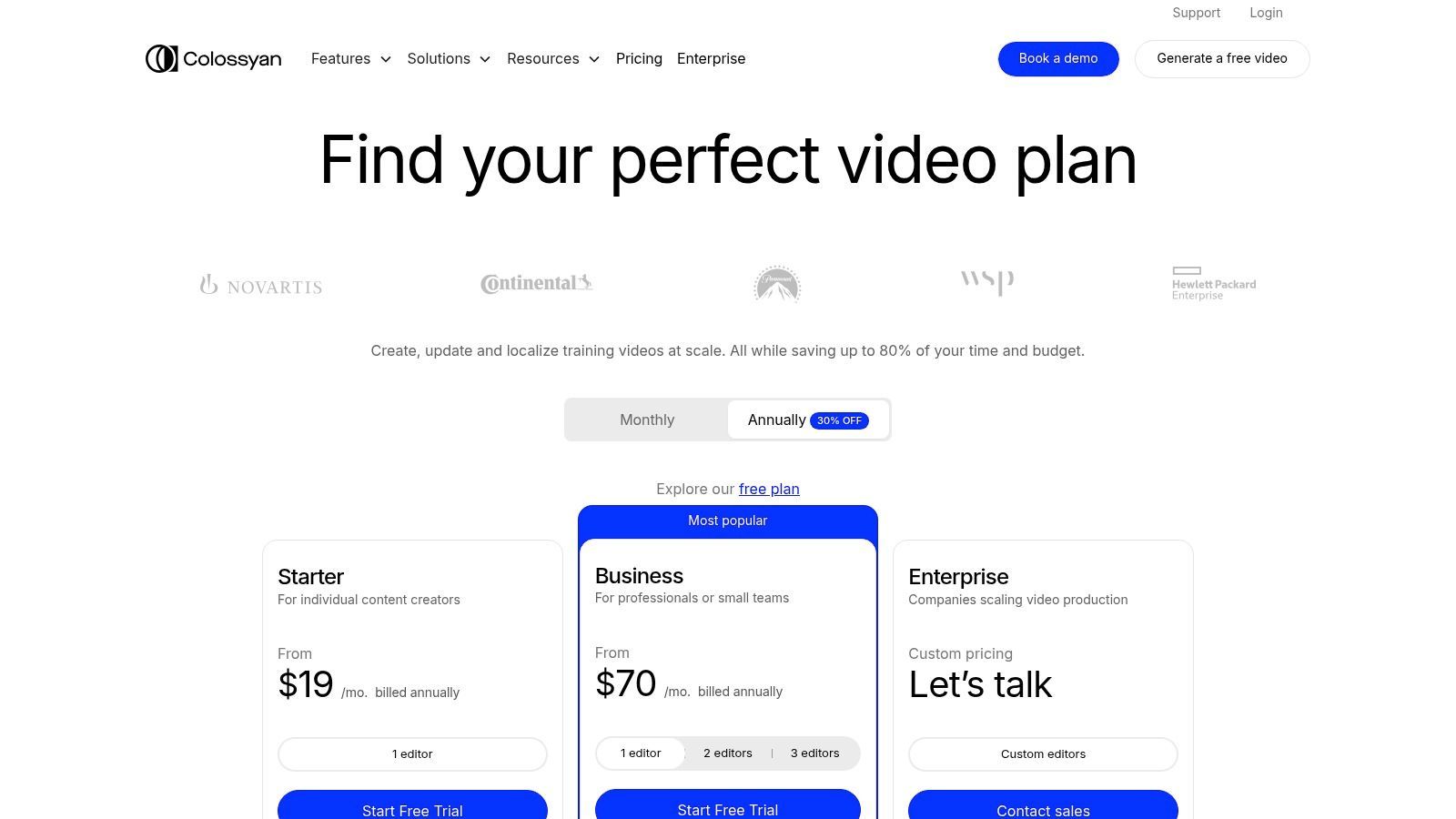
Colossyan's genius lies in its focus on interactivity and localization. You can choose from a large library of AI avatars to narrate your content, then embed quizzes and branching scenarios directly into the video to keep your audience engaged. Its auto-translation feature, supporting over 70 languages, makes creating multilingual training modules almost effortless, a huge win for global teams.
Standout Feature: The combination of AI avatars with interactive elements like quizzes is a game-changer for educational content, turning passive viewing into active learning. Best For: Corporate trainers, L&D professionals, and educators who need to create scalable, multilingual training materials without a film crew. Pro Tip: Use the PPT/PDF import feature to quickly repurpose existing training materials. Let the AI generate a first draft of the video, then refine the script and avatar performance. Pricing: A free plan lets you test the waters. Paid plans start at $29/month (billed annually) for more video minutes and access to premium features.
Pros & Cons
| Pros | Cons |
|---|---|
| Strong focus on education and L&D with interactive features. | Advanced features like quizzes are locked behind higher-tier plans. |
| Auto-translation and content import streamline course creation. | Lower-tier plans have significant limits on video duration and scenes. |
| Business plans can offer generous minute-based allowances. | The aesthetic is more corporate, less suited for creative marketing. |
Website:https://www.colossyan.com/pricing
If your goal is to create presenter-led videos without a camera, crew, or studio, Elai.io is the virtual casting director you've been waiting for. This platform specializes in generating avatar-based videos from text, making it a powerful tool for creating training modules, marketing explainers, and corporate communications with a human touch. It stands out among text to video ai tools for its straightforward, scalable approach to producing professional-looking content in over 75 languages.
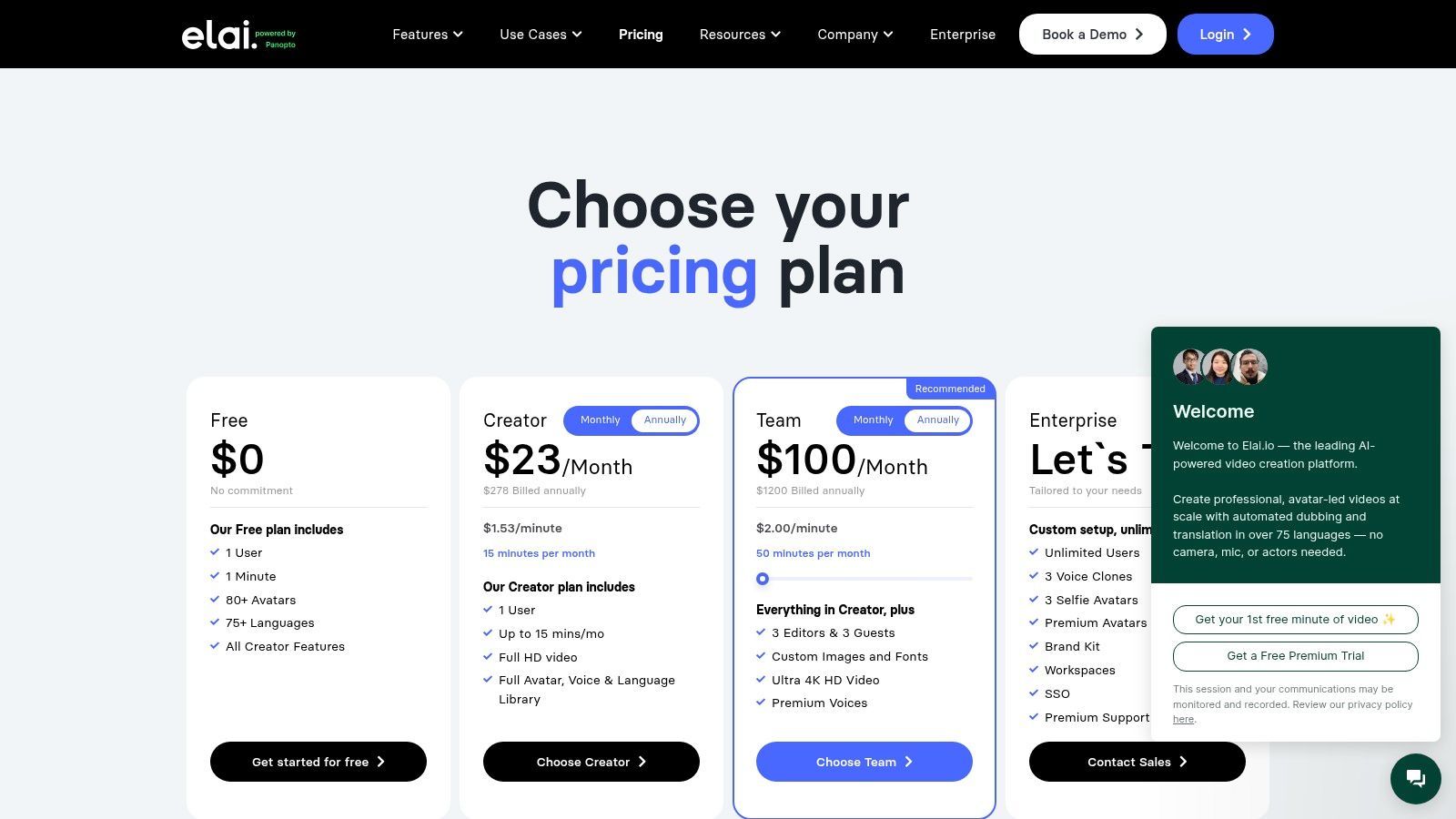
Elai.io's core strength is its avatar library and customization. You can choose from over 80 stock presenters or take it a step further with add-ons for creating a custom avatar from your own selfie or even a fully cloned voice. The platform operates on a simple minute-based credit system, so you know exactly how much video you can produce each month, with higher-tier plans unlocking 4K exports and more advanced features.
Standout Feature: The expansive library of 80+ stock avatars and support for 75+ languages makes it incredibly easy to localize content for a global audience without reshooting. Best For: Corporate trainers, educators, and marketers who need to produce consistent, high-quality explainer and onboarding videos at scale. Pro Tip: Use the voice cloning add-on for a specific project narrator to maintain brand consistency across all your video communications. Pricing: A free plan lets you test the creation flow with a one-minute credit. Paid plans start at $23/month (billed annually) for 15 minutes of video generation.
Pros & Cons
| Pros | Cons |
|---|---|
| Fine-grained minute-based pricing is easy to understand. | Minutes do not roll over on monthly plans, creating a use-it-or-lose-it scenario. |
| Free plan to test the creation workflow. | Both initial renders and re-renders consume minutes, which can add up quickly. |
| Supports high-resolution exports and various formats. | Custom avatars and voice cloning are premium add-ons. |
Looking for a tool to turn scripts into spokesperson videos? See what Elai.io has to offer for your next project.
Website:https://elai.io/pricing
If you've ever wanted to make a photograph talk, D-ID's Creative Reality Studio is the digital ventriloquist you've been looking for. This platform isn't about creating sprawling cinematic scenes; instead, it excels at a very specific and powerful niche: animating still images into talking-head avatars. This specialized focus makes it one of the most effective text to video ai tools for generating presenter-style videos, educational content, or quirky social media posts without ever needing a camera.
The magic of D-ID lies in its simplicity. You can upload a photo (your own, a stock image, or even a generated one), type in a script, choose a voice, and the platform animates the facial features to create a surprisingly lifelike talking presenter. It operates on a straightforward credit system, where one credit typically gets you a video up to 15 seconds long, making it easy to budget for projects.
Standout Feature: The seamless photo-to-talking-avatar technology. Its ability to take a static image and give it a voice and realistic facial movements is perfect for creating engaging explainer videos or personalized messages at scale. Best For: Marketers, corporate trainers, and educators who need to create presenter-led content quickly and affordably. It's also great for social media creators wanting to bring memes or characters to life. Pro Tip: For the most natural-looking results, use a high-resolution, front-facing headshot where the subject's mouth is closed and their features are clearly visible. The AI works best with a clean slate. Pricing: A free trial is available to test the waters with a handful of credits. Paid plans start at around $5/month for more credits and features like removing the D-ID watermark.
Pros & Cons
| Pros | Cons |
|---|---|
| Excellent for simple avatar videos with a low entry cost. | Not designed for full-motion, non-talking-head generative video. |
| Plugins for Canva & PowerPoint integrate into workflows. | Advanced plans can become pricey for high-volume video creation. |
| API access and licensing options for programmatic use. | The AI voices, while good, can sometimes lack nuanced human emotion. |
Website:https://studio.d-id.com
If your goal is productivity over pure artistic generation, Pictory is the workhorse you’ve been looking for. It's less about creating fantastical cinematic scenes from a prompt and more about transforming existing long-form content like articles, scripts, or blog posts into engaging social videos in minutes. This makes it an invaluable asset among text to video ai tools for marketers and content creators focused on repurposing content at scale.
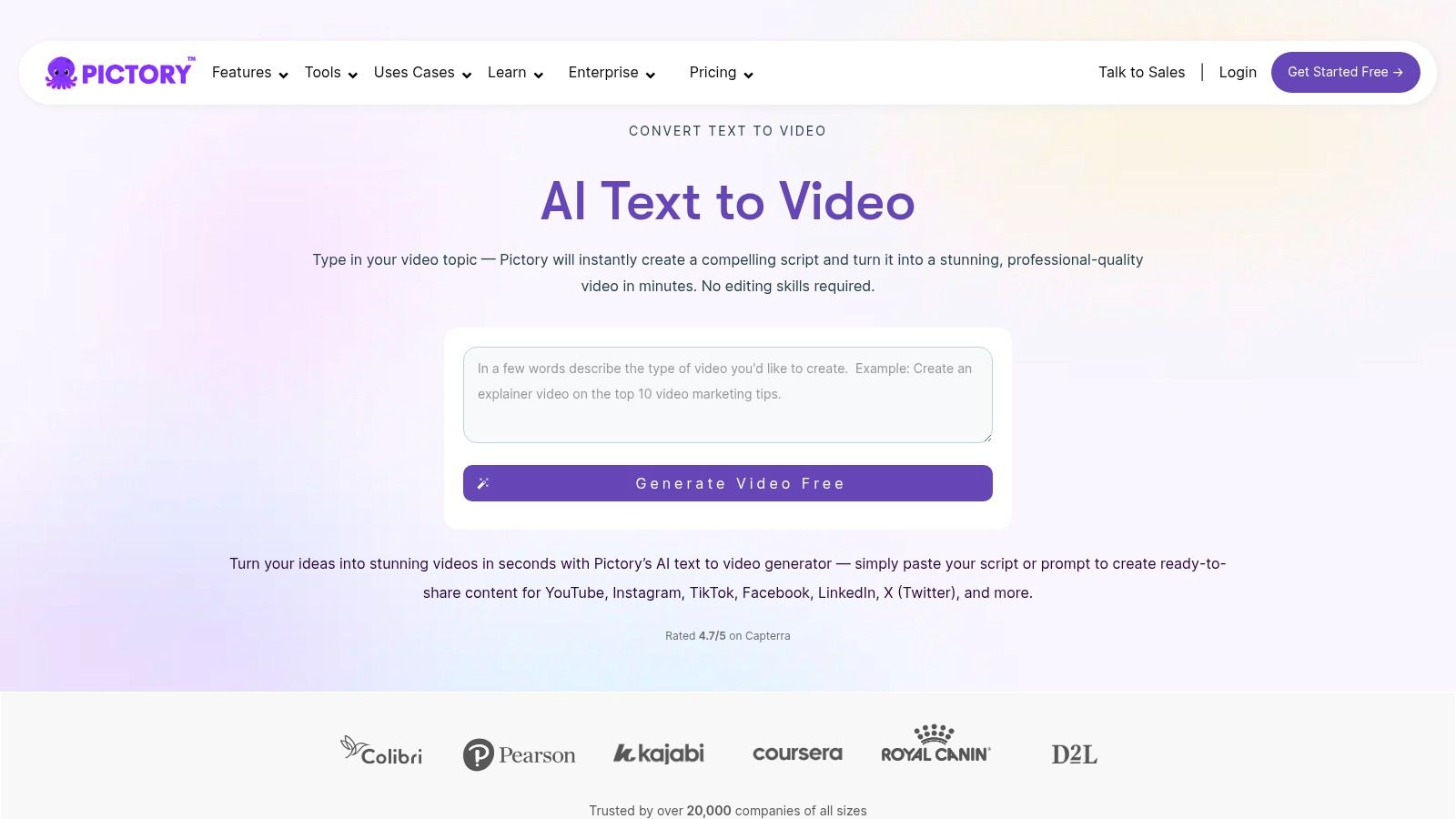
Pictory’s core strength is its automation workflow. You simply feed it a script or a URL, and its AI intelligently selects relevant stock footage from massive libraries like Getty and Storyblocks, adds AI-powered voiceovers, and generates captions automatically. The platform is built for speed and efficiency, allowing you to establish a brand kit for consistent output across all your videos.
Standout Feature: The script-to-video and article-to-video engine is a massive time-saver. It eliminates the tedious task of sourcing and editing B-roll for informational content. Best For: Content marketers, YouTubers, and social media managers who need to consistently turn written content into professional-looking videos without a steep learning curve. Pro Tip: Use the "Edit Video using Text" feature. It lets you delete words from the text transcript to automatically cut the corresponding video scenes, making editing incredibly fast and intuitive. Pricing: A free trial is available to create three video projects. Paid plans start at $19/user/month (billed annually), unlocking more videos and premium features.
Pros & Cons
| Pros | Cons |
|---|---|
| High productivity for social and YouTube repurposing. | Relies on stock footage, not fully generative cinematic video. |
| Large stock library integrations reduce sourcing time. | Less suited for highly creative or physics-based video concepts. |
| Simple workflow to convert any written content into video. | AI voiceovers can sometimes sound generic without customization. |
Website:https://pictory.ai/text-to-video
If you're looking to infuse your videos with a heavy dose of artistic flair and trippy visuals, Kaiber AI is your digital muse. It's less about photorealism and more about creating a mesmerizing visual journey, making it a favorite among musicians and artists. This platform shines as one of the best text to video ai tools for transforming a simple idea into a stylized, animated spectacle that feels like a moving piece of art.
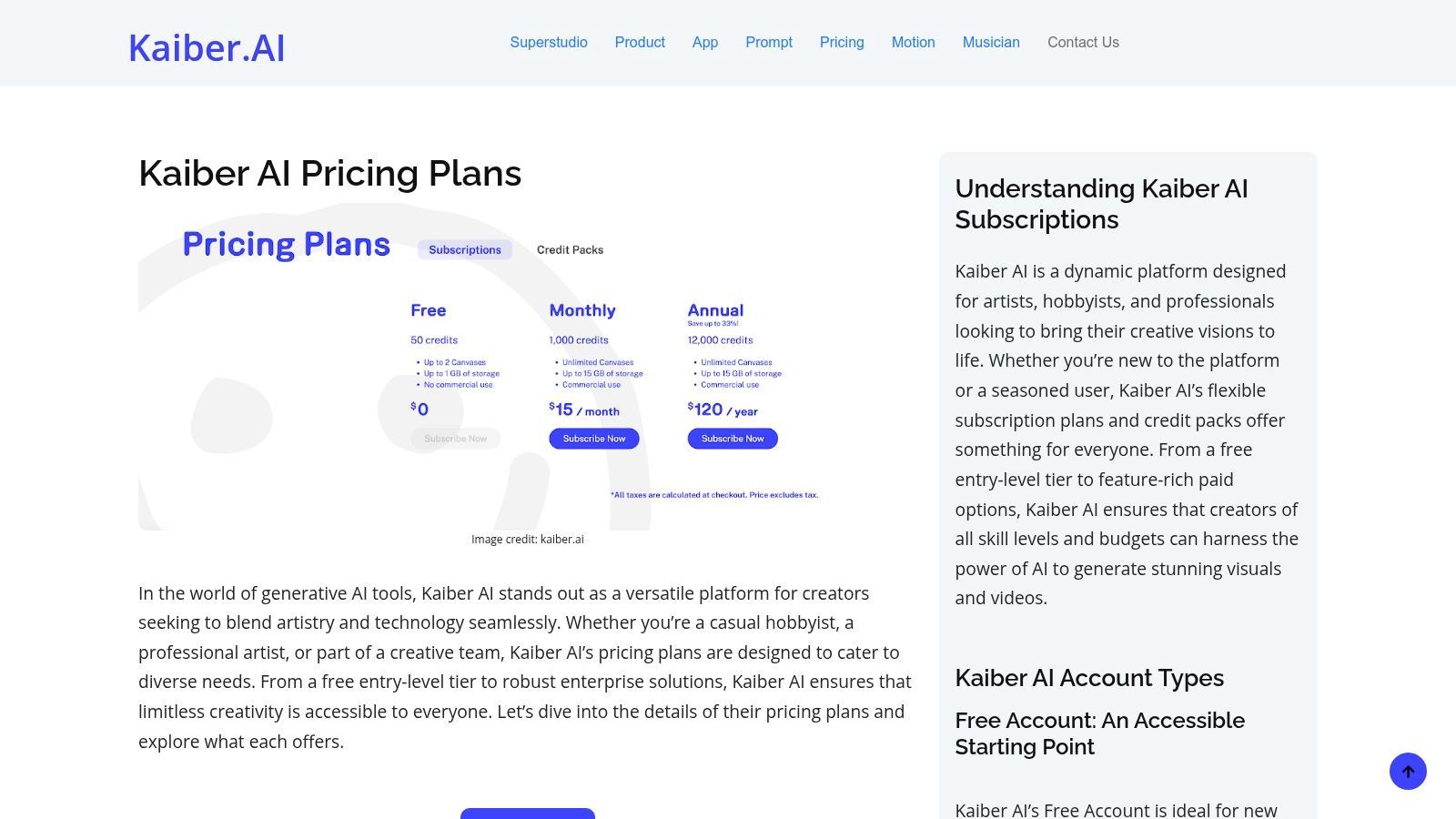
Kaiber excels with its unique "flows" like Flipbook and Motion, which give you distinct animation styles for your text or image prompts. The platform is built around a flexible credit system, offering both subscriptions and one-off credit packs. This is perfect for creators who might have fluctuating project demands, like needing a burst of creativity for a music video launch or social media campaign.
Standout Feature: Its specialized creative "flows" (Flipbook, Motion, Transform) produce unique, highly stylized animations that don't look like generic AI outputs. Best For: Musicians, digital artists, and social media creators who want to produce eye-catching, artistic video content and music videos. Pro Tip: Use the image-to-video feature with an abstract pattern or a piece of your album art as a starting point. Then, let Kaiber's motion flows bring it to life in sync with your audio. Pricing: A free trial is available to test the waters. Paid plans start at $5/month for a set number of credits, with options for larger subscriptions and à-la-carte credit packs.
Pros & Cons
| Pros | Cons |
|---|---|
| Flexible credit packs cater to both regular and sporadic use. | Advanced flows and higher-quality outputs can be credit-intensive. |
| Strong community focus on music and visual stylization. | Documentation and regional pricing pages can be inconsistent. |
| Multiple creative flows enable unique, artistic outputs. | Less focused on creating realistic, cinematic-style video clips. |
Website:https://kaiber.ai/pricing
If you've spent any time on TikTok, you've likely seen CapCut in action. This powerhouse editor from ByteDance has integrated AI features directly into its already popular platform, making it a go-to for social media creators who want everything in one place. It blends a user-friendly video editor with AI-powered tools, positioning itself as one of the most accessible text to video ai tools for quick, trendy content creation.
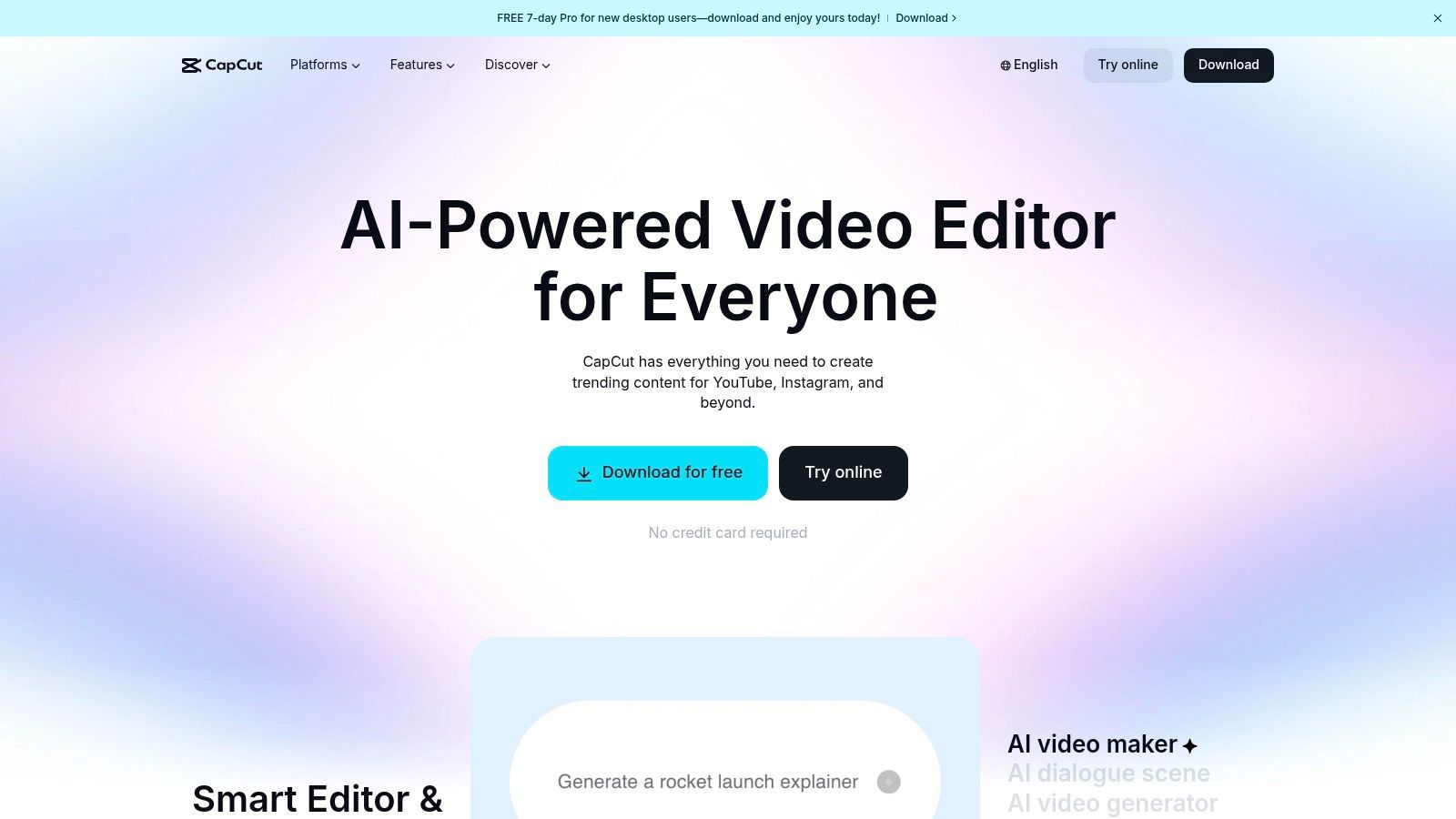
CapCut's magic lies in its seamless workflow. You can generate a short clip from a text prompt using its 'AI Video' suite and then immediately jump into editing it with popular templates, effects, and captions. This all-in-one approach removes the friction of exporting and importing clips, allowing for rapid-fire video production perfect for platforms like TikTok and Instagram Reels. Its cross-platform availability on mobile, desktop, and web means you can start a project on one device and finish it on another.
Standout Feature: The deep integration of AI generation tools within a full-featured, template-rich editor. It’s built for the speed of social media. Best For: Social media creators, influencers, and small businesses who are already familiar with the CapCut ecosystem and want to add AI clips to their content. Pro Tip: Use the AI generator for B-roll or background visuals, then layer it with CapCut's vast library of text styles, stickers, and trending audio to make it your own. Pricing: Offers a robust free version. CapCut Pro unlocks advanced features, with pricing varying by platform and region; check your local app store for current rates.
Pros & Cons
| Pros | Cons |
|---|---|
| Huge ecosystem of templates for social media trends. | AI availability and features can be inconsistent across regions. |
| Familiar editor for millions of users, reducing the learning curve. | App-store pricing can vary; US users should confirm costs in-app. |
| Cross-platform support simplifies multi-device workflows. | AI generation quality may not match more specialized, dedicated tools. |
Website:https://www.capcut.com
| Product | ✨ Core features | ★ Quality / UX | 💰 Pricing & value | 👥 Target audience | ✨ Unique selling points |
|---|---|---|---|---|---|
| 🏆 SendFame | Video, Image, Music, AI Celebrity, Image→Video | ★★★★★ Fast, one‑click workflow | 💰 Paid tiers; frequent promos (e.g., 56% OFF) | 👥 Influencers, marketers, event planners, consumers | ✨ Multi‑format + hyper‑real celebrity videos + music generator |
| Runway | Text→Video, Image→Video, Editor, API | ★★★★☆ Cinematic T2V; mature editor | 💰 Credit-based per‑second; predictable costs | 👥 Creators, teams, developers | ✨ Integrated editor + granular credit pricing |
| Pika | Text→Video, Image→Video, Pikaframes/Pikascenes | ★★★★ High-quality short clips (≤10s) | 💰 Credit subscriptions; competitive entry pricing | 👥 Short‑form creators, social users | ✨ Frequent model updates; generous Pro credits |
| Luma AI (Dream Machine) | Ray models, Upscale, HDR, Text→Video | ★★★★ Realistic motion & physics (short clips) | 💰 Transparent per-model credits; HDR costs more | 👥 Concept artists, short‑form creators | ✨ Strong motion realism + HDR options |
| Synthesia | AI presenters/avatars, translation/dubbing, templates | ★★★★ Enterprise-grade, polished output | 💰 Minute/credit pricing; enterprise tiers | 👥 Corporate training, explainers, communications | ✨ 140+ languages, custom avatars & enterprise features |
| HeyGen | 500+ avatars, avatar cloning, localization | ★★★☆ Fast, easy iterations | 💰 Clear tiers + free trial; add‑ons for teams | 👥 Marketing teams, localization, creators | ✨ Large avatar library + quick localization |
| Colossyan | Avatars, interactive quizzes/branching, auto-translate | ★★★★ L&D-focused, workflow oriented | 💰 Business plans with larger minute allowances | 👥 Learning & Development, educators, trainers | ✨ Interactive videos + PPT/PDF import |
| Elai.io | Stock presenters, multilingual, selfie/studio avatars, voice cloning | ★★★☆ Minute‑based; supports 1080p/4K | 💰 Minute pricing; add‑ons for avatars/voice | 👥 Marketers, explainers, training teams | ✨ Minute billing + high‑res export options |
| D-ID Creative Reality Studio | Talking‑head from photo/script, API, plugins | ★★★ Simple, low entry cost for avatars | 💰 Credit-based; low cost for basic avatar clips | 👥 Social creators, marketers, integrators | ✨ Canva/PowerPoint plugins + API access |
| Pictory | Script/URL→video, stock libraries, captions, templates | ★★★★ Productivity-first, fast repurposing | 💰 Subscription with stock integrations; time-saver | 👥 Marketers, content repurposers, social teams | ✨ Auto-assembly from text/URL + stock assets |
| Kaiber AI | Stylized Text/Image→Video, flows, flipbook/motion | ★★★★ Creative, stylized outputs | 💰 Credit packs & subscriptions; commercial rights paid | 👥 Artists, musicians, visual creators | ✨ Multiple creative flows for stylization |
| CapCut | Editor + AI text/image→video, templates, cross‑platform | ★★★★ All‑in‑one editor; vast templates | 💰 Mostly free + in‑app purchases; variable store pricing | 👥 Social creators, mobile-first users | ✨ Cross‑platform editor + huge template ecosystem |
We've just teleported through the dazzling, sometimes bizarre, and always fascinating universe of text-to-video AI tools. From creating cinematic dreamscapes with Runway and Luma AI's Dream Machine to generating professional-grade talking head videos with Synthesia and HeyGen, the power to conjure motion from mere words is no longer science fiction. It's a practical, accessible, and game-changing reality for creators, marketers, and anyone with a story to tell.
This journey has shown us one thing clearly: the "best" tool is a myth. The ideal choice is deeply personal and depends entirely on your mission. Are you chasing photorealistic, cinematic awe? Tools like Runway and Pika are your creative co-pilots. Do you need to churn out scalable, polished marketing or training videos featuring digital presenters? The avatar-centric platforms like HeyGen and Synthesia are your workhorses.
Navigating this new landscape can feel overwhelming, so let's distill it down. Before you commit your time and budget, ask yourself these critical questions:
What's the End Goal? Is this a viral TikTok clip, a corporate training module, a personalized birthday greeting, or an experimental art piece? The intended use case is your most important guiding star. A tool like Pictory, which excels at turning blogs into videos, is a poor fit for generating a fantastical CGI-style scene. What’s Your Skill Level (and Patience)? Some tools offer a simple "type and generate" experience, while others like Runway have a steeper learning curve with more granular controls. Be honest about how much time you're willing to invest in mastering a platform's nuances. What's the Budget? Free tiers are fantastic for experimentation, but they often come with watermarks, lower resolutions, and strict generation limits. For professional or high-volume work, a paid plan is unavoidable. Map out your needs against the pricing structures we’ve covered. What's Your "Wow" Factor? Are you looking for realistic avatars, surreal visuals, or something utterly unique? This is where a tool like SendFame carves its niche with celebrity personas, offering a distinct flavor of engagement you won't find elsewhere.
The most critical takeaway is that your creativity is still the main ingredient. These are not magic buttons that read your mind; they are powerful instruments that respond to your direction. Learning the art of the prompt, understanding how to layer commands, and refining your inputs will separate amateur results from professional-grade output. The quality of your text directly dictates the quality of your video. For those looking to deepen their understanding of the broader landscape of AI in content creation, you can explore further insights on AI-powered content creation for additional valuable perspectives.
We are standing at the dawn of a new era in visual storytelling. The barrier to entry for video production has been obliterated, and the creative playbook has been thrown wide open. The text-to-video AI tools we've explored are more than just software; they are new paintbrushes, new cameras, and new collaborators. The only limit now is the scope of your imagination. So, go ahead, pick a tool, start typing, and direct the future.
Ready to create videos that truly stand out with personality and star power? While other tools focus on generic avatars, SendFame lets you generate personalized video messages from your favorite celebrity personas. Stop creating content and start creating connections by visiting SendFame to craft your first unforgettable video in just one click
Create Epic

SendFame

Create Epic with SendFame!
Questions: info@sendfame.com