How to Animate Still Photos and Go Viral
how to animate still photos
Welcome offer — 56% OFF


Learn how to storyboard a video with our definitive guide. We cover everything from story structure to shot selection for creators and marketers.
So, what exactly is a storyboard? In a nutshell, you're taking your script and breaking it down into individual scenes, sketching out each shot like a comic book. This visual blueprint maps out everything—camera angles, character movements, transitions—making your vision crystal clear before you even think about pressing record.
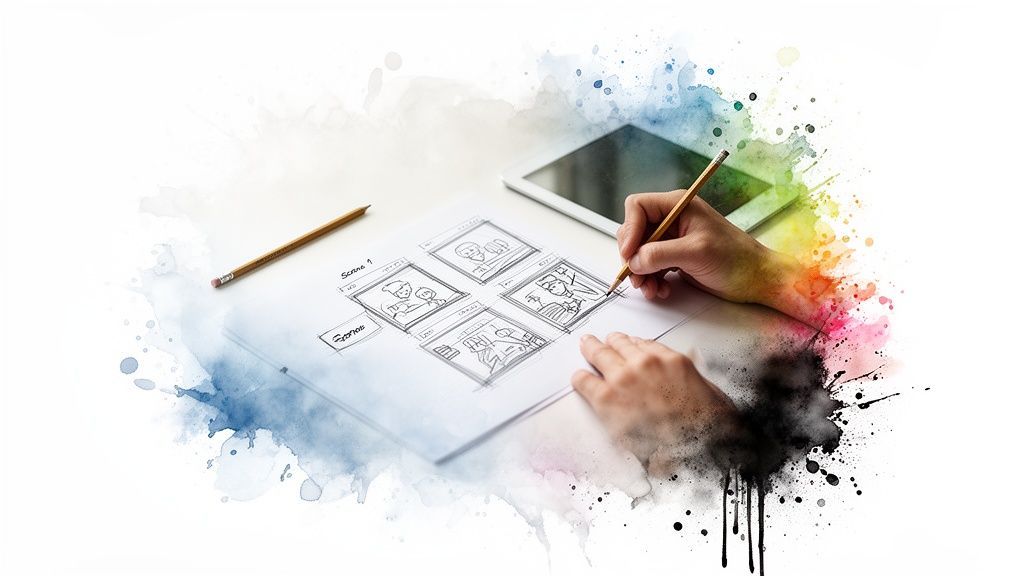
Before a single frame of footage is shot, the magic has already begun. The real secret behind videos that grab you and don't let go isn't fancy gear or a massive budget—it's a killer plan. And that plan, my friends, is the storyboard.
Think of it as the architectural drawing for your video. It’s what keeps a great idea from turning into a chaotic, unfocused mess on screen. It transforms a concept into a tight, compelling story that captivates your audience from the jump. Diving deep into How to Create a Storyboard is the first step to mastering this essential skill.
Trust me on this: spending time on a storyboard is non-negotiable. Whether you’re a TikTok creator or a marketing pro, this step will save you from endless headaches, disorganized shoots, and the dreaded, expensive reshoot.
It forces you to answer the tough questions before the pressure is on:
Pacing: How fast or slow will the story move? Will it be a quick-cut montage or a slow, deliberate build? Shot Composition: What's in the frame? Where do you want the viewer's eye to go? Transitions: How do you get from one scene to the next without jarring the audience? A smooth cut? A fancy wipe? Narrative Flow: Does the story actually make sense? Does it connect emotionally?
This isn’t just some dusty technique from old Hollywood, either. It’s a battle-tested method for getting things done right. The practice goes all the way back to the 1930s when Walt Disney's team formalized it for animated classics like Snow White and the Seven Dwarfs. In today's film world, a solid storyboard can slash production time by up to 30% by getting everyone on the same visual page from day one. Planning is everything, which is something we talk about a lot in our guide on how to make professional-looking videos.
By visualizing your video shot-by-shot, you’re not just planning a sequence of images. You’re crafting an experience, ensuring your final video has purpose, direction, and impact.
This methodical approach completely changed animation by cutting down on costly do-overs, and its economic power is still felt today. The storyboarding for animation market has ballooned into a $3.0 billion industry—proof of its immense value for projects big and small.
By the time you're done with this guide, you’ll know exactly how to storyboard your own videos and bring your vision to life, just as you see it in your head.
Every video that’s ever stopped your scroll, whether it was a 30-second TikTok masterpiece or a full-blown product launch, started with a crystal-clear answer to one question: “Why are we making this?”
Before you even dream of sketching a single frame, you have to lock down your core message. Without that solid foundation, your video is just a bunch of cool shots that don't add up to anything. It’s like a joke with no punchline.
First things first, what’s the goal here? Are you trying to sell a new gadget? Get people laughing to build brand love? Or are you dropping some knowledge bombs to educate your audience? Get brutally honest. A video that tries to do everything at once usually ends up doing nothing at all.
Once you know your mission, you can sharpen your message. What is the one single thing you want your viewer to walk away with? That’s your anchor. Everything else in the video should serve that one idea.
Look, even the shortest, punchiest social media clips need a story. I’m not talking about an epic saga. I’m talking about a simple beginning, middle, and end. This basic structure is what keeps eyeballs glued to the screen.
Don't overthink it. Just use this classic framework:
The Hook (The Beginning): You’ve got three seconds. Tops. Hit them with a shocking visual, a question they can’t ignore, or a problem they know all too well. The Meat (The Middle): This is where you deliver the goods. You’re solving the problem, providing the laugh, or explaining the thing you promised in the hook. The Ask (The End): What do you want them to do next? Don't be shy. Tell them to follow, comment, or smash that link in your bio. Make it painfully obvious.
I’ve seen it a thousand times: someone gets a cool visual idea and just starts shooting, completely skipping the script. It almost never works. The final video feels disjointed and confusing. Nail the story first. The visuals will practically create themselves.
Let’s say a small business wants to demo a new product. Here’s how that simple story arc plays out:
Hook: Open on a super frustrating close-up of a nightmarish tangle of charging cables. We’ve all been there. Meat: Boom! Introduce the sleek, magnetic cable organizer. Show it in action with a few quick, satisfying cuts as it wrangles the chaos into perfect order. Ask: End with a clean shot of the product and a simple text overlay: “Tidy Up. Shop Now.”
See? It’s a complete story that’s easy to follow and directly serves the goal of selling the product. It connects on an emotional level—it’s not just a boring list of features.
If you're tackling something more ambitious, like a music video, you'll need to flesh out your story in a lot more detail. That process involves creating a treatment, which we break down completely in our guide on how to write a music video treatment. By grounding your storyboard in a solid narrative, you make sure your video isn't just seen—it's felt.
Alright, this is where the fun really begins. You’ve wrestled with the story, nailed down the script, and now it’s time to stop writing and start seeing. This is the moment your video crawls off the page and starts to feel like a real, breathing thing.
You don't need to be a Hollywood director for this part. The whole idea is to go through your script, almost line by line, and decide how you want your audience to see what's happening. Think of it as deconstructing your story into a series of visual moments, each one with a job to do.
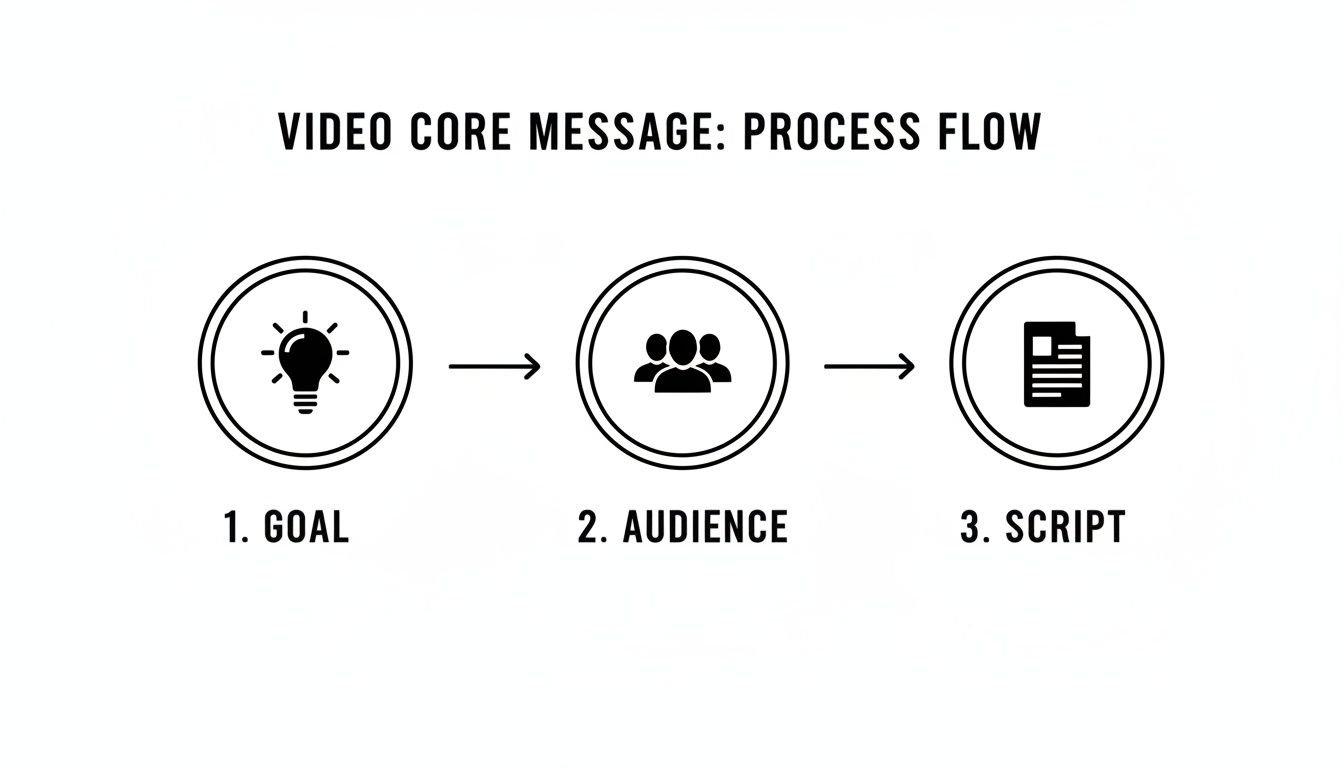
This little flow—goal, audience, script—is the bedrock for every visual choice you’re about to make. Your visuals exist to serve the script, the script serves the audience, and the audience helps you hit your goal. It's all connected.
Every camera shot packs an emotional punch. A close-up feels different from a wide shot. Your job is to become a visual translator, picking the right shot to get the right feeling across. Let’s look at the basic toolkit you’ll be playing with.
At its core, you’ll be leaning on three main shots:
The Wide Shot: This is your scene-setter. It pulls back to show the whole environment, giving the viewer context. Think of it as the opening shot of a city skyline before we zoom in on our hero sipping coffee. It answers the question, "Where are we?" The Medium Shot: Usually framed from the waist up, this is the workhorse of conversations. It’s personal enough to see expression but not so close that it feels invasive. It brings the audience into the action. The Close-Up Shot: Need to show pure emotion? This is your go-to. A close-up on someone’s face can scream joy, fear, or confusion louder than any line of dialogue. It’s an intimate shot that yanks the viewer in and demands they pay attention.
Think of these shots as your visual language. A wide shot makes a statement. A medium shot hosts a conversation. A close-up whispers a secret. Mixing them up is how you control the video's rhythm and emotional energy.
Once you get comfortable with these, you can start layering in more creative choices. For instance, if you're showing off a new gadget, knowing how to create product videos will give you great ideas for using these shots to make your product the star.
To keep yourself from going crazy on shoot day, you absolutely need a shot list. It’s not complicated—it's just a cheat sheet that spells out exactly what you need to film for each scene. Trust me, this simple document will save you from that sinking feeling of, "Oh no, did we forget to get a shot of...?"
And if you're building a more narrative-driven piece, you might find our guide on how to write a music video script useful for breaking down complex scenes.
For every shot, just jot down these key details:
| Element | What It Means |
|---|---|
| Shot Number | Just keep it simple (e.g., Scene 1, Shot 1). |
| Shot Type | Is it a Wide, Medium, or Close-Up? Get specific. |
| Action/Dialogue | What’s happening? What’s being said? A quick note is all you need. |
| Camera Angle | Are you looking down on the subject (high angle) or up at them (low angle)? |
| Notes | Any other sauce? Camera movement ("slow pan right"), a specific prop, etc. |
This isn't just busywork. It's the process of turning an abstract story into a concrete plan of attack. It forces every visual to have a purpose, ensuring your final video is tight, engaging, and actually moves the story forward.
Alright, let's get down to the fun part—bringing those shots to life. But first, we need to clear up a massive misconception that trips up so many creators: you absolutely do not need to be the next Picasso to make a great storyboard.
Seriously. If you can draw a stick figure and a shape that sort of looks like a box, you're golden. The whole point is to communicate an idea, not to create a masterpiece for the Louvre. A simple, clear sketch that shows what’s happening in the shot is way more useful than a detailed drawing that took you three hours. Your storyboard is a map, not the final destination.
When it comes to actually making the storyboard, you’ve got two main routes: the classic pen-and-paper way or jumping into digital tools.
The old-school approach is beautifully simple. You grab a pencil, maybe print out a template, and just start sketching. There's a certain magic to the hands-on process; it's fast, doesn't require any fancy software, and is perfect for a quick-and-dirty brainstorming session with your team around a table.
Then you have the digital side of things. This is where modern tech gives you some serious advantages. Digital tools make it a breeze to drag and drop elements, duplicate panels if you have repeating shots, and share your work with anyone, anywhere, in an instant. Many apps even let you add camera moves and timings to create a rough animation (called an animatic), which gives you a surprisingly good feel for the video's rhythm.
A storyboard is your first reality check. It’s where you see if the brilliant idea in your head actually works on screen. Don't get lost in making it pretty. Make it clear. A messy storyboard that everyone understands is a thousand times better than a beautiful one that leaves people confused.
The digital approach is quickly becoming the norm for a reason. The market for storyboarding software, currently valued at a whopping $2.939 billion, is expected to skyrocket to $7.226 billion by 2035, thanks to the rise of AI and cloud-based tools. Think about it: back in 2010, maybe 20% of productions were using digital storyboarding. Today? That figure has flipped to over 75%. It's empowering creators to plan like pros without needing a Hollywood-sized budget. For a deeper dive into these trends, check out this market research report.
So, which way should you go? Honestly, it comes down to your project, your budget, and how you like to work. There’s no single "best" answer, just the best answer for you.
To help you figure it out, let’s look at the different options you have for bringing your storyboard to life.
| Method | Best For | Pros | Cons |
|---|---|---|---|
| Pen & Paper | Quick brainstorming, solo creators, and tech-free planning. | No cost, fast for rough ideas, and forces simplicity. | Hard to edit or share, no animation options. |
| Digital Software | Team collaboration, complex projects, and creating animatics. | Easy to edit, shareable, and can add motion/timing. | Can be expensive, may have a learning curve. |
| AI Video Tools | Rapid visualization, social content, and testing concepts. | Generates visuals from text, creates 'live' storyboards. | Less precise control, relies on AI interpretation. |
As you can see, each method has its place. Sometimes, a simple notebook is all you need. For a bigger project with a remote team, a dedicated tool like Storyboarder or Boords might be a lifesaver.
And then there's the new kid on the block: AI. This is where things get really interesting.
Platforms like SendFame are flipping the whole process on its head. Instead of sketching out static frames, you can just type text prompts to generate visual concepts for each shot. This workflow blurs the line between a shot list and a storyboard, essentially creating a "live storyboard" made of actual video clips.
This approach is an absolute game-changer for testing ideas on the fly. You can generate a visual in seconds, see if it has the right vibe, and tweak the prompt until it’s perfect. It's especially powerful for social media creators who need to pump out content fast and can’t afford to waste time on ideas that don't land.
Curious how these new tools stack up against each other? We've got you covered. Check out our guide on the best AI video creation tools out there right now. At the end of the day, it's all about finding the path of least resistance—the method that gets your vision out of your brain and onto the screen as smoothly as possible.
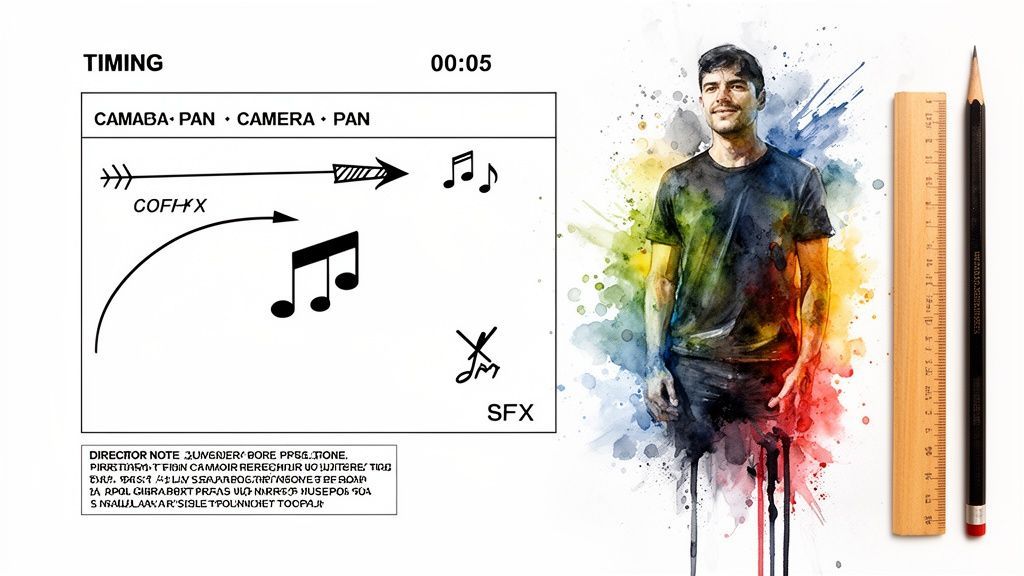
Okay, so you've got your shots sketched out and a basic sequence of events. Awesome. But a storyboard is more than a picture book—it's a production bible. This is where we add the details that prevent chaos on set and transform your vision into reality.
Think of these notes as the secret language of production. They ensure what’s in your head is exactly what your team—or even just your future self—pulls off on shoot day. This is the stuff that separates the amateurs from the pros.
Your stick figures might be standing still, but your camera (and your characters) shouldn't be. Static shots are boring. This is where simple annotations, like arrows, become your best friend.
A few quick markings can communicate a ton of information without you having to write an essay for every frame.
Camera Work: A big arrow pointing right? That's a pan. An arrow pointing into the frame? Zoom in. Pointing out? Zoom out. See? Easy. Character Action: Use arrows to show someone walking into the shot or an object falling from above. Transitions: You can even use arrows between panels to signal a specific transition, like a wipe or a fade from one scene to the next.
The goal is clarity at a glance. You want anyone to be able to pick up your board and understand exactly how the shot should feel.
A storyboard without notes is like a map without a legend. It shows you the landscape but doesn't tell you how to navigate it. The magic is in the details—the timing, the sounds, the camera moves. That's what turns a plan into a production.
Timing is everything. A five-second shot feels wildly different than a half-second flash on the screen. Scribble a rough time estimate under each panel. How long should this shot linger? This is how you start controlling the video's rhythm before you even think about opening your editing software.
And please, don't forget the audio. Sound is literally 50% of the video experience, but so many creators treat it like an afterthought. Planning your sound now is a power move.
Under each frame, jot down notes for:
Sound Effects (SFX): A "swoosh" for a fast camera move, a "ding" when a notification graphic pops up. Music: Note where a specific song should kick in, swell for emotional impact, or fade out. Maybe the beat drops right as the product is revealed? Write it down. Dialogue/Voiceover: Scribble the exact line of dialogue or VO that goes with that specific visual.
With 91% of businesses now using video for marketing, nailing these details is how you cut through the noise. The legendary Alfred Hitchcock saved an estimated 20% on production costs for Psycho because his storyboards were obsessively detailed, leaving nothing to chance. For a deeper dive into how businesses are using video, you can explore these insightful video marketing statistics.
By adding these final touches, you’re engineering the mood and energy of your video, not just hoping for a happy accident in the edit.
Alright, let's tackle some of the nagging questions that might be bouncing around in your head. It's smart to get these sorted out now before you're halfway through a project and wishing you had. Think of this as the expert FAQ session you've been looking for.
We're not talking about textbook theories here. This is all about practical, real-world advice to help you get started and create with confidence. Let's demystify this thing.
Ah, the classic question. The honest answer? It depends entirely on who needs to understand it.
If you're a solo creator knocking out a quick TikTok, a few scribbled stick figures and some notes about camera angles might be all you need. The storyboard is your personal roadmap, nothing more. Keep it simple and keep moving.
But what if you're working with a team? Or pitching a concept to a client? That's a whole different ballgame. In that case, you need to crank up the detail. We're talking:
Specific Shot Types: Don't just write "close-up." Is it a medium close-up or a cowboy shot? Be precise. Camera Movements: Spell out every single pan, tilt, and zoom you envision. Dialogue & Audio: What are people saying? What music or sound effects do we hear? Pacing: Roughly how long should each shot last? A quick 1-second cut or a lingering 5-second pan?
The golden rule is this: Your storyboard's job is communication. If it's just for you, do what you need to get the job done. If other people are involved, your storyboard must be so clear that they can see the video in their head just by looking at your board.
Heck yes, you can! In fact, using AI for this is a total game-changer. Think of modern AI video generators as a form of "live" storyboarding. Instead of sketching a static image, you can type your shot description into the AI and get a pretty good visual stand-in within seconds.
This is incredible for pre-visualization. You can generate rough clips for every shot on your list, then drag them around, tweak the prompts, and regenerate them until the flow feels perfect. It's the best of both worlds: the strategic planning of a traditional storyboard combined with the mind-blowing speed of AI.
The number one mistake, hands down, is skipping the storyboard altogether to "save time." I can tell you from painful experience, this almost always backfires, costing you way more time in chaotic shoots and frustrating, messy edits.
The second biggest trap is getting hung up on making it a work of art. Your storyboard is a tool, not a masterpiece destined for a gallery. Seriously, a circle with two dots is a perfectly fine head. Don't let your inner artist paralyze your inner director.
Another classic blunder is forgetting about the flow. A storyboard isn't just a collection of awesome-looking shots; it's a sequence that tells a story. You have to think about the transitions. How do you get from the wide shot to the close-up? If you ignore how your frames connect, your final video will feel choppy and amateurish.
Ready to turn that brilliant storyboard into a real video without all the production headaches? SendFame lets you generate videos, images, and even celebrity messages from simple text prompts. Create your first project for free at SendFame and watch your vision come to life.
Create Epic

SendFame

Create Epic with SendFame!
Questions: info@sendfame.com